
Make Viral Video
A no-account photo-to-meme-video tool that drops your face into trending TikTok and Reels effects for a one-time credit purchase.
Are you the maker? Claim this listing to keep info, pricing and screenshots current. Verified via your tool's domain email.
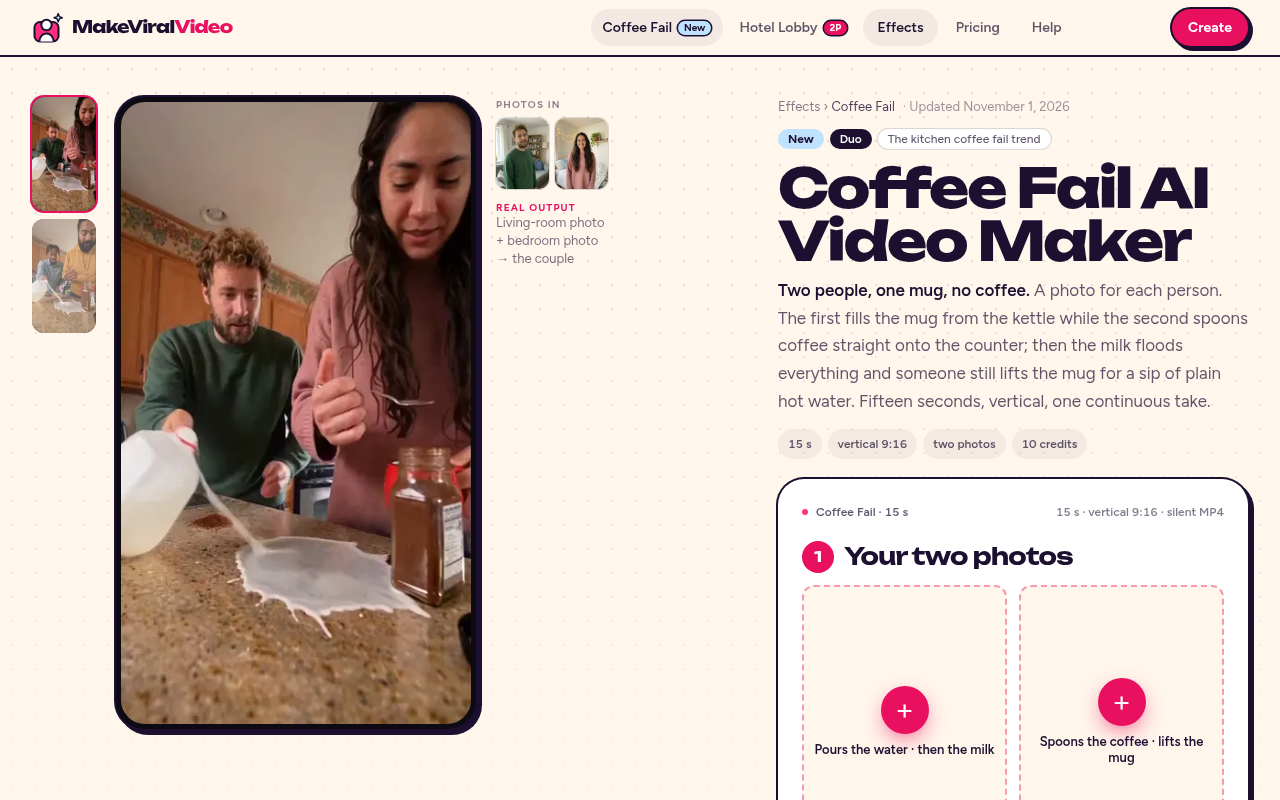
Make Viral Video is the right pick for someone who wants a single trending meme video without signing up for a subscription or learning any editing software. Its library sits at 14 effects as of November 2026, which is thin compared to what Runway or HeyGen can produce, and the 10-to-20-minute render wait means you cannot react to a trend the same hour it breaks. If you need consistent output, avatar-based video, or anything beyond meme templates, look elsewhere.
What is Make Viral Video?
Make Viral Video is a web-based photo-to-video tool that places a person's still photo inside pre-built trending short-form video effects. Users choose an effect from the library, upload one photo per person, and receive a finished silent 9:16 HD MP4 ready to post on TikTok, Instagram Reels, or YouTube Shorts. Audio is added separately inside the platform of choice.
The tool runs on a one-time credit system with no subscription. As of November 2026, the library holds 14 effects spanning solo, duo, and group formats, including dance, meme, and music categories. Most effects cost 10 credits; duo effects cost 20. Credit packs range from $9.99 for 10 credits to $49.99 for 100 credits. Credits are valid for two years and are refunded automatically if a render fails. No account is required for a single video purchase.
How we scored Make Viral Video
Capability lands at 14 because the library holds only 14 effects as of November 2026, which is a concrete and narrow ceiling compared to what Runway or HeyGen can produce; the tool does one thing and does it adequately, but the fixed template count is a hard limit on what any user can actually make. Ease of use scores 21 because the three-step flow, no-account single purchase, and pre-render output previews are genuinely well-designed for the target audience. Value scores 16 because $9.99 buys exactly one video with a 10-to-20-minute wait and no audio included, which is a high per-output cost for a tool that delivers a silent file requiring a second app to finish; the 100-credit pack at $49.99 improves the math but most casual buyers will not need 10 videos. Delivery scores 11 because no independent reviews or user sentiment for makeviralvideo.com could be found, the render wait of up to one hour undercuts the core promise of trend participation, and the silent output requires additional work the marketing does not foreground.
Pros and cons
What we liked
- No account required for a single video purchase, and no subscription ever: the one-time credit model means you pay only for what you actually render.
- Every effect page shows a real unedited output sample and the exact credit cost before you commit, so there are no surprises at checkout.
- Credits are returned automatically on a failed render and remain valid for two years, which removes the main financial risk of a pay-per-use model.
Where it falls short
- The library holds only 14 effects as of November 2026, and new effects arrive slowly enough that a trend can peak and fade before the corresponding template appears.
- Render times of 10 to 20 minutes (up to one hour by the site's own promise) make same-hour trend participation impossible, which is the main reason people post meme videos.
- The tool delivers a silent MP4 with no built-in audio sync, captioning, or editing layer, so every finished video requires a second app before it is truly post-ready.
Key features
Make Viral Video pricing
One-time credit packs only, no subscription. Packs: 10 credits for $9.99, 20 credits for $14.99, 30 credits for $19.99, and 100 credits for $49.99. Most solo effects cost 10 credits; duo effects cost 20 credits. Credits are valid for 2 years and are returned if a render fails. No free tier.
| Plan | Price | Who it is for |
|---|---|---|
| 10 Credits | $9.99 | 10 credits. Covers one solo effect (most solo effects cost 10 credits). One-time payment, no account required for a single video. Credits valid for 2 years. |
| 20 Credits | $14.99 | 20 credits. Covers one duo effect (duo effects cost 20 credits) or two solo effects. One-time payment. |
| 30 Credits | $19.99 | 30 credits. Covers three solo effects or one duo effect plus one solo. One-time payment. |
| 100 Credits | $49.99 | 100 credits. Covers ten solo effects or five duo effects, or a mix. Best per-credit rate in the current lineup. One-time payment. |
Pricing reflects what we saw at time of review (2026-11). Always confirm current pricing on the tool's own site.
Who should use Make Viral Video?
Make Viral Video suits someone who wants to put a specific person into a trending meme without filming anything or learning editing software. The clearest use case is a one-off gift or joke: a video of a parent, a friend, or a pet doing a viral dance or meme routine. The no-account single-purchase option makes it genuinely low-commitment for that audience.
It is not a good fit for creators who publish on a regular schedule. Fourteen effects spread thin fast, and the 10-to-20-minute render time rules out same-day trend chasing. Anyone who needs avatar-based talking videos, custom scripts, or a real editing workflow should look at HeyGen instead, which offers AI avatar video and talking photo features built for repeat professional use.
Skip it if: Creators needing a large template library, fast turnaround, or video editing tools
Make Viral Video alternatives
Frequently asked questions
Do I need to create an account to use Make Viral Video?+
No. A single video can be purchased and rendered without an account. An account is only needed if you buy a larger credit pack and want to track your balance.
How much does one video cost?+
Most solo effects cost 10 credits, which is the $9.99 starter pack. Duo effects cost 20 credits, so the $14.99 pack covers exactly one duo video. The 100-credit pack at $49.99 works out to roughly $0.50 per solo video.
How long does rendering take?+
The site states videos are usually ready in about 10 to 20 minutes and always within the hour. There is no express or priority queue option.
Do credits expire?+
Credits are valid for two years from purchase. If a render fails, the credits used for that render are returned automatically.
Does the finished video include audio?+
No. The downloaded file is a silent MP4. The site instructs users to add the trend sound inside TikTok, Reels, or Shorts after downloading.
How many effects are available, and how often are new ones added?+
The library held 14 effects as of November 5, 2026, with the newest batch added on that date. The site does not publish a fixed release schedule; effects are added as trends emerge.
More AI Video Tools
See all categoriesGet your tool listed on 300+ directories.
One listing here is a strong start. But the founders who get discovered everywhere are listed everywhere. Our sister site, Free AI Directories, submits your tool to 300+ AI directories for you, every single one by hand, by a real person.
It is a one-time payment of $49, no subscription, and you can follow along as the submissions land. Prefer the slow route? The same site keeps a free list of 450+ directories you can work through yourself.
Get my tool listed on 300+ directoriesOne-time payment, no subscription · 100% human submissions · Free list of 450+ directories included.