
MakeASkill
A free tool that turns a few plain-English questions into a personal AI instruction set, ready to paste into ChatGPT, Claude, Gemini, or
Are you the maker? Claim this listing to keep info, pricing and screenshots current. Verified via your tool's domain email.
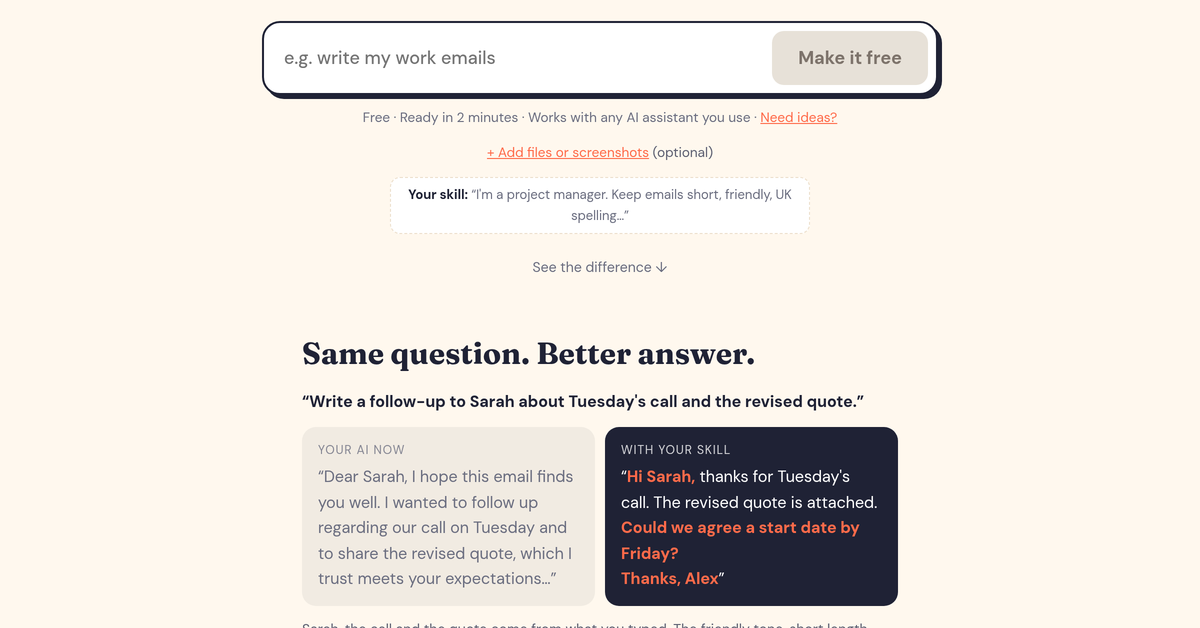
MakeASkill is the right pick for non-technical users who want AI to stop sounding generic without learning prompt engineering. The tradeoff is depth: it generates a static instruction block you paste manually, so it does nothing to automate workflows or connect tools the way a platform like Notion AI does inside an actual workspace. If you need AI that acts on your data rather than just sounds like you, look elsewhere.
What is MakeASkill?
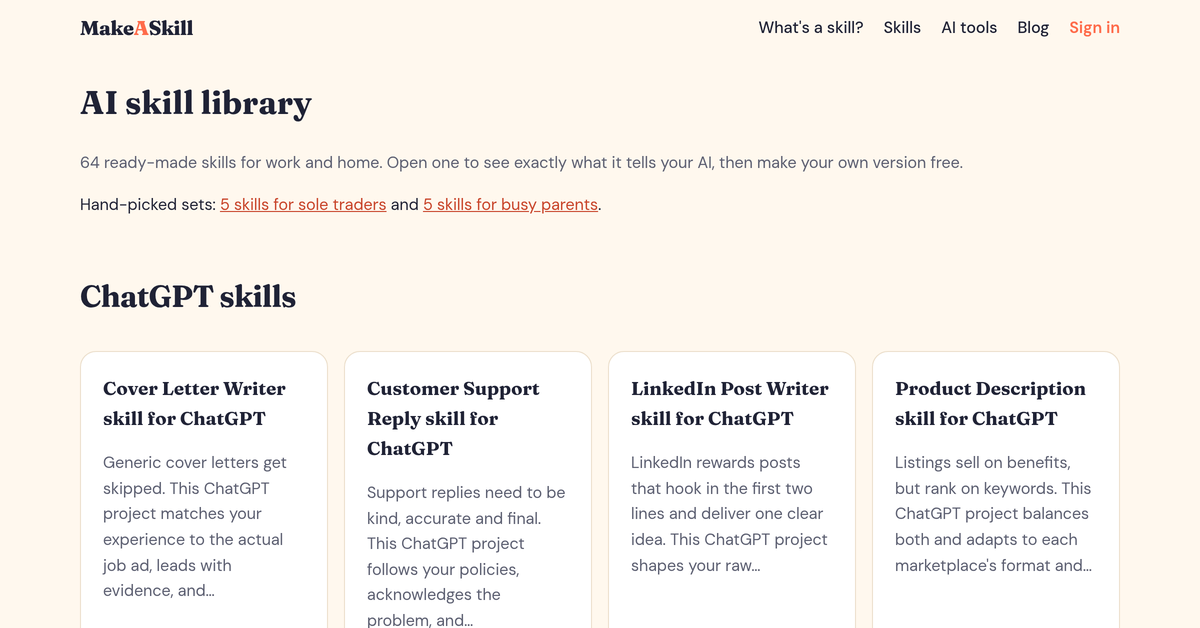
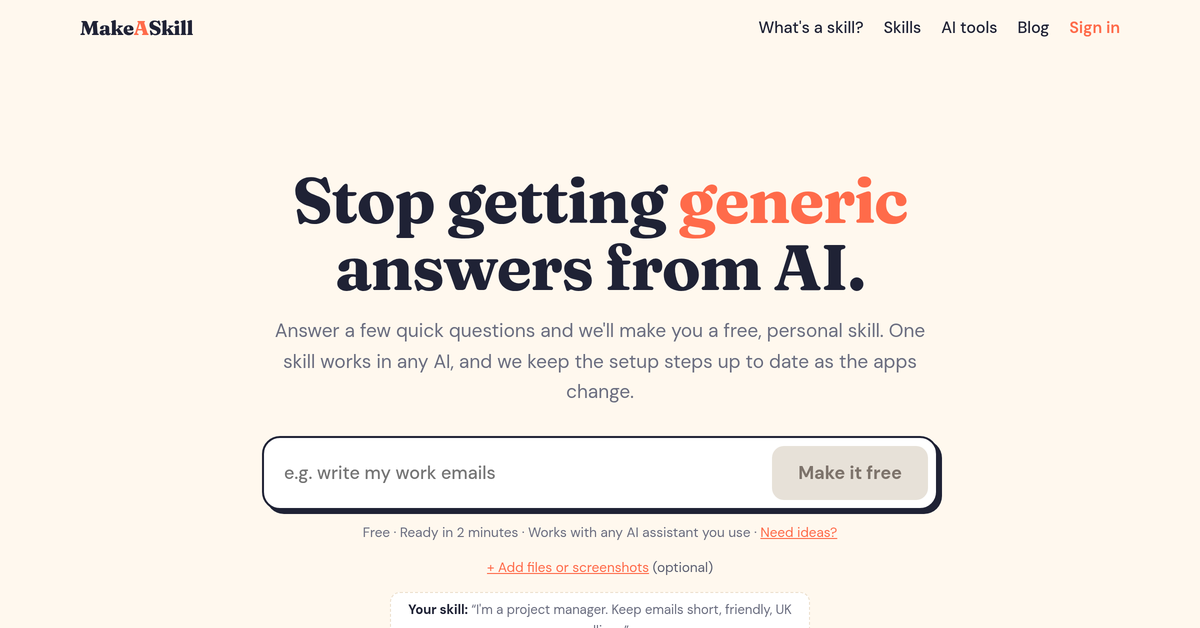
MakeASkill is a free web tool that generates personalised AI instruction sets, called skills, by walking users through a short series of plain-English questions about their role, writing style, and preferences. The resulting skill is a short text block users paste once into ChatGPT, Claude, Gemini, or Microsoft Copilot to get consistently personalised responses without rewriting prompts each time.
The service requires no account and allows up to 10 custom skills per month at no cost. It also hosts a library of more than 65 ready-made skills covering common work tasks such as email writing, meeting notes, and budget planning. A companion newsletter delivers one AI productivity tip per week. MakeASkill is aimed at everyday workers and individuals who want more relevant AI output but have no interest in learning prompt engineering.
How we scored MakeASkill
Ease of use scores high because the guided question flow, two-minute setup, and no-account requirement genuinely lower the barrier for non-technical users. Value is strong given the tool is free with no paid tier and includes 65+ pre-built skills. Capability is limited by design: the tool produces a static text block and does nothing beyond that, placing it well below competitors like Notion AI that act on real data. Delivery scores very low because no independent user reviews, press coverage, or third-party verification of the tool's claims could be found, making it impossible to confirm the product delivers what it promises beyond reading its own marketing page.
Pros and cons
What we liked
- Genuinely free with no account required: up to 10 custom skills per month and 65+ pre-built skills are available at zero cost.
- Platform-agnostic output: a single generated skill works in ChatGPT, Claude, Gemini, and Copilot, so users are not locked into one AI app.
- Guided question flow removes the blank-page problem for users who have never written a system prompt, making personalisation accessible to non-technical people.
Where it falls short
- Skills are static text blocks with a hard monthly cap of 10 per account-free session: there is no versioning, no storage dashboard, and no way to edit a previously generated skill inside the tool itself.
- No integration with any AI platform: users must manually copy and paste the skill into each app's settings, and must repeat this if the app's interface changes, which the site acknowledges by promising to keep setup instructions current.
- The tool does nothing beyond generating the instruction text: no automation, no memory across sessions, no data connections, and no way to test whether the skill is actually improving outputs before deploying it.
Key features
MakeASkill pricing
Fully free. No account required. Up to 10 skills generated per month at no cost. More than 65 ready-made skills are available to copy without any sign-up. No paid tier was found on the pricing page.
| Plan | Price | Who it is for |
|---|---|---|
| Free | £0 | Up to 10 custom skills generated per month, access to 65+ pre-built skills, email delivery of generated skills. No account required. |
Pricing reflects what we saw at time of review (2026-10). Always confirm current pricing on the tool's own site.
Who should use MakeASkill?
MakeASkill suits the solo worker, freelancer, or small-business owner who uses ChatGPT or Gemini daily but keeps getting answers that feel off-brand or too formal. A sole trader who wants every AI-drafted email to match their voice, or a project manager who wants meeting notes summarised in a specific format every time, will get real value from a five-minute setup with no ongoing cost.
It is less suited to anyone who needs AI to do something, not just sound like them. A support team that wants AI to pull from a knowledge base, or a developer who needs repeatable automated workflows, will hit the ceiling fast. For workspace-integrated AI that drafts, summarises, and searches inside your actual documents, Notion AI is the better fit. For users who want a broad toolkit of productivity utilities without any account friction, EveryTool4U covers more ground.
Skip it if: Teams or power users who need workflow automation, integrations, or AI that acts on live data
Tags
Frequently asked questions
Do I need to create an account to use MakeASkill?+
No. The tool generates skills without any sign-up. You can create up to 10 skills per month and access all 65+ pre-built skills without an account.
How much does MakeASkill cost?+
It is free. The pricing page lists a single tier at £0. No paid plan was found.
Which AI assistants does a MakeASkill skill work with?+
The site states skills work with ChatGPT, Claude, Gemini, and Microsoft Copilot. Because the output is plain text, it can in principle be pasted into any AI that accepts a system prompt or custom instructions field.
How long does it take to generate a skill?+
The site says the process takes about two minutes from answering the questions to seeing the finished skill.
Can I save or edit a skill after generating it?+
There is no in-tool storage or editor. The site emails you a copy of the skill after generation, but editing requires you to copy the text into your own document or regenerate it.
Does MakeASkill connect to ChatGPT or other AI apps directly?+
No. There is no API integration or plugin. You copy the generated text and paste it manually into your chosen AI app's settings.
More AI Productivity Tools
See all categoriesGet your tool listed on 300+ directories.
One listing here is a strong start. But the founders who get discovered everywhere are listed everywhere. Our sister site, Free AI Directories, submits your tool to 300+ AI directories for you, every single one by hand, by a real person.
It is a one-time payment of $49, no subscription, and you can follow along as the submissions land. Prefer the slow route? The same site keeps a free list of 450+ directories you can work through yourself.
Get my tool listed on 300+ directoriesOne-time payment, no subscription · 100% human submissions · Free list of 450+ directories included.