
Omi CLI
A terminal-native AI coding agent for developers who want diff-by-diff control over every change in their repo.
Are you the maker? Claim this listing to keep info, pricing and screenshots current. Verified via your tool's domain email.
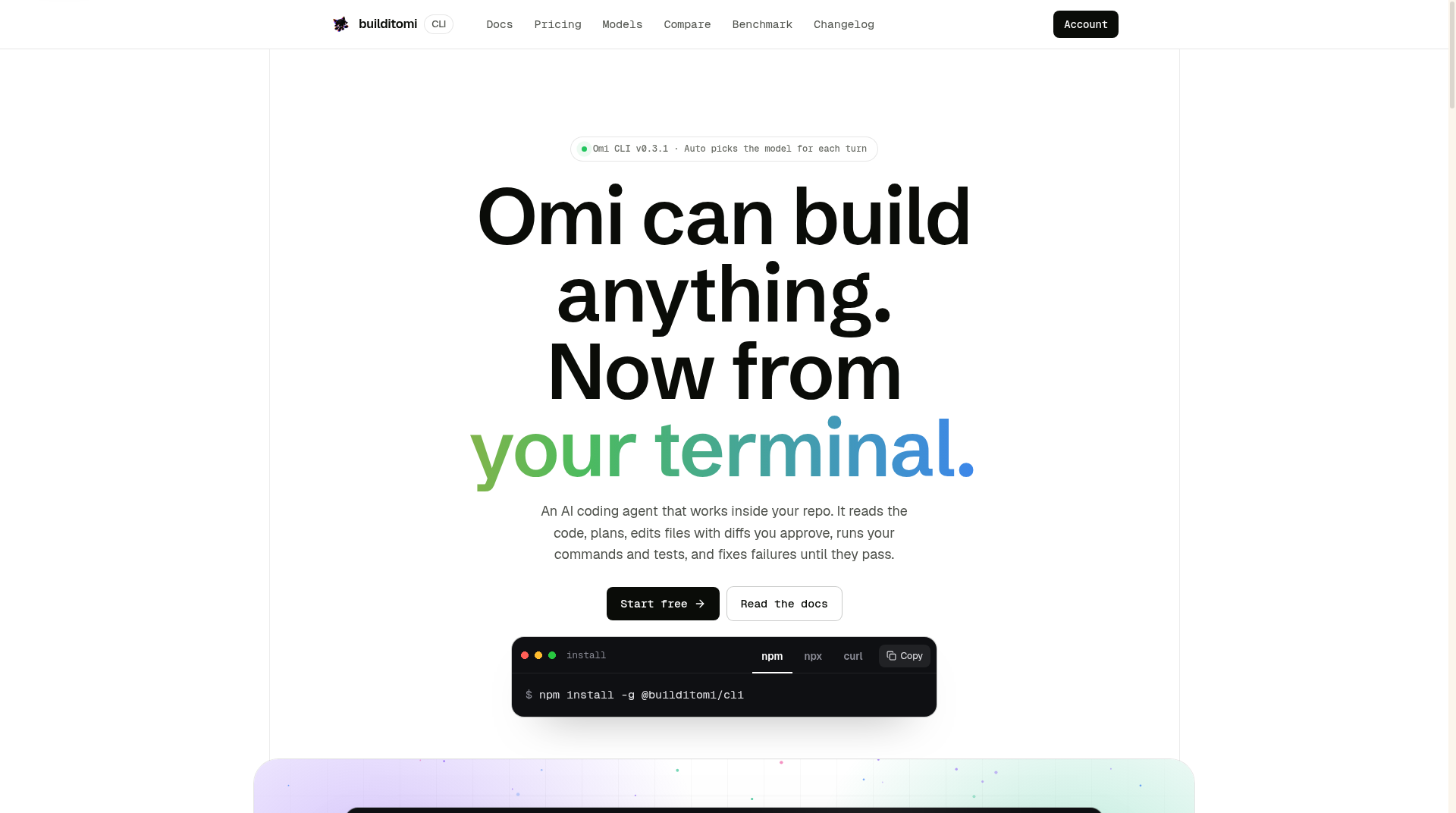
Omi CLI suits solo developers who want an agentic coding loop inside the terminal without surrendering control: every edit is a diff you approve or reject before it lands. Its usage model, a rolling 5-hour and weekly token window rather than a credit bucket, is genuinely different from most rivals, but the free tier is thin enough (roughly 3 typical tasks per week) that serious daily use requires the $20/month Pro plan at minimum. Developers who prefer a GUI, want bring-your-own-key flexibility, or need open-source auditability should look at Cursor or Tura instead.
What is Omi CLI?
Omi CLI is a terminal-based AI coding agent published by BuildItOmi, installed with a single npm command on macOS, Linux, or Windows via WSL. It reads a repository's files, builds a step-by-step plan, and presents every proposed file change as a colored diff that the developer approves, rejects, or redirects before the edit is written. The agent can run tests, fix failures, and loop until the test suite passes, and it supports resumable sessions, project memory, git awareness, web search, screenshots, and connections to stdio MCP servers.
The tool runs on a subscription model with four tiers ranging from free to $200 per month. Usage is metered against two rolling windows, one per 5 hours and one per week, rather than a traditional credit system. A built-in `omi usage` command shows remaining capacity and reset times at any point. The model selection spans more than a dozen options including DeepSeek, Gemini, and open-weight models, with an Auto mode that selects per turn.
How we scored Omi CLI
Capability lands at 18 because the diff-approval loop, test-fix automation, MCP support, and a 14-plus model roster are genuinely useful features, but the tool lacks bring-your-own-key support that both Cursor and Tura offer, and there is no GUI surface for developers who want one. Ease of use scores 18 because a single npm install, live usage status lines, and resumable sessions lower friction meaningfully, though WSL-only Windows support adds a real setup step for a large user segment. Value scores 16 because the free tier's cap of roughly 3 typical tasks per week is too low to evaluate the tool seriously, the $20/month Pro plan is the practical floor, and there is no escape valve for developers who already pay for model API access. Delivery scores 16 because no user sentiment data was findable, the submitted description's 'free credits' framing conflicts with the live window-based model suggesting recent changes, and the tool is new enough that its track record cannot yet be assessed.
Pros and cons
What we liked
- Diff-approval gate on every edit means the agent cannot silently modify files, a meaningful safety property absent from many terminal agents.
- Dual rolling-window usage model (5-hour and weekly) with a live `omi usage` status line gives predictable capacity visibility that credit-bucket systems do not.
- Model roster covers more than a dozen options across all tiers, including DeepSeek V4.1 Flash, Gemini 4 Hydrogen, and gpt-oss 120B, with no model locked behind a higher tier.
Where it falls short
- No bring-your-own-key option: all usage must go through Omi's plans, so developers who already pay for Anthropic or OpenAI API access cannot offset costs by routing through their own keys.
- The free tier caps at roughly 3 typical tasks per week, which is too low for any meaningful daily workflow and effectively makes the $20/month Pro plan the real entry point.
- Windows support requires WSL; there is no native Windows binary, which adds setup friction for developers on Windows who have not already configured a Linux subsystem.
Key features
Omi CLI pricing
Four tiers: Free ($0, no card required), Pro ($20/month), Pro+ ($60/month), and Max ($200/month). Annual billing saves two months. Usage refills on a 5-hour window and a weekly window; the free tier yields roughly 3 typical tasks per week, Pro roughly 19, Pro+ roughly 77, and Max roughly 290.
| Plan | Price | Who it is for |
|---|---|---|
| Free | $0 | No card required. Limited AI usage refilling every 5 hours and every week. Approximately 1 typical task per 5-hour window and 3 per week. 2 signed-in devices, 10 agent turns per minute. Full model roster including DeepSeek V4.1 Flash, Gemini 4 Hydrogen, gpt-oss 120B, and 7-plus more. |
| Pro | $20/month | Billed monthly; annual billing saves two months. For one developer coding every day. Approximately 6 typical tasks per 5-hour window and 19 per week. 5 signed-in devices, 30 agent turns per minute. Full model roster. |
| Pro+ | $60/month | Billed monthly; annual billing saves two months. 4x Pro's usage limits. Approximately 25 typical tasks per 5-hour window and 77 per week. 10 signed-in devices, 45 agent turns per minute. Full model roster. |
| Max | $200/month | Billed monthly; annual billing saves two months. 15x Pro's usage limits. Approximately 96 typical tasks per 5-hour window and 290 per week. 25 signed-in devices, 60 agent turns per minute. Full model roster. |
Pricing reflects what we saw at time of review (2026-11). Always confirm current pricing on the tool's own site.
Who should use Omi CLI?
A solo developer who ships code daily and wants an agent that proposes changes rather than silently applying them will get the most from Omi CLI. The diff-approval workflow is particularly well suited to anyone working in a production codebase where an unreviewed edit is a real risk. The `/test` loop, which finds your test command, runs it, patches the code, and reruns until green, is a concrete time-saver for developers with good test coverage.
Developers who work in teams, need per-seat licensing, or want to audit the agent's source code should look elsewhere. Cursor is the better pick if you want a full GUI editor with inline AI and a mature extension ecosystem. Tura is worth considering if open-source auditability and a bring-your-own-model approach matter more than a polished subscription experience.
Skip it if: Teams, bring-your-own-key users, or anyone who wants a GUI-first or open-source agent.
Omi CLI alternatives
Frequently asked questions
Is there a free plan, and is it actually usable?+
Yes, the Free tier is $0 with no card required. It allows roughly 1 typical task per 5-hour window and 3 per week. That is enough to evaluate the tool but not enough for daily coding; the $20/month Pro plan yields roughly 19 typical tasks per week.
Can I use my own OpenAI or Anthropic API key?+
No. Omi CLI does not support bring-your-own-key. All usage is metered through Omi's own plans. If you already pay for API access elsewhere, those costs do not offset your Omi subscription.
Does it work on Windows?+
Only via WSL (Windows Subsystem for Linux). There is no native Windows binary. The install command is `npm install -g @builditomi/cli` and runs on macOS, Linux, or Windows through WSL.
How does the usage limit work, and what happens when I hit it?+
Each plan has two rolling windows: a 5-hour window and a weekly window. Every agent turn draws from both based on actual tokens used. When a window runs out, Omi tells you when it resets. The `omi usage` command shows both windows and reset times at any point, and a status line appears after every answer.
Is Omi CLI the same as the BuildItOmi App or the API?+
No. Omi CLI has its own separate plans. A subscription to the BuildItOmi App, Bolts, or the API does not include CLI access; you need a distinct CLI plan.
Which models are available, and do higher tiers enable better models?+
All four tiers, including Free, share the same model roster of 14-plus options including DeepSeek V4.1 Flash, Gemini 4 Hydrogen, Gemini 3.5 Flash, gpt-oss 120B, GLM 5.2, and Gemma 4 26B. Higher tiers give more usage capacity, not access to different models.
More AI Coding & Dev Tools
See all categoriesGet your tool listed on 300+ directories.
One listing here is a strong start. But the founders who get discovered everywhere are listed everywhere. Our sister site, Free AI Directories, submits your tool to 300+ AI directories for you, every single one by hand, by a real person.
It is a one-time payment of $49, no subscription, and you can follow along as the submissions land. Prefer the slow route? The same site keeps a free list of 450+ directories you can work through yourself.
Get my tool listed on 300+ directoriesOne-time payment, no subscription · 100% human submissions · Free list of 450+ directories included.