
OpenMaker
Browser-based AI image and video studio with a credit-based freemium model for creators and small e-commerce teams.
Are you the maker? Claim this listing to keep info, pricing and screenshots current. Verified via your tool's domain email.
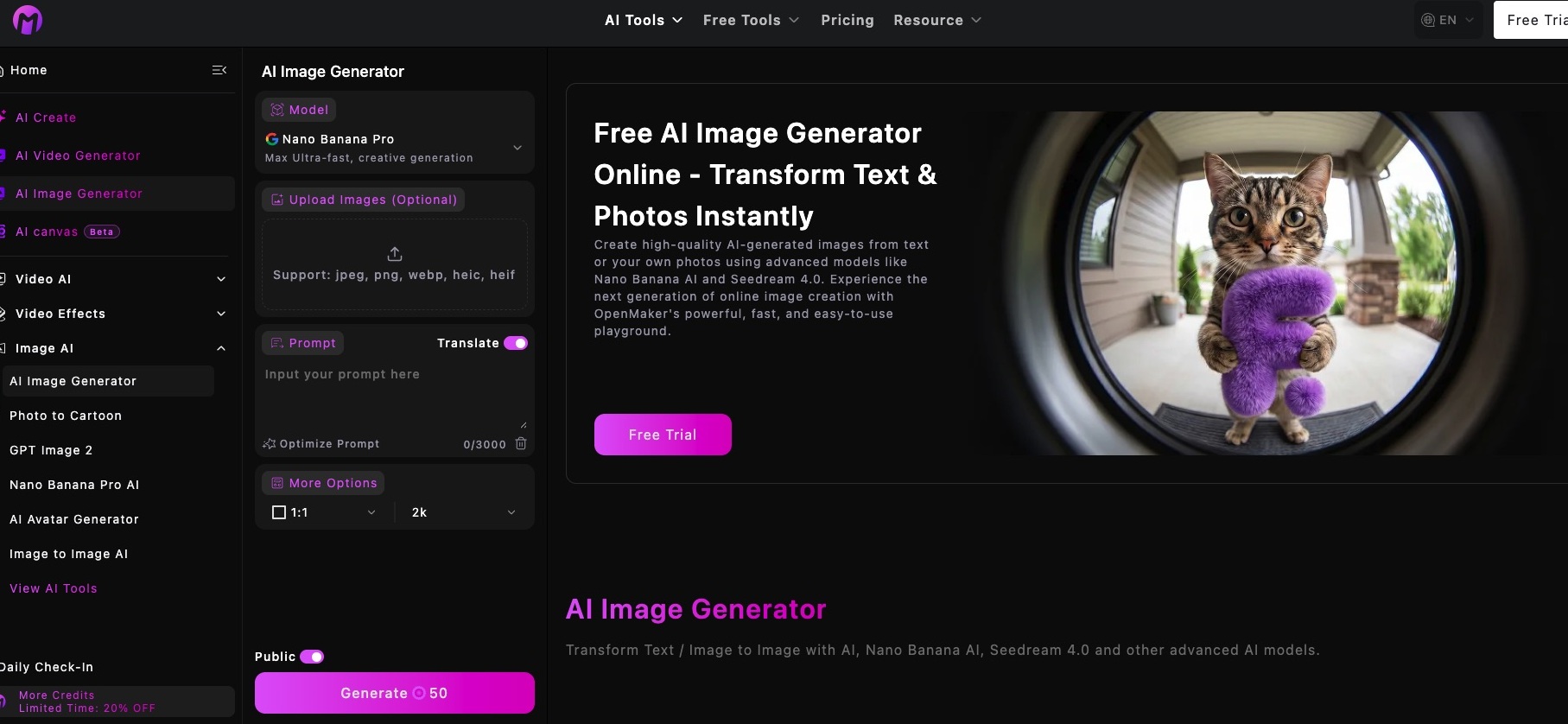
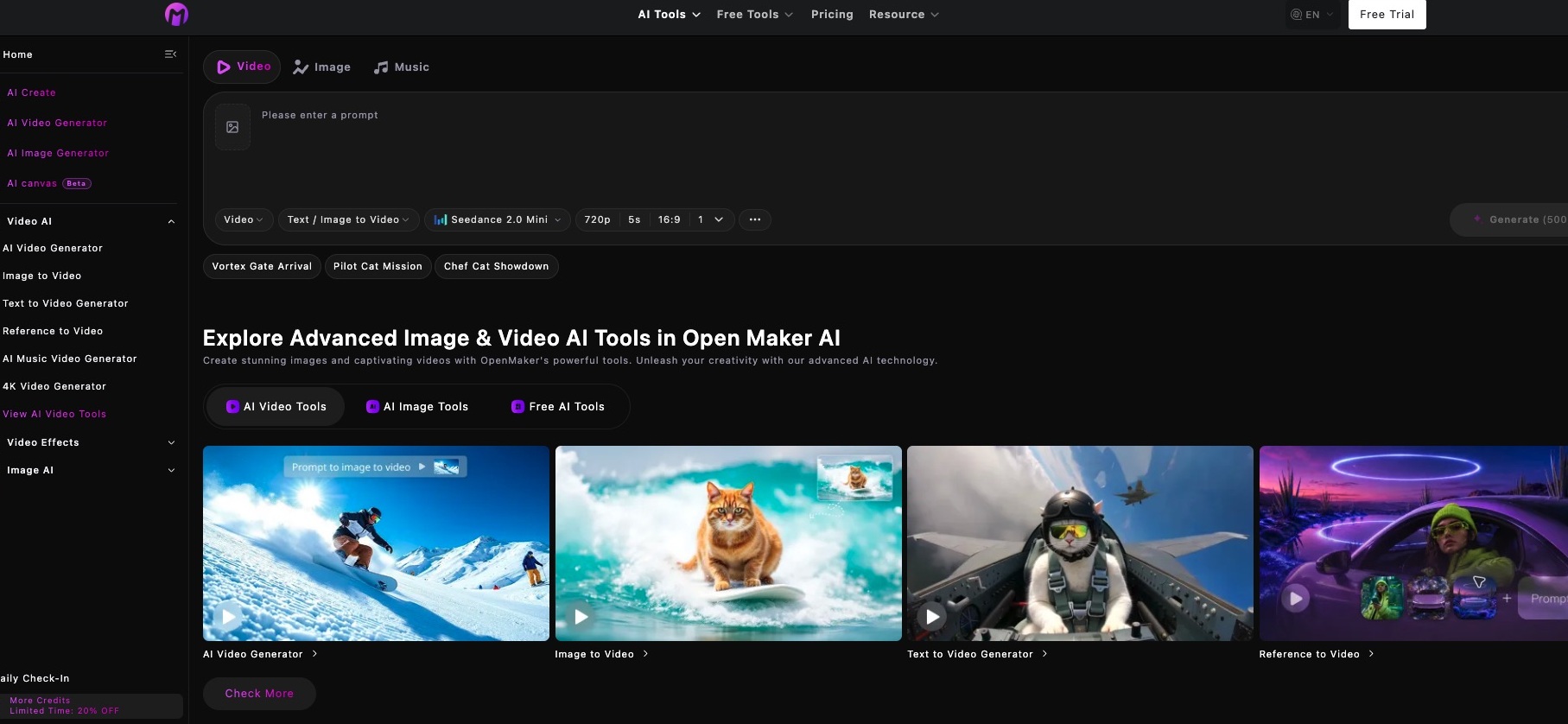
OpenMaker suits casual creators and small e-commerce teams who want a single browser tab for image generation, background removal, and short video clips without installing anything. Its one-time credit bundles are an unusual pricing model that works well for sporadic users but gets expensive fast for anyone generating at volume, and the free tier's low-quality output limits real evaluation before you pay. Teams needing consistent style control or high-volume generation will find Leonardo.Ai's subscription model and style presets a better fit.
What is OpenMaker?
OpenMaker is a browser-based AI studio for creators, marketers, and small e-commerce teams. Generate images from text prompts, animate still photos into short clips, or prepare existing product photos by removing their backgrounds and upscaling them. For projects with several visual directions, the node-based AI Canvas keeps prompts, reference images, and generated results connected so you can compare versions in one workspace.
How we scored OpenMaker
Capability scores 17 because OpenMaker covers a genuinely broad set of tools (six-plus named image models, four video modes, AI Canvas, background removal) but there is no evidence it leads any of those categories over named competitors like Leonardo.Ai or Midjourney, and the free tier's explicit low-quality cap prevents real evaluation. Ease of use scores 18 because a browser-only, no-install tool with a daily check-in mechanic and clearly labeled credit costs per model is straightforward to start, though the node-based Canvas adds some learning curve. Value scores 15 because the 100-day expiry on all paid bundles is a real penalty for infrequent users, there is no subscription option for teams with steady monthly needs, and the free tier's low-quality lock means buyers must pay before they can judge output quality. Delivery scores 13 because no third-party reviews or documented trust issues were found, but the absence of any verifiable user sentiment, combined with schema.org pricing data that conflicts with the visible page (flagged above), introduces uncertainty about whether the product consistently delivers what the pricing page promises.
Pros and cons
What we liked
- One-time credit bundles (no recurring subscription) suit sporadic or project-based generation workflows without monthly commitment.
- Unusually broad tool set in one browser tab: text-to-image across multiple named models (Seedream 5.0, Recraft, Nano Banana Pro), text-to-video, image-to-video, 4K video, background removal, and upscaling.
- Node-based AI Canvas workspace connects prompts, reference images, and outputs in one view, a structural feature absent from most entry-level AI image tools.
Where it falls short
- The free tier is explicitly limited to low-quality AI generations, which means you cannot meaningfully evaluate output quality before purchasing a credit bundle.
- Credit bundles expire after 100 days on all paid plans, so infrequent users who buy the Super bundle ($199.99 for 112,000 credits) risk losing unused credits if they do not generate at pace.
- No subscription option exists: there is no monthly plan with rolling credits, which makes cost unpredictable for teams with consistent but variable monthly generation needs.
Key features
OpenMaker pricing
Free tier gives new users 60 credits on signup plus 20 credits per daily check-in, with low-quality output and a 15-day history limit. Paid access is sold as one-time credit bundles, not subscriptions: Ultra ($19.99 for 10,000 credits), More ($49.99 for 26,000 credits), Max ($99.99 for 56,000 credits), and Super ($199.99 for 112,000 credits). All paid bundles are valid for 100 days and include high-quality generation, no watermark, private generations, and commercial rights. Prices exclude VAT.
| Plan | Price | Who it is for |
|---|---|---|
| Free | $0 | 60 credits on signup, 20 credits per daily check-in. Low-quality AI generations only, 50 free tool uses per day, shared generation queue, 15-day history, no commercial rights, watermarked downloads. |
| Ultra (One-Time) | $19.99 | 10,000 credits. High-quality image and video generation, AI video effects, unlimited free tool uses daily, fast generation queue, no watermark, 365-day history, private generations, commercial rights. Valid for 100 days. |
| More (One-Time) | $49.99 | 26,000 credits. Same feature set as Ultra. Valid for 100 days. |
| Max (One-Time) | $99.99 | 56,000 credits. Same feature set as Ultra. Valid for 100 days. |
| Super (One-Time) | $199.99 | 112,000 credits. Same feature set as Ultra. Valid for 100 days. |
Pricing reflects what we saw at time of review (2026-11). Always confirm current pricing on the tool's own site.
Who should use OpenMaker?
A solo content creator publishing social graphics a few times a week, or a small e-commerce operator who needs clean product images without a full design workflow, will get real value from OpenMaker's breadth. The one-time bundle pricing suits anyone whose generation needs are irregular: buy credits when you have a project, let them sit when you do not, without a monthly charge ticking away.
Anyone generating images at professional volume, or who needs tight style consistency across a brand, should look elsewhere. Leonardo.Ai offers subscription plans with token rollover, style presets, and a larger model library that scales better for teams producing dozens of assets per week. Midjourney remains the stronger choice for anyone whose primary need is high-aesthetic-quality image generation, with a $10/month entry point and a well-documented community of prompt techniques.
Skip it if: High-volume or professional studios that need subscription-based unlimited generation and advanced style consistency.
OpenMaker alternatives
Tags
Frequently asked questions
Do OpenMaker credits expire?+
Yes. All paid credit bundles are valid for 100 days from purchase. Free daily check-in credits follow the same account history rules, with free users limited to 15-day history retention.
Can I use generated images commercially?+
Commercial rights are included on all paid bundles (Ultra, More, Max, Super). The free tier does not include commercial rights.
What is the cheapest paid option?+
The Ultra bundle costs $19.99 as a one-time purchase and provides 10,000 credits, valid for 100 days. There is no monthly subscription option.
Which AI models does OpenMaker support for image generation?+
The platform lists Seedream 5.0, Seedream 4.5, Seedream 4.0, Recraft, Nano Banana Pro, Nano Banana, AI Photo, and Gemini 2.5 Flash Multi Image, among others. Credit costs per image range from 30 to 100 credits depending on the model.
Is there a subscription plan available?+
No. OpenMaker sells only one-time credit bundles. There is no monthly or annual subscription with rolling credits.
How does the free tier work day-to-day?+
New users receive 60 credits on signup. After that, free users earn 20 credits per daily check-in. Free-tier output is capped at low quality, and generated files are stored for only 15 days.
More AI Image Generators tools
See all categoriesGet your tool listed on 300+ directories.
One listing here is a strong start. But the founders who get discovered everywhere are listed everywhere. Our sister site, Free AI Directories, submits your tool to 300+ AI directories for you, every single one by hand, by a real person.
It is a one-time payment of $49, no subscription, and you can follow along as the submissions land. Prefer the slow route? The same site keeps a free list of 450+ directories you can work through yourself.
Get my tool listed on 300+ directoriesOne-time payment, no subscription · 100% human submissions · Free list of 450+ directories included.