
People Remover
A web-based AI photo editor that removes people from images using plain-language descriptions instead of manual masking.
Are you the maker? Claim this listing to keep info, pricing and screenshots current. Verified via your tool's domain email.
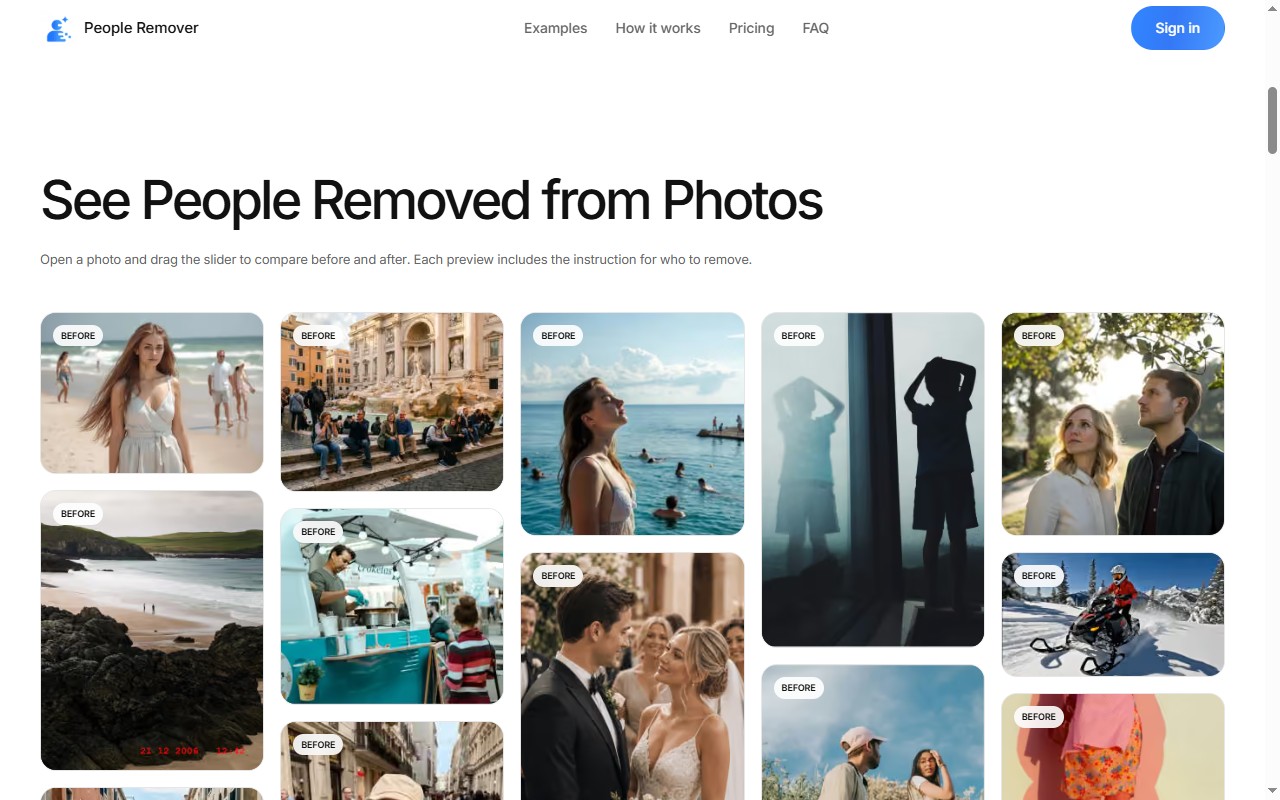
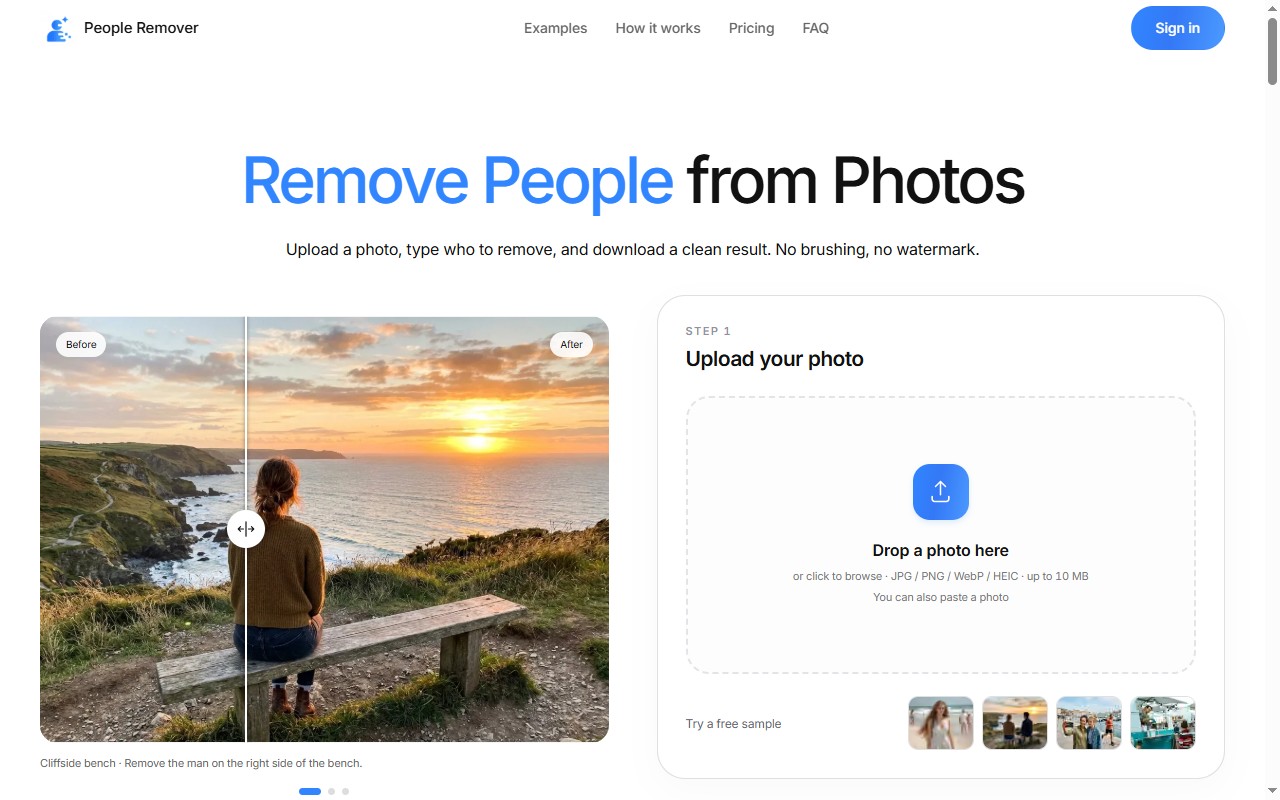
People Remover is the right pick for anyone who wants to clean up a photo without touching a brush or mask, since the describe-and-remove workflow genuinely lowers the skill floor. The tradeoff is that text-based targeting is less precise than painting a selection, and the tool does nothing beyond person removal, so it will disappoint anyone expecting a broader editing toolkit. If you need pixel-level control or work with high volumes of images professionally, look elsewhere.
What is People Remover?
People Remover is an AI photo editing tool for taking unwanted people out of a picture. Instead of painting a mask over each person, you upload the photo and describe who should go, for example removing the man on the left or everyone in the background. According to the product page, input is limited to JPG, PNG, WebP and iPhone HEIC up to 10MB, and the result downloads as JPG, PNG or WebP with no watermark. The same page notes that one instruction counts as one edit regardless of how many people you name, so a group cleanup costs the same as a single removal. A practical workflow is to start with one clear description that names position or clothing, check the full result rather than only the removed area, and refine the wording if the wrong person was targeted. Because the tool redraws the whole image, small details away from the removed person can shift, so a final visual pass before publishing is worth the extra minute. Paid plans add larger output sizes; the free path is a single
How we scored People Remover
Ease of use is the tool's genuine high point: the describe-and-remove workflow requires no editing skill, the browser-based interface has no onboarding friction, and the credit system is transparent, earning a 22. Capability is limited by design: the tool does exactly one thing (remove people), has no batch processing, no API, and no mask fallback when text targeting fails, which puts it well below broader tools like Leonardo.Ai on this dimension, landing at 16. Value is reasonable for casual use given the $3.99 entry pack and credit carryover, but the per-edit cost at the Basic tier ($0.10 per 1K edit) is not cheap for anyone editing regularly, and there is no ongoing free tier, so value lands at 18. Delivery scores 10 because there is essentially no public sentiment data, no third-party reviews, and the site itself acknowledges that the full-image redraw can shift background details away from the removed subject, which is a meaningful reliability caveat for a tool whose only job is clean removal.
Pros and cons
What we liked
- Text-based targeting means zero masking skill required: one sentence removes any number of people in a single credit.
- Unused credits carry over on all plans, and monthly subscriptions can be cancelled while keeping accrued credits, so there is no pressure to use credits before a deadline.
- No watermark on any paid output, including the $3.99 one-time pack, which is unusually generous at that price point.
Where it falls short
- Text targeting is inherently ambiguous: if two people match your description (both wearing blue, both on the left), the tool may remove the wrong one, and there is no way to refine the selection without rewording and re-running the edit.
- The tool redraws the full image rather than inpainting only the removed area, so background details away from the removed subject can shift, a limitation the site itself flags.
- No API, no batch processing, and no integrations: every edit is a manual upload-type-download loop, which makes it impractical for anyone processing more than a handful of photos at a time.
Key features
People Remover pricing
One free 1K edit on sign-up (no watermark). After that: a one-time 5-credit pack for $3.99, or monthly plans at $9.90 (100 credits), $19.90 (300 credits), or $49.90 (900 credits). Credits cost 1, 2, or 3 per edit depending on whether you choose 1K, 2K, or 4K output. Unused credits carry over on all plans.
| Plan | Price | Who it is for |
|---|---|---|
| Free (sign-in credit) | Free | One 1K edit on sign-in. No watermark. No subscription required. |
| 5-Credit Pack | $3.99 | 5 credits, one-time purchase, no subscription. Credits never expire. Covers up to 5 edits at 1K, 2 at 2K, or 1 at 4K. |
| Basic | $9.90/month | 100 credits per month, billed monthly. About $0.10 per 1K edit. Unused credits carry over. |
| Standard | $19.90/month | 300 credits per month, billed monthly. About $0.07 per 1K edit. Unused credits carry over. Listed as most popular. |
| Pro | $49.90/month | 900 credits per month, billed monthly. About $0.06 per 1K edit. Unused credits carry over. |
Pricing reflects what we saw at time of review (2026-11). Always confirm current pricing on the tool's own site.
Who should use People Remover?
Travelers and event photographers who want to clear strangers or photobombers from a shot without learning Photoshop will find this tool fits their workflow immediately. The one-free-edit entry point and the $3.99 five-credit pack make it easy to test before committing to a subscription, which suits someone who only needs occasional cleanup rather than a regular editing pipeline.
Anyone who needs precise control over exactly which pixels are removed should look elsewhere. A professional retoucher who needs to preserve fine background detail, or a product photographer who cannot afford any background drift, will find the text-based targeting too imprecise. For that kind of work, a mask-based tool is the right choice. Similarly, if you need image generation, style transfer, or any editing beyond person removal, Leonardo.Ai covers a much broader creative surface and is already in this directory.
Skip it if: Professional retouchers or anyone needing precise mask control or batch editing.
Frequently asked questions
How much does it cost to try People Remover before paying?+
You get one free 1K-resolution edit when you sign in. No credit card is required for that first edit, and the result downloads without a watermark.
What happens to unused credits if I cancel my monthly plan?+
You keep all credits you have already accumulated. Cancellation stops future renewals but does not forfeit the credits in your account.
Can I remove multiple people with one credit?+
Yes. One instruction counts as one edit regardless of how many people it covers. Removing ten people from a group photo costs the same as removing one.
What output resolutions are available, and what do they cost?+
1K output costs 1 credit, 2K costs 2 credits, and 4K costs 3 credits. The free sign-in edit is limited to 1K; 2K and 4K are available on any paid plan.
What file formats does People Remover accept and export?+
It accepts JPG, PNG, WebP, and iPhone HEIC files up to 10MB. Downloads are available as JPG, PNG, or WebP with no watermark on paid plans.
Is there a way to get more precise control over which person is removed?+
No. The only targeting method is the text description. If the AI removes the wrong person, you reword the instruction and run the edit again, which uses another credit.
More AI Image Generators tools
See all categoriesGet your tool listed on 300+ directories.
One listing here is a strong start. But the founders who get discovered everywhere are listed everywhere. Our sister site, Free AI Directories, submits your tool to 300+ AI directories for you, every single one by hand, by a real person.
It is a one-time payment of $49, no subscription, and you can follow along as the submissions land. Prefer the slow route? The same site keeps a free list of 450+ directories you can work through yourself.
Get my tool listed on 300+ directoriesOne-time payment, no subscription · 100% human submissions · Free list of 450+ directories included.