
Put Me In
A pay-per-video AI tool that drops a photo of you, a friend, or a pet into a trending meme video clip, no subscription required.
Are you the maker? Claim this listing to keep info, pricing and screenshots current. Verified via your tool's domain email.
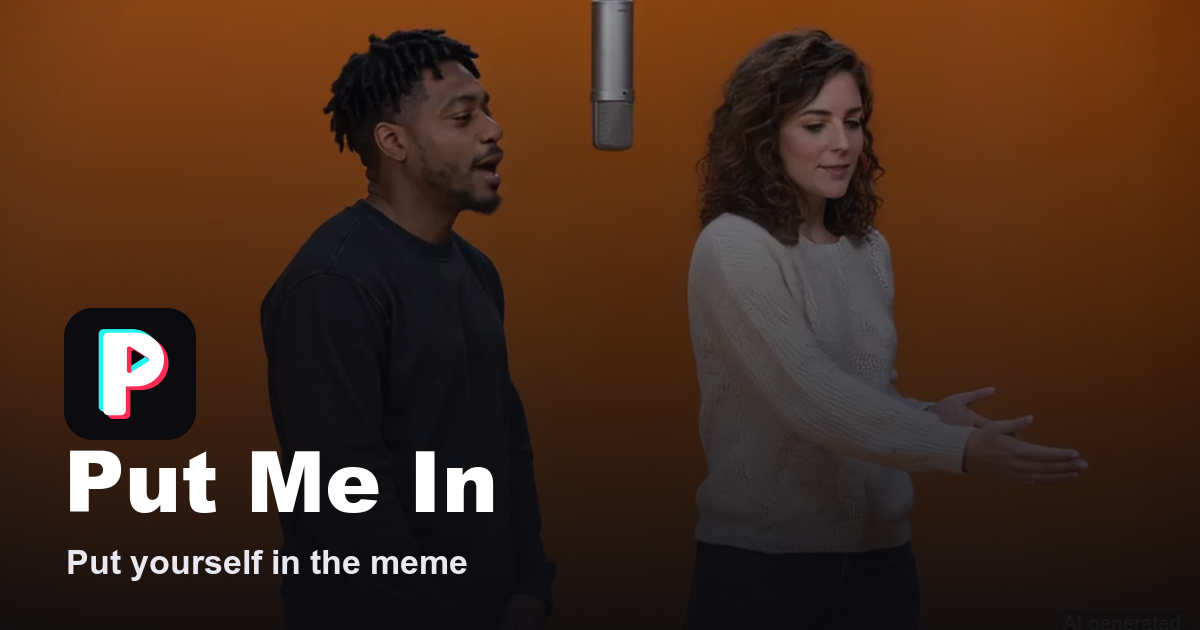
Put Me In is the right pick for anyone who wants a single, shareable meme video without committing to a subscription. The template library is small, around ten options at launch, and some are not yet open for orders, which limits what you can actually buy on any given day. If you need original video creation, editing tools, or anything beyond pre-set meme formats, Runway is the better fit.
What is Put Me In?
Put Me In is a web-based AI video tool that generates short meme clips from user-submitted photos. Users select a trending meme template, upload one or more photos of people or pets, choose a video quality, and pay once per video. The finished MP4, up to 15 seconds long and formatted for vertical or widescreen social media, is delivered to a private account library within minutes.
The service runs entirely in the browser with no app installation required. It uses Seedance 2.5 to animate the subjects from uploaded photos through each template's choreography and staging. Pricing is per video, from $4.99 for 480p to $39.99 for 1080p, with no subscription. Credit packs are available as an alternative to single-video purchases. Every video is labeled as AI-generated.
How we scored Put Me In
Capability scores 16 because the tool does its narrow job well, generating a new AI video from a photo rather than doing a face-swap, but the usable template count is around ten and several are not open for orders, which is a real feature gap versus broader competitors. Ease of use scores 21 because the workflow is genuinely minimal: no app, no subscription, browser-only, with a photo review step that protects the buyer before charging. Value scores 17 because $39.99 for a single 15-second 1080p clip is steep for a casual user, and there is no free tier or preview before purchase, making the first order a blind spend. Delivery scores 12 because the refund guarantee and AI-generated labeling are honest practices, but the unpredictable template availability (listed templates that cannot actually be ordered) is a specific trust issue: the catalog shown is not the catalog available, which is a meaningful gap between what the site implies and what a buyer can actually get on a given day.
Pros and cons
What we liked
- True pay-per-video model with no subscription: you pay $4.99 to $39.99 once and own the download, with no recurring commitment.
- Built-in refund guarantee: if the video cannot be made, the service remakes it or refunds in full within 2 business days, and photos that fail the review check are never charged.
- MCP server integration lets AI assistants like Claude walk users through template selection and photo requirements without visiting the site, a genuinely unusual distribution channel for a consumer tool.
Where it falls short
- Template availability is unpredictable: several listed templates, including No Scrubs, are not open for orders at any given time, so the catalog you see on the pricing page is not the catalog you can actually buy from today.
- Videos are deleted 30 days after delivery with no option to extend storage, which means a video you forget to download is gone permanently.
- No free tier and no preview: you cannot see what your photo will look like in a template before paying, which makes the first purchase a blind spend of at least $4.99.
Key features
Put Me In pricing
Pay-per-video, no subscription. Prices range from $4.99 for 480p up to $39.99 for 1080p depending on the template and quality chosen. Credit packs are also available. No free tier.
| Plan | Price | Who it is for |
|---|---|---|
| Bad Times / Bad Times Pet / Bby Wow Dance / iPhone Kupi Dance | From $4.99 | 480p at $4.99, 720p at $9.99, 1080p at $26.99. 15-second (or 9-second for Bby Wow Dance) MP4, template music where applicable, AI-generated label, stored 30 days. |
| Hotel Lobby / ABCDEFG I Need Money / Tiny Desk / No Scrubs / Stadium Entrance / Gangnam Style Dance | From $9.99 | 480p at $9.99, 720p at $19.99, 1080p at $39.99. 15-second MP4, template music where applicable, AI-generated label, stored 30 days. |
| Credit packs | Varies | Pre-purchased credits redeemable across any template and quality. Exact pack sizes and prices not listed on the public pricing page. |
Pricing reflects what we saw at time of review (2026-11). Always confirm current pricing on the tool's own site.
Who should use Put Me In?
Put Me In suits someone who wants to drop themselves, a friend, or a pet into a specific viral meme without filming anything or learning video software. A group of friends splitting the cost of a Hotel Lobby or Gangnam Style clip for a group chat, a pet owner who wants a Bad Times Pet video for Instagram, or a casual TikTok poster chasing a trending format will all find the per-video model fair and the process fast.
Anyone who needs to produce video content regularly, build branded material, or work outside the available meme templates should look elsewhere. Runway is the stronger choice for creators who need a full browser-based video production environment with generative and editing tools. HeyGen fits teams that need AI avatar videos, talking-head content, or video translation at scale.
Skip it if: Content creators who need original video production, editing, or a broad creative toolkit.
Put Me In alternatives
Tags
Frequently asked questions
How much does a Put Me In video cost?+
Prices depend on the template and quality. Entry-level templates start at $4.99 for 480p. Premium templates at 1080p cost $39.99. You pay once per video with no subscription.
Do I need a subscription or account to use Put Me In?+
An account is required to order (sign in with email or Google), but there is no subscription. You pay per video or spend credits from a pack you bought.
How long does it take to get the finished video?+
Most videos are ready about 5 minutes after payment. During busy periods it can take up to 40 minutes. The site emails you when the video is ready.
What happens if the AI cannot make my video?+
A person reviews the failed order within 2 business days. Put Me In then either remakes the video or issues a full refund. Photos that fail the pre-payment review check are never charged.
How long are my videos stored?+
Finished videos are kept for 30 days after delivery under My Videos. After that they are deleted, so download before the window closes.
Can I use Put Me In with a pet photo?+
Yes. The Bad Times Pet template is specifically designed for cats and dogs. Other templates are person-only, and the template pages indicate whether pets are supported.
More AI Video Tools
See all categoriesGet your tool listed on 300+ directories.
One listing here is a strong start. But the founders who get discovered everywhere are listed everywhere. Our sister site, Free AI Directories, submits your tool to 300+ AI directories for you, every single one by hand, by a real person.
It is a one-time payment of $49, no subscription, and you can follow along as the submissions land. Prefer the slow route? The same site keeps a free list of 450+ directories you can work through yourself.
Get my tool listed on 300+ directoriesOne-time payment, no subscription · 100% human submissions · Free list of 450+ directories included.