
Stivio
Browser-based image-to-video AI that animates any photo into an HD MP4 using six selectable AI models.
Are you the maker? Claim this listing to keep info, pricing and screenshots current. Verified via your tool's domain email.
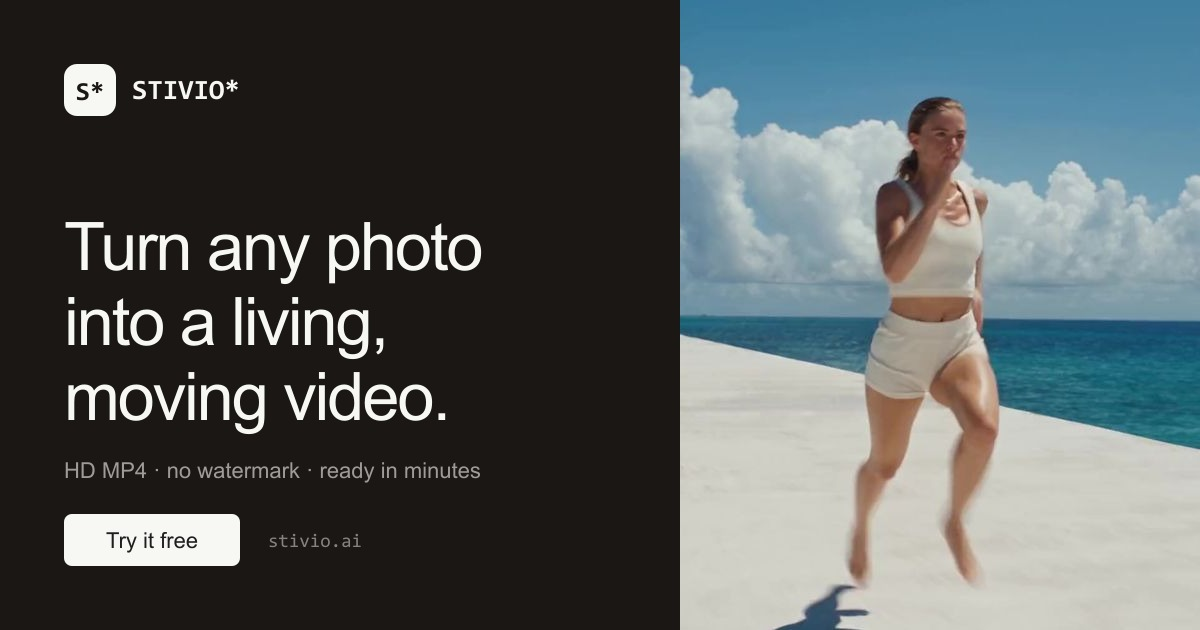
Stivio is the right pick for e-commerce sellers and solo creators who need quick, no-software photo animation and want to compare outputs across six AI models from one screen. Its credit-based pricing is transparent, but the full tier breakdown is thin on detail compared to Runway's published plan structure, and the free tier's 12 credits cover only one or two short clips before you hit a paywall. Anyone who needs text-to-video, multi-scene editing, or avatar-driven content should skip it entirely.
What is Stivio?
Stivio is an online image-to-video AI generator that converts a single still photo into a short HD MP4 clip. Users upload a PNG, JPEG, or WebP image up to 10 MB, describe the desired motion in plain English, select from six AI video models, and receive a finished clip in one to five minutes. Clip length is configurable from 3 to 30 seconds, and the output preserves the source image's aspect ratio.
The platform runs entirely in the browser with no software installation required. It operates on a credit-based pricing model, with 12 free credits granted on sign-up and paid plans starting at $19 per month. Finished videos are hosted on a CDN with stable share links valid for one year. Stivio is used by e-commerce sellers animating product photography, social media creators producing short-form clips, and individuals bringing personal photos to life.
How we scored Stivio
Capability scores 17 because Stivio does one thing well (photo-to-video animation with six model options) but lacks text-to-video, audio, multi-scene editing, and any avatar features that named competitors like Runway and HeyGen offer. Ease of use scores 21 because the three-step workflow, browser-only access, and auto-refund on failed runs genuinely reduce friction, and the credit cost shown before generation is a real usability win. Value scores 16 because the free tier's 12 credits cover only one short clip before hitting a paywall, the full tier structure is not clearly published, and $19/month with an opaque credit allocation makes cost-per-video hard to calculate before committing. Delivery scores 14 because the tool is newly launched with no substantial user review record available, social profiles could not be confirmed, and the submitted pricing model was mislabeled as FREE when the product is FREEMIUM, which is a minor but real trust signal about how the product presents itself.
Pros and cons
What we liked
- Six named AI video models (Kling O3, Kling 2.6, Wan 2.6, MiniMax H3, Seedance 2.5, Seedance 2.0) selectable per generation from one screen, letting you compare quality and cost without switching tools.
- Credit cost is shown on the Generate button before you commit, and failed runs are automatically refunded, making the billing model genuinely transparent.
- MCP server endpoint at stivio.ai/mcp lets the tool be called from AI agent pipelines, which is unusual for a consumer-facing image-to-video product.
Where it falls short
- The free tier's 12 credits cover only one short clip (a 5-second run costs 10 credits minimum), so the 'free' label overstates how much you can actually do before paying.
- Stivio is strictly image-to-video: there is no text-to-video, no timeline editor, no audio track, and no multi-scene sequencing, which means it cannot replace even a basic video production tool for anything beyond single-shot animation.
- Full paid tier names and per-tier credit allocations are not clearly published in a comparison table, making it hard to calculate cost-per-video before signing up and choosing a plan.
Key features
Stivio pricing
12 free credits on sign-up (first video free, watermarked). Paid plans start at $19/month. A 5-second clip costs a minimum of 10 credits. Yearly plans grant all credits upfront with no monthly cap; monthly plan credits reset each cycle; one-time top-up credits never expire. Full tier names and credit amounts per paid plan were not fully surfaced in search results.
| Plan | Price | Who it is for |
|---|---|---|
| Free | Free | 12 credits on sign-up. First video free (even on Seedance 2.5 model). Output is watermarked. A 5-second clip costs a minimum of 10 credits. |
| Paid (entry) | $19/month | Watermark-free HD MP4 exports, personal and commercial use rights, CDN share links for one year. Monthly credits reset each cycle. Exact credit allocation per tier not fully published in available sources. |
Pricing reflects what we saw at time of review (2026-10). Always confirm current pricing on the tool's own site.
Who should use Stivio?
E-commerce sellers are the clearest fit. If you have a folder of product shots and need scroll-stopping clips for Reels, TikTok, or a product listing page, Stivio's three-step workflow gets you from still image to ready-to-post MP4 without a video editor or a studio reshoot. The per-second credit model also suits burst usage: pay for what you render, not a flat seat fee.
Solo creators and hobbyists animating portraits, travel photos, or family pictures will find the free first video a low-friction entry point. That said, anyone who needs to generate video from text alone, build multi-scene sequences, or produce talking-head avatar content should look elsewhere. HeyGen is the stronger choice for avatar-driven and talking-photo content, and Runway covers multi-scene editing and text-to-video with a more mature feature set for professional video production.
Skip it if: Teams needing text-to-video, multi-scene editing, or AI avatar generation
Tags
Frequently asked questions
How many free videos do I get without paying?+
Sign-up gives you 12 credits. A 5-second clip on the entry model costs 10 credits, so you can generate roughly one short clip for free. The output is watermarked.
Which AI models does Stivio use?+
Six models are available: Kling O3, Kling 2.6, Wan 2.6, MiniMax H3, Seedance 2.5, and Seedance 2.0. You select the model per generation, and the credit cost varies by model and clip length.
What image formats and sizes does Stivio accept?+
PNG, JPEG, and WebP files up to 10 MB. The output video preserves the source image's aspect ratio.
Do credits expire?+
One-time top-up credits never expire. Monthly plan credits reset each billing cycle. Yearly plan credits are granted upfront and do not expire within the plan year.
Can I use the videos commercially?+
Paid plans include personal and commercial use rights, covering ads, product listings, client work, and published content. The free watermarked video does not carry commercial use rights.
Can Stivio be used in automated workflows?+
Yes. Stivio exposes an MCP server at stivio.ai/mcp, which allows the image-to-video pipeline to be triggered from AI agent frameworks and automation tools outside the browser.
More AI Video Tools
See all categoriesGet your tool listed on 300+ directories.
One listing here is a strong start. But the founders who get discovered everywhere are listed everywhere. Our sister site, Free AI Directories, submits your tool to 300+ AI directories for you, every single one by hand, by a real person.
It is a one-time payment of $49, no subscription, and you can follow along as the submissions land. Prefer the slow route? The same site keeps a free list of 450+ directories you can work through yourself.
Get my tool listed on 300+ directoriesOne-time payment, no subscription · 100% human submissions · Free list of 450+ directories included.