TapGPU
Hourly cloud GPU rental for AI training, inference, and generative workloads, priced in CNY with Alipay support.
Are you the maker? Claim this listing to keep info, pricing and screenshots current. Verified via your tool's domain email.
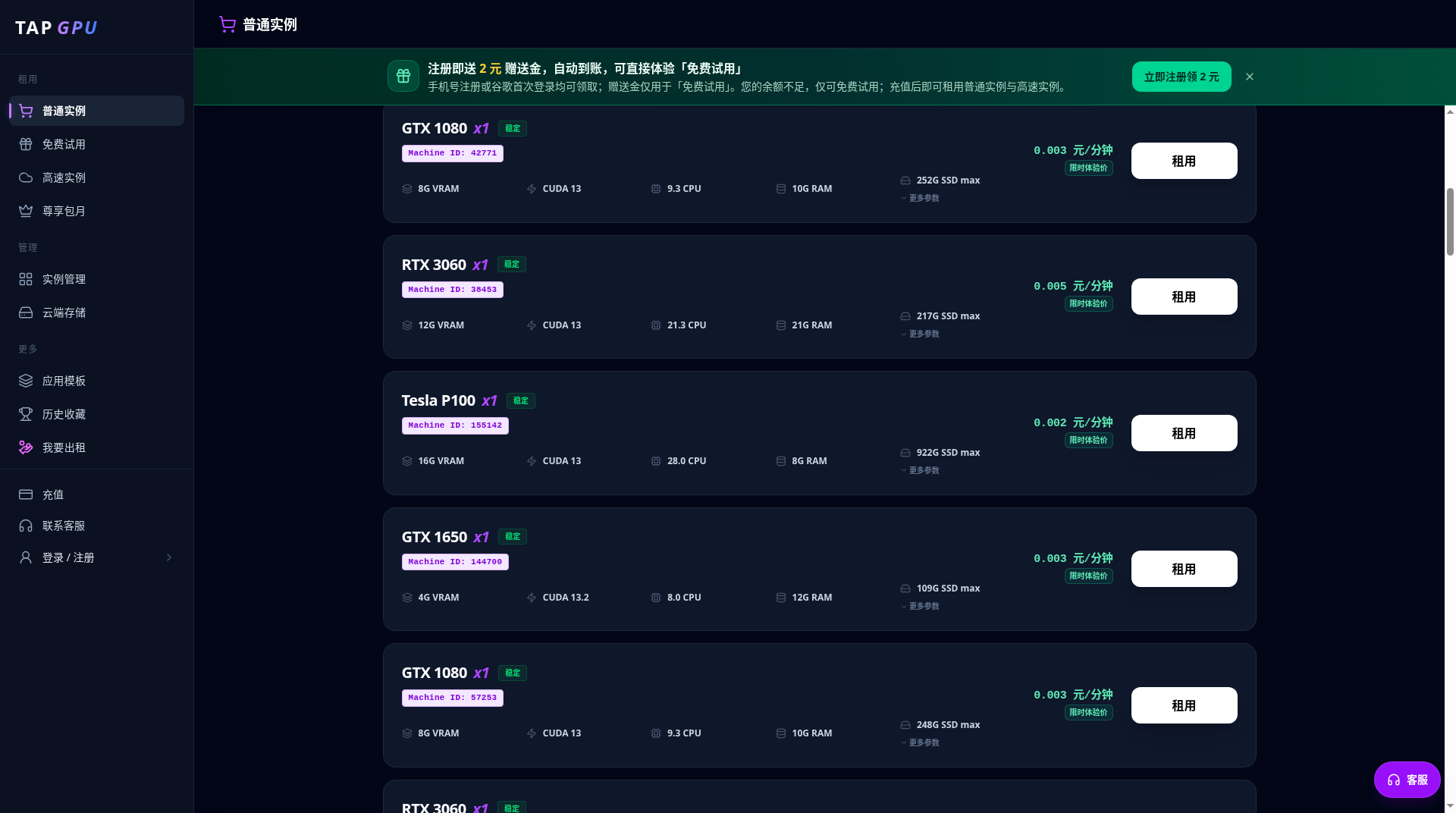
TapGPU is the right pick for China-based developers who want cheap, self-serve GPU access billed in CNY without a subscription commitment. Its Community Cloud tier undercuts many Western providers on raw hourly cost, but stock availability fluctuates and the platform appears to serve a Chinese-language audience almost exclusively, limiting its reach. Developers who need English-language support, reserved capacity, or per-second billing should look at RunPod or Lambda Labs instead.
What is TapGPU?
TapGPU is a cloud GPU rental service based in China that charges by the hour, deducting from a prepaid CNY balance. It offers consumer cards (RTX 3090, RTX 4090, RTX 5090) and data-center accelerators (A40, A100 PCIe, A100 SXM4, H100, H200) subject to stock availability, with each model available in a lower-cost Community Cloud tier or a higher-cost Secure Cloud tier. Alipay is supported for payments.
The platform targets AI practitioners running training jobs, inference workloads, and generative AI tasks who want flexible, no-commitment compute without a monthly subscription. All pricing is denominated in Chinese yuan, and the console and documentation are primarily in Simplified Chinese.
How we scored TapGPU
Capability scores 16 because TapGPU covers a genuinely wide GPU range from RTX 3090 to H200, but it is a pure infrastructure rental with no tooling, templates, API, or developer features beyond raw instance access, and it sits in a coding tools category where it has no relevant feature overlap with any directory competitor. Ease of use scores 15 because the self-serve console and hourly billing are simple in concept, but the non-obvious storage billing behavior (disks charge after instance stop, requiring explicit deletion) is a real usability trap, and the Chinese-only interface excludes a large portion of potential users. Value scores 18 because the raw CNY hourly rates are genuinely low, with RTX 3090 at ¥0.58/hr and A100 PCIe at ¥1.88/hr undercutting many Western providers, but the lack of a free tier, the storage billing gotcha, and the CNY-only payment wall reduce practical value for the broader audience. Delivery scores 9 because the tool is newly launched (GitHub submission November 2026), has no findable user reviews or trust signals, Community Cloud stock is explicitly described as volatile, and the storage-keeps-billing-after-stop behavior is a documented trust concern that a buyer would want resolved before committing real workloads.
Pros and cons
What we liked
- RTX 3090 Community Cloud starts at ¥0.58/hr, making it one of the cheapest entry points for GPU compute among self-serve providers.
- Wide GPU range in a single platform: from consumer RTX 3090/4090/5090 up to H200 with 141 GB VRAM, covering both hobbyist and serious training workloads.
- No subscription or minimum commitment; pure pay-as-you-go from a prepaid balance suits irregular or experimental workloads.
Where it falls short
- Storage disks (system, data, and shared model disks) continue billing after an instance is stopped and require explicit deletion to fully end charges, a billing behavior not common on Western GPU clouds and a real risk of unexpected costs.
- Community Cloud stock and node stability fluctuate, meaning the cheapest tier is not reliable for time-sensitive or production workloads.
- The entire platform, including documentation and support, appears to be Simplified Chinese only, making it effectively inaccessible to non-Chinese-speaking developers.
Key features
TapGPU pricing
Pure pay-as-you-go, billed hourly from a prepaid balance. Consumer GPUs (RTX 3090, 4090, 5090) run ¥0.58 to ¥6.84/hr depending on tier and model. Data-center cards (A40, A100 PCIe/SXM4, H100, H200) run ¥1.89 to ¥32.69/hr. Each GPU model has two tiers: Community Cloud (cheaper, more volatile stock) and Secure Cloud (higher price, more predictable availability). Storage disks may continue billing after an instance is stopped and must be deleted separately to fully stop charges.
| Plan | Price | Who it is for |
|---|---|---|
| RTX 3090 (Community Cloud) | ¥0.58/hr | 24 GB VRAM, entry-level consumer GPU. Community Cloud tier; stock and node stability may vary. |
| RTX 3090 (Secure Cloud) | ¥2.58/hr | 24 GB VRAM. More predictable availability than Community Cloud. |
| RTX 4090 (Community Cloud) | ¥1.60/hr | 24 GB VRAM, primary image generation and LoRA training GPU. |
| RTX 4090 (Secure Cloud) | ¥4.27/hr | 24 GB VRAM, stable availability for sustained training runs. |
| RTX 5090 (Community Cloud) | ¥2.16/hr | 32 GB VRAM. Limited stock noted on pricing page. |
| RTX 5090 (Secure Cloud) | ¥6.84/hr | 32 GB VRAM, Secure Cloud availability. |
| A40 (Community Cloud) | ¥1.89/hr | 48 GB VRAM data-center card, suited for large-VRAM inference. |
| A40 (Secure Cloud) | ¥4.44/hr | 48 GB VRAM, Secure Cloud tier. |
| A100 PCIe (Community Cloud) | ¥1.88/hr | 80 GB VRAM, suited for training and large-model inference. |
| A100 PCIe (Secure Cloud) | ¥6.08/hr | 80 GB VRAM, Secure Cloud availability. |
| A100 SXM4 (Community Cloud) | ¥2.16/hr | 80 GB VRAM with higher interconnect bandwidth than PCIe variant. |
| A100 SXM4 (Secure Cloud) | ¥8.04/hr | 80 GB VRAM, SXM4 interconnect, Secure Cloud tier. |
| H100 (Community Cloud) | ¥9.34/hr | 80 or 94 GB VRAM, suited for heavy training and inference. |
| H100 (Secure Cloud) | ¥24.18/hr | 80 or 94 GB VRAM, Secure Cloud availability. |
| H200 (Community Cloud) | ¥17.52/hr | 141 GB VRAM, largest available GPU on the platform. |
| H200 (Secure Cloud) | ¥32.69/hr | 141 GB VRAM, Secure Cloud tier, most expensive option on the platform. |
Pricing reflects what we saw at time of review (2026-11). Always confirm current pricing on the tool's own site.
Who should use TapGPU?
A solo researcher in China fine-tuning a LoRA model on an RTX 4090 for ¥1.60/hr, or a small team running batch inference jobs on an A100 without wanting to commit to a monthly plan, will find TapGPU genuinely cheap and frictionless. The RTX 3090 at ¥0.58/hr Community Cloud is one of the lowest entry points for GPU compute available anywhere, making it reasonable for students or hobbyists who need occasional bursts of compute.
Anyone outside China, or anyone who needs English documentation, per-second billing granularity, or guaranteed GPU availability for production workloads, should look elsewhere. GitHub Copilot is the better fit if your actual bottleneck is AI-assisted coding rather than raw compute. If you need raw GPU infrastructure with English support and a more mature ecosystem, RunPod or Lambda Labs (not currently in this directory) are the practical alternatives; within this directory, Cursor is worth considering if your GPU need is driven by AI-assisted development rather than training or inference at scale.
Skip it if: Teams needing English-language support, reserved/committed pricing, or guaranteed GPU availability.
TapGPU alternatives
Frequently asked questions
What is the cheapest GPU available on TapGPU?+
The RTX 3090 on Community Cloud starts at ¥0.58/hr as of the November 15, 2026 pricing snapshot. It has 24 GB VRAM and is listed as an entry-level consumer option.
How does billing work, and how do I stop charges?+
Charges deduct hourly from a prepaid CNY balance. Stopping an instance is not always enough: persistent instances may need to be explicitly deleted, and storage disks (system, data, shared model) can keep billing after the GPU instance stops. Delete unused disks to fully end charges.
What is the difference between Community Cloud and Secure Cloud?+
Community Cloud is cheaper but has more variable stock and node stability. Secure Cloud costs roughly two to four times more per hour for the same GPU model but offers more predictable availability, making it better for sustained training runs.
Does TapGPU support payment methods outside of China?+
Alipay is the highlighted payment method. There is no publicly documented support for international credit cards or PayPal, which effectively limits the platform to users with Chinese payment accounts.
Is the H200 available, and what does it cost?+
Yes. The H200 with 141 GB VRAM is listed on the pricing page. Community Cloud is ¥17.52/hr and Secure Cloud is ¥32.69/hr, making it the most expensive option on the platform.
Is there a free trial or free tier?+
No. TapGPU is purely pay-as-you-go with no free tier or trial credits documented on the pricing page. You fund a balance and pay per hour of use.
More AI Coding & Dev Tools
See all categoriesGet your tool listed on 300+ directories.
One listing here is a strong start. But the founders who get discovered everywhere are listed everywhere. Our sister site, Free AI Directories, submits your tool to 300+ AI directories for you, every single one by hand, by a real person.
It is a one-time payment of $49, no subscription, and you can follow along as the submissions land. Prefer the slow route? The same site keeps a free list of 450+ directories you can work through yourself.
Get my tool listed on 300+ directoriesOne-time payment, no subscription · 100% human submissions · Free list of 450+ directories included.