
Unblur Image
A no-signup, credit-based AI image sharpening tool for casual users who need fast blur removal without a subscription.
Are you the maker? Claim this listing to keep info, pricing and screenshots current. Verified via your tool's domain email.
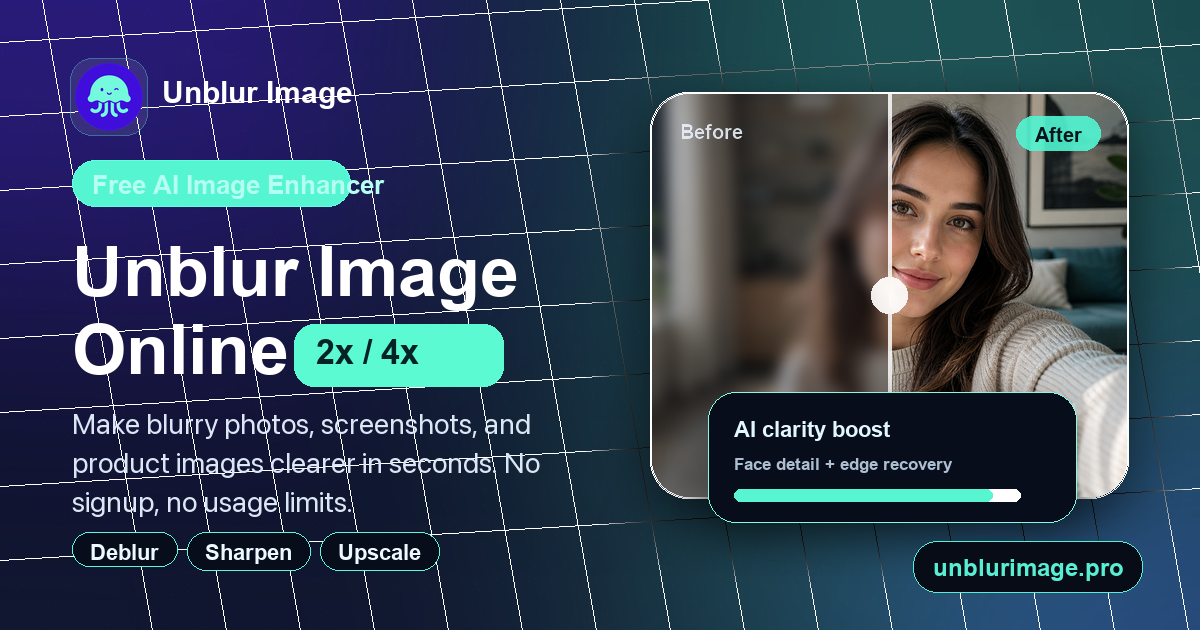
Unblur Image is the right pick for someone who occasionally needs to rescue a blurry photo and wants zero friction: no account, no subscription, and a free tier for standard output. The credit system is honest and flexible, but the tool covers a narrow slice of image editing compared to broader platforms, and the free tier caps output at lower resolutions. If you need generative AI capabilities or consistent high-volume processing, this tool will feel thin fast.
What is Unblur Image?
Unblur Image is a web-based AI tool that restores sharpness to blurry or low-resolution photos without requiring software installation or user registration. It offers three enhancement modes: Standard, High Fidelity, and Strong Restore, with output sizes up to 4K, and supports use cases including face recovery, text sharpening, noise reduction, and general photo upscaling at 2x or 4x.
The tool operates on a one-time credit pack model with no subscription or auto-renewal. A free tier is available for basic enhancement. Paid packs range from 120 credits to 2,800 credits and never expire. It is used by casual photographers, social media creators, and small businesses looking for a fast, low-commitment way to improve image quality.
How we scored Unblur Image
Ease of use is the tool's genuine strength: no sign-up, drag-and-drop upload, transparent credit costs shown before processing, and a clean interface earn a high mark there. Capability is limited because the tool does no generative work and is missing features that every named directory competitor has, including prompt-based creation, style control, and API access; it does one narrow job adequately. Value takes a hit because the credit math turns punishing at the high end: 24 credits for a single Strong Restore 4K image means the $4.99 Starter pack covers only 5 images at maximum quality, and there is no monthly plan for heavy users. Delivery scores low because the tool is submitted as a freemium AI Image Generator but does not generate images at all, the category mismatch is a real trust signal problem, and social profiles could not be confirmed after a dedicated search, leaving the company's public accountability thin.
Pros and cons
What we liked
- One-time credit packs with no expiry and no subscription mean you pay only when you actually need processing, with the Starter pack covering up to 40 Standard 2K images for $4.99.
- Three distinct enhancement modes (Standard, High Fidelity, Strong Restore) with transparent per-mode credit costs shown before processing, so there are no surprise charges.
- No account or sign-up required to use the free tier, which removes the usual friction of trying a new tool.
Where it falls short
- The tool is strictly a web app with no API, no desktop client, and no documented batch-processing pipeline, which makes it impractical for developers or teams handling large image volumes programmatically.
- Strong Restore at 4K costs 24 credits per image, meaning the $4.99 Starter pack of 120 credits covers only 5 images at the highest quality setting, which is poor value for users who primarily need heavy restoration.
- The category listing is AI Image Generators, but this tool does not generate images from prompts at all; users arriving from that context will find the feature set does not match their expectation, and the tool has no roadmap items visible for generative capabilities.
Key features
Unblur Image pricing
Free tier available for standard enhancement. Paid credit packs are one-time purchases: Starter at $4.99 for 120 credits, Everyday at $9.99 for 350 credits, Recommended at $15.99 for 700 credits, Bulk at $29.99 for 1,500 credits, and Ultimate at $49.99 for 2,800 credits. Credits never expire and cover all three enhancement modes. No subscription or auto-renewal.
| Plan | Price | Who it is for |
|---|---|---|
| Free | Free | Basic enhancement access with no sign-up required. Output resolution and mode access are limited compared to paid packs. |
| Starter | $4.99 | 120 credits, one-time payment, never expires. Covers all three enhancement modes. Equivalent to up to 40 Standard 2K images or 5 Strong Restore 4K images. |
| Everyday | $9.99 | 350 credits, one-time payment, never expires. All three enhancement modes. Up to 116 Standard 2K images. |
| Recommended | $15.99 | 700 credits, one-time payment, never expires. All three enhancement modes. Up to 233 Standard 2K images. Priced at $2.28 per 100 credits, 45% cheaper per credit than Starter. |
| Bulk | $29.99 | 1,500 credits, one-time payment, never expires. All three enhancement modes. Up to 500 Standard 2K images. |
| Ultimate | $49.99 | 2,800 credits, one-time payment, never expires. All three enhancement modes. Up to 933 Standard 2K images. |
Pricing reflects what we saw at time of review (2026-11). Always confirm current pricing on the tool's own site.
Who should use Unblur Image?
Unblur Image fits someone who has a specific, occasional problem: a family photo that came out soft, a product shot that needs sharpening before a listing goes live, or a screenshot with blurry text that needs to be legible. The no-signup free tier and one-time credit packs make it easy to try and easy to pay for without committing to a monthly bill. A freelance photographer who processes a few dozen images a month and wants a dedicated sharpening tool rather than a full editing suite will find the Recommended pack ($15.99 for 700 credits) covers a lot of ground.
Anyone who needs generative AI features, prompt-based image creation, or a platform that handles video, illustration, and image generation in one place should look elsewhere. Leonardo.Ai, which is already in this directory, offers a token-based generative platform with far broader creative capabilities and is the better fit for creators who want to make images, not just fix them.
Skip it if: Professional photographers or teams needing batch workflows, generative features, or API access
Unblur Image alternatives
Frequently asked questions
Do credits expire if I do not use them?+
No. All purchased credits are permanent and never expire, regardless of which pack you buy. There is no subscription and no auto-renewal.
How much does it cost to process one image at the highest quality?+
Strong Restore at 4K costs 24 credits per image. At the Starter pack rate ($4.99 for 120 credits), that works out to roughly $1.00 per image at maximum quality.
Can I use the tool without creating an account?+
Yes. The free tier requires no sign-up or registration. Paid credit packs presumably require an account to track credit balances, but the site does not require one to try the core enhancement.
What is the difference between High Fidelity and Strong Restore?+
High Fidelity costs 10 to 12 credits and targets detail recovery in photos that are mildly to moderately degraded. Strong Restore costs 12 to 24 credits and is designed for severely blurry, compressed, or damaged images where standard sharpening would not be enough.
Is there a refund policy if I am unhappy with results?+
The pricing page lists a refund FAQ, indicating a refund process exists. The exact calculation for partial refunds (when some credits have been used) is addressed in the FAQ but not spelled out in the visible page text.
Does Unblur Image work on mobile devices?+
The tool is web-based and requires no software installation, which means it is accessible from a mobile browser. There is no dedicated iOS or Android app listed on the site.
More AI Image Generators tools
See all categoriesGet your tool listed on 300+ directories.
One listing here is a strong start. But the founders who get discovered everywhere are listed everywhere. Our sister site, Free AI Directories, submits your tool to 300+ AI directories for you, every single one by hand, by a real person.
It is a one-time payment of $49, no subscription, and you can follow along as the submissions land. Prefer the slow route? The same site keeps a free list of 450+ directories you can work through yourself.
Get my tool listed on 300+ directoriesOne-time payment, no subscription · 100% human submissions · Free list of 450+ directories included.