
Utilorca Image Upscaler
A fully free, browser-based AI photo upscaler that runs on your device so your images never leave it.
Are you the maker? Claim this listing to keep info, pricing and screenshots current. Verified via your tool's domain email.
Utilorca Image Upscaler is the right pick for anyone who needs a quick, private 2x or 4x photo fix without handing files to a server. The tradeoff is narrow scope: it sharpens and enlarges, nothing more, and processing speed depends entirely on your browser and hardware rather than a dedicated server. Anyone who needs batch processing, face restoration, or consistent output for professional work should look at a paid tool instead.
What is Utilorca Image Upscaler?
Utilorca Image Upscaler is a free, browser-based photo enhancement tool that uses the Real-ESRGAN AI model to enlarge images 2x or 4x while reducing blur, noise, and JPEG compression artifacts. The model runs entirely on the user's device via WebGPU or WebAssembly, so no image data is sent to a server. Output is available as JPG or PNG with no watermark.
The tool is part of the broader Utilorca collection of free online utilities and is available in English, Portuguese, and Spanish. It targets everyday use cases such as improving WhatsApp photos, social media images, old scans, and low-resolution phone pictures. No account or sign-up is required, and there are no usage limits.
How we scored Utilorca Image Upscaler
Value scores a perfect 25 because the tool is genuinely free with no limits, no watermark, and no account required, a combination almost no competitor matches. Ease of use scores 22 because the interface is a single drop zone with two options and a download button, about as frictionless as a web tool gets. Capability scores 14 because the tool does one thing (sharpen and enlarge) with no batch mode, no API, no face restoration, and no format flexibility beyond JPG/PNG, leaving it well behind paid upscalers that handle all of those. Delivery scores 5 because the processing speed is entirely dependent on the user's hardware and browser, the tool's own documentation warns of one-to-two minute waits on non-WebGPU browsers, and there are no social profiles, user reviews, or third-party coverage specific to Utilorca to verify real-world output quality, making the delivery promise difficult to assess with confidence.
Pros and cons
What we liked
- Genuinely free with no limits: no daily cap, no watermark, no account required, confirmed by the tool's own FAQ.
- On-device processing via Real-ESRGAN means photos never leave the user's hardware, a privacy guarantee most cloud-based upscalers cannot match.
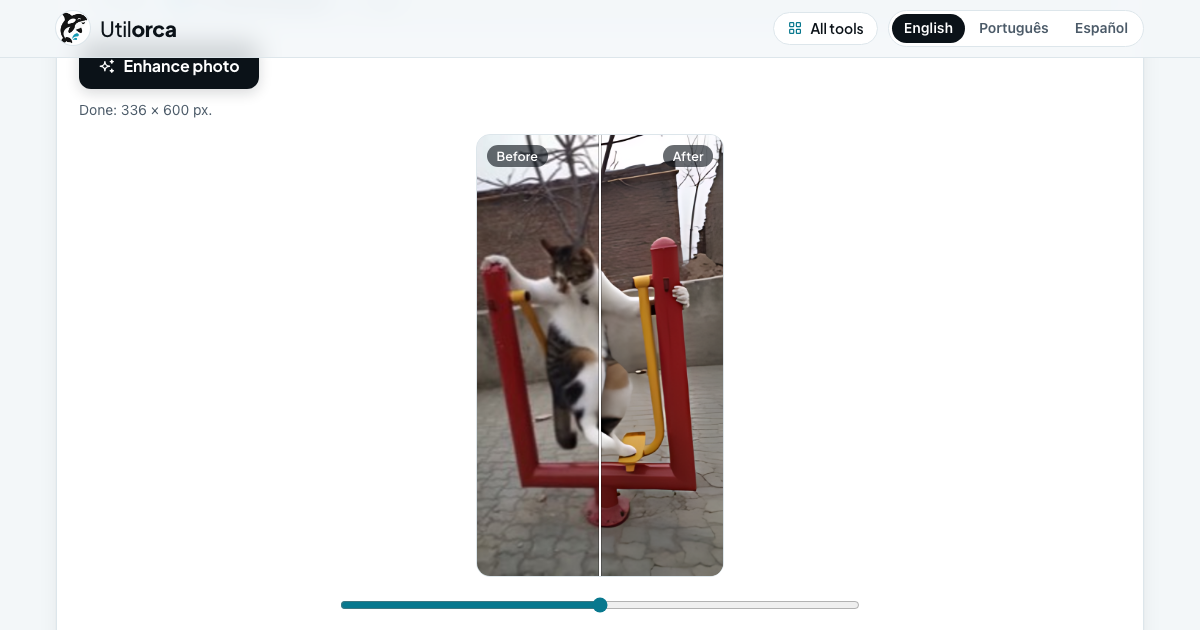
- Supports both 2x and 4x enlargement with a before/after comparison slider and JPG or PNG download, covering the most common output needs without extra steps.
Where it falls short
- Processing speed is entirely dependent on the user's browser and hardware: the tool's own documentation warns that a large photo can take one to two minutes on browsers without WebGPU, which rules out Chrome or Edge on older machines.
- No batch processing at all. Each photo must be dropped in, processed, and downloaded individually, making it impractical for anyone with more than a handful of images.
- Scratches, cracks, and physical damage in old prints are not repaired: the tool only sharpens and enlarges, so restoration work requires a separate tool even within the Utilorca suite.
Key features
Utilorca Image Upscaler pricing
Completely free. No tiers, no credits, no sign-up, no watermark. The AI model (~5 MB) downloads once to your browser and all processing happens locally, so there is no per-image server cost to pass on.
| Plan | Price | Who it is for |
|---|---|---|
| Free | $0 | Full access to 2x and 4x upscaling, JPG and PNG download, no watermark, no daily limit, no sign-up required. All processing runs on the user's device. |
Pricing reflects what we saw at time of review (2026-11). Always confirm current pricing on the tool's own site.
Who should use Utilorca Image Upscaler?
This tool suits anyone who occasionally needs to sharpen a personal photo and does not want to create an account or pay for it. A parent rescuing a blurry birthday photo, a student cleaning up a scanned document, or a small-business owner touching up a product image for a listing will all get real value here at zero cost.
Anyone processing images professionally or at volume should look elsewhere. Midjourney and Leonardo.Ai are not direct upscaling tools, but for users who need consistent AI-enhanced output at scale with account-based history and team features, those platforms offer far more infrastructure. For dedicated upscaling with batch support and API access, a paid upscaler service will be necessary. Utilorca has no batch mode, no API, and no way to queue multiple files.
Skip it if: Professional photographers or teams needing batch processing, face enhancement, or API access
Utilorca Image Upscaler alternatives
Frequently asked questions
Is Utilorca Image Upscaler really free with no hidden limits?+
Yes. The pricing page lists a single $0 offer with no daily cap, no watermark, and no sign-up. The tool's FAQ explains this is possible because processing runs on the user's device, not on Utilorca's servers.
Does my photo get uploaded to Utilorca's servers?+
No. The Real-ESRGAN model (about 5 MB) is downloaded once to your browser, and all processing happens locally. The tool's own documentation confirms nothing is sent to a server.
How long does upscaling take?+
Speed depends on your browser and hardware. Browsers with WebGPU support (recent Chrome and Edge) are significantly faster. On other browsers, a large photo can take one to two minutes.
Can it fix a completely blurry or motion-blurred face?+
No. The tool sharpens soft, compressed, or small photos but cannot recover detail that was never captured. A face that is completely out of focus or motion-blurred will look cleaner but not reconstructed.
Can I process multiple photos at once?+
No. There is no batch mode. Each image must be processed individually, which makes the tool impractical for high-volume work.
What file formats does it accept and output?+
The tool accepts common photo formats dropped into the browser interface and outputs JPG or PNG. The page does not specify a file size limit for input images.
More AI Image Generators tools
See all categoriesGet your tool listed on 300+ directories.
One listing here is a strong start. But the founders who get discovered everywhere are listed everywhere. Our sister site, Free AI Directories, submits your tool to 300+ AI directories for you, every single one by hand, by a real person.
It is a one-time payment of $49, no subscription, and you can follow along as the submissions land. Prefer the slow route? The same site keeps a free list of 450+ directories you can work through yourself.
Get my tool listed on 300+ directoriesOne-time payment, no subscription · 100% human submissions · Free list of 450+ directories included.