
Video Transcriber
A minute-credit transcription tool that converts audio and video files into timestamped text across 99 languages, with TXT and SRT export.
Are you the maker? Claim this listing to keep info, pricing and screenshots current. Verified via your tool's domain email.
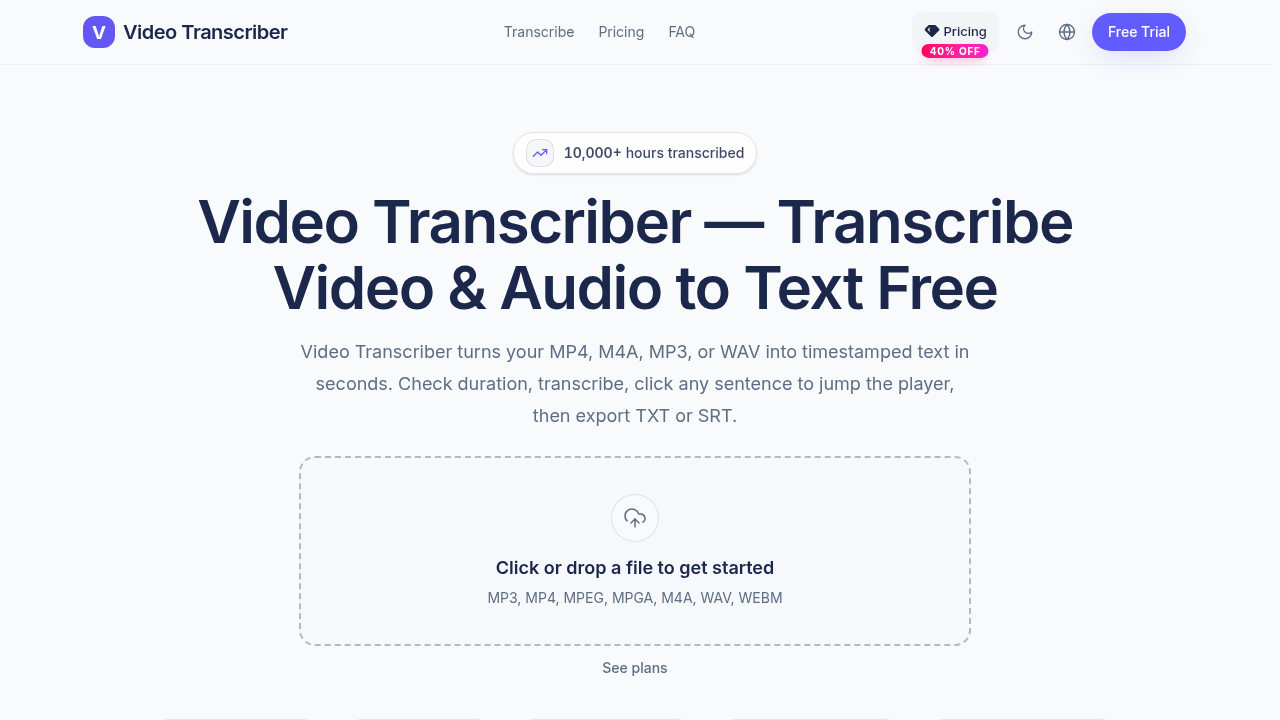
Video Transcriber is the right pick for solo podcasters, journalists, or students who need clean timestamped transcripts fast and do not need speaker diarization. Compared to Tremigos, it lacks translation, dubbing, and multi-language output, which matters if your workflow goes beyond raw transcription. If you need speaker labels, an API, or any editing layer on top of your transcript, look elsewhere.
What is Video Transcriber?
Video Transcriber is an online tool for turning your own video and audio files into accurate timestamped transcripts. It auto-detects 99 languages, lets you click any line to jump the player, and exports TXT or SRT subtitles. Use it for meetings, interviews, podcasts, voice memos, lectures and webinars. New accounts get 20 free minutes.
How we scored Video Transcriber
Capability lands at 15 because the tool does one thing (timestamped transcription with export) and does it without speaker diarization, API access, or any editing layer, features that both Tremigos and broader transcription tools in the market include. Ease of use scores 20 because the interface is browser-only with no installation, a clear minute-credit model, and a click-to-seek player that reduces friction for review workflows. Value scores 18 because the Max annual plan at $18/month for 6,000 minutes is genuinely competitive on a per-minute basis, though the absence of a real free tier after the 20-minute trial limits its appeal to casual or one-off users. Delivery scores 10 because no user sentiment, third-party reviews, or track record data surfaced for videotranscriber.co specifically, making it impossible to confirm the tool delivers on its accuracy claims; the low score reflects that absence of evidence, not confirmed failure.
Pros and cons
What we liked
- Credit-refund guarantee on failed jobs removes the risk of losing minutes to processing errors, a protection most budget transcription tools skip.
- Annual Max plan delivers 6,000 minutes/month for $18/month, working out to $0.003 per minute, which is competitive against per-minute pay-as-you-go services.
- Automatic language detection across 99 languages with no manual selection required reduces friction for users who work with multilingual recordings.
Where it falls short
- No speaker diarization on any plan: the transcript does not identify individual speakers, which makes it nearly unusable for multi-person interviews or meeting recordings without manual labeling afterward.
- No API access listed on any tier, so the tool cannot be integrated into automated workflows or content pipelines, a gap that limits it strictly to manual, one-file-at-a-time use.
- The 1 GB per-file cap and web-only delivery mean there is no desktop app, no batch upload queue, and no way to process files larger than 1 GB, which rules out uncompressed studio recordings.
Key features
Video Transcriber pricing
Three paid tiers billed monthly or annually. Basic: $10/mo (monthly) or $6/mo (annual) for 1,200 minutes/month. Pro: $20/mo (monthly) or $12/mo (annual) for 3,000 minutes/month. Max: $30/mo (monthly) or $18/mo (annual) for 6,000 minutes/month. Annual plans save 40%. New accounts get 20 free minutes. No ongoing free tier.
| Plan | Price | Who it is for |
|---|---|---|
| Basic (Monthly) | $10.00/mo | 1,200 minutes/month. Files up to 1 GB. MP3, MP4, MPEG, MPGA, M4A, WAV, WEBM. No daily upload limit. 99 languages with auto-detect. Timestamped transcript with click-to-seek. TXT and SRT export. Credit refund on failed jobs. Email support. |
| Pro (Monthly) | $20.00/mo | 3,000 minutes/month. All Basic features included. |
| Max (Monthly) | $30.00/mo | 6,000 minutes/month. All Basic features included. Lowest per-minute cost on monthly billing. |
| Basic (Annual) | $6.00/mo | 1,200 minutes/month, billed annually. Saves $48 versus monthly. All Basic features included. |
| Pro (Annual) | $12.00/mo | 3,000 minutes/month, billed annually. Saves $96 versus monthly. All Basic features included. |
| Max (Annual) | $18.00/mo | 6,000 minutes/month, billed annually. Saves $144 versus monthly. Lowest per-minute cost across all plans. |
Pricing reflects what we saw at time of review (2026-09). Always confirm current pricing on the tool's own site.
Who should use Video Transcriber?
A solo podcaster who publishes weekly and needs SRT files for captions, a journalist transcribing recorded interviews, or a graduate student converting lecture recordings into searchable text will find Video Transcriber straightforward and fairly priced. The Max annual plan works out to $18/month for 6,000 minutes, which is competitive for high-volume solo use. The credit-refund policy on failed jobs is a small but meaningful protection for anyone uploading long files.
Anyone who needs speaker diarization (identifying who said what), translation into a second language, or API access to integrate transcription into a larger pipeline should look elsewhere. Tremigos, which is already in this directory, covers transcription plus translation, captions, and dubbing across 60-plus languages and is the stronger choice for multilingual or production workflows. Teams that want to edit video by editing the transcript should consider a tool with a full editing layer rather than a plain export.
Skip it if: Teams needing speaker diarization, API access, or translation workflows
Video Transcriber alternatives
Frequently asked questions
Is there a free plan after the trial minutes are used?+
No. New accounts receive 20 free minutes, but there is no ongoing free tier. After the trial minutes are exhausted, a paid subscription starting at $6/month (annual Basic) is required.
What happens to unused minutes at the end of the month?+
The pricing page does not state that unused minutes roll over. Based on the plan structure, monthly allowances reset each billing cycle, which is standard for minute-credit subscription models.
Does the tool identify different speakers in a recording?+
No. Speaker diarization is not listed as a feature on any plan. The transcript is a single continuous text with timestamps, not separated by speaker.
What file formats and sizes are supported?+
The tool accepts MP3, MP4, MPEG, MPGA, M4A, WAV, and WEBM files. Each file must be 1 GB or smaller. There is no stated daily upload limit.
How much do I save by paying annually?+
Annual billing saves 40% across all tiers. The Max plan drops from $30/month to $18/month, a saving of $144 per year. Pro drops from $20 to $12/month, saving $96. Basic drops from $10 to $6/month, saving $48.
Is there an API for integrating transcription into other tools?+
No API access is listed on any pricing tier at videotranscriber.co. The tool is designed for manual, browser-based use only.
More AI Voice, Audio & Music tools
See all categoriesGet your tool listed on 300+ directories.
One listing here is a strong start. But the founders who get discovered everywhere are listed everywhere. Our sister site, Free AI Directories, submits your tool to 300+ AI directories for you, every single one by hand, by a real person.
It is a one-time payment of $49, no subscription, and you can follow along as the submissions land. Prefer the slow route? The same site keeps a free list of 450+ directories you can work through yourself.
Get my tool listed on 300+ directoriesOne-time payment, no subscription · 100% human submissions · Free list of 450+ directories included.