
VO4 AI
A browser-based credit marketplace that routes your text or image prompts through a roster of third-party AI video, image, and music models.
Are you the maker? Claim this listing to keep info, pricing and screenshots current. Verified via your tool's domain email.
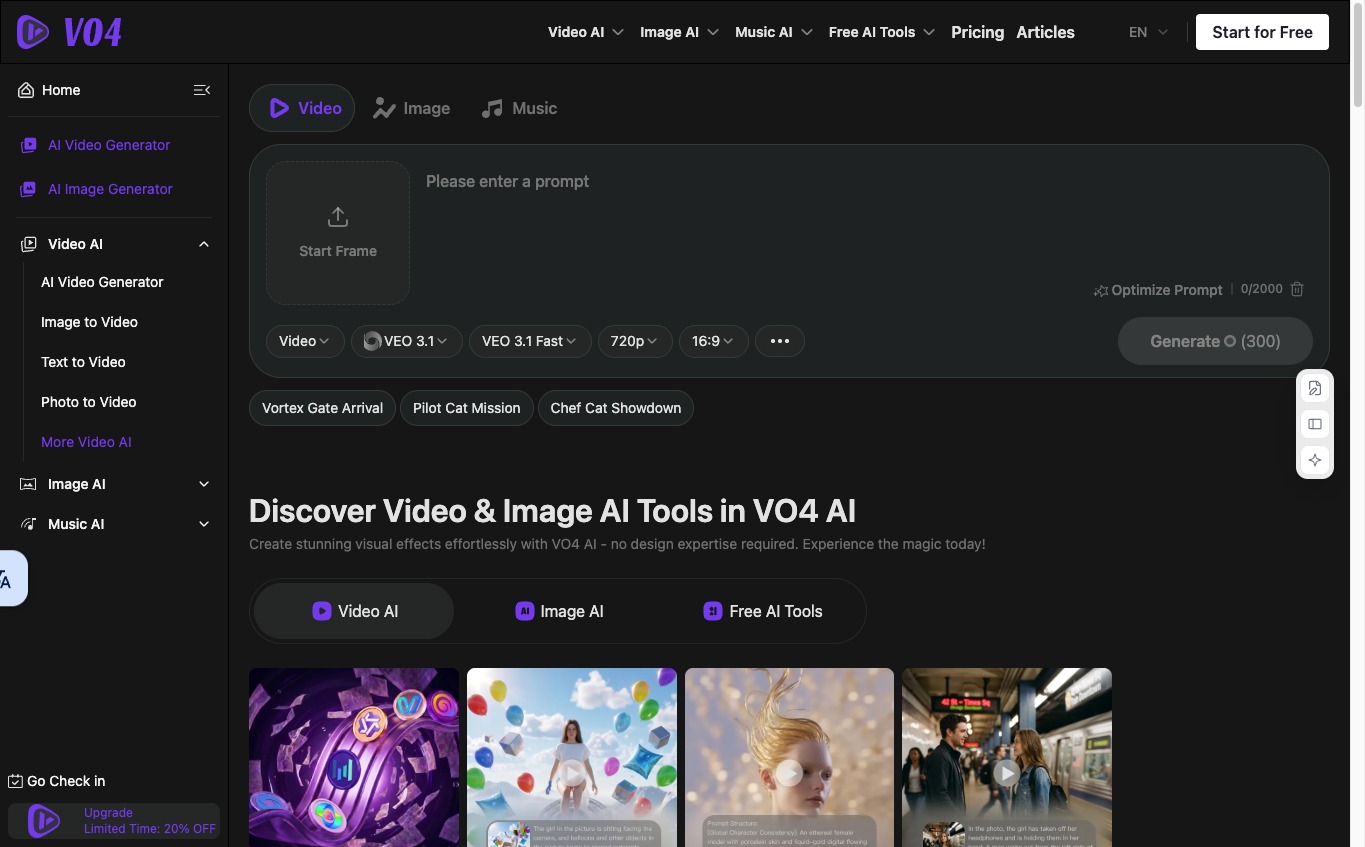
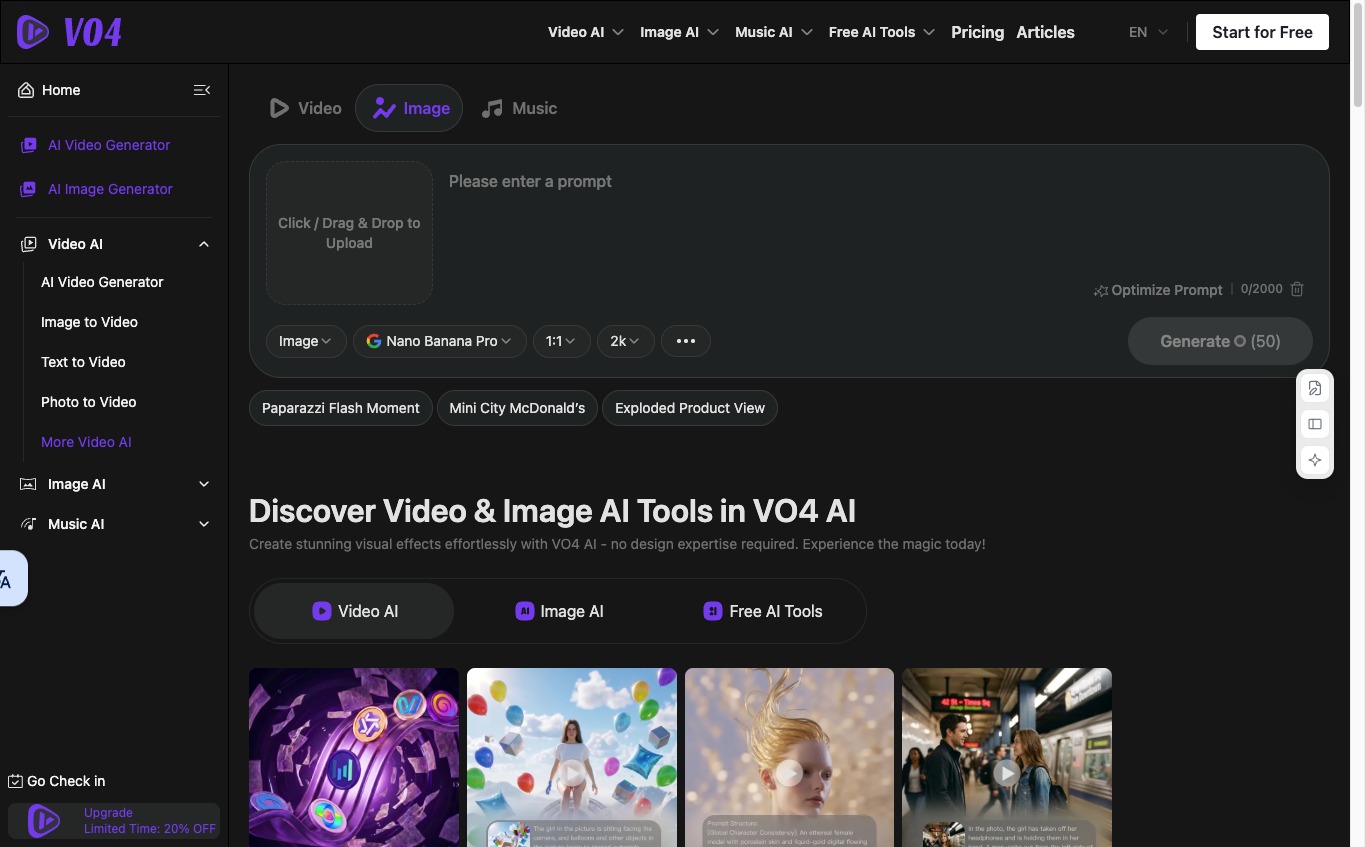
VO4 AI suits casual creators who want to audition multiple AI video models without juggling separate subscriptions. The credit-per-model pricing makes costs hard to predict, and the free tier's 40 starting credits disappear after a single video generation. Anyone who needs a reliable, single-model workflow with professional editing tools should look at Runway instead.
What is VO4 AI?
VO4 AI helps content creators, designers, and marketers create videos, images, and music in a browser. Describe a scene to generate a short clip, upload a still photo and tell the tool how it should move, or use written prompts to create images and music. The workspace brings together multiple AI models so users can explore different approaches to the same project. Free credits are available alongside paid credit packages, and credit requirements vary by model and task.
How we scored VO4 AI
Capability scores in the mid-teens because VO4 AI offers genuine breadth (15-plus named models including VEO2, Kling, Luma, and Sora 2) but zero depth: no editing tools, no timeline, no collaboration, and no proprietary model that outperforms what users could access directly. Ease of use is reasonable for a browser-only tool with a clear credit-per-model pricing table, but the free tier is so thin (40 credits versus a 200-credit minimum video cost) that onboarding is frustrating rather than welcoming. Value lands in the low teens because the one-month credit expiry on all paid packages is a meaningful penalty for moderate users, and the $19.99 entry package yields only about 50 standard videos before expiring. Delivery scores poorly because no confirmed user review corpus exists for this specific tool (vo4.org), social profiles could not be found, the tool appears to have launched recently with thin public track record, and the pricing page showed a 'Limited Time' discount that may not reflect stable long-term pricing.
Pros and cons
What we liked
- Access to over a dozen named AI video models (Kling, Luma, Runway, VEO2, Sora 2, Pixverse, Vidu, and more) from one credit balance, without separate accounts
- Transparent per-model credit costs published on the pricing page, so you can calculate exactly what each generation will cost before committing
- Commercial rights included with all paid one-time packages, with no additional licensing fee
Where it falls short
- The free tier's 40 signup credits do not cover a single standard video generation at most model tiers (a basic 5-second Kling clip costs 200 credits), making the free plan effectively a preview rather than a usable tier
- One-time credit packages expire after one month, so users who do not burn through their credits lose the remainder with no rollover option
- No editing, trimming, captioning, or post-production tools: VO4 AI stops at generation, leaving users to handle everything else in a separate application
Key features
VO4 AI pricing
Free tier gives new users 40 credits (enough for roughly one standard video) plus 20 credits per daily check-in. One-time credit packages run $19.99 for 10,000 credits, $49.99 for 26,000 credits, $99.99 for 56,000 credits, and $199.99 for 112,000 credits, all valid for one month. A limited-time 20% off promotion was active on the pricing page at review time. Subscription tiers (Standard at $9.99/month and Professional at $19.99/month) have been reported by third-party directories but were not listed on the live pricing page, which showed only the one-time packages above.
| Plan | Price | Who it is for |
|---|---|---|
| Free | Free | 40 credits on signup, 20 credits per daily check-in. Basic image generation, 50 free AI tool uses per day, shared generation queue, 15-day history. No AI video generation, no video effects, no private generation, no commercial rights. |
| One-Time Ultra | $19.99 | 10,000 credits, valid for 1 month. Unlimited premium features, AI video and video effect generations, AI image and music generation, unlimited free AI tools, fast generation queue, 365-day history, private generations, commercial rights. |
| One-Time More | $49.99 | 26,000 credits, valid for 1 month. Same feature set as Ultra: AI video, image, music, effects, fast queue, 365-day history, private generations, commercial rights. |
| One-Time Max | $99.99 | 56,000 credits, valid for 1 month. Same feature set as Ultra and More. |
| One-Time Super | $199.99 | 112,000 credits, valid for 1 month. Same feature set as all paid tiers; highest credit volume available. |
Pricing reflects what we saw at time of review (2026-11). Always confirm current pricing on the tool's own site.
Who should use VO4 AI?
VO4 AI makes the most sense for solo creators or hobbyists who are still figuring out which AI video model produces results they like. If you want to run the same prompt through Kling, Luma, and Pixverse back to back without opening three browser tabs and managing three billing accounts, the aggregator model saves real friction. Social media creators producing occasional short clips for personal projects will find the one-time purchase model convenient since there is no subscription to cancel.
Anyone producing video professionally should look elsewhere. The platform has no timeline editor, no collaboration features, and no way to do anything with a generated clip beyond downloading it. Runway is the stronger pick for that audience: it combines generation with a proper editing environment, has a more predictable per-seat pricing model, and does not require you to mentally convert credits to dollars every time you choose a model. Marketers who need talking-head or avatar videos specifically will find HeyGen a better fit, since VO4 AI has no avatar or lip-sync capability.
Skip it if: Professional video editors or teams needing consistent output, collaboration, or timeline editing
VO4 AI alternatives
Tags
Frequently asked questions
How many videos can I make with the cheapest paid package?+
The $19.99 One-Time Ultra package includes 10,000 credits. A standard 5-second Kling AI video costs 200 credits, so that package covers roughly 50 Kling videos. Higher-quality models cost more: a 5-second VEO2 clip costs 2,000 credits, yielding only 5 clips from the same package.
Do unused credits roll over if I do not use them all in a month?+
No. All one-time credit packages are valid for one month only. Credits that are not used within that window are forfeited.
Is there a subscription plan, or only one-time purchases?+
The live pricing page at review time listed only one-time credit packages. Third-party directories have reported monthly subscription tiers (Standard and Professional), but these were not visible on the official pricing page and could not be confirmed.
Can I use generated content commercially?+
Commercial rights are included with all paid credit packages. The free tier does not include commercial rights.
Does VO4 AI have its own AI model, or does it use third-party models?+
VO4 AI is an aggregator. It routes your prompts to third-party models including Kling AI, Luma AI, Runway, Google VEO2, Sora 2, Pixverse, and Vidu, among others. Each model has a different credit cost per generation.
What does the free plan actually let me do?+
The free plan gives 40 credits on signup and 20 credits per daily check-in. Since most video generations cost 100 to 200 credits minimum, the signup bonus covers at most one or two low-cost effect videos. Basic image generation and 50 free AI tool uses per day are also included.
More AI Video Tools
See all categoriesGet your tool listed on 300+ directories.
One listing here is a strong start. But the founders who get discovered everywhere are listed everywhere. Our sister site, Free AI Directories, submits your tool to 300+ AI directories for you, every single one by hand, by a real person.
It is a one-time payment of $49, no subscription, and you can follow along as the submissions land. Prefer the slow route? The same site keeps a free list of 450+ directories you can work through yourself.
Get my tool listed on 300+ directoriesOne-time payment, no subscription · 100% human submissions · Free list of 450+ directories included.