VoiceWarp
Browser-based voice changer for audio, video, and text with 22 effects and no account required.
Are you the maker? Claim this listing to keep info, pricing and screenshots current. Verified via your tool's domain email.
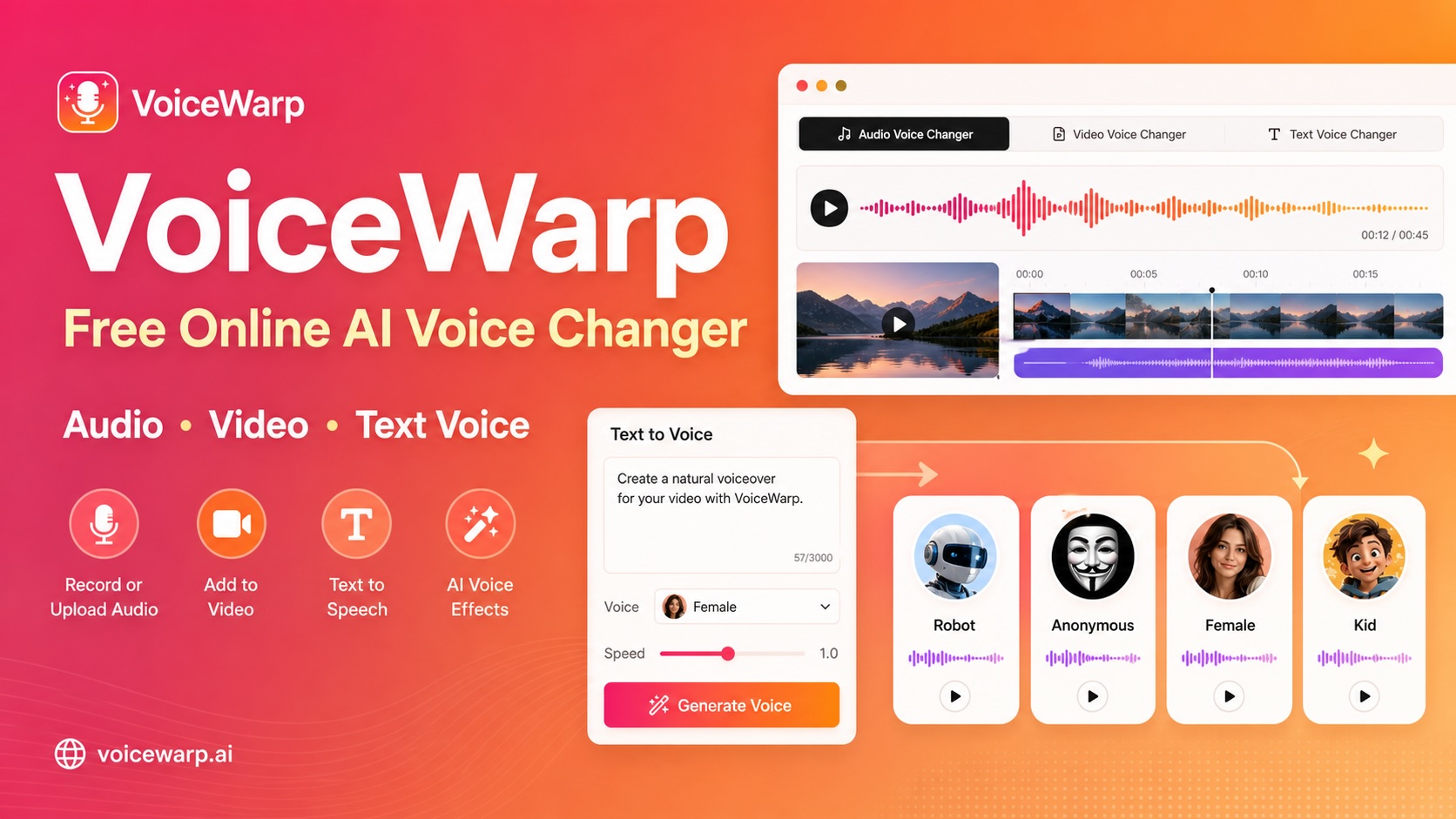
VoiceWarp is the right pick for anyone who needs to alter a recorded clip or generate a character voice fast, without installing anything or creating an account. Its core limitation is real: it has no virtual microphone driver, so it cannot change your voice live inside Discord, a game, or a video call, which is where most people assume a voice changer works. If live voice transformation is what you need, look elsewhere entirely.
What is VoiceWarp?
VoiceWarp is a free, browser-based AI voice changer. Open https://voicewarp.ai in Chrome, grant microphone access, and change your voice in real time - no download, no desktop app, and no account required to try. It is built for gaming, live streaming, online calls, and content creation. Pick from multiple voice styles, hear the result instantly with low latency, and keep your original audio private in the browser session.
How we scored VoiceWarp
Capability lands at 16 because the tool's 22 presets and four input types are genuinely broad for a free browser tool, but the absence of a virtual microphone driver rules it out for the most common voice-changer use case, and output quality for text-to-speech depends on an undisclosed third-party provider rather than any proprietary model. Ease of use scores 21 because the no-account, no-install, drag-and-drop workflow is about as frictionless as a web tool gets, with the only friction being the browser-only constraint and the warning to keep the tab open during rendering. Value scores 22 because the tool is entirely free with no watermark, no account wall, and no file upload for audio and video, which is strong value for what it delivers. Delivery scores 4 because the tool's own submitted description and marketing claim it is 'built for gaming, live streaming, online calls, and content creation' and promises 'real-time' voice changing, but the tool explicitly cannot change your voice live in any of those contexts; it has no virtual microphone and works only on pre-recorded clips. That is a direct and specific mismatch between the marketed use case and the actual product capability, which is a delivery failure, not a minor caveat.
Pros and cons
What we liked
- Genuinely free with no account, no watermark, and no file upload to a server for audio and video processing.
- Covers four input types (microphone recording, audio upload, video upload, and text-to-speech) in a single browser tab, which is rare at this price point.
- 22 named presets plus manual pitch, speed, echo, and reverb controls give meaningful range for a free tool, and saveable voice chains let you reuse a custom combination across clips.
Where it falls short
- No virtual microphone driver means it cannot change your voice live in Discord, games, Zoom, or any real-time call, which is the primary use case most people search for when they look for a voice changer.
- Video rendering happens on the user's device in the browser, and the site itself warns that large files can be slow; there is no server-side acceleration or progress queue for heavy video jobs.
- Text-to-speech output quality depends on an external speech service rather than VoiceWarp's own model, and the tool does not disclose which provider it uses or what quality ceiling to expect.
Key features
VoiceWarp pricing
Fully free with no paid tiers found. No account required. All 22 effects, audio/video processing, text-to-speech, and downloads are available at no cost.
| Plan | Price | Who it is for |
|---|---|---|
| Free | $0 | All 22 voice effect presets, audio voice changer, video voice changer, text voice changer, manual pitch/speed/echo/reverb controls, saved voice chains, and file downloads. No account required. No paid tier found. |
Pricing reflects what we saw at time of review (2026-10). Always confirm current pricing on the tool's own site.
Who should use VoiceWarp?
VoiceWarp suits creators who need a quick, disposable voice effect on a finished clip: a solo YouTuber adding a robot voice to a meme, a teacher making a classroom demo with a funny character voice, a podcaster who wants to anonymize a guest recording, or a social media editor dropping a chipmunk effect onto a short video. The zero-friction entry point, no account and no install, makes it practical for one-off tasks where opening a full audio editor would be overkill.
Anyone who wants to change their voice live during a game session, a Discord call, or a Twitch stream should skip VoiceWarp entirely. It has no virtual microphone capability. For live voice transformation, Voicemod or Voice.ai are the appropriate tools. For professional-grade synthetic voices with natural prosody, ElevenLabs produces output in a completely different quality tier and is the better choice for voiceover work, ads, or e-learning narration.
Skip it if: Live voice changing in Discord, games, or calls
VoiceWarp alternatives
Frequently asked questions
Does VoiceWarp work for live voice changing in Discord or games?+
No. VoiceWarp does not install a virtual microphone driver and cannot intercept your mic feed in real time. It works only on recorded clips, uploaded files, and typed text. For live voice changing, you need a tool like Voicemod.
Is VoiceWarp actually free, or does it have a paid tier?+
It is fully free. The pricing page lists a single offer at $0 USD, and no paid tier or subscription was found. All 22 effects, downloads, and the text-to-speech feature are available without payment or account creation.
What audio formats does VoiceWarp accept?+
It accepts MP3, WAV, M4A, WebM, and OGG audio files. You can also record directly from a microphone in the browser.
Are my files uploaded to VoiceWarp's servers?+
Audio and video files are processed locally in your browser and are not uploaded. The exception is the text-to-speech feature, which sends your typed script to an external speech service before applying effects locally.
Which browser works best with VoiceWarp?+
The site recommends desktop Chrome or Edge. Mobile browsers and other desktop browsers may work but are not the primary supported environment, and video rendering in particular can be slow on lower-powered devices.
How does VoiceWarp compare to ElevenLabs for generating voices from text?+
VoiceWarp's text-to-speech applies novelty character effects to generated speech and is aimed at memes, demos, and social clips. ElevenLabs produces high-fidelity, natural-sounding synthetic voices with voice cloning and is built for professional voiceover production. They are not competing for the same output quality.
More AI Voice, Audio & Music tools
See all categoriesGet your tool listed on 300+ directories.
One listing here is a strong start. But the founders who get discovered everywhere are listed everywhere. Our sister site, Free AI Directories, submits your tool to 300+ AI directories for you, every single one by hand, by a real person.
It is a one-time payment of $49, no subscription, and you can follow along as the submissions land. Prefer the slow route? The same site keeps a free list of 450+ directories you can work through yourself.
Get my tool listed on 300+ directoriesOne-time payment, no subscription · 100% human submissions · Free list of 450+ directories included.