
Wan 3.0
AI video generator that turns text, images, documents, or clips into up to 30-second cinematic videos with reference consistency.
Are you the maker? Claim this listing to keep info, pricing and screenshots current. Verified via your tool's domain email.
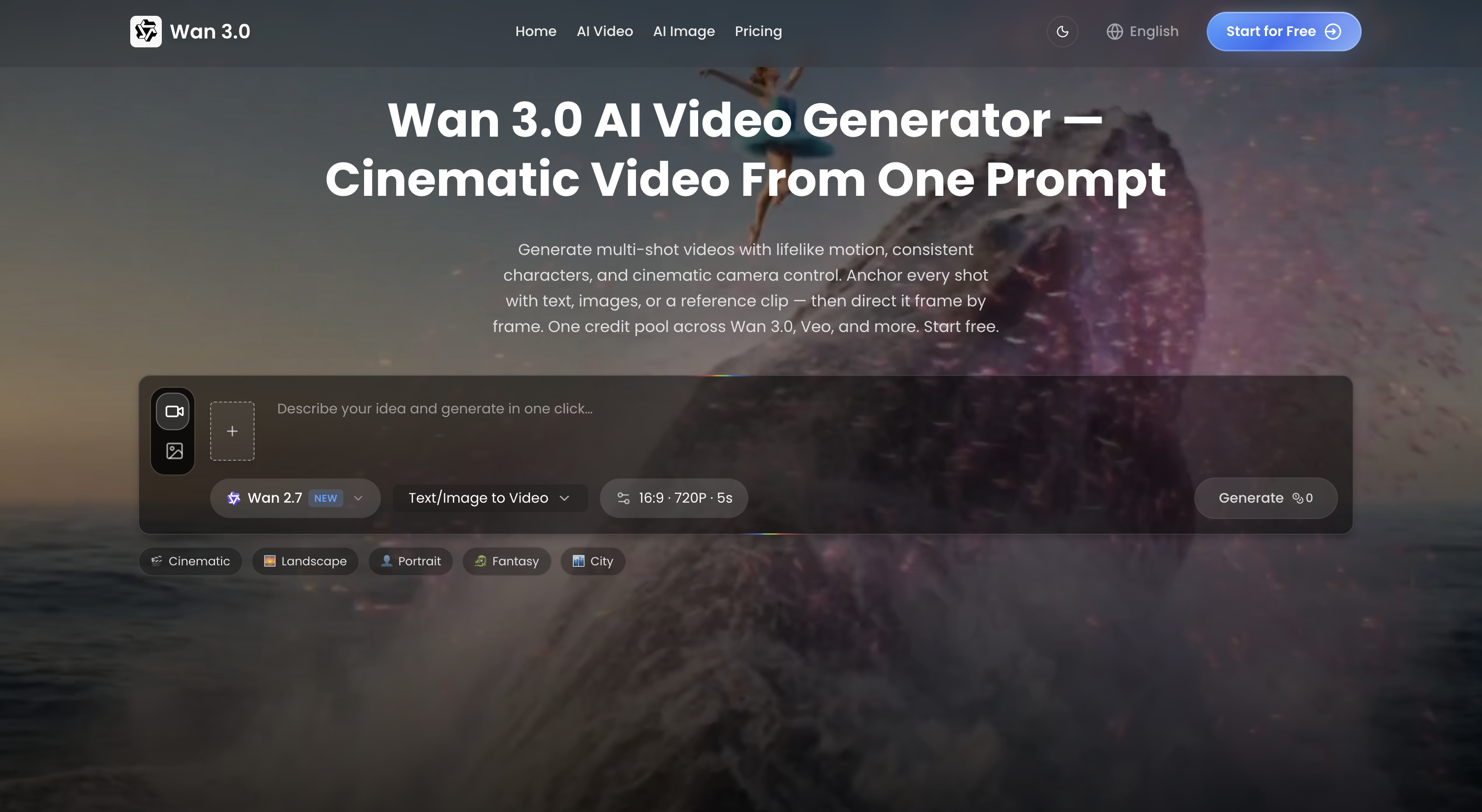
Best for creators and teams who want to turn briefs, images, or documents into coherent 30-second video scenes with consistent characters and style. It offers strong reference control and multi-modal input, but its credit-based pricing can get expensive compared to simpler tools like Runway. If you only need quick edits or transcript-based workflows, tools like Descript or CaptionBolt may serve you better.
What is Wan 3.0?
Wan 3.0 is a browser‑based AI video creation tool that transforms prompts, images, clips, documents, or web pages into short cinematic videos up to 30 seconds long. It supports multi‑modal inputs - text, image, video, audio, and structured files like PPT, PDF, and Markdown - and maintains visual consistency across frames by anchoring to reference material. Users direct motion, camera, pacing, and audio through natural‑language prompts, and can extend or edit videos within the same workspace. It’s aimed at content creators, marketers, educators, and storytellers who need narrative‑driven video drafts without manual editing.
How we scored Wan 3.0
Wan 3.0 earns points for its multi-modal input and 30-second single-pass generation with reference consistency (capability 20). The interface appears intuitive with in-workspace editing (ease of use 18). Pricing is clear but can be expensive for heavy users (value 17). Delivery is strong, features match claims and failed renders refund credits (delivery 23).
Pros and cons
What we liked
- Supports multi-modal inputs including documents and web pages for video generation.
- Maintains visual consistency across frames, characters, props, style stay locked.
- Single-pass 30-second generation with built-in editing and extension in one workspace.
Where it falls short
- Credit-based pricing can be expensive, e.g. Max tier costs $90.90/month for 7,500 credits, which may not stretch far for high-res or long scenes.
- No free tier; all plans require paid subscription to access credits.
- Lacks transcript-based editing or caption workflows that tools like Descript offer.
Key features
Wan 3.0 pricing
Three subscription tiers: Basic at $19.90/month ($15.90/mo billed annually) for 800 credits/month; Pro at $39.90/month ($29.90/mo billed annually) for 1,800 credits/month; Max at $129.90/month ($90.90/mo billed annually) for 7,500 credits/month. All include watermark-free exports, commercial use, and 90-day asset storage; higher tiers add priority support and early model access.
| Plan | Price | Who it is for |
|---|---|---|
| Basic | $19.90/month ($15.90/month billed annually) | 800 credits/month; up to 160 images or 26 videos; watermark‑free exports; standard processing & support; 90‑day asset storage; commercial use license. |
| Pro | $39.90/month ($29.90/month billed annually) | 1,800 credits/month; up to 360 images or 60 videos; watermark‑free exports and private generation; priority processing & support; 90‑day asset storage; commercial use license. |
| Max | $129.90/month ($90.90/month billed annually) | 7,500 credits/month; up to 1,500 images or 250 videos; watermark‑free exports and private generation; fastest processing & priority support; early access to new models; 90‑day asset storage; commercial use license. |
Pricing reflects what we saw at time of review (2026-09). Always confirm current pricing on the tool's own site.
Who should use Wan 3.0?
If you need to turn a brief, product image, presentation deck, or document into a short, visually consistent video scene, Wan 3.0 gives you control over camera, pacing, and style in one workspace. It’s especially useful for campaign concepting, social ads, explainers, or previsualization where visual continuity matters. If you only need transcript-based editing, captioning, or simple video trimming, tools like Descript or CaptionBolt offer more cost-effective workflows.
Skip it if: Users seeking low-cost, transcript-based editing or simple captioning workflows.
Wan 3.0 alternatives
Tags
Frequently asked questions
How long can a Wan 3.0 video be?+
Wan 3.0 generates up to 30-second videos in a single pass, with smart duration suggestions and extension options.
What input types does Wan 3.0 support?+
It supports text, images, video, audio, documents (PPT, PDF, MD, etc.) and web pages as source material for video generation.
Can I use Wan 3.0 videos commercially?+
Yes. All subscription tiers include a commercial use license for generated videos.
How does pricing work?+
You pay for a subscription tier that grants monthly credits (e.g. 800 credits for Basic at $15.90/mo billed annually), and each generation consumes credits based on length and resolution.
What happens if a render fails?+
Failed renders automatically refund the credits used for that job.
More AI Video Tools
See all categoriesGet your tool listed on 300+ directories.
One listing here is a strong start. But the founders who get discovered everywhere are listed everywhere. Our sister site, Free AI Directories, submits your tool to 300+ AI directories for you, every single one by hand, by a real person.
It is a one-time payment of $49, no subscription, and you can follow along as the submissions land. Prefer the slow route? The same site keeps a free list of 450+ directories you can work through yourself.
Get my tool listed on 300+ directoriesOne-time payment, no subscription · 100% human submissions · Free list of 450+ directories included.