
Wondertake
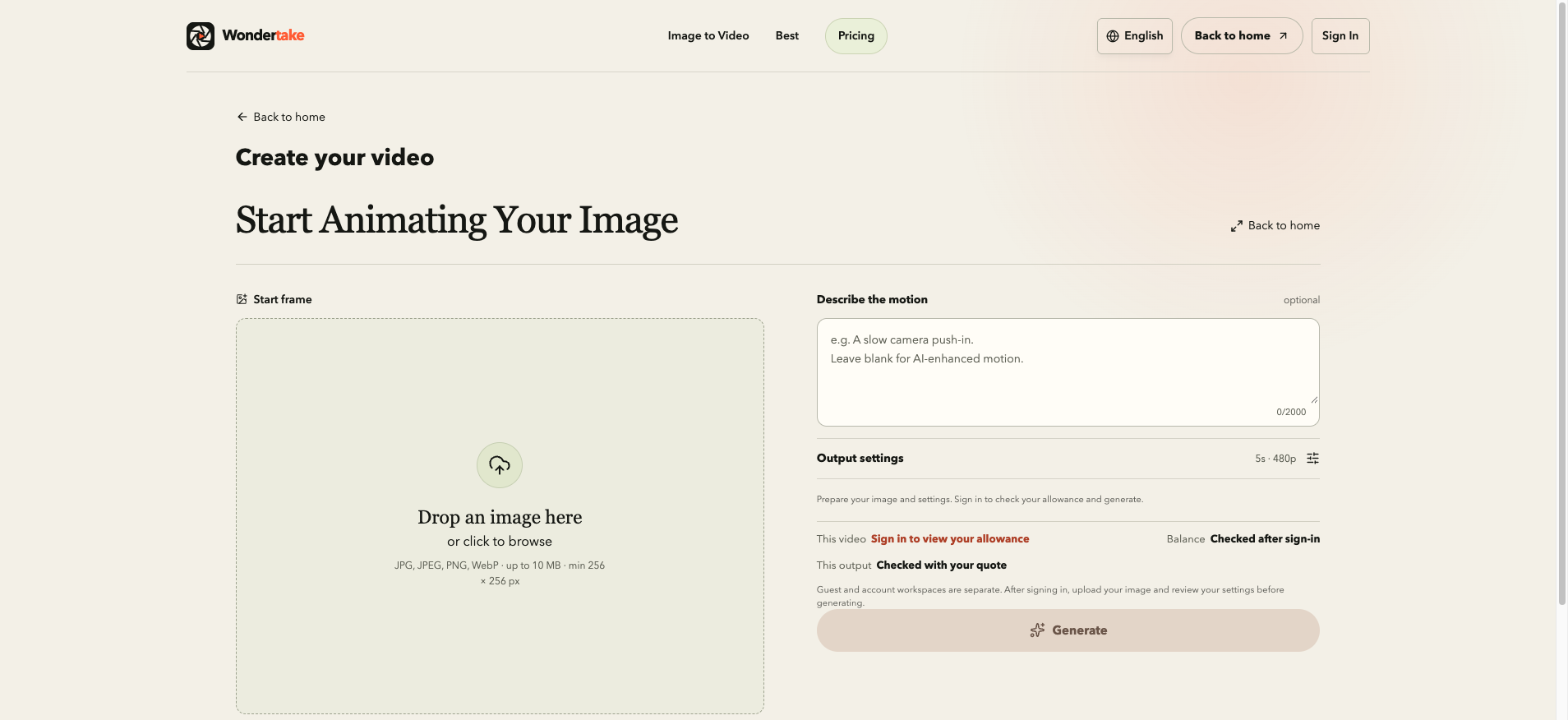
Browser-based image-to-video AI tool that animates JPG, PNG, or WebP files into short MP4 clips with an optional motion prompt.
Are you the maker? Claim this listing to keep info, pricing and screenshots current. Verified via your tool's domain email.
Wondertake suits casual creators who want a dead-simple path from a single photo to a short animated MP4 without installing anything. The credit system is transparent and the pre-generation cost preview is genuinely useful, but the tool does almost nothing beyond that one workflow, and Runway offers far more editing control for a comparable monthly spend. Anyone needing multi-clip editing, audio, or watermark-free output without a subscription should look elsewhere.
What is Wondertake?
Wondertake is a browser-based AI tool that converts static images in JPG, PNG, or WebP format into short MP4 video clips. Users upload a single photo, add an optional text prompt describing the desired motion, review the credit cost for their chosen model and settings, and download the generated result.
The tool runs entirely in a web browser with no software installation required. Google sign-in is currently mandatory to generate videos. Eligible new accounts receive 12 one-time trial credits with watermarked output. Paid plans (Pro at $19/month and Max at $29/month) enable watermark-free exports and monthly credit refreshes. One-time credit packs are also available for users who prefer not to subscribe.
How we scored Wondertake
Capability scores 13 because the tool does exactly one thing (single image in, short clip out) with no audio, no editing, no batch processing, and no multi-clip workflow; Runway and even basic competitors offer substantially more at comparable price points. Ease of use scores 20 because the workflow is genuinely minimal, the pre-generation credit cost preview is a real usability win, and there is no setup friction beyond Google sign-in. Value scores 15 because the $19/month Pro plan delivers 1,200 credits with watermark-free output, but the watermark-only credit packs (up to $49.99 for 3,000 credits) create a confusing two-track system where spending money does not guarantee clean output without also paying a subscription; the 12-credit free trial is also thin compared to competitors offering more generous trials. Delivery scores 14 because the tool is transparent about its limits and the credit-return policy for failed generations is a genuine trust signal, but no third-party user sentiment was findable to corroborate claims, and the eligibility-gated free trial introduces uncertainty about what new users actually receive.
Pros and cons
What we liked
- Credit cost is shown before each generation runs, so you never burn credits on a setting you did not intend to use.
- One-time credit packs ($4.99 for 250 credits, up to $49.99 for 3,000 credits) let infrequent users pay without committing to a monthly subscription.
- The workflow is genuinely minimal: no project setup, no timeline, no account dashboard to configure before you can generate a first clip.
Where it falls short
- Buying credit packs without an active Pro or Max subscription does not remove the watermark, meaning a user who spends $49.99 on the Studio pack still gets watermarked output unless they also pay $19 or $29/month for a plan.
- The free trial is capped at 12 one-time credits for eligible accounts only, subject to anti-abuse checks, which in practice means many users hit a paywall after a single test generation.
- The tool handles exactly one workflow: one image in, one short clip out. There is no audio, no multi-clip editing, no text overlay, and no batch processing, which puts it well behind broader competitors at similar price points.
Key features
Wondertake pricing
Free trial gives eligible new Google accounts 12 one-time watermarked credits, enough for roughly one 480p 5-second video. Pro costs $19/month (or $15.17/month billed yearly) for 1,200 credits per month with watermark-free output. Max costs $29/month for 2,400 credits per month, also watermark-free. One-time credit packs are available without a subscription: 250 credits for $4.99, 1,100 credits for $19.99, and 3,000 credits for $49.99, though packs alone do not remove the watermark.
| Plan | Price | Who it is for |
|---|---|---|
| Free Trial | $0 | 12 one-time credits for eligible new Google accounts. Enough for approximately one standard 480p, 5-second video. Output is watermarked. Private video history kept for 90 days. Subject to eligibility and anti-abuse checks. |
| Pro | $19/month | 1,200 credits per month, watermark-free output, full video library kept while subscribed. Yearly billing available at $15.17/month (saves 20%). Credits do not roll over; top-up packs stack with the plan. |
| Max | $29/month | 2,400 credits per month, watermark-free output, full video library kept while subscribed. Yearly billing option available. Credits do not roll over; top-up packs stack with the plan. |
| Quick Boost (one-time pack) | $4.99 | 250 credits, valid for 12 months, no auto-renewal. Does not remove watermark without an active subscription. Stacks with existing plan credits. |
| Creator Pack (one-time pack) | $19.99 | 1,100 credits, valid for 12 months, no auto-renewal. Approximately 9% cheaper per credit than the Quick Boost pack. Does not remove watermark without an active subscription. |
| Studio Pack (one-time pack) | $49.99 | 3,000 credits, valid for 12 months, no auto-renewal. Approximately 16.5% cheaper per credit than the Quick Boost pack. Does not remove watermark without an active subscription. |
Pricing reflects what we saw at time of review (2026-11). Always confirm current pricing on the tool's own site.
Who should use Wondertake?
Wondertake fits a specific, narrow profile: someone who has a still photo and wants a short animated clip for an Instagram reel, a social ad, or a personal project, and who does not need anything beyond that single generation step. A travel blogger animating a landscape shot, a small business owner adding motion to a product photo, or a hobbyist experimenting with AI animation will find the workflow genuinely frictionless.
Anyone who needs to edit multiple clips together, add voiceover or music, produce talking-head videos, or work in a team should look elsewhere. Runway is the stronger choice for creators who want a real video editing environment alongside AI generation; its timeline tools and broader model access justify the higher price for anyone doing more than one-shot photo animation. HeyGen is the better pick if the goal is avatar-based or talking-photo video rather than pure image animation.
Skip it if: Video editors, teams, or anyone needing multi-clip projects or audio tools
Wondertake alternatives
Tags
Frequently asked questions
Do I need a credit card to try Wondertake?+
No credit card is required for the free trial. Eligible new Google accounts receive 12 one-time credits at sign-up, subject to anti-abuse checks. A card is only needed when purchasing a paid plan or credit pack.
Will buying a credit pack remove the watermark from my videos?+
No. One-time credit packs (priced from $4.99 to $49.99) add generation credits but do not remove the watermark. Watermark-free output requires an active Pro ($19/month) or Max ($29/month) subscription.
Do unused monthly subscription credits roll over?+
Subscription credits do not roll over; they reset each month. One-time top-up pack credits are separate and remain valid for 12 months, stacking with your plan balance.
What happens if a video generation fails?+
Credits charged for a failed generation are returned to your account automatically, so you are not billed for unsuccessful attempts.
Can I use generated videos commercially?+
Commercial use depends on your rights to the source image and the terms of the specific AI model provider used for that generation. The site notes this explicitly and recommends reviewing outputs before publishing.
What image formats does Wondertake accept?+
The tool accepts JPG, PNG, and WebP files. Output is delivered as an MP4 download.
More AI Video Tools
See all categoriesGet your tool listed on 300+ directories.
One listing here is a strong start. But the founders who get discovered everywhere are listed everywhere. Our sister site, Free AI Directories, submits your tool to 300+ AI directories for you, every single one by hand, by a real person.
It is a one-time payment of $49, no subscription, and you can follow along as the submissions land. Prefer the slow route? The same site keeps a free list of 450+ directories you can work through yourself.
Get my tool listed on 300+ directoriesOne-time payment, no subscription · 100% human submissions · Free list of 450+ directories included.