Asphalt Calculator vs Concrete Calculator
Asphalt Calculator vs Concrete Calculator: score breakdown
Asphalt Calculator scores 68/100 against 58/100 for Concrete Calculator, a 10-point gap.
Features and platforms
| Feature | Asphalt Calculator | Concrete Calculator |
|---|---|---|
| Pricing model | Free | Free |
| Free plan | Yes | Yes |
| Platforms | Web | Web |
| Best for | Contractors and homeowners estimating hot-mix tonnage and truckloads before calling a plant. | DIYers and small contractors estimating concrete volume and bag counts before ordering |
| Skip if | Anyone needing structural pavement design, labor cost breakdowns, or a full project budget. | Anyone needing structural design, labor cost estimates, or rebar guidance |
Cost and usage limits
Asphalt Calculator has a free plan. Concrete Calculator has a free plan.
Prices from each vendor's pricing page. Asphalt Calculator checked November 2026
Pros and cons
Asphalt Calculator
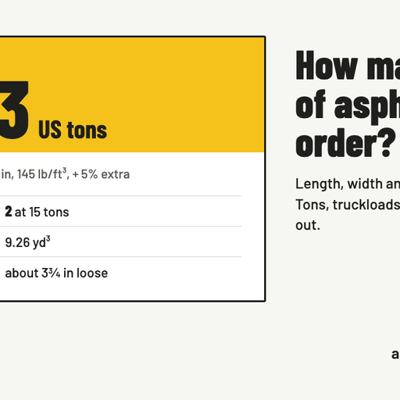
- Density transparency: every result prints the exact density value used, making the output auditable and useful for cross-checking a supplier's quote.
- Gmm support: accepts a maximum theoretical density value from a job mix formula and applies a 94% compaction factor, a level of technical depth rare in free browser calculators.
- Multi-area sessions: stack multiple shapes with independent depths in one calculation, covering L-shaped lots or projects with thicker apron sections without separate runs.
- No labor or installation cost output: the calculator stops at material tons and an optional plant price per ton, so it cannot produce a full project budget. Competing tools like asphaltcalc.org include real-time cost ranges that cover more of the project cost picture.
- Web-only with no saved sessions: there is no account system, so a contractor cannot save a job, share a link with a client, or return to a previous estimate. The 'Copy link' feature encodes inputs in the URL but requires the user to manage that link manually.
- No structural thickness guidance built into the calculator itself: depth recommendations from the Colorado Asphalt Pavement Association appear in editorial text below the tool, not as an integrated input wizard, so a first-time user can easily enter the wrong depth and get a confidently wrong tonnage.
Concrete Calculator
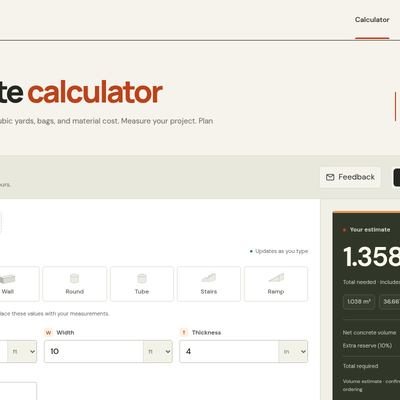
- Fully free with no account required and no hidden upgrade path: the complete feature set is available to anyone who opens the page.
- Step-by-step calculation guide shows every unit conversion and intermediate formula to 12 significant digits, making it easy to verify or audit the result.
- Multi-area support with a single configurable reserve percentage lets you combine a slab, a footing, and a column into one order total in a single session.
- Categorized as an AI tool but contains no AI whatsoever: it is pure geometry, which means buyers arriving from an AI directory will find a capable but entirely conventional calculator.
- Material cost estimation is manual-entry only with no built-in pricing data: you must already know your local price per bag or per cubic yard before the cost field does anything useful.
- No labor, delivery, pumping, or finishing cost support: the estimate covers material volume only, so a contractor building a real quote still needs a separate tool for the rest of the budget.
Our verdict
Asphalt Calculator verdict
Asphalt Calculator is the right pick for a contractor or homeowner who needs a transparent, formula-driven tonnage estimate without creating an account or paying anything. It exposes its density assumptions and rolldown math in a way most competing free calculators do not, which makes it genuinely useful for checking a supplier's quote. It does not do pavement design, structural thickness recommendations, or labor cost estimation, so anyone who needs a full project budget rather than a material quantity should look elsewhere.
Read full Asphalt Calculator review →Concrete Calculator verdict
The best fit for a DIYer or small contractor who needs a fast, honest volume estimate before calling a supplier, with no registration friction. It does geometry well and shows its math step by step, but it is not an AI tool in any meaningful sense and sits in the wrong directory category. Anyone needing structural guidance, rebar estimates, or labor cost breakdowns should look elsewhere.
Read full Concrete Calculator review →