Blank Calendar vs Statement2QBO
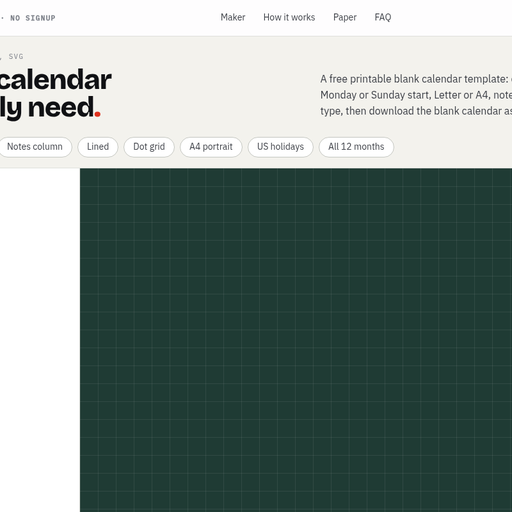
Blank Calendar vs Statement2QBO: score breakdown
Statement2QBO scores 72/100 against 58/100 for Blank Calendar, a 14-point gap.
Features and platforms
| Feature | Blank Calendar | Statement2QBO |
|---|---|---|
| Pricing model | Free | Freemium |
| Free plan | Yes | Yes |
| Platforms | Web | Web (browser-based, no install) |
| Best for | Home users, teachers, and office workers who need a printable monthly calendar in under a minute | Bookkeepers converting text-based bank statement PDFs without a subscription |
| Skip if | Anyone needing weekly, daily, or multi-year calendar formats, or editable file types like Word or Excel | High-volume practices needing scanned-statement OCR or API access |
Cost and usage limits
Blank Calendar has a free plan. Statement2QBO has a free plan; paid plans start at $19/month (Pro).
Prices from each vendor's pricing page. Blank Calendar checked November 2026 · Statement2QBO checked October 2026
Pros and cons
Blank Calendar
- Genuinely free with no watermark, no signup, and no hidden paid tier: the $0 price covers every feature including PDF, PNG, and SVG export.
- Six paper sizes built to exact ISO 216 and ANSI Y14.1 dimensions, so the PDF prints at 100% without scaling on any printer from A5 planners to A3 wall sheets.
- In-browser typing lets you place text directly into day cells before downloading, removing the need for a separate PDF editor to annotate the calendar.
- Monthly calendars only: there is no weekly, daily, or yearly layout, which rules out the tool for anyone whose planning needs go beyond a single-month grid.
- No save or sync: every session starts from scratch, so a layout you configured last month cannot be recalled or reused without rebuilding it manually.
- No AI features despite being submitted under AI Productivity Tools: the tool is a rules-based PDF generator with no AI-assisted scheduling, suggestions, or automation of any kind.
Statement2QBO
- Conversion runs entirely in the browser with no server upload, a meaningful privacy guarantee for bookkeepers handling client financial data.
- The $9 one-time 60-page pack with pages that never expire is one of the lowest-friction paid entry points in this category, cheaper than any monthly plan from comparable tools.
- Every export format (QBO, OFX, QFX, QIF, CSV, Excel, Xero) is available on every tier including the free plan, with no format gating behind higher tiers.
- No OCR support for scanned or image-based PDFs is a hard limit specific to this tool; competitors like BankQBO and DocuClipper handle photographed statements that Statement2QBO cannot process at all.
- Monthly plan pages do not roll over, so a bookkeeper with uneven monthly volume loses unused pages at the end of each billing period.
- No API access at any tier, which rules out any automated or workflow-integrated conversion pipeline regardless of how much you spend.
Our verdict
Blank Calendar verdict
Blank Calendar is the right pick for anyone who needs a clean, print-ready monthly calendar fast, with zero friction: no account, no paywall, no watermark. It does one thing and does it well, but it stops at monthly layouts, so anyone needing weekly or daily views will hit a wall immediately. If you want a richer set of calendar formats or editable Word and Excel exports, look elsewhere.
Read full Blank Calendar review →Statement2QBO verdict
Statement2QBO is the right pick for solo bookkeepers and small practices who want a dead-simple, privacy-first converter that never sends their clients' financial data to a server. The free tier is genuinely usable at 3 pages per day, and the $9 one-time pack is one of the cheapest entry points in this category. The tool lacks scanned-statement OCR and an API, so firms processing image-based PDFs or needing automation will hit a wall fast.
Read full Statement2QBO review →