CleverUtils vs Concrete Calculator

CleverUtils vs Concrete Calculator: score breakdown
CleverUtils scores 71/100 against 58/100 for Concrete Calculator, a 13-point gap.
Features and platforms
| Feature | CleverUtils | Concrete Calculator |
|---|---|---|
| Pricing model | Free | Free |
| Free plan | Yes | Yes |
| Platforms | Web, API | Web |
| Best for | Developers and casual users who need free, no-account file conversion across many formats | DIYers and small contractors estimating concrete volume and bag counts before ordering |
| Skip if | Anyone processing files larger than 100 MB or needing guaranteed local-only processing | Anyone needing structural design, labor cost estimates, or rebar guidance |
Cost and usage limits
CleverUtils has a free plan. Concrete Calculator has a free plan.
Prices from each vendor's pricing page. CleverUtils checked November 2026
Pros and cons
CleverUtils
- Genuinely free with no paid tiers, no watermarks, and no account required, covering 200+ format pairs across five major file categories.
- Free REST API with 24 documented operations, including a batch endpoint that handles up to 20 files per request, which is rare at zero cost.
- AI tools for background removal, image upscaling, photo colorization, audio noise reduction, and speech-to-text are included at no charge alongside the core converters.
- The 100 MB per-file cap is fixed with no paid upgrade path to raise it, making the tool unusable for standard-length video files at higher resolutions.
- Daily and hourly API rate limits exist but are not published publicly, so developers cannot plan around them without hitting the wall first.
- The AI tools are individually shallow: background removal, upscaling, and colorization each exist as single-purpose pages with no batch mode, adjustment controls, or quality settings exposed to the user.
Concrete Calculator
- Fully free with no account required and no hidden upgrade path: the complete feature set is available to anyone who opens the page.
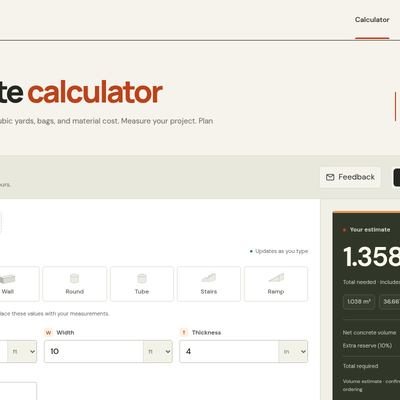
- Step-by-step calculation guide shows every unit conversion and intermediate formula to 12 significant digits, making it easy to verify or audit the result.
- Multi-area support with a single configurable reserve percentage lets you combine a slab, a footing, and a column into one order total in a single session.
- Categorized as an AI tool but contains no AI whatsoever: it is pure geometry, which means buyers arriving from an AI directory will find a capable but entirely conventional calculator.
- Material cost estimation is manual-entry only with no built-in pricing data: you must already know your local price per bag or per cubic yard before the cost field does anything useful.
- No labor, delivery, pumping, or finishing cost support: the estimate covers material volume only, so a contractor building a real quote still needs a separate tool for the rest of the budget.
Our verdict
CleverUtils verdict
CleverUtils is the right pick for individuals and developers who need broad format coverage without paying or registering, especially given the free REST API with batch support. The 100 MB file size cap is a hard wall that will frustrate anyone working with large video files, and the AI tools are add-ons rather than the core product. If you need local processing with no uploads at all, EveryTool4U is the stronger privacy choice.
Read full CleverUtils review →Concrete Calculator verdict
The best fit for a DIYer or small contractor who needs a fast, honest volume estimate before calling a supplier, with no registration friction. It does geometry well and shows its math step by step, but it is not an AI tool in any meaningful sense and sits in the wrong directory category. Anyone needing structural guidance, rebar estimates, or labor cost breakdowns should look elsewhere.
Read full Concrete Calculator review →