Accounter Bank Statement to CSV Converter
AI-powered PDF-to-CSV converter for South African bank statements, supporting 12 major SA banks with a free preview and no account required.
Are you the maker? Claim this listing to keep info, pricing and screenshots current. Verified via your tool's domain email.
The most purpose-built option for South African bookkeepers and small business owners who need to turn PDF bank statements into usable CSV data without manual re-keying. Its SA-bank-specific detection and scanned-PDF support give it a real edge over generic converters, but the free tier is thin at 3 conversions per week, and the fact that AI processing happens outside South Africa on Google and OpenRouter infrastructure is a data-residency concern worth knowing before you upload client statements. Anyone needing a general-purpose business AI tool or a full accounting platform should look elsewhere.
What is Accounter Bank Statement to CSV Converter?
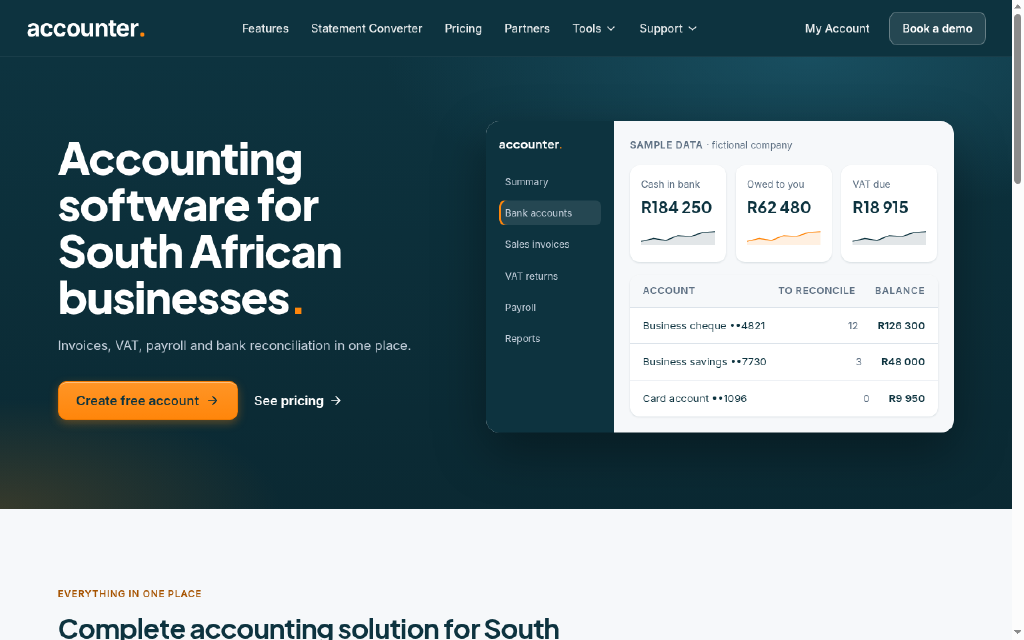
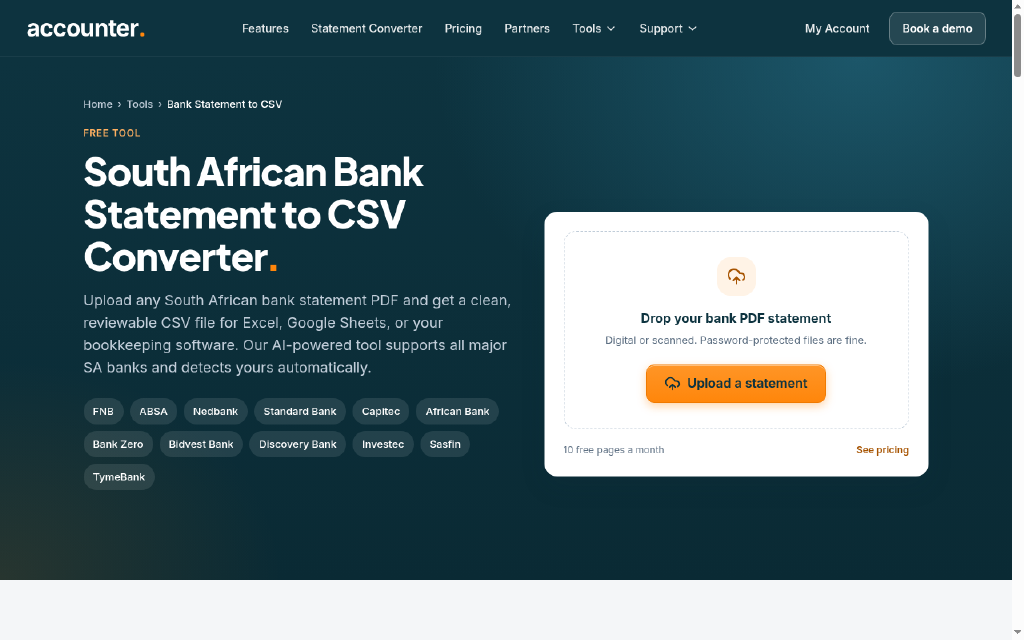
Accounter's bank statement converter uses AI to turn South African bank statement PDFs into clean, reviewable CSV files. It detects the bank automatically and supports FNB, ABSA, Standard Bank, Capitec, Nedbank, Investec, Discovery Bank, TymeBank and others. Digital and scanned statements work, including password-protected files. You can preview the extracted rows and check totals without an account; downloading the CSV needs a free account, which includes 10 pages each month. The CSV opens in Excel or Google Sheets or imports into bookkeeping software. Built by Accounter, a South African cloud accounting company.
How we scored Accounter Bank Statement to CSV Converter
Capability scores 19 because the tool does its narrow job well, with 12 named SA banks, scanned PDF support, and a preview-before-account flow that generic converters lack, but it has no API, no direct accounting software integration beyond CSV export, and no evidence of output accuracy benchmarks. Ease of use scores 21 because the no-account preview and drag-and-drop upload are genuinely low-friction, though the inconsistency between the '10 pages/month' and '3 conversions/week' free tier descriptions creates real confusion for new users. Value scores 16 because the free tier is functionally thin for any bookkeeper with real volume, and the ZAR pricing, while reasonable in absolute terms, is hard to evaluate fairly given the conflicting tier information across the site's own pages. Delivery scores 12 because the tool explicitly discloses that client financial PDFs are processed by Google and OpenRouter infrastructure outside South Africa, which is a meaningful trust and compliance concern for accountants handling third-party data under POPIA, and no third-party reviews or accuracy data were available to offset that concern.
Pros and cons
What we liked
- Automatic bank detection across 12 named South African banks, with dedicated per-bank pages that include bank-specific download instructions and sample output.
- Preview-before-account model lets users verify extraction quality on their actual statement before signing up or paying anything.
- Accepts scanned PDFs and password-protected files up to 20 MB, covering older statements that bank feeds cannot handle.
Where it falls short
- AI processing runs on Google and OpenRouter infrastructure outside South Africa, which is disclosed on the upload page but creates a data-residency risk for accountants handling client financial data under South African privacy law.
- The free tier is limited: the tool page states 10 pages per month, while the pricing page lists 3 conversions per week, and the discrepancy makes it hard to plan usage without testing the actual account dashboard.
- No API access is mentioned at any tier below the broader Accounter platform, so developers or finance teams wanting to automate statement ingestion at volume cannot integrate the converter directly into their own workflows.
Key features
Accounter Bank Statement to CSV Converter pricing
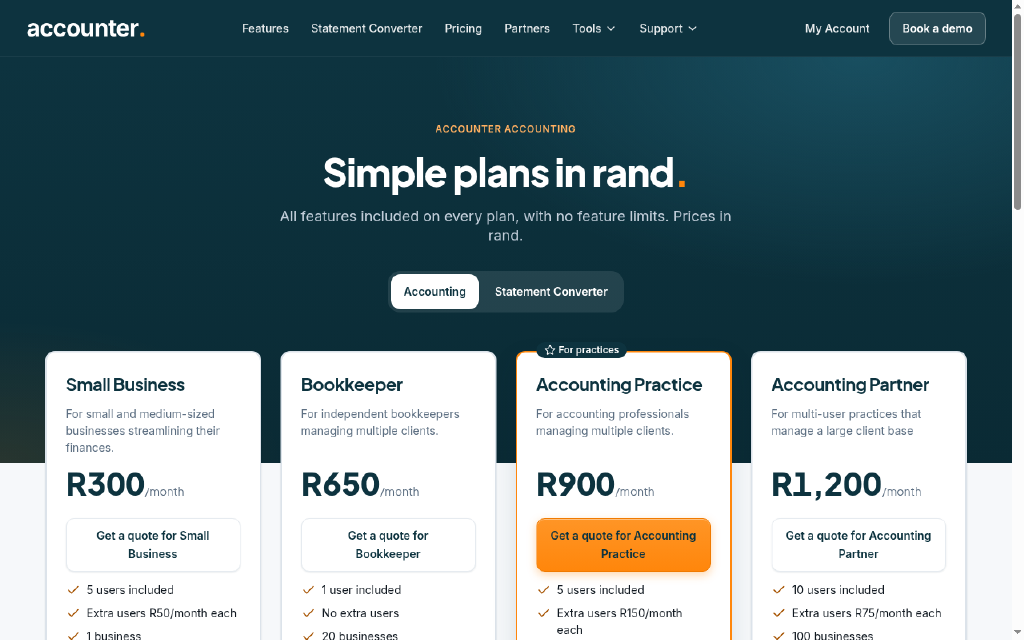
Free tier includes 10 pages per month (or 3 conversions per week per the pricing page) after email verification, with no credit card required. Paid plans start at R199/month for 150 conversions, rising to R499/month for 500 conversions across up to 5 users, and R999/month for 2,000 conversions. Once-off credit packs are also available at R0.66 to R0.97 per page. All prices are in South African Rand.
| Plan | Price | Who it is for |
|---|---|---|
| Starter (Free) | Free | 3 conversions per week, 1 user, all SA banks supported, CSV export. No credit card required. Preview available without an account; download requires free account registration. |
| Professional | R199/mo | 150 conversions per month, 1 user, all SA banks supported, CSV and Excel export, email support. |
| Business | R499/mo | 500 conversions per month, up to 5 users, shared credit pool, all SA banks supported, priority support. |
| Enterprise | R999/mo | 2,000 conversions per month. Team plan with expanded volume for high-throughput accounting practices. |
Pricing reflects what we saw at time of review (2026-10). Always confirm current pricing on the tool's own site.
Who should use Accounter Bank Statement to CSV Converter?
South African bookkeepers handling multiple client accounts will get the most from this tool. A sole-practitioner bookkeeper processing five or six client statements a month can stay on the free tier or the R199/month Professional plan and avoid manual data entry entirely. Small business owners who receive PDF statements from their bank and need to reconcile them in Excel or import them into Xero, QuickBooks, or Sage will also find it practical, especially for scanned or older statements that bank feeds cannot reach.
Anyone outside South Africa should skip it entirely. The bank detection and dedicated pages are built exclusively for SA formats, and there is no indication the tool handles international statement layouts. Users who need a full accounting workflow rather than a one-step extraction tool should look at a platform like ClearCRM for relationship and business management, or evaluate Accounter's own full accounting plans separately. If the data-residency requirement is strict, the fact that PDFs are processed by Google and OpenRouter infrastructure outside South Africa may be a hard blocker for regulated industries.
Skip it if: Businesses outside South Africa, or anyone needing full accounting software rather than a standalone extraction tool
Frequently asked questions
Do I need an account to try the converter?+
No. You can upload a PDF and preview the extracted transaction rows without creating an account. An account is required only to download the CSV file.
Which South African banks are supported?+
The converter supports 12 named banks: FNB, ABSA, Standard Bank, Capitec, Nedbank, Investec, Discovery Bank, TymeBank, African Bank, Bank Zero, Bidvest Bank, and Sasfin. The bank is detected automatically from the uploaded PDF.
What does the free tier actually include?+
The tool page states 10 free pages per month after email verification. The pricing page lists 3 conversions per week on the Starter plan. The human editor should confirm which figure is current before this publishes.
Where is my bank statement data processed?+
Accounter discloses on the upload page that PDFs are read using Google and OpenRouter AI services, outside South Africa. Without an account, the preview and uploaded file are deleted within 3 hours.
How much do paid plans cost?+
Plans are priced in ZAR. Professional is R199/month for 150 conversions (1 user); Business is R499/month for 500 conversions (up to 5 users); Enterprise is R999/month for 2,000 conversions. Once-off credit packs cost R0.66 to R0.97 per page.
Can it handle scanned or password-protected statements?+
Yes. The tool accepts both digital text-based PDFs and scanned image PDFs, as well as password-protected files. Files must be PDF format and under 20 MB. Pages that cannot be read are not charged.
More AI Business Tools
See all categoriesGet your tool listed on 300+ directories.
One listing here is a strong start. But the founders who get discovered everywhere are listed everywhere. Our sister site, Free AI Directories, submits your tool to 300+ AI directories for you, every single one by hand, by a real person.
It is a one-time payment of $49, no subscription, and you can follow along as the submissions land. Prefer the slow route? The same site keeps a free list of 450+ directories you can work through yourself.
Get my tool listed on 300+ directoriesOne-time payment, no subscription · 100% human submissions · Free list of 450+ directories included.