
Adobe Firefly
Adobe's generative studio for video, image and audio: its own Firefly Video Model plus Veo, Runway, Kling and Luma on one credit plan.
Are you the maker? Claim this listing to keep info, pricing and screenshots current. Verified via your tool's domain email.
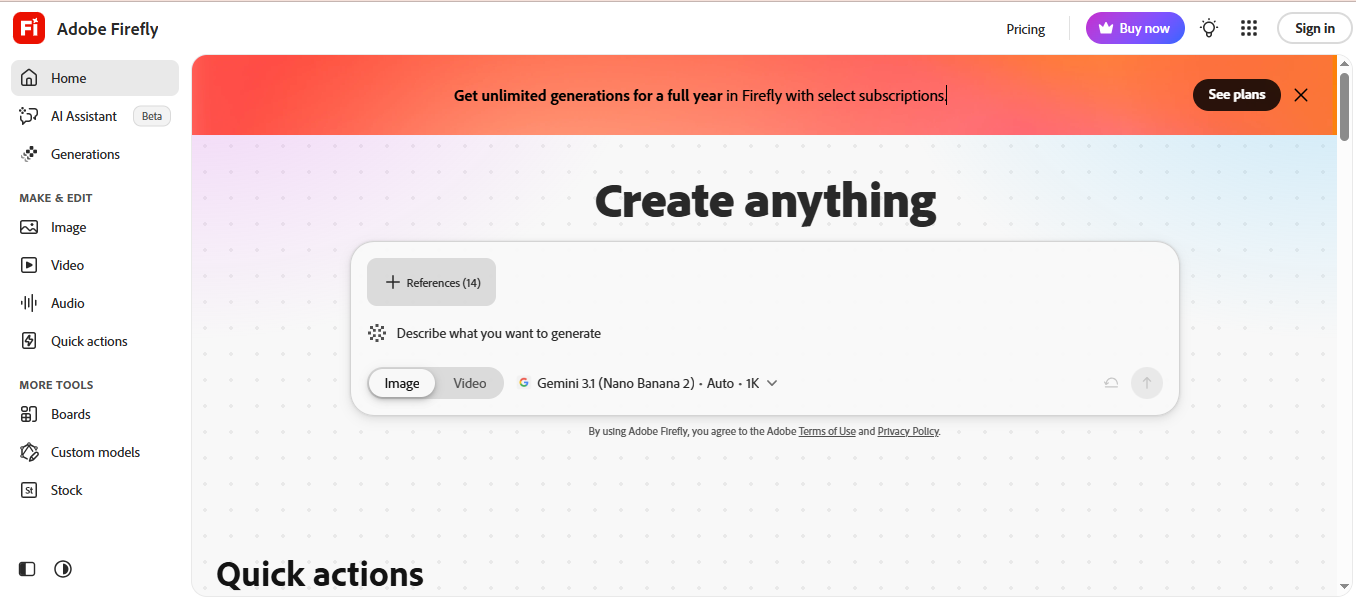
Best for marketing teams and agencies that need commercially safe clips with Content Credentials and want Veo, Runway, Kling and Luma in the same app. The trade-off is cost per clip: about 20 five-second videos for $9.99 on Standard, where Google Flow gives 50 free credits a day and Hailuo undercuts it on API price. Skip it if you want long clips or a published free credit number; Adobe does not state how many free generations a day you get.
What is Adobe Firefly?
Adobe Firefly is Adobe's web app for generating video, images, audio and vector graphics. Its video tool takes a text prompt or a starting image and produces clips with the Adobe Firefly Video Model or with partner models offered inside the same interface: Veo 3.1 and Veo 3.1 Fast, Luma Ray3, Runway Gen-4.5 and Kling 3.0. Users can run the same prompt across models to compare, adjust camera angle and motion in the settings panel, and download MP4 files at resolutions up to 4K in 16:9 or 9:16.
Clips run up to 8 seconds on most models and up to 15 on some. The Assembler and the AI video editor trim, reorder and extend clips, and voiceovers, music and sound effects can be added in the editor. Firefly connects to Premiere Pro, Photoshop and Adobe Express, and every output carries Content Credentials. Adobe says its own video model is trained on licensed Adobe Stock and public domain material, which is why it positions Firefly for marketing teams, designers and agencies that need commercially safe footage.
How we scored Adobe Firefly
Capability is high: an in-house video model plus four partner models, 4K export and an editor in one app. Ease of use is strong thanks to the single picker and Creative Cloud links. Value loses points because the free allowance is unpublished and Standard buys about 20 short clips. Delivery is good on provenance and commercial terms but loses points for the 20 versus 40 clip discrepancy between Adobe pages and the missing per-model credit table.
Pros and cons
What we liked
- Adobe's own video model is trained on licensed and public domain material, and Adobe states its outputs are safe for commercial use.
- Veo 3.1, Runway Gen-4.5, Kling 3.0 and Luma Ray3 run inside the same app and credit pool, with side-by-side comparison of one prompt.
- Content Credentials attach automatically and clips hand off to Premiere Pro, Photoshop and Adobe Express.
Where it falls short
- Adobe does not publish how many free generations a day the free tier gives, so you only learn the limit by hitting it.
- About 20 five-second videos for the $9.99 Standard plan is expensive per clip next to Flow or Hailuo.
- The video page says Standard includes up to 40 clips and the plans page says up to 20, and the plans page does not show credits per model or resolution.
Key features
Adobe Firefly pricing
Free: limited daily generations across image, video and audio, refreshed daily. Firefly Standard 2,000 credits a month (up to 20 five-second videos), Pro 4,000 (up to 40), Pro Plus 10,000 (up to 100), Premium 50,000 with unlimited Firefly Video Model generations. US prices $9.99, $19.99, $49.99 and $199.99 a month; the official plans page shows local currency (11.58, 23.19, 57.99 and 232 euro in Europe). Team plans Pro, Pro Plus and Premium per licence. Credits reset monthly and do not roll over.
| Plan | Price | Who it is for |
|---|---|---|
| Free | Free | Limited daily generations across image, video and audio, refreshed each day, on a curated set of models. |
| Firefly Standard | $9.99/mo | 2,000 generative credits a month, up to 20 five-second videos, partner models included. Official page shows 11.58 euro in Europe. |
| Firefly Pro | $19.99/mo | 4,000 generative credits a month, up to 40 five-second videos, partner models included. Official page shows 23.19 euro. |
| Firefly Pro Plus | $49.99/mo | 10,000 generative credits a month, up to 100 five-second videos, partner models included. Official page shows 57.99 euro. |
| Firefly Premium | $199.99/mo | 50,000 generative credits a month and unlimited Firefly Video Model generations in Generate Video. Official page shows 232 euro. |
Pricing reflects what we saw at time of review (2026-10). Always confirm current pricing on the tool's own site.
Who should use Adobe Firefly?
A brand team producing social ads under a legal review process gets the most from Firefly: the Adobe model's licensed training data and automatic Content Credentials answer the questions procurement asks, and Premiere Pro and Express pick the clips up without exporting. A designer already on Creative Cloud who wants to test Veo 3.1 against Kling 3.0 on the same prompt can do it here without four separate accounts. A studio that needs 4K MP4 delivery will find it in the download options.
A solo creator counting clips per dollar should look at Google Flow first, where the free tier is a published 50 credits a day, or at Hailuo for the cheapest paid clips. Anyone building long-form or cinematic 15 second sequences should compare Luma, whose Ray3.2 is built for that; Firefly's own model tops out at 8 seconds.
Skip it if: Creators who need a published free allowance or long clips
Adobe Firefly alternatives
Tags
Frequently asked questions
Is Adobe Firefly free?+
There is a free plan with a limited number of daily generations across image, video and audio that refresh each day. Paid plans start at Firefly Standard, $9.99 a month in the US for 2,000 credits.
How much does Adobe Firefly cost?+
US prices: Standard $9.99, Pro $19.99, Pro Plus $49.99 and Premium $199.99 a month, for 2,000, 4,000, 10,000 and 50,000 credits. The official plans page shows your local currency.
How many videos can I make on Firefly Standard?+
The plans page says up to 20 five-second videos a month on Standard, 40 on Pro and 100 on Pro Plus. Premium has unlimited generations with the Firefly Video Model.
Which video models does Firefly include?+
Adobe's own Firefly Video Model plus partner models Veo 3.1, Veo 3.1 Fast, Luma Ray3, Runway Gen-4.5 and Kling 3.0, all inside the same app.
Can I use Firefly videos commercially?+
Adobe states that outputs from Adobe Firefly AI models can be used for commercial purposes. Partner models may have different usage terms.
Do Firefly credits roll over?+
No. Credits reset monthly on your billing date and do not roll over. When they run out you wait for the reset or buy more; Adobe does not charge extra unless you choose to.
More AI Video Tools
See all categoriesGet your tool listed on 300+ directories.
One listing here is a strong start. But the founders who get discovered everywhere are listed everywhere. Our sister site, Free AI Directories, submits your tool to 300+ AI directories for you, every single one by hand, by a real person.
It is a one-time payment of $49, no subscription, and you can follow along as the submissions land. Prefer the slow route? The same site keeps a free list of 450+ directories you can work through yourself.
Get my tool listed on 300+ directoriesOne-time payment, no subscription · 100% human submissions · Free list of 450+ directories included.