
Google Flow
Google's AI filmmaking studio that turns prompts, reference images and frames into Veo 3.1 clips with sound, on a credit system.
Are you the maker? Claim this listing to keep info, pricing and screenshots current. Verified via your tool's domain email.
Best for creators who want Veo 3.1 output with reference-image consistency and native sound, without writing API calls. The trade-off is the credit maths: a Quality clip costs 100 credits, so the free 50 a day never reaches it, and Kling or Hailuo give more clips per dollar at the entry tier. Skip it if you need a free plan that produces finished 1080p video, or if you edit existing footage rather than generate new clips.
What is Google Flow?
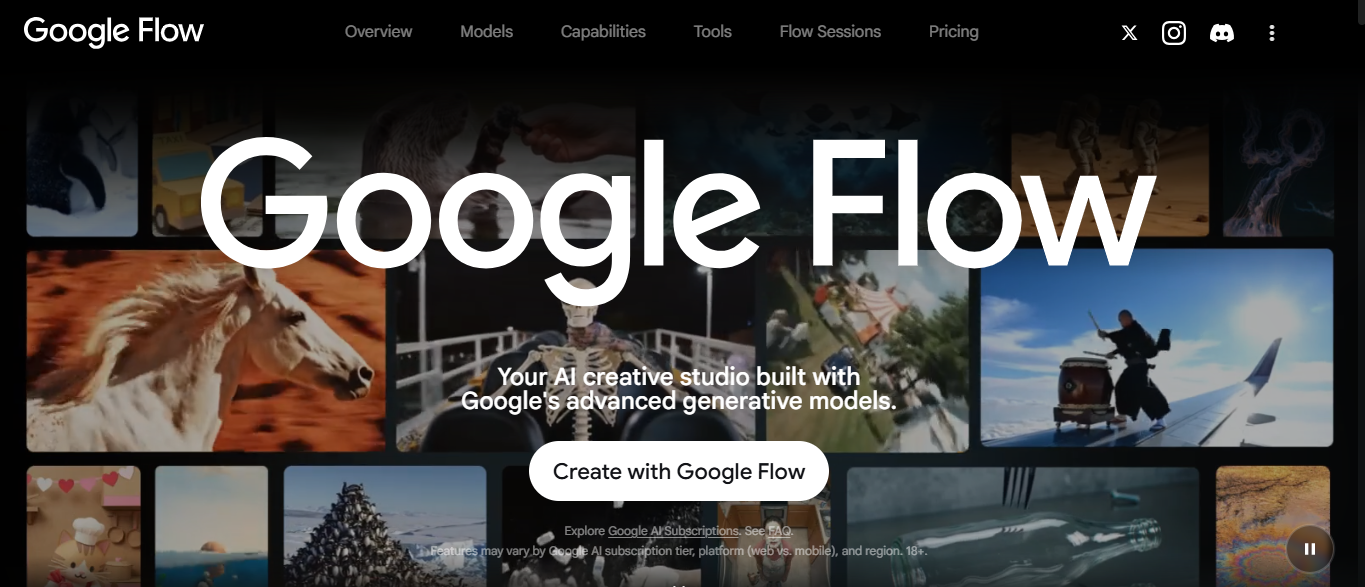
Google Flow is Google's web studio for making short AI videos with the Veo 3.1 family, the Gemini Omni Flash video model and the Nano Banana image model. A user writes a prompt, or uploads reference images as ingredients for a character, object or style, and Flow returns a clip of four to eight seconds with generated sound. Frames to Video turns two still images into one motion sequence, Extend adds seconds to an existing clip, and camera controls set the angle and movement of a shot.
Projects, assets and collections live inside Flow, so a scene can be built from several clips and reused ingredients. The studio runs in the browser in more than 140 countries and sits inside the Google AI subscription plans, with a smaller daily allowance for anyone signed in without a plan. Every output carries Google's invisible SynthID mark, and a visible watermark can be switched on from the profile menu. Flow is used by marketers, social video creators and filmmakers who want Veo output without touching the API.
How we scored Google Flow
Capability scores high because Veo 3.1 with native sound and reference-image consistency is the strongest generator in this category. Ease of use loses a few points for the credit arithmetic a new user has to learn. Value is good at the free tier but the 100-credit Quality clip and plan-only 1080p pull it down. Delivery loses points for peak-hour lockouts on the free tier and forced visible watermarks in three countries.
Pros and cons
What we liked
- Veo 3.1 Fast and Quality clips arrive with generated dialogue, ambience and sound effects, not silent video.
- Ingredients to Video keeps a character, object or style consistent across shots from a few reference images.
- 50 free credits a day for any signed-in Google account, with no card and no trial expiry.
Where it falls short
- A Quality clip costs 100 credits, so the free daily 50 can never produce one, and 1080p upscaling needs a paid plan.
- Free users can be blocked from generating video during peak hours, roughly 2 PM to 5 PM UTC, which Google states in its help pages.
- There is no Flow-only subscription; more credits mean buying a Google AI plan, and Lite and Fast only drop to half price on the $99.99 Ultra tier.
Key features
Google Flow pricing
Free: 50 credits a day signed in without a plan (Veo 3.1 Lite 10 credits, Fast 20, Quality 100 per clip; 1080p upscale not available). Google AI Plus $4.99/month adds 200 credits a month; AI Pro $19.99/month adds 1,000; AI Ultra $99.99/month adds 10,000 and $199.99/month adds 25,000, with Lite and Fast at half cost on Ultra. Credits do not roll over. Prices are US list prices on the Google AI plans page; the per-credit costs are from Google Flow Help.
| Plan | Price | Who it is for |
|---|---|---|
| Free | Free | 50 credits a day for signed-in accounts without a plan. Veo 3.1 Lite 10 credits, Fast 20, Quality 100 per clip. No 1080p or 4K upscaling. Video generation may pause at peak hours. |
| Google AI Plus | $4.99/mo | 200 Flow credits a month plus the daily 50. 1080p upscaling at no credit cost. |
| Google AI Pro | $19.99/mo | 1,000 Flow credits a month plus the daily 50. 1080p upscaling at no credit cost. |
| Google AI Ultra 5x | $99.99/mo | 10,000 Flow credits a month. Lite 5 and Fast 10 credits. 4K upscaling 50 credits. |
| Google AI Ultra 20x | $199.99/mo | 25,000 Flow credits a month. Lite lower-priority clips at 0 credits. Visible watermark not forced in any country. |
Pricing reflects what we saw at time of review (2026-10). Always confirm current pricing on the tool's own site.
Who should use Google Flow?
A solo YouTuber who storyboards a 30-second intro from three reference images and wants the same character in every shot gets the most from Flow; Ingredients to Video and Extend are built for exactly that. A marketer already paying for Google AI Pro gets 1,000 credits a month on top of the daily 50, which covers roughly 50 Fast clips, enough for weekly social posts. Anyone evaluating Veo before committing can run Lite clips on the free allowance to judge motion and sound.
A student or hobbyist who wants dozens of free clips a week should look at Hailuo or Kling, whose free tiers hand out more generations. An editor polishing footage that already exists should look at Descript or CapCut instead, since Flow only edits what Flow or Veo made.
Skip it if: Anyone needing a free plan that outputs finished 1080p video
Google Flow alternatives
Tags
Frequently asked questions
Is Google Flow free?+
Partly. Any signed-in Google account gets 50 Flow credits a day without a plan, which buys two Veo 3.1 Fast clips or five Lite clips. A Quality clip costs 100 credits, so it needs a Google AI plan.
How much does Google Flow cost?+
There is no Flow-only plan. Credits come with Google AI Plus ($4.99/month, 200 credits), AI Pro ($19.99/month, 1,000), AI Ultra 5x ($99.99/month, 10,000) or Ultra 20x ($199.99/month, 25,000). US prices as listed on Google's plans page.
Do Flow videos have a watermark?+
Every clip carries an invisible SynthID mark that Google says must not be removed. A visible watermark is optional from the profile menu, and is applied automatically in India, South Korea and Vietnam unless you are on Ultra 20x.
How long can a Flow video be?+
Veo 3.1 Lite and Fast make 4 to 8 second clips and Quality makes 8 second clips. Extend adds more seconds to an existing clip, each extension costing the same credits as a new clip.
Do unused Flow credits roll over?+
No. The daily 50 reset each day and the monthly plan credits reset each billing cycle. Purchased top-up credits expire under the terms shown at purchase.
More AI Video Tools
See all categoriesGet your tool listed on 300+ directories.
One listing here is a strong start. But the founders who get discovered everywhere are listed everywhere. Our sister site, Free AI Directories, submits your tool to 300+ AI directories for you, every single one by hand, by a real person.
It is a one-time payment of $49, no subscription, and you can follow along as the submissions land. Prefer the slow route? The same site keeps a free list of 450+ directories you can work through yourself.
Get my tool listed on 300+ directoriesOne-time payment, no subscription · 100% human submissions · Free list of 450+ directories included.