
AI Icon Creator
AI app icon generator that turns a text description into store-ready icons across 20 curated styles, with iOS, Android, and web size
Are you the maker? Claim this listing to keep info, pricing and screenshots current. Verified via your tool's domain email.
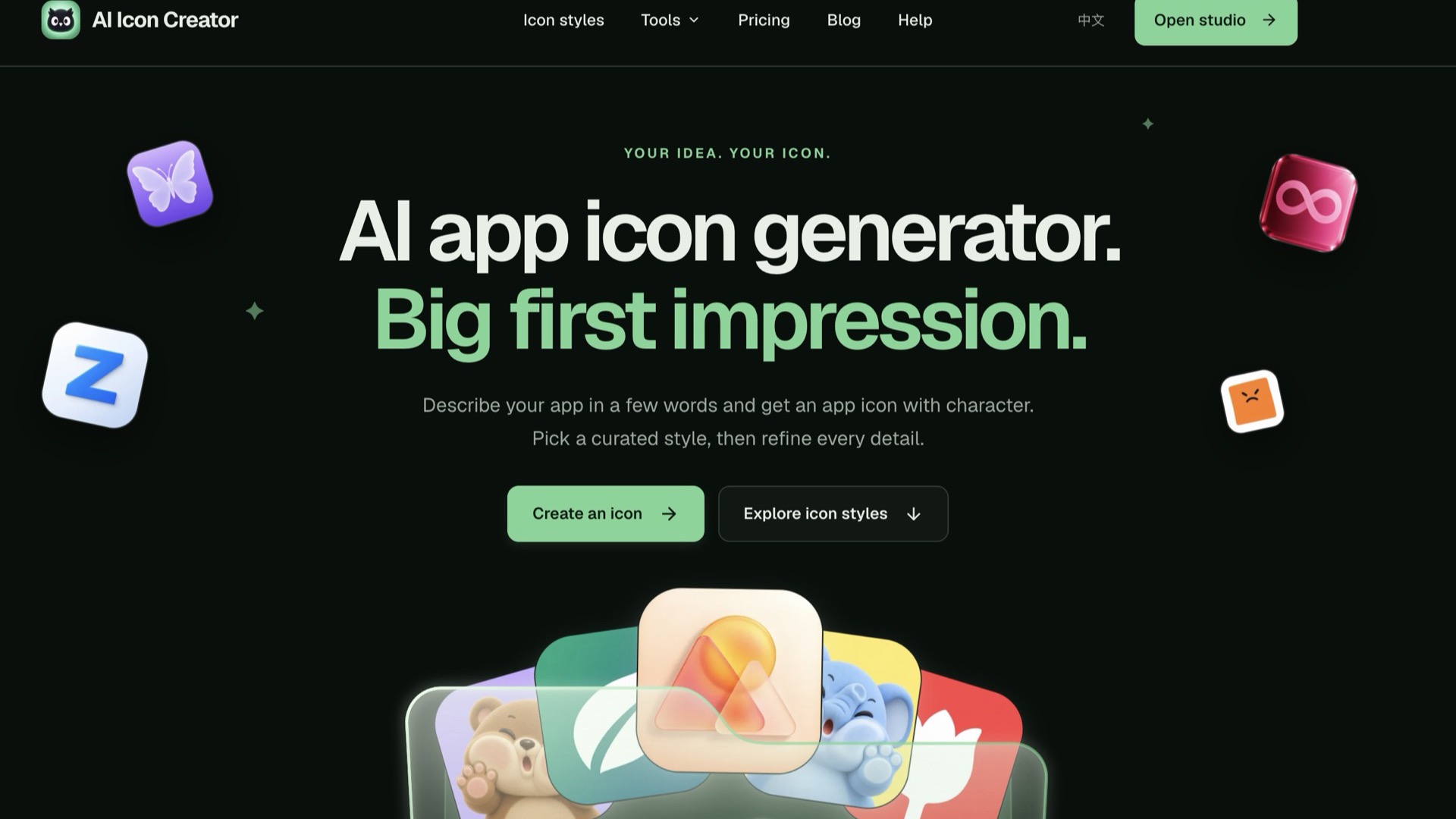
AI Icon Creator is the clearest choice for solo app developers who need store-ready icon exports fast, without touching a design tool. Its credit model is transparent and its spot-edit feature saves real time, but it has no API, no team workspace, and no way to share or collaborate. If you need broader design capabilities beyond app icons, Canva covers far more ground for a comparable price.
What is AI Icon Creator?
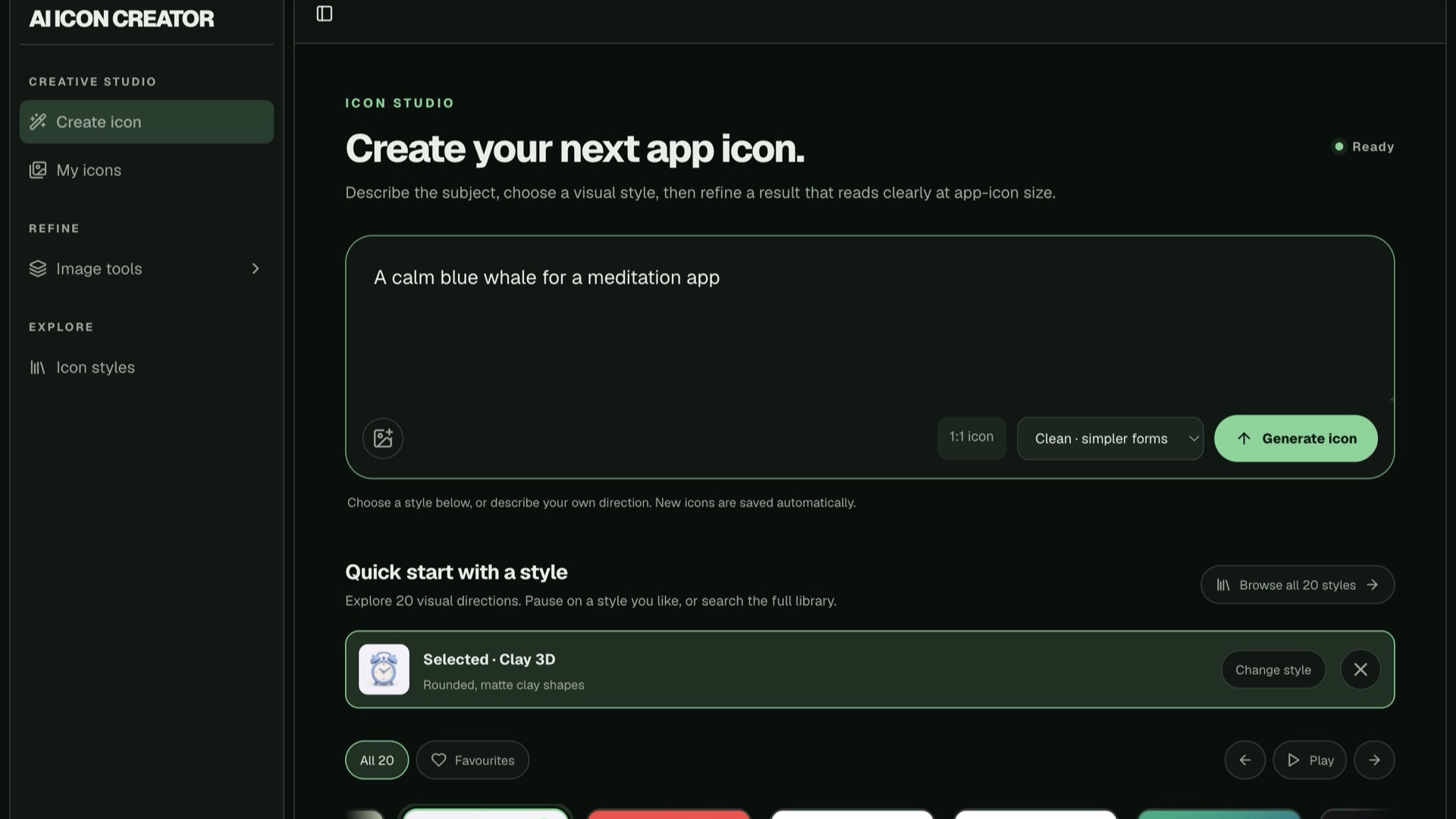
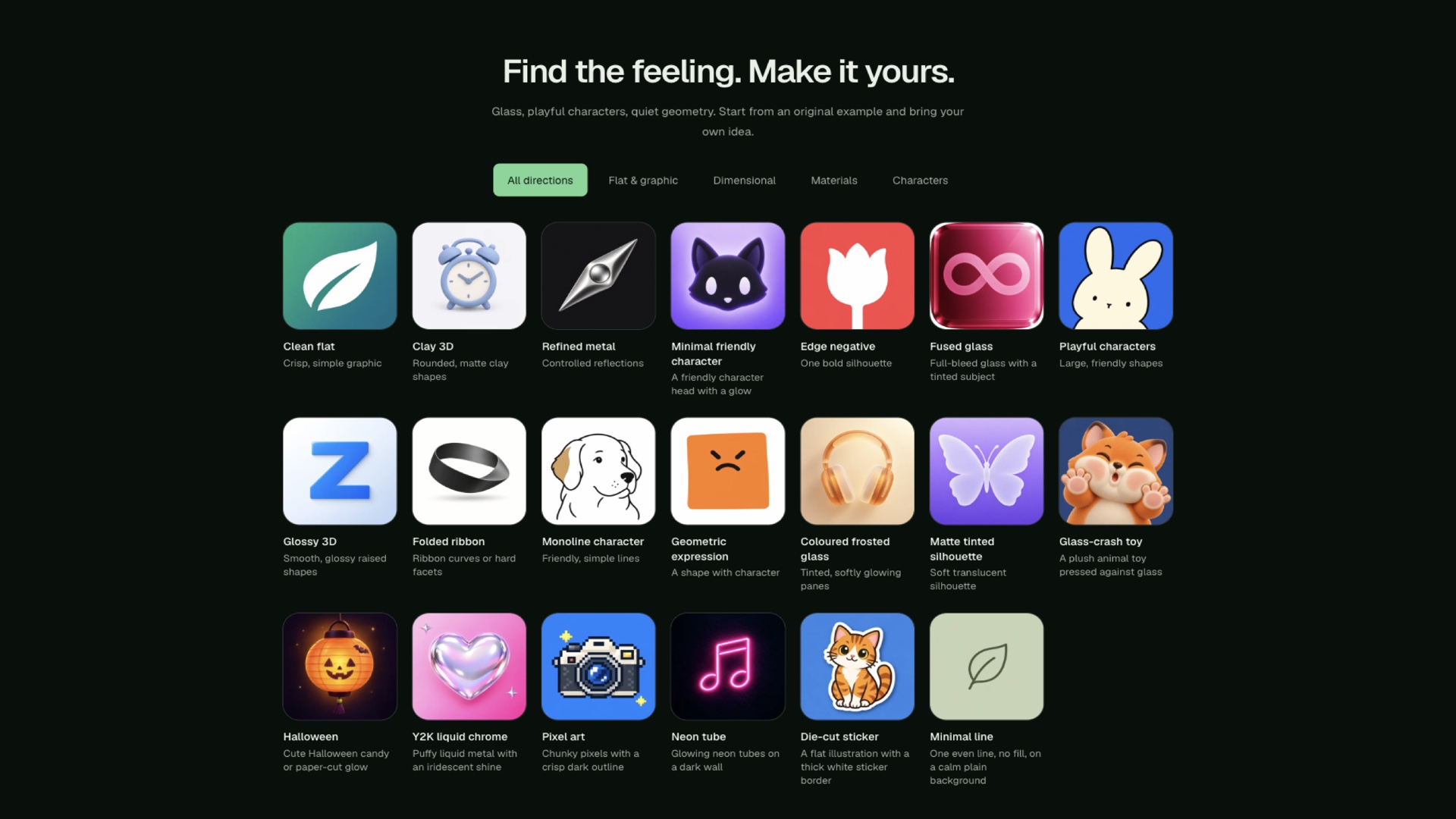
AI Icon Creator is a web application that generates app icons from text descriptions using AI. Users type what the icon should depict, choose from 20 curated visual styles ranging from flat graphics to clay 3D and frosted glass, and receive a square icon sized for app store submission. The platform also accepts an existing image or logo as a starting point and converts it into the chosen style.
Every generated icon can be downloaded as a full-size PNG or as a ZIP archive containing the specific pixel dimensions required by iOS, Android, and web favicon standards. SVG export, PSD layers, background removal, upscaling, and image expansion are included on all paid plans. A spot-edit tool lets users mark up to three areas on an icon and describe targeted changes without regenerating the whole image. Plans are credit-based, with monthly and yearly subscriptions as well as one-time credit packs.
How we scored AI Icon Creator
Capability scores 18 because the 20-style library, spot-edit, and full-size export pipeline are genuinely useful for the specific job of app icon creation, but the tool has no API, no image-to-vector tracing, and no team features that named competitors like Canva include. Ease of use scores 20 because the workflow is narrow and well-defined: describe, pick a style, download a ZIP. Value scores 16 because $14.90/month for 40 icons with credits that expire monthly is a real constraint for anyone with irregular needs, and there is no permanent free tier to evaluate the tool before paying. Delivery scores 14 because no user sentiment data was available to verify output quality claims, the sign-up credit window of only 7 days limits pre-purchase evaluation, and the credit pack pricing is deliberately opaque on the public page.
Pros and cons
What we liked
- Export pipeline produces every required iOS, Android, and web favicon size in one ZIP, removing manual resizing entirely.
- Spot-edit feature targets up to three specific areas of a generated icon for revision without a full regeneration, saving credits and time.
- SVG export and PSD layers are included on all paid plans, not reserved for a premium tier.
Where it falls short
- No team workspace, commenting, or file-sharing features: the tool is strictly single-user with no collaboration path, which is unusual even among focused icon generators.
- No public API, so any workflow that needs programmatic icon generation or integration with a CI/CD pipeline is a dead end here.
- Sign-up credits expire after only 7 days, giving new users very little time to evaluate the tool before committing to a paid plan.
Key features
AI Icon Creator pricing
No permanent free tier. New accounts receive sign-up credits valid for 7 days. Monthly plans run $14.90/month (Lite), $29.90/month (Pro), and from $59.90/month (Max). Yearly billing cuts those prices by 20%. One-time credit packs are also available with no subscription; credits last one year.
| Plan | Price | Who it is for |
|---|---|---|
| Sign-up Credits | Free | A small number of credits granted on account creation, valid for 7 days only. Enough to test generation but not to evaluate the tool thoroughly. |
| Lite | $14.90/mo | 400 credits per month (enough for roughly 40 new icons or 40 adjustments). All 20 icon styles, PNG and app icon pack downloads for iOS, Android, and web, SVG export, PSD layers, background removal, upscale, expand, and commercial use. Billed monthly. Yearly billing reduces this to $11.90/month ($142.80/year). |
| Pro | $29.90/mo | 1,000 credits per month (enough for 100 new icons, 100 adjustments, or 200 SVG exports). All features in Lite. Billed monthly. Yearly billing reduces this to $23.90/month ($286.80/year). |
| Max | $59.90/mo | From 2,400 credits per month (enough for 240 new icons or 480 SVG exports), scaling up to 4,300, 6,700, or 9,300 credits per month. All features in Pro. Billed monthly. Yearly billing reduces the base tier to $47.90/month ($574.80/year). |
| Credit Packs | Varies (one-time) | No subscription required. Includes everything in the Pro plan. Credits last one year. Exact pack sizes and prices not listed on the public pricing page. |
Pricing reflects what we saw at time of review (2026-10). Always confirm current pricing on the tool's own site.
Who should use AI Icon Creator?
Indie developers shipping an app on their own are the clearest fit. The export pipeline handles the tedious part of icon delivery: one generation produces every size iOS and Android actually need, plus web favicons, without manual resizing in a separate tool. Freelancers who produce app icons for clients on a regular cadence will also find the Pro plan's 1,000 monthly credits workable, and the credit pack option suits anyone with irregular volume.
Studios or product teams expecting to share work, leave comments, or hand off files inside the tool should look elsewhere. Canva in our directory covers collaborative design with a broader feature set at a comparable price point, and its free tier lets a team evaluate it before committing. Developers who want to generate icons programmatically will also need a different solution, as AI Icon Creator has no public API.
Skip it if: Teams needing collaboration, or designers wanting API access or a general-purpose design tool
AI Icon Creator alternatives
Frequently asked questions
Is there a free plan?+
There is no permanent free tier. New accounts receive a small number of sign-up credits that expire after 7 days, which is enough to test a few generations but not to fully evaluate the tool before paying.
How many icons does each plan actually produce per month?+
The Lite plan's 400 credits cover roughly 40 new icons or 40 adjustments per month. The Pro plan's 1,000 credits cover about 100 new icons or 200 SVG exports. The Max plan starts at 2,400 credits for around 240 new icons.
Do credits roll over if I don't use them?+
No. On monthly plans, credits expire at the end of each billing month. On yearly plans, credits arrive monthly and expire at the end of that month. Credit pack credits last one year from purchase.
Can I get SVG files or PSD layers on the cheapest plan?+
Yes. SVG export and PSD layers are included on all paid plans, including the Lite plan at $14.90/month.
Is there an API for programmatic icon generation?+
No public API is listed on the site. Programmatic integration is not currently a supported use case.
What happens to unused credits if I upgrade mid-cycle?+
Upgrades start a new billing period immediately at the new plan's price, and the full new credit allocation arrives right away. Credits already in your account keep their original expiry dates.
More AI Design & Art tools
See all categoriesGet your tool listed on 300+ directories.
One listing here is a strong start. But the founders who get discovered everywhere are listed everywhere. Our sister site, Free AI Directories, submits your tool to 300+ AI directories for you, every single one by hand, by a real person.
It is a one-time payment of $49, no subscription, and you can follow along as the submissions land. Prefer the slow route? The same site keeps a free list of 450+ directories you can work through yourself.
Get my tool listed on 300+ directoriesOne-time payment, no subscription · 100% human submissions · Free list of 450+ directories included.