Canva
All-in-one design platform with AI-powered Magic Studio tools.
Are you the maker? Claim this listing to keep info, pricing and screenshots current. Verified via your tool's domain email.
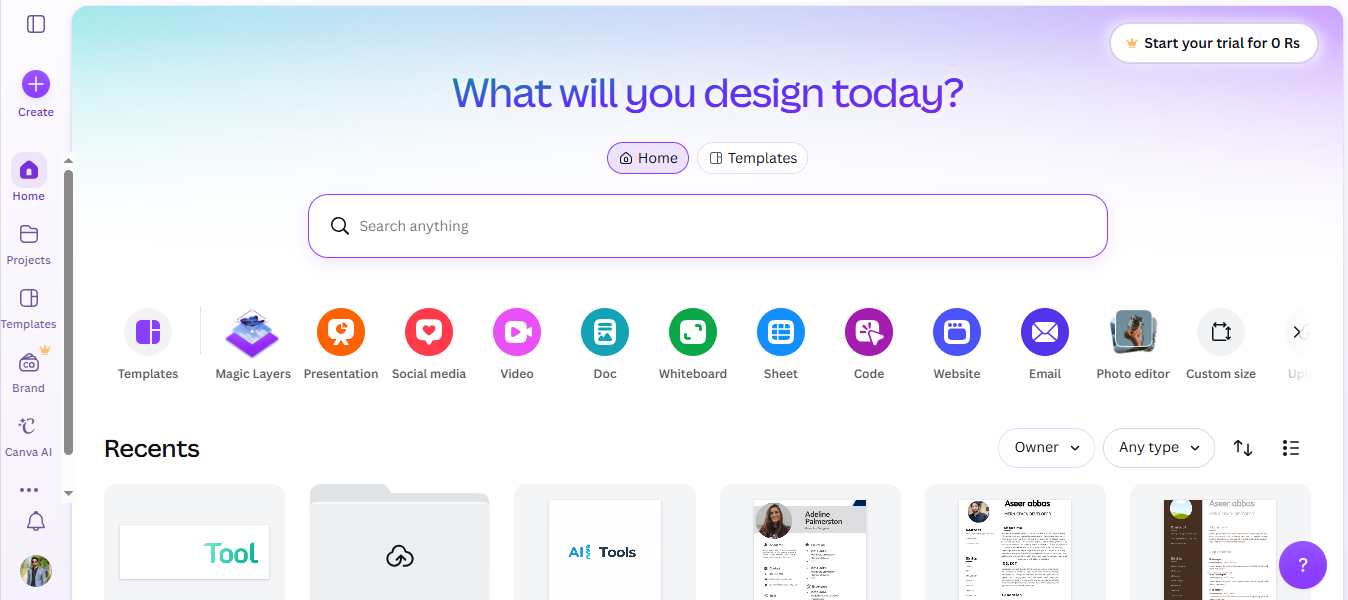
Canva is best for users seeking an easy-to-use design platform with AI enhancements. It offers great value with its free and Pro tiers, but lacks the advanced customization of Adobe Creative Cloud. Professionals needing deep design capabilities should consider alternatives.
What is Canva?
Canva is a widely-used online design platform offering a straightforward drag-and-drop interface. It features a suite of AI tools called Magic Studio, which includes capabilities like text-to-image conversion, background removal, and Magic Write for content creation. Canva helps users creating social media posts, presentations, logos, and marketing materials. It is popular among beginners and teams for its ease of use and complete feature set.
How we scored Canva
Canva scores well for its user-friendly interface and complete AI tools, making it accessible for beginners and small teams. Its pricing is competitive, offering good value for the features included. However, it lacks the advanced customization options found in more professional tools like Adobe Creative Cloud, which affects its capability score.
Pros and cons
What we liked
- User-friendly interface with drag-and-drop functionality.
- Complete AI tools like Magic Write and background remover.
- Affordable pricing with a free tier available.
Where it falls short
- Limited advanced design customization compared to Adobe Creative Cloud.
- Collaboration features require a Teams subscription.
- Some AI features may not meet professional quality standards.
Key features
Canva pricing
| Plan | Price | Who it is for |
|---|---|---|
| Free | $0 | 1.6M+ templates, 5GB storage, basic exports, limited AI tools. |
| Pro | $15/mo ($120/year) | 140M+ premium assets, background remover, Magic Studio AI, Brand Kit, 1TB storage. |
| Business | $20/user/mo ($200/user/year) | Approval workflows, brand controls, team collaboration, 10% print discount. |
| Enterprise | Custom | SSO, advanced admin, dedicated support, custom integrations, 50+ users. |
Pricing reflects what we saw at time of review (2026-08). Always confirm current pricing on the tool's own site.
Who should use Canva?
Canva is ideal for casual designers, small businesses, and educational institutions looking for an easy-to-use design tool with AI enhancements. It is perfect for creating quick social media graphics, presentations, and simple marketing materials. However, professionals requiring advanced design capabilities and customization might find Adobe Creative Cloud more suitable for their needs.
Canva alternatives
Frequently asked questions
What is Canva's pricing structure?+
Canva offers a Free tier, a Pro tier at $12.99/month, and a Teams tier at $14.99/month per user.
Does Canva support team collaboration?+
Yes, Canva offers collaboration tools, but advanced features require a Teams subscription.
Can I use Canva on mobile devices?+
Yes, Canva has mobile apps available for both iOS and Android platforms.
What AI features does Canva offer?+
Canva's Magic Studio includes AI tools like text-to-image, background remover, and Magic Write.
Is there a free version of Canva?+
Yes, Canva offers a Free tier with basic design features and limited access to templates.
More AI Design & Art tools
See all categoriesGet your tool listed on 300+ directories.
One listing here is a strong start. But the founders who get discovered everywhere are listed everywhere. Our sister site, Free AI Directories, submits your tool to 300+ AI directories for you, every single one by hand, by a real person.
It is a one-time payment of $49, no subscription, and you can follow along as the submissions land. Prefer the slow route? The same site keeps a free list of 450+ directories you can work through yourself.
Get my tool listed on 300+ directoriesOne-time payment, no subscription · 100% human submissions · Free list of 450+ directories included.