
Gamma
AI presentation, document, and website builder that turns a text prompt into a shareable deck in seconds.
Are you the maker? Claim this listing to keep info, pricing and screenshots current. Verified via your tool's domain email.
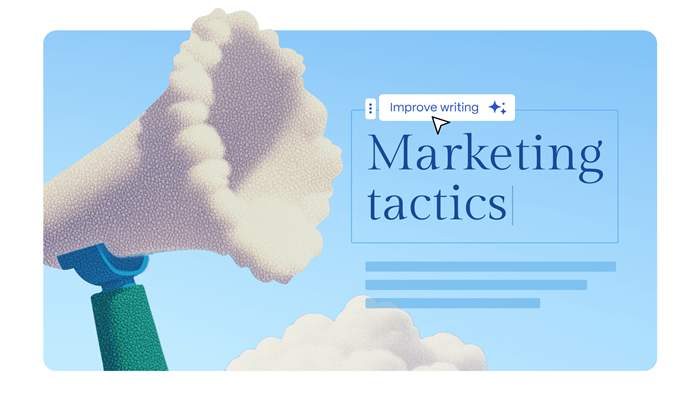
Gamma is the fastest way for an individual creator or small team to go from a rough idea to a polished, shareable presentation without touching a slide editor. Its credit-based model means heavy users will hit paywalls faster than the pricing page implies, and it falls well short of a true AI automation platform. Teams expecting agent-style workflow automation should look elsewhere entirely.
What is Gamma?
Gamma is an AI-powered tool for creating presentations and visual content.
It can generate presentations from simple text prompts.
Users can also create documents and websites with AI.
Gamma provides AI-powered image generation and design assistance.
It supports importing PDF and PPTX files for editing and enhancement.
Users can export their work as PDF, PPTX, PNG, or Google Slides.
Paid plans provide additional AI credits and advanced customization features.
It helps users create professional-looking content more quickly.
How we scored Gamma
Capability scores 20 because Gamma genuinely leads on prompt-to-deck speed and covers presentations, documents, and websites with API access at Pro, but it has no animation controls and the card-count hard caps by tier are a real functional limit compared to traditional tools. Ease of use scores 22 because the prompt-driven flow removes nearly all onboarding friction and the web-only interface requires no installation. Value scores 16 because the free plan's 400 one-time credits with no monthly refresh is a meaningful gotcha that pushes users to paid plans faster than expected, and per-seat billing at $20/month for Pro means a five-person team pays $100/month for a tool that is primarily a presentation generator. Delivery scores 14 because the submitted category (AI Agents and Automation) does not match the product at all, which signals either a misfiled submission or marketing overreach, and the credit-exhaustion model on the free tier functions as a bait-and-switch for users who expect a genuinely usable free product.
Pros and cons
What we liked
- Prompt-to-deck generation is genuinely fast: a full presentation with layout, images, and text can be ready in under two minutes from a single text input.
- Export flexibility covers PDF, PPTX, PNG, and Google Slides on all plans including free, so output is not locked to Gamma's own format.
- Pro plan API access ($18 to $20/month per seat) lets developers automate presentation generation programmatically, a feature absent from most direct competitors.
Where it falls short
- The free plan's 400 credits are a one-time allocation with no monthly refresh, meaning a new user can exhaust the entire free tier in a single afternoon of experimentation and face an immediate paywall with no grace period.
- Card count per prompt is hard-capped by tier: free users are limited to 10 cards per generation, and only Pro ($18 to $20/seat) enables up to 60 cards, which is a meaningful constraint for longer presentations.
- No animation or transition controls of any depth: the tool lacks the slide-level animation timeline that PowerPoint and Google Slides users expect, which limits its usefulness for formal conference or investor presentations where motion design matters.
Key features
Gamma pricing
Free plan gives 400 one-time AI credits (no monthly refresh), enough for roughly 8 to 10 presentations. Plus is $10/month per seat (or $9/month billed annually) with 1,000 credits per month. Pro is $20/month per seat (or $18/month billed annually) with 4,000 credits per month, API access, custom branding, and analytics. Ultra is $90/month per seat with 20,000 credits per month and the most advanced AI models. Team and Business plans exist on annual billing only, with a 2-seat and 10-seat minimum respectively.
| Plan | Price | Who it is for |
|---|---|---|
| Free | $0 | 400 AI credits, one-time at signup with no monthly refresh. Up to 10 cards per prompt. Basic AI image models. Export to PDF, PPTX, PNG, and Google Slides. Gamma branding on all outputs. Roughly 8 to 10 full presentations before credits run out. |
| Plus | $10/month per seat ($9/month billed annually) | 1,000 AI credits per month. Up to 20 cards per prompt. Removes Gamma branding. Advanced AI image models. Basic brand kit for colors and logos. Unlimited AI creations within credit limits. |
| Pro | $20/month per seat ($18/month billed annually) | 4,000 AI credits per month. Up to 60 cards per prompt. Premium AI image models. Custom branding and fonts. Detailed analytics and advanced sharing. Password protection. Up to 10 custom domains. API access (beta). Workspace templates (beta). |
| Ultra | $90/month per seat | 20,000 AI credits per month. Up to 75 cards per prompt. Most advanced AI models. Up to 100 custom domains. Early feature access. |
| Team | Annual billing only (minimum 2 seats) | Shared credit pools, centralized billing, and collaboration features for small teams. Exact per-seat price requires checking the pricing page directly. |
| Business | Annual billing only (minimum 10 seats) | Admin tools, expanded collaboration, and organizational controls. Exact per-seat price requires checking the pricing page directly. |
Pricing reflects what we saw at time of review (2026-10). Always confirm current pricing on the tool's own site.
Who should use Gamma?
Gamma fits solo professionals who regularly produce decks for clients, internal stakeholders, or social content and want to cut the time spent on layout and design. A consultant who needs a polished leave-behind from meeting notes, a marketer building a campaign brief, or a startup founder iterating on a pitch deck will all get real value from the prompt-to-deck flow. The free tier is genuinely useful for occasional use, and the Pro plan's analytics and custom domain publishing make sense for anyone sharing presentations externally with clients.
If you need real-time collaboration at scale, a traditional slide editor with fine-grained animation controls, or any kind of scheduled or agent-driven workflow automation, Gamma is the wrong tool. Teams that need AI agents coordinating multi-step tasks should look at Cronloop, which runs unattended AI agents on a schedule, or Orkas, which uses a Commander-and-specialist agent model for complex workflows. Both are in this directory and serve the automation use case Gamma does not.
Skip it if: Teams needing AI workflow automation or agent orchestration
Gamma alternatives
Frequently asked questions
Does the free plan ever refresh its AI credits?+
No. The free plan's 400 credits are a one-time allocation at signup. Once used, they do not refresh monthly. You must upgrade to Plus ($10/month) or higher to get a recurring credit allowance.
Can I export to PowerPoint from Gamma?+
Yes. PPTX export is available on all plans including free, alongside PDF, PNG, and Google Slides export.
At what plan does API access become available?+
API access is available in beta starting at the Pro plan, which costs $20/month per seat billed monthly or $18/month billed annually.
How many slides can I generate in one prompt?+
Card limits per prompt are 10 on free, 20 on Plus, 60 on Pro, and 75 on Ultra. If you need longer decks, you need at least the Pro tier.
Is Gamma an AI automation or agent platform?+
No. Gamma is a content creation tool for presentations, documents, and websites. It has no scheduling, no agent orchestration, and no multi-step workflow builder. Tools like Cronloop or Orkas serve those automation needs.
Does Gamma support team billing?+
Yes, through Team (minimum 2 seats) and Business (minimum 10 seats) plans, both available on annual billing only. These add shared credit pools and centralized billing, but exact per-seat prices should be confirmed on the pricing page.
More AI Agents & Automation tools
See all categoriesGet your tool listed on 300+ directories.
One listing here is a strong start. But the founders who get discovered everywhere are listed everywhere. Our sister site, Free AI Directories, submits your tool to 300+ AI directories for you, every single one by hand, by a real person.
It is a one-time payment of $49, no subscription, and you can follow along as the submissions land. Prefer the slow route? The same site keeps a free list of 450+ directories you can work through yourself.
Get my tool listed on 300+ directoriesOne-time payment, no subscription · 100% human submissions · Free list of 450+ directories included.