
Fudge
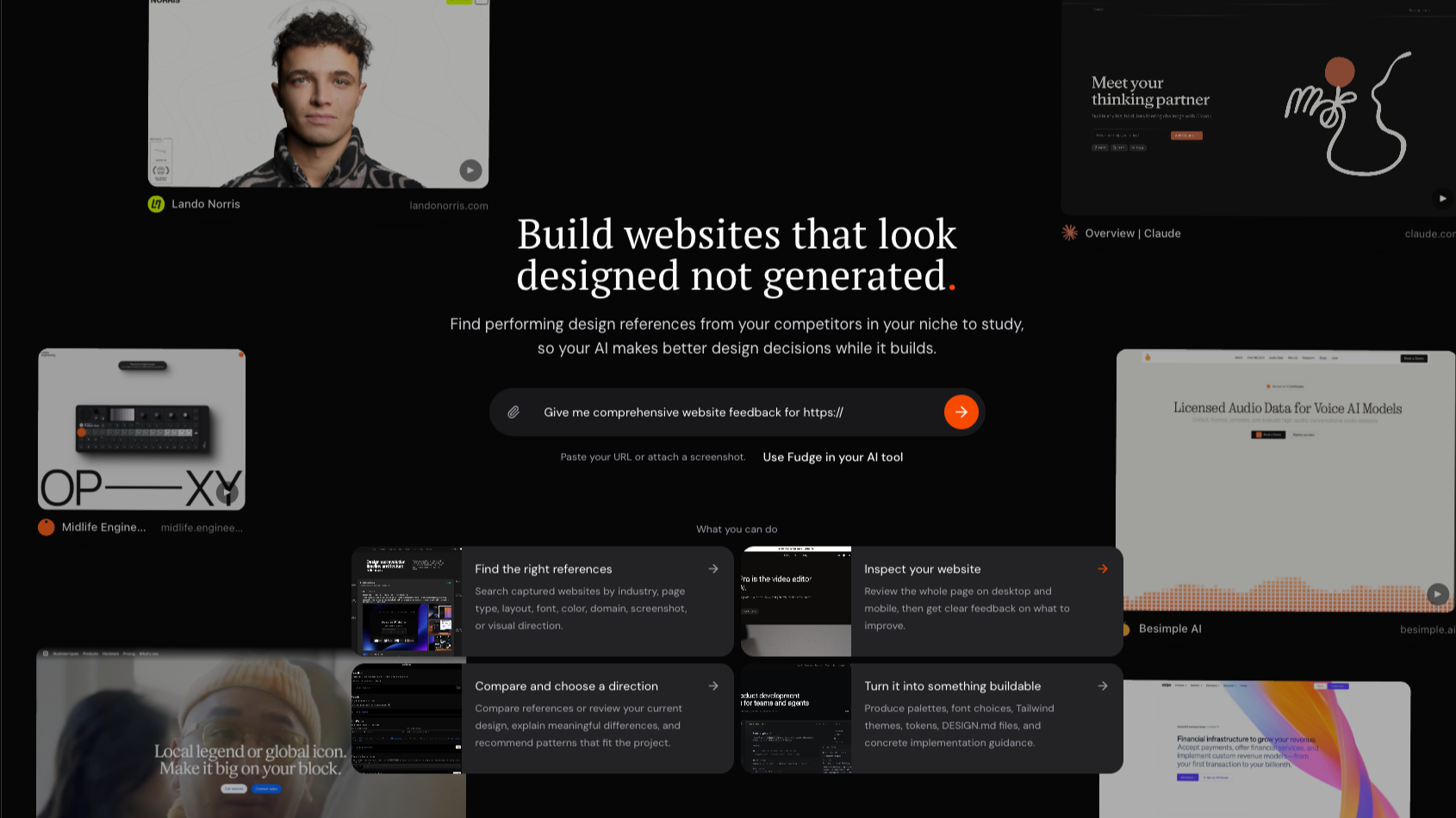
Fudge helps you search real websites for the exact inspiration you need, inspect the design system behind a live website, compare real references before choosin
Are you the maker? Claim this listing to keep info, pricing and screenshots current. Verified via your tool's domain email.
Best for Shopify merchants who want to build or tweak pages by typing prompts and get clean, native theme code without bloat. It lacks a visual editor and Figma integration that competitors like Instant offer. If you prefer drag-and-drop or Figma workflows, look at Instant instead.
What is Fudge?
Fudge is a web-based tool that serves two main functions. First, it acts as a design reference engine: you can search real websites for design elements like fonts, colors, layouts, and components, capture them via a Chrome extension, and export design tokens to formats like Tailwind, Figma, CSS, or JSON. Second, it functions as an AI-powered Shopify page builder and editor: you describe what you want in plain language, and Fudge generates native theme code (Liquid, JS, CSS) in draft mode, which you can preview and publish. It also integrates with AI agents through hosted MCP for smooth design-aware automation.
How we scored Fudge
Fudge earns points for delivering clean native code, design token extraction, and AI integration via MCP, which most competitors don’t offer. It loses some for lacking a visual editor or Figma support, and for a free tier that doesn’t include page building. The pricing is fair for what you get, and delivery is solid with undo and background runs, so the total lands in the low-80s.
Pros and cons
What we liked
- Generates clean native Shopify theme code (Liquid, CSS, JS) with no app bloat or branding.
- Design reference search and token extraction from real websites via Chrome extension.
- Supports background runs, undo, inbox notifications, and hosted MCP integration.
Where it falls short
- No visual drag-and-drop editor or Figma integration, unlike competitors like Instant.
- Free tier only includes public DESIGN.md guides and extension - not page building features.
- Design reference interface can feel cluttered and hard to navigate, according to user feedback.
Key features
Fudge pricing
| Plan | Price | Who it is for |
|---|---|---|
| Free | $0 | Access to public DESIGN.md guides and the Chrome extension. |
| Basic | $19/month | Review your own websites, ordered fixes, implementation prompts, generate DESIGN.md, connect to AI tools via hosted MCP. |
| Pro | $29/month | Everything in Basic plus hosted MCP in Cursor, Claude, Codex, and more room for ongoing work. |
| Studio | $99/month | Everything in Pro with enough room for agencies, freelancers, and multi-site months. |
Pricing reflects what we saw at time of review (2026-08). Always confirm current pricing on the tool's own site.
Who should use Fudge?
If you run a Shopify store and want to create or update pages quickly without writing code, Fudge is a strong fit. It’s especially useful if you value clean theme code, want to avoid app bloat, and like working with AI prompts rather than drag-and-drop editors. It also suits teams that need design inspiration grounded in real websites and want to feed that into AI agents.
If you prefer visual editing or work primarily from Figma designs, Instant offers a visual editor and Figma plugin that Fudge lacks - so you should look at Instant instead.
Fudge alternatives
Tags
Frequently asked questions
Can I use Fudge without paying?+
Yes. The free tier gives you access to public DESIGN.md guides and the Chrome extension, but page building requires a paid plan.
Does Fudge add code bloat to my Shopify store?+
No. Fudge outputs native Liquid, CSS, and JS directly into your theme, with no extra scripts or branding.
Can I undo changes or unpublish pages?+
Yes. Fudge supports undoing any earlier change and unpublishing pages, all through a review step.
Which AI tools does Fudge integrate with?+
Fudge connects via hosted MCP to agents like Claude Code, Cursor, and Codex.
What does the Pro plan add over Basic?+
Pro adds hosted MCP in Cursor, Claude, Codex, and more capacity for ongoing work, on top of Basic features.
More AI Design & Art tools
See all categoriesGet your tool listed on 300+ directories.
One listing here is a strong start. But the founders who get discovered everywhere are listed everywhere. Our sister site, Free AI Directories, submits your tool to 300+ AI directories for you, every single one by hand, by a real person.
It is a one-time payment of $49, no subscription, and you can follow along as the submissions land. Prefer the slow route? The same site keeps a free list of 450+ directories you can work through yourself.
Get my tool listed on 300+ directoriesOne-time payment, no subscription · 100% human submissions · Free list of 450+ directories included.