BestBizAITools
55 free, no-signup business tools covering AI, PDF, invoicing, and file conversion in one place.
Are you the maker? Claim this listing to keep info, pricing and screenshots current. Verified via your tool's domain email.
Solo freelancers and micro-business owners who need a quick invoice, a PDF edit, or a background removal without signing up anywhere will find this genuinely useful. The breadth is real but the depth is shallow: each tool does one narrow job, and there is no way to save work, connect tools, or integrate with anything else. Anyone running a team or needing tools that talk to each other should look at ClearCRM instead.
What is BestBizAITools?
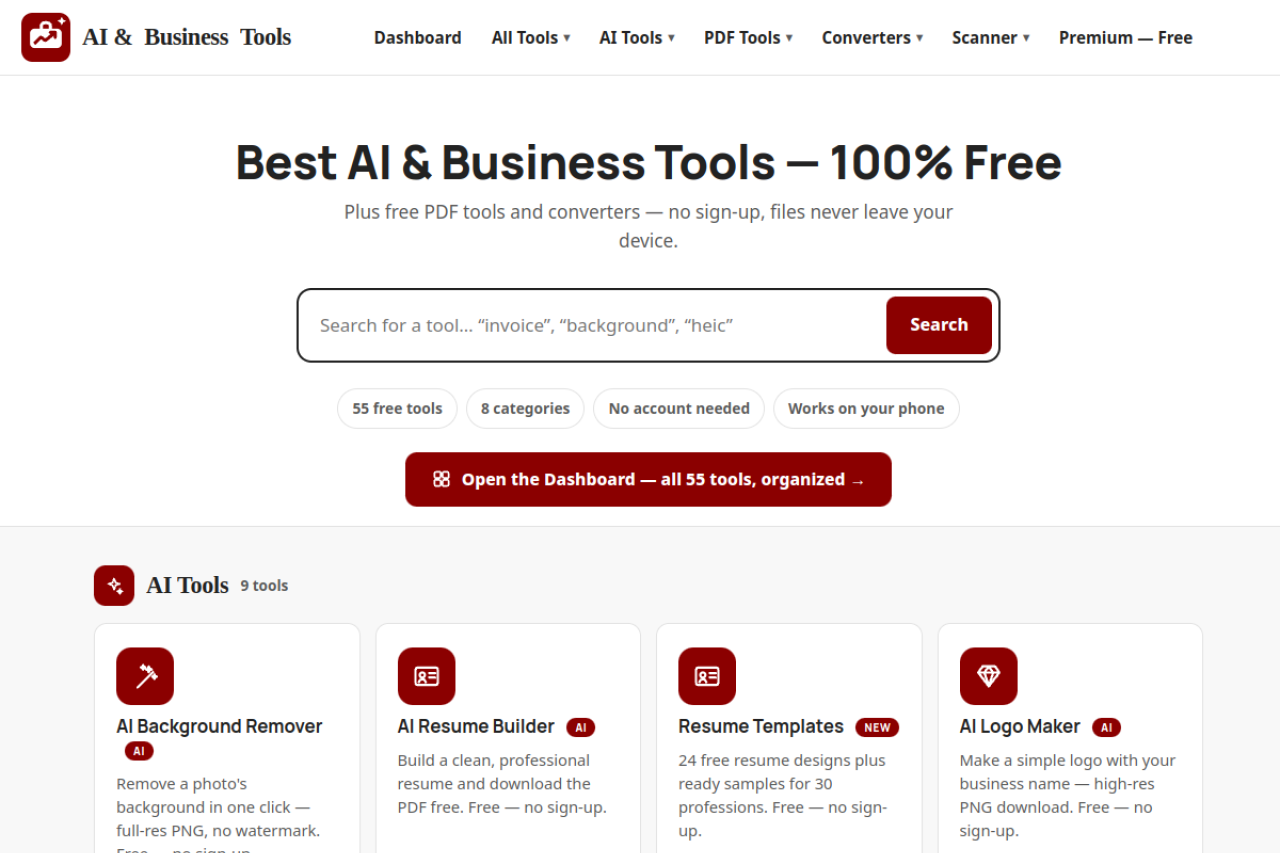
BestBizAITools is a free, browser-based platform that gives small business owners and freelancers access to 55 tools across eight categories without requiring registration. Its offerings span AI-assisted tasks such as background removal, resume building, and email writing; PDF operations including editing, merging, splitting, and compression; image format conversion; and business utilities covering invoicing, quoting, expense tracking, mileage logging, and client management.
The platform runs entirely in the browser on any device, processes files locally so data does not leave the user's machine, and carries no subscription tiers or usage caps. It is designed for one-off tasks where speed and zero sign-up friction matter more than persistent data or cross-tool integration.
How we scored BestBizAITools
Ease of use is the clear strength: zero sign-up, 55 tools in one URL, mobile-accessible, and no watermarks or credit limits drag the experience down. Value scores reasonably well because free is free, and the breadth of tools genuinely replaces several paid single-purpose subscriptions for one-off tasks. Capability lands in the mid-teens because the tools are all shallow: the customer record manager, expense tracker, and job scheduler lose all data on tab close, which makes them functionally useless for ongoing business management, and no tool integrates with any other. Delivery takes the biggest hit because the site's blanket claim that 'files never leave your device' almost certainly does not hold for AI tools that require server-side inference, and there is no disclosed model provider, no privacy policy detail found, and no independent user sentiment or third-party coverage to verify any of the site's claims.
Pros and cons
What we liked
- All 55 tools are genuinely free with no account, no watermark, and no usage cap stated anywhere on the site.
- Files are processed locally in the browser, so sensitive client documents are not uploaded to a third-party server, which is a concrete privacy advantage over cloud-based alternatives.
- The tool set covers an unusually wide range of one-off business tasks in a single URL, from AVIF image conversion to break-even calculation to AI email writing, reducing the need to hunt across multiple sites.
Where it falls short
- No session persistence: the customer record manager, expense tracker, payment tracker, and job scheduling calendar all lose their data when the browser tab closes, making them nearly useless for ongoing business management compared to any real CRM or accounting tool.
- The AI tools rely on third-party model access with no published information about which models power them, what quality to expect, or what happens to prompts, leaving users with no basis for evaluating output reliability.
- No API, no integrations, and no export pipeline between tools: a user who generates an invoice cannot push it to an expense tracker or accounting package, so the '55 tools in one place' pitch overstates how connected they actually are.
Key features
BestBizAITools pricing
Entirely free. All 55 tools are available with no account, no subscription, and no paid tier listed on the site.
| Plan | Price | Who it is for |
|---|---|---|
| Free | Free | All 55 tools across AI, PDF, converter, and business utility categories. No account required, no usage caps stated, no watermarks, files processed locally. |
Pricing reflects what we saw at time of review (2026-11). Always confirm current pricing on the tool's own site.
Who should use BestBizAITools?
A freelance designer who needs to strip a background from a client photo, generate a quick invoice, and compress a PDF before sending it, all in the same afternoon without logging into three different services, is the clearest fit here. The same goes for a sole trader who occasionally needs a business proposal template, a mileage log, or a sales tax calculation and does not want to pay a monthly fee for tools they use twice a month.
Anyone managing more than a handful of clients, needing data that persists across sessions, or wanting tools that connect to accounting software should look elsewhere. ClearCRM is the better option for anyone who needs a proper customer record that survives closing the browser tab. Leadping fits better for service businesses that need lead capture and follow-up messaging rather than one-off document tasks.
Skip it if: Teams or anyone needing saved history, integrations, or workflow automation
BestBizAITools alternatives
Tags
Frequently asked questions
Do I need to create an account to use any of the 55 tools?+
No. The site explicitly states that no account is needed for any tool. You open the tool, use it, and download the result.
Are there any paid plans or premium tiers?+
As of November 2026, the pricing page lists no paid tiers. Every tool on the site is free with no upgrade prompt.
Does BestBizAITools upload my files to a server?+
The site states that files never leave your device, meaning processing happens locally in the browser. No independent audit of this claim was found, so users handling highly sensitive documents should verify this independently.
Can I save my invoices, expense records, or customer data between sessions?+
No. There is no account system, so any data entered into the expense tracker, customer record manager, or job scheduler is lost when the browser tab closes unless you manually export or download it.
Which AI models power the AI tools?+
The site does not disclose which underlying models are used for background removal, resume building, email writing, or other AI features. There is no published information about model quality, data handling for prompts, or output accuracy.
Does the tool work on mobile?+
The site states it works on your phone. All tools are browser-based, so any modern mobile browser should be able to access them without installing an app.
More AI Business Tools
See all categoriesGet your tool listed on 300+ directories.
One listing here is a strong start. But the founders who get discovered everywhere are listed everywhere. Our sister site, Free AI Directories, submits your tool to 300+ AI directories for you, every single one by hand, by a real person.
It is a one-time payment of $49, no subscription, and you can follow along as the submissions land. Prefer the slow route? The same site keeps a free list of 450+ directories you can work through yourself.
Get my tool listed on 300+ directoriesOne-time payment, no subscription · 100% human submissions · Free list of 450+ directories included.