
Blinkvid
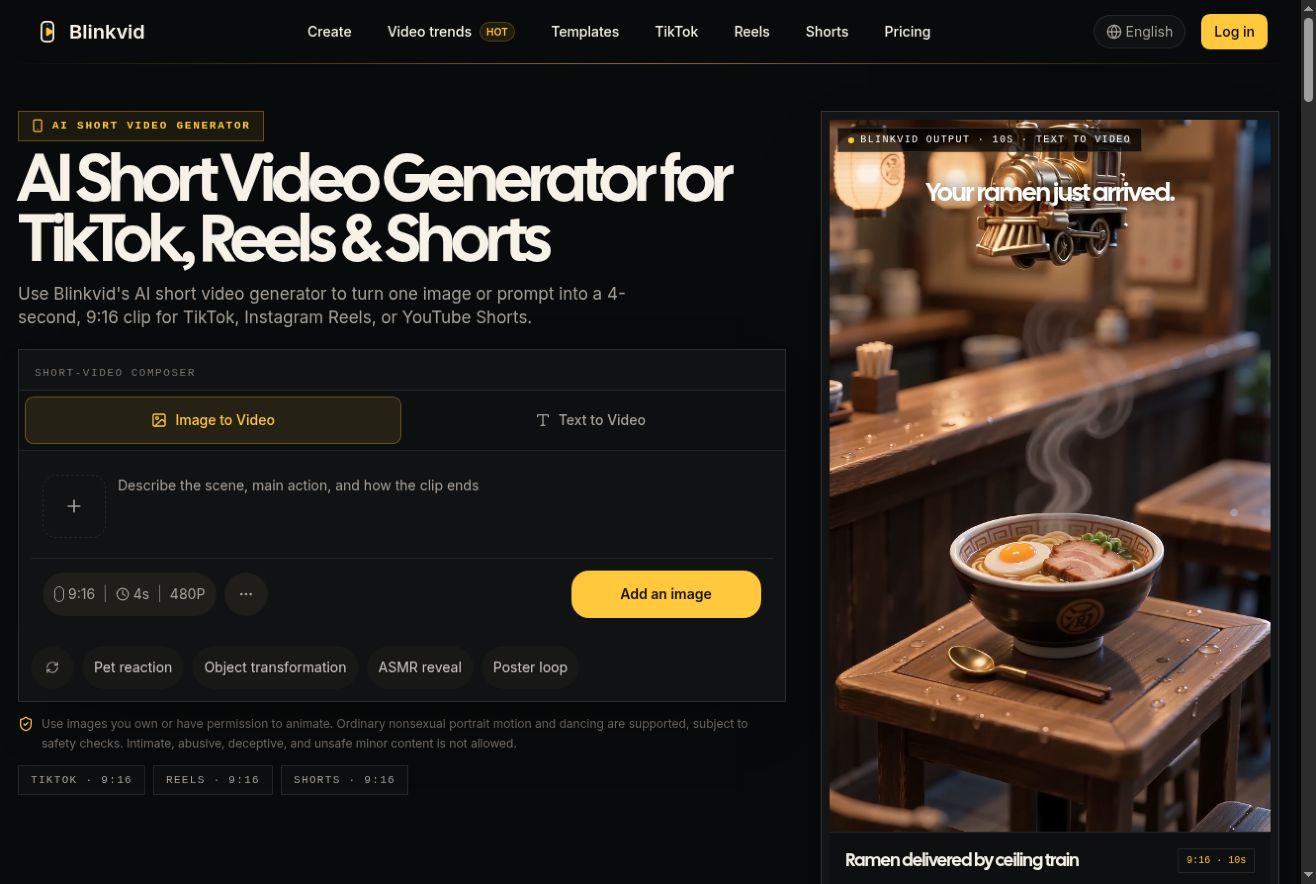
A credit-based AI video generator that turns text prompts or images into vertical short-form clips for TikTok, Reels, and Shorts.
Are you the maker? Claim this listing to keep info, pricing and screenshots current. Verified via your tool's domain email.
Blinkvid suits solo creators who want to test short-form AI video ideas without committing to a monthly subscription, since every plan is a one-time credit pack with a 365-day shelf life. Its multi-model access (Veo 3.1, Sora 2, Seedance) is a genuine differentiator over single-model tools, but the absence of any recurring subscription tier makes budgeting unpredictable for anyone publishing consistently. Teams or creators who need a reliable monthly output should look at Runway instead.
What is Blinkvid?
Blinkvid turns a text prompt or an image into a short AI-generated video. It helps creators plan vertical clips for TikTok, Instagram Reels, or YouTube Shorts. The composer lets you describe the scene, main action, and ending before generating.
How we scored Blinkvid
Capability scores 17 because multi-model access to Veo 3.1, Sora 2, and Seedance in one workspace is a real differentiator, but the tool is narrowly focused on short clip generation with no editing, captioning, or post-production layer that Runway or CaptionBolt provide. Ease of use scores 18 because the structured composer and pre-built format library lower the prompt-writing barrier, and the web-only interface is straightforward, though the absence of a mobile app and any onboarding documentation caps the score. Value scores 15 because the complete absence of a subscription tier is a concrete structural problem for regular publishers: a creator publishing twice a week would exhaust the $99.90 Pro Pack (2,700 credits) at an unknown rate with no way to lock in a monthly budget, and the per-credit cost is opaque until generation time. Delivery scores 13 because no independent user reviews or sentiment data were found, the tool is relatively new with limited public track record, and the starter credit offer excludes a significant user segment (email registrations, India) in ways that could read as bait-and-switch to affected users.
Pros and cons
What we liked
- Multi-model access in one workspace: Veo 3.1, Sora 2, and Seedance are all available, letting you match the model to the specific clip rather than being locked to one engine.
- No-watermark output with a commercial use license included on all paid credit packs, which matters for anyone publishing to client or brand accounts.
- One-time credit packs with 365-day validity mean no recurring charge; the $9.90 entry point is low enough to test the tool before committing more budget.
Where it falls short
- No subscription tier exists at all: there is no monthly or yearly plan, so a creator publishing weekly has no way to budget a fixed monthly cost and must manually repurchase credits.
- Credit cost per video is model- and settings-dependent and is only revealed at generation time, making it genuinely difficult to estimate how far a pack will stretch before you buy.
- Web-only with no mobile app, no API, and no team or collaboration features, which rules it out for any multi-person workflow or programmatic use case.
Key features
Blinkvid pricing
Blinkvid sells one-time credit packs only, with no monthly or yearly subscription tier. Packs range from $9.90 for 200 credits to $99.90 for 2,700 credits, all valid for 365 days. New Google sign-ups may receive 8 starter credits. Email-only registrations and registrations from India are excluded from the starter credit offer. There is no free tier.
| Plan | Price | Who it is for |
|---|---|---|
| Mini Video Pack | $9.90 | 200 one-time credits, valid for 365 days. No automatic renewal. Credit cost per generation depends on model and settings chosen. |
| Starter Pack | $12.90 | 260 one-time credits, valid for 365 days. No automatic renewal. |
| Standard Pack | $39.90 | 900 one-time credits, valid for 365 days. No automatic renewal. |
| Pro Pack | $99.90 | 2,700 one-time credits, valid for 365 days. No automatic renewal. Best per-credit rate of the four packs. |
Pricing reflects what we saw at time of review (2026-11). Always confirm current pricing on the tool's own site.
Who should use Blinkvid?
Blinkvid fits a solo creator or small-brand marketer who needs to produce a handful of short AI video concepts per month and prefers paying once rather than committing to a recurring plan. A freelancer testing ad concepts for a client, or a creator experimenting with trending formats before investing in a full shoot, gets real value from the one-time pack model and the ability to switch between Veo 3.1, Sora 2, and Seedance in a single workspace.
Anyone publishing at volume, working in a team, or needing API access should look elsewhere. Runway offers a proper subscription tier with collaborative tools and a broader editing suite, making it the stronger choice for creators who need consistent monthly output rather than occasional credit top-ups.
Skip it if: Teams or high-volume publishers who need predictable monthly output and collaboration tools
Blinkvid alternatives
Frequently asked questions
Is there a free plan or free trial?+
There is no free plan. New users who sign up with Google may receive 8 starter credits, but email-only registrations and registrations from India are excluded from this offer.
How much does the cheapest pack cost and what does it include?+
The Mini Video Pack costs $9.90 and includes 200 one-time credits valid for 365 days. It does not auto-renew.
How many videos will my credits cover?+
The number of videos depends on which AI model and settings you choose. Blinkvid shows the exact credit cost for your selected setup before you confirm generation, but does not publish a fixed per-video credit rate.
Do credits expire?+
Yes. All one-time credit packs expire after 365 days from purchase, regardless of whether they have been used.
Can I use generated videos commercially?+
Paid credit packs include a commercial use license and no watermark. The site advises checking your plan details and the Terms of Service before publishing for client or ad use.
Which AI models does Blinkvid support?+
Blinkvid currently supports Veo 3.1, Sora 2, and Seedance, among others. Each model carries a different credit cost per generation.
More AI Video Tools
See all categoriesGet your tool listed on 300+ directories.
One listing here is a strong start. But the founders who get discovered everywhere are listed everywhere. Our sister site, Free AI Directories, submits your tool to 300+ AI directories for you, every single one by hand, by a real person.
It is a one-time payment of $49, no subscription, and you can follow along as the submissions land. Prefer the slow route? The same site keeps a free list of 450+ directories you can work through yourself.
Get my tool listed on 300+ directoriesOne-time payment, no subscription · 100% human submissions · Free list of 450+ directories included.