
Copy That Video
Pay-once AI video generator for recreating trending video styles from text or image prompts, with no subscription and no watermark.
Are you the maker? Claim this listing to keep info, pricing and screenshots current. Verified via your tool's domain email.
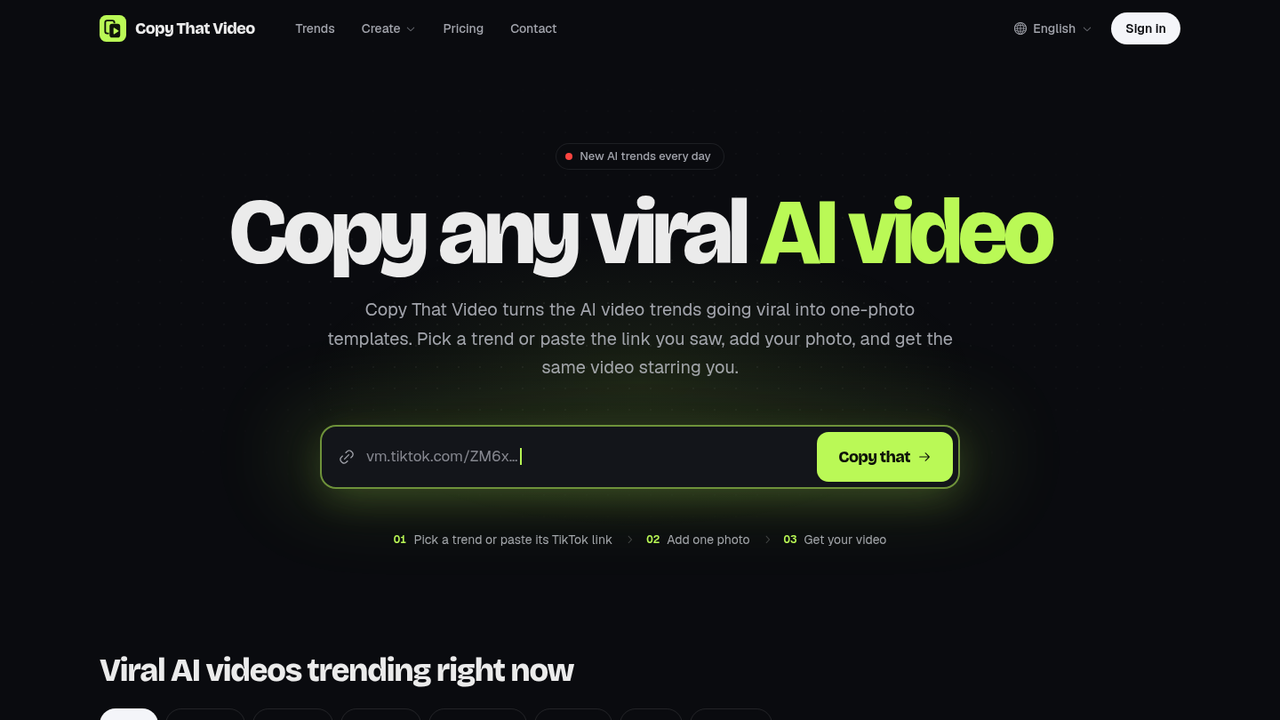
Copy That Video suits solo creators who want to produce trend-driven short clips without committing to a monthly subscription. Its pay-once credit model is genuinely different from every subscription competitor, but the credit math caps even the largest Studio pack at 15 minutes of finished video, which is thin for anyone publishing daily. Creators who need ongoing volume or advanced editing should look at Runway instead.
What is Copy That Video?
Copy That Video is a web-based AI video generator that lets creators produce short clips by referencing a trending format, writing a text prompt, or uploading a single image. It supports multiple underlying AI models including Seedance 2.5, MiniMax H3, and Kling 4, and outputs watermark-free video ready for TikTok, Reels, or Shorts.
The tool is sold as one-time credit packs rather than a monthly subscription. Four pack sizes range from $9.90 to $299, with credits that never expire and are automatically refunded on failed renders. It is aimed at individual creators and small teams who want to experiment with viral video formats without committing to recurring software costs.
How we scored Copy That Video
Capability scores 15 because the tool covers generation only: no editing, no captions, no voiceover, and no stock footage, features that named competitors Runway and Descript both include. The multi-model selection (Seedance 2.5, MiniMax H3, Kling 4) and trend library are genuine strengths, but the narrow scope keeps it well below a full-featured competitor. Ease of use scores 19 because the pay-once model, upfront credit display before each render, and automatic refunds on failed renders are genuinely low-friction design choices that reduce buyer anxiety. Value scores 16 because the Studio pack at $299 yields only 15 minutes of finished trend video total, making the per-minute cost high for anyone publishing regularly; the no-watermark policy on all tiers and the no-expiry credit model partially offset this, but a daily publisher will find the economics poor compared to subscription tools. Delivery scores 13 because no independent user reviews or third-party coverage were found to corroborate the tool's claims, and the submitted pricing model (FREEMIUM) contradicts the actual product, which raises a flag about how the tool represents itself in directories.
Pros and cons
What we liked
- No subscription: one-time credit packs with no expiry and automatic refunds on failed renders make the real cost of each video predictable.
- Multiple named AI models (Seedance 2.5, MiniMax H3, Kling 4) are selectable per job, with a model comparison page before you commit credits.
- No watermark on any tier, including the $9.90 Starter pack, which is uncommon at this price point.
Where it falls short
- The Studio pack at $299 yields only 15 minutes of finished trend video total. A creator publishing daily short-form content can exhaust even the largest pack in days, making the per-video cost high compared to subscription tools at scale.
- No editing, captioning, voiceover, or stock footage tools are included. Every clip leaves the platform as a raw generated video, requiring a separate tool to finish it for posting.
- No free tier or trial render exists. The $9.90 Starter pack is the only way to test output quality, and it produces a single 15-second trend clip before you need to buy again.
Key features
Copy That Video pricing
Four one-time credit packs: Starter at $9.90 (150 credits, ~15 seconds of trend video), Creator at $29.90 (700 credits, ~1 min 10 s), Pro at $59.90 (1,600 credits, ~2 min 40 s), and Studio at $299 (9,000 credits, ~15 min). No subscription, no watermark, credits never expire, and failed renders are refunded automatically.
| Plan | Price | Who it is for |
|---|---|---|
| Starter | $9.90 | 150 credits (15 credits per $1). Covers approximately 15 seconds of trend video. Includes Trends, Text to Video, and Image to Video. No watermark, credits never expire. |
| Creator | $29.90 | 700 credits (23.5 credits per $1, 56% more per dollar than Starter). Covers approximately 1 minute 10 seconds of trend video. Same feature access as Starter. No watermark, credits never expire. |
| Pro | $59.90 | 1,600 credits (26.5 credits per $1, 76% more per dollar than Starter). Covers approximately 2 minutes 40 seconds of trend video. Same feature access. No watermark, credits never expire. |
| Studio | $299 | 9,000 credits (30 credits per $1, 100% more per dollar than Starter). Covers approximately 15 minutes of trend video. Same feature access. No watermark, credits never expire. |
Pricing reflects what we saw at time of review (2026-11). Always confirm current pricing on the tool's own site.
Who should use Copy That Video?
A solo creator who wants to test a trending video format once or twice a month will find the pay-once model genuinely cheaper than any subscription alternative. The Starter pack at $9.90 is a low-stakes way to try the output quality before spending more. Freelancers who produce occasional social content for clients and want to avoid monthly overhead will also find the credit-pack structure practical.
Anyone publishing more than a handful of videos per week will hit the credit ceiling fast. The Studio pack at $299 covers only 15 minutes of finished trend video total, which a daily publisher can exhaust in a week. Teams that also need captions, voiceover, or a timeline editor should look at Descript, which handles transcript-based editing and captioning in one place, or Runway, which offers a proper browser-based editing studio with more headroom for high-volume generation.
Skip it if: High-volume publishers or teams needing editing, captions, or collaboration tools
Copy That Video alternatives
Frequently asked questions
Is there a free trial or free tier?+
No. There is no free tier and no trial render. The lowest entry point is the $9.90 Starter pack, which produces one 15-second trend video. Unused packs can be refunded within 7 days if you decide the tool is not for you.
How many videos does each pack actually make?+
Trend videos cost 10 credits per second. The $9.90 Starter pack (150 credits) makes one 15-second trend clip. The $29.90 Creator pack (700 credits) makes roughly three to five trend videos. Text-to-video and image-to-video costs vary by model and quality, and the exact credit cost is shown before you start each render.
Do credits expire or roll over?+
Credits never expire. There is no monthly reset and no subscription. If a render fails, the credits are automatically returned to your balance so you only pay for videos you actually receive.
Which AI models does the tool use?+
The platform currently supports Seedance 2.5, Seedance 2.0, MiniMax H3, and Kling 4. A model comparison page is available so you can evaluate quality and credit cost differences before committing to a render.
Can I edit, caption, or add voiceover inside the tool?+
No. Copy That Video generates clips only. There is no timeline editor, caption tool, voiceover feature, or stock footage library. You will need a separate tool to finish and post the output.
Are the output videos watermark-free?+
Yes. All videos across every pack tier, including the $9.90 Starter, are delivered without a watermark and are described as ready to post directly to social platforms.
More AI Video Tools
See all categoriesGet your tool listed on 300+ directories.
One listing here is a strong start. But the founders who get discovered everywhere are listed everywhere. Our sister site, Free AI Directories, submits your tool to 300+ AI directories for you, every single one by hand, by a real person.
It is a one-time payment of $49, no subscription, and you can follow along as the submissions land. Prefer the slow route? The same site keeps a free list of 450+ directories you can work through yourself.
Get my tool listed on 300+ directoriesOne-time payment, no subscription · 100% human submissions · Free list of 450+ directories included.