
Examina
AI quiz and flashcard generator that converts notes, PDFs, and pasted text into MCQ, fill-blank, true/false, and flashcard sets for
Are you the maker? Claim this listing to keep info, pricing and screenshots current. Verified via your tool's domain email.
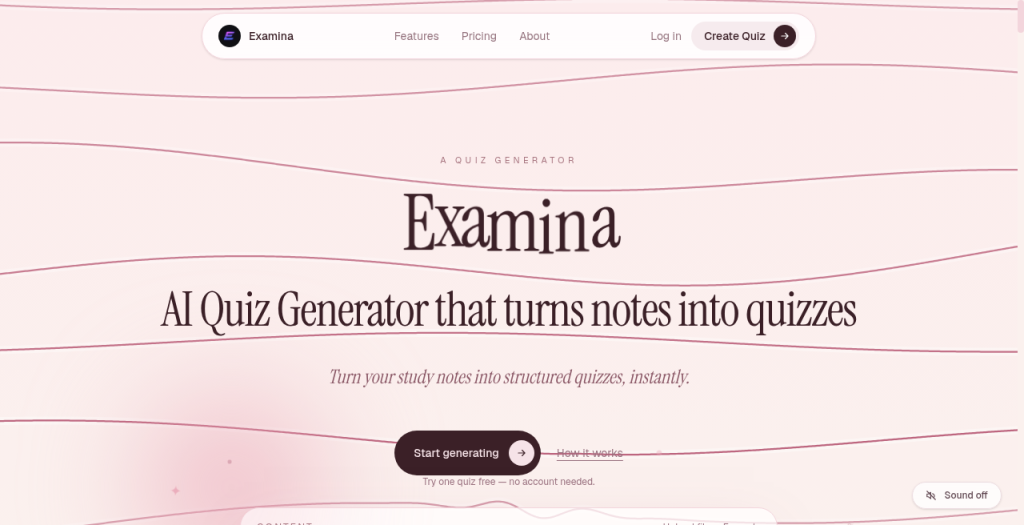
Examina is the right pick for a solo student who wants a dead-simple, cheap way to turn lecture notes or a PDF into a mixed-format quiz in seconds, with Bloom's taxonomy tags and a draft-review step that most rivals skip. Its quiz-per-month caps and thin classroom tooling put it behind more established platforms for teachers managing groups. If you need spaced-repetition scheduling, a shared content library with more than five members, or a mobile app, look elsewhere.
What is Examina?
Examina turns study notes, PDFs, and pasted text into practice quizzes and flashcards (MCQ, fill-blank, true/false). Bloom’s tags, a draft-review step, and classroom join codes. Free to start; paid around ~$2. Not an LMS or Kahoot clone.
How we scored Examina
Capability lands at 17 because Examina covers the core quiz-generation job with four question types and Bloom's tagging, but has no mobile app, no spaced-repetition, no YouTube or URL input, and a hard five-member ceiling that cuts it off from classroom use. Ease of use scores 19 because the workflow is genuinely simple: paste or upload, review draft, save, and the free tier requires no credit card. Value scores 22 out of 25 because $2/mo for 20 quizzes and $5/mo for 60 with API access is among the most affordable pricing in this category, and a real free tier exists. Delivery drops to 8 because no third-party reviews, press coverage, or user sentiment could be found for Examina at all; the tool is unverified in the market, the classroom join-code feature mentioned in the submitted description does not appear on the live site, and the free tier's PDF restriction undercuts its stated positioning. An unverifiable early-stage product with no public track record cannot score higher on delivery regardless of how appealing the feature list looks on paper.
Pros and cons
What we liked
- Bloom's taxonomy tags on generated questions add pedagogical structure that most sub-$10 quiz tools do not offer.
- Five-tier pricing from $0 to $15/mo means a student can start free and scale to 200 quizzes per month for $9, one of the lowest per-quiz costs in the category.
- Draft-review step before quiz finalization lets users catch AI errors before they study from bad questions, a safeguard absent in many one-click generators.
Where it falls short
- PDF upload is locked behind the $2 Starter plan, so the free tier is limited to text-paste only, which undercuts the 'free to try' positioning for anyone whose notes live in PDFs.
- The Team plan caps at five members for $15/mo with no larger group or institutional tier listed, making Examina a dead end for any educator with a real class.
- No confirmed mobile app and web-only delivery means students cannot review or generate quizzes on the go, a significant gap versus Quizlet and Quizgecko which both have dedicated mobile apps.
Key features
Examina pricing
Free plan: 5 quizzes per month, no credit card required. Starter: $2/mo for 20 quizzes. Plus: $5/mo for 60 quizzes, adds quiz sharing, PDF download, and API access. Pro: $9/mo for 200 quizzes with bulk generation. Team: $15/mo for unlimited quizzes for up to 5 members with a shared quiz library.
| Plan | Price | Who it is for |
|---|---|---|
| Free | $0 | 5 quizzes per month, multiple choice questions, flashcard generator, score tracking. No credit card required. Text input only (no PDF upload). |
| Starter | $2/mo | 20 quizzes per month, everything in Free, plus PDF upload support and quiz history. |
| Plus | $5/mo | 60 quizzes per month, everything in Starter, plus quiz sharing, PDF download, API access, and priority support. |
| Pro | $9/mo | 200 quizzes per month, everything in Plus, plus bulk generation and continued API access. |
| Team | $15/mo | Unlimited quizzes for up to 5 members, everything in Pro, shared quiz library, and dedicated support. |
Pricing reflects what we saw at time of review (2026-09). Always confirm current pricing on the tool's own site.
Who should use Examina?
A university student cramming for finals who generates a dozen quizzes a week from lecture slides will find the $2 Starter or $5 Plus plan covers their needs at a price that does not require a second thought. The Bloom's taxonomy tagging is a genuine differentiator for anyone studying for standardized exams where question difficulty levels matter.
Small study groups of up to five people can share a quiz library on the $15 Team plan, which works for a tight cohort but falls apart for any teacher with a real class roster. If you are an educator who needs to assign quizzes to thirty students, track individual performance, or run live game-style sessions, Notion AI (already in our directory) handles structured knowledge workflows better within a broader workspace, and Quizlet or Quizgecko serve classroom-scale quiz needs with far more established tooling. Anyone who studies primarily on a phone should also look elsewhere until Examina ships a mobile app.
Skip it if: Teachers managing full classrooms or anyone needing spaced-repetition or a mobile app
Examina alternatives
Frequently asked questions
Is the free plan actually free, or does it require a credit card?+
The free plan is genuinely free with no credit card required. It gives you 5 quizzes per month with multiple choice questions, flashcards, and score tracking.
What input formats does Examina accept?+
The free tier accepts pasted text only. PDF upload is available from the $2 Starter plan upward. There is no confirmed support for YouTube links, web URLs, or image uploads based on the current feature list.
Can I use Examina with a class of 30 students?+
Not well. The Team plan at $15/mo supports up to 5 members. There is no larger institutional or classroom tier listed on the pricing page, so Examina is not suited for managing a full class roster.
At what plan does API access become available?+
API access is included from the Plus plan ($5/mo) onward, covering Plus, Pro, and Team tiers.
Can I cancel a paid plan without losing my quizzes immediately?+
Yes. Cancellation is done through the billing portal and you retain access through the end of the current billing period.
Does Examina have a mobile app?+
No mobile app is listed on the site. Examina is currently web-only, which limits on-the-go study sessions compared to rivals that offer iOS and Android apps.
More AI Productivity Tools
See all categoriesGet your tool listed on 300+ directories.
One listing here is a strong start. But the founders who get discovered everywhere are listed everywhere. Our sister site, Free AI Directories, submits your tool to 300+ AI directories for you, every single one by hand, by a real person.
It is a one-time payment of $49, no subscription, and you can follow along as the submissions land. Prefer the slow route? The same site keeps a free list of 450+ directories you can work through yourself.
Get my tool listed on 300+ directoriesOne-time payment, no subscription · 100% human submissions · Free list of 450+ directories included.