FontGenerator
AI font maker that turns a text description, image, or handwriting sample into installable TTF, OTF, WOFF, and WOFF2 font files.
Are you the maker? Claim this listing to keep info, pricing and screenshots current. Verified via your tool's domain email.
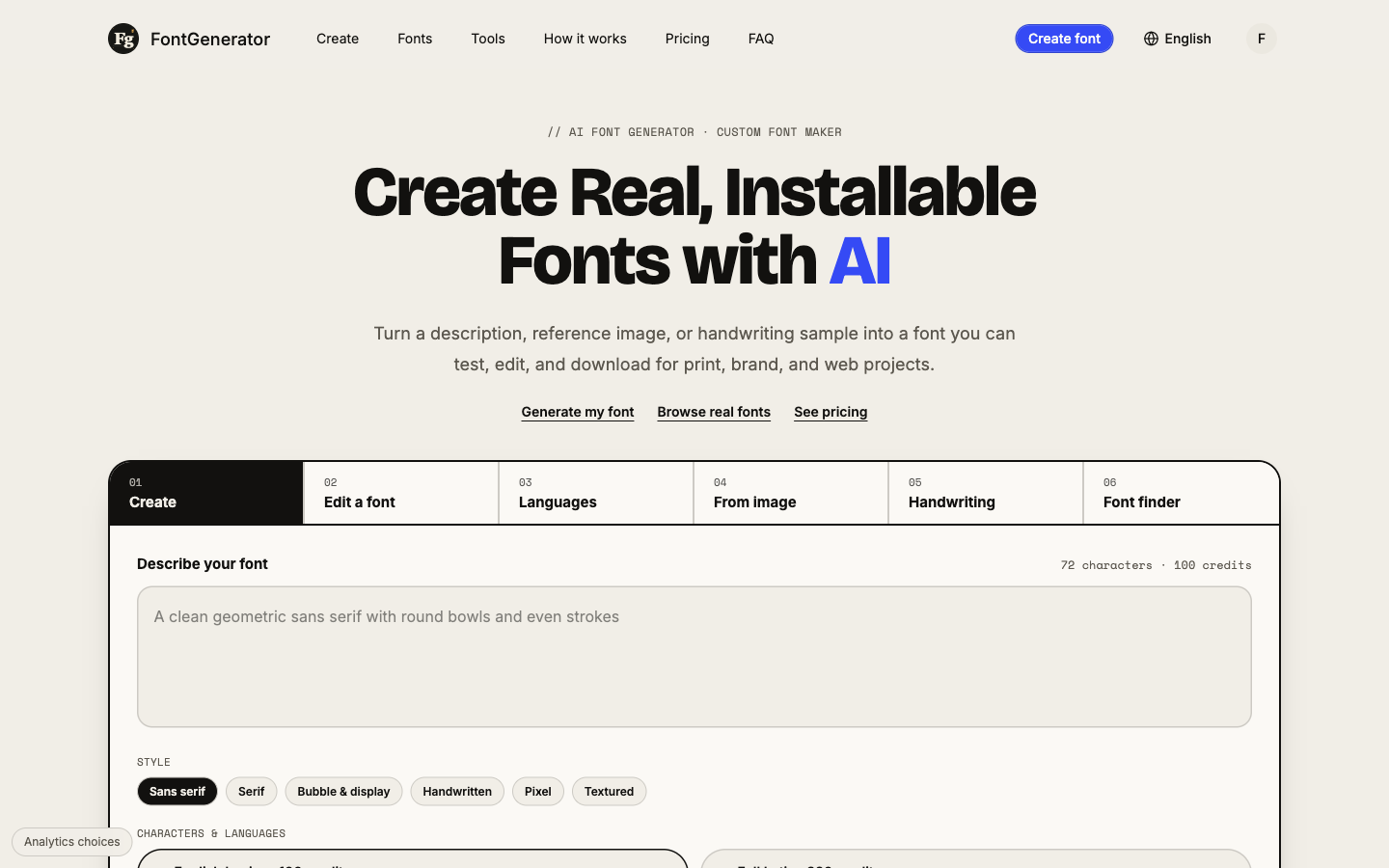
FontGenerator is the clearest choice for a solo designer or small brand that wants a complete, installable font from a description or handwriting sample without hiring a type designer. The credit model is transparent and the Studio editor lets you fix individual glyphs, but the free tier cannot export files, which means you cannot evaluate output quality without committing to a paid plan. Teams that need broad creative tooling beyond fonts should look at Canva instead.
What is FontGenerator?
FontGenerator is a web-based AI tool that produces installable font files from text descriptions, reference images, or handwriting samples. It outputs TTF, OTF, WOFF, and WOFF2 formats and includes a glyph-level Studio editor for fixing individual characters after generation. The platform uses a credit system where AI actions consume credits and manual editing is free.
The tool covers full Latin character sets including Western and Central European languages, supports adding bold and thin weights, and lets users extend fonts to additional languages after initial generation. A font library, a Font Finder feature, and a language coverage checker round out the offering. It is used primarily by independent designers, small brand teams, and studios that need custom typefaces without commissioning a type designer.
How we scored FontGenerator
Capability scores well because FontGenerator produces genuinely installable font files in all four major formats from multiple input types (description, image, handwriting), with glyph-level editing and language expansion, which most tools calling themselves font generators do not offer. Ease of use is solid given the transparent credit-cost display before every action and automatic credit refunds on failure, though the browser-only platform and lack of any mobile app limit flexibility. Value takes a hit because the free tier blocks the one thing that defines the product (file downloads), monthly credits expire with no rollover, and the image-to-font action at 360 credits is expensive relative to the Pro plan's 6,000-credit monthly budget. Delivery scores lower than the other sub-scores because no independent user sentiment or third-party reviews for fontgenerator.tools could be found to verify that output quality matches the marketing claims, and the absence of any confirmed social presence makes the tool's track record difficult to assess.
Pros and cons
What we liked
- Produces genuinely installable font files in all four major formats (TTF, OTF, WOFF, WOFF2), not Unicode copy-paste text, which separates it from the majority of tools calling themselves font generators.
- Credit-based pricing is granular and honest: each action shows its cost before you commit, failed generations refund credits automatically, and extra credits never expire on paid plans.
- The Studio editor lets you redraw individual glyphs at 10 credits per letter, giving you a practical fix for broken or inconsistent AI output without regenerating the entire font.
Where it falls short
- The free tier cannot export any font files, so you cannot evaluate actual output quality without upgrading. A tool whose core value is the downloadable file should let you download at least one before asking for payment.
- Monthly plan credits do not roll over: unused Pro or Studio credits expire at the end of each billing month, which penalizes anyone with uneven usage patterns across months.
- Font generation from an image or handwriting costs 360 credits per font, the most expensive single action on the platform, meaning the most distinctive input method burns through the Pro plan's 6,000 monthly credits at roughly 16 fonts before any other work is done.
Key features
FontGenerator pricing
Free tier gives 100 one-time credits (enough for one English font) but cannot download files. Pro is $19/month for 6,000 credits. Studio is $49/month for 16,000 credits. Font Pass is a one-time $4.99 for 500 credits valid 12 months, covering personal use only. Extra credits can be purchased at $10 per 1,000 on Pro or $8 per 1,000 on Studio.
| Plan | Price | Who it is for |
|---|---|---|
| Free | $0 | 100 one-time credits (enough for one English font). Preview and test fonts in the browser; no file downloads. 3 free library fonts per month. Studio editing and 3 uploaded fonts. Fonts are public; no commercial use. |
| Pro | $19/month | 6,000 credits per month (approximately 18 full Latin fonts or 60 English fonts). TTF, OTF, WOFF, and WOFF2 export. Commercial use and redistribution rights. Private fonts. Every library font. 100 uploaded fonts, 2 fonts in progress at once. Refined quality mode available at 3x credit cost. Extra credits at $10 per 1,000 (never expire). |
| Studio | $49/month | 16,000 credits per month (approximately 50 full Latin fonts). Everything in Pro. 1,000 uploaded fonts, 3 fonts in progress at once. Extra credits at $8 per 1,000 (never expire). |
| Font Pass | $4.99 | One-time purchase, no renewal. 500 credits valid for 12 months (approximately one full Latin font plus 18 AI redraws). All four export formats for fonts made with the Pass. Personal use only. Private fonts. 5 library fonts of your choice for personal use. |
| Extra Credits (Pro) | $10 | 1,000 one-time credits added on top of monthly Pro credits. Never expire. Can be spent on any AI action. |
| Extra Credits (Studio) | $8 | 1,000 one-time credits added on top of monthly Studio credits. Never expire. Can be spent on any AI action. |
Pricing reflects what we saw at time of review (2026-10). Always confirm current pricing on the tool's own site.
Who should use FontGenerator?
A solo brand designer who needs a custom display font for a client project, or a small studio generating several typefaces a month, will get the most from FontGenerator. The Pro plan's 6,000 monthly credits cover roughly 18 full Latin fonts, which is a reasonable volume for an active freelancer. The Font Pass at $4.99 one-time suits someone with a single personal project who does not want a recurring subscription.
Anyone who needs to validate output quality before spending money should be aware that the free tier blocks downloads entirely. If you need broad design capabilities beyond typography, such as layout, illustration, or social content, Canva covers far more ground and already includes font tooling. If your work is primarily visual content creation rather than type design, FontGenerator's narrow focus will feel limiting fast.
Skip it if: Teams needing general design tooling or anyone who needs to test downloadable output before paying
Frequently asked questions
Can I try FontGenerator without a credit card?+
Yes. The free tier gives you 100 credits with no card required. You can generate one English font and preview it in the browser, but downloading the file requires a paid plan.
Do unused monthly credits carry over to the next month?+
No. Pro and Studio plan credits expire at the end of the billing month they belong to. Extra credits purchased separately never expire, and Font Pass credits last 12 months from purchase.
What does commercial use actually cover?+
Fonts made on Pro or Studio, and library fonts downloaded on those plans, can be used in client work, products, packaging, advertising, websites, apps, and games, and can be shipped with those products, per the FontGenerator Font License.
How much does it cost to generate a font from my handwriting?+
Generating a font from an image or handwriting sample costs 360 credits. On the Pro plan at $19/month, that is roughly the equivalent of $3.60 per handwriting font at the base credit rate.
What happens if the AI generates a broken or unusable font?+
Credits reserved for a failed generation return to your balance automatically. You are not charged for a font that was not successfully made, and the result page explains how to retry.
Can I add languages to a font after I generate it?+
Yes. You can extend an existing font to additional languages at 3 to 6 credits per new letter, with a minimum of 60 letters per language addition.
More AI Design & Art tools
See all categoriesGet your tool listed on 300+ directories.
One listing here is a strong start. But the founders who get discovered everywhere are listed everywhere. Our sister site, Free AI Directories, submits your tool to 300+ AI directories for you, every single one by hand, by a real person.
It is a one-time payment of $49, no subscription, and you can follow along as the submissions land. Prefer the slow route? The same site keeps a free list of 450+ directories you can work through yourself.
Get my tool listed on 300+ directoriesOne-time payment, no subscription · 100% human submissions · Free list of 450+ directories included.