
GoMotionAI
Script-to-finished-video tool for faceless YouTube channels, covering long-form 1080p videos and vertical Shorts from one subscription.
Are you the maker? Claim this listing to keep info, pricing and screenshots current. Verified via your tool's domain email.
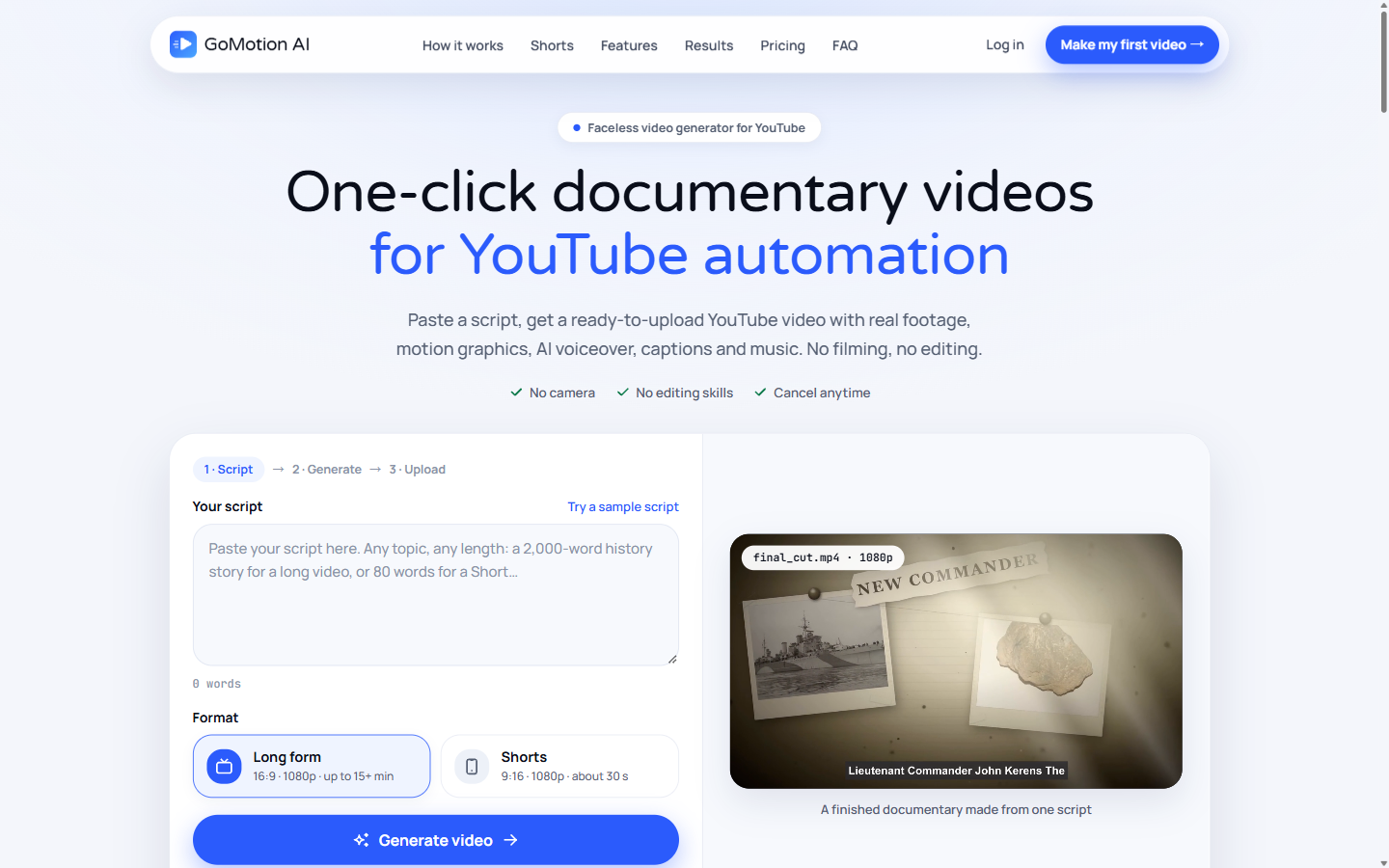
GoMotionAI is the clearest fit for faceless YouTube channel operators who want a single tool that handles long-form 1080p videos and Shorts without touching an editor. The pipeline is intentionally locked down: you paste a script and get an MP4, but you cannot rearrange scenes or swap individual footage clips, which puts it behind more flexible tools like Runway for anyone who needs post-generation control. If you want an AI avatar presenter, a talking-head format, or direct social scheduling, look elsewhere.
What is GoMotionAI?
GoMotion AI turns a written script into a finished faceless YouTube video. Paste a script, choose Long form or Shorts, pick a voice, and get back a documentary-style video ready to upload. Every sentence is narrated by an AI voice and matched with real footage, maps, charts or motion graphics; captions are timed word by word and music is mixed under the voice. Long form is a 16:9 1080p video, typically 8 to 15 minutes; Shorts is a vertical 9:16 clip of about 30 seconds for YouTube Shorts, TikTok and Reels. It is built for faceless channel owners and YouTube automation agencies working in niches like history, true crime, science, finance and sleep stories. Runs in the browser; monthly plans from $19.
How we scored GoMotionAI
Capability lands at 16 because the core pipeline (script in, MP4 out) works for its stated niche, but the absence of any scene-level editing, no avatar or voice-cloning options, and no direct publishing puts it well behind Runway and HeyGen on feature depth for the broader AI video category. Ease of use scores 20 because the one-input workflow genuinely removes friction for its target user; there is nothing to configure beyond script, voice, and format. Value scores 15: the Long form Agency plan at $107/month for roughly 60 videos is reasonable per-unit math for high-volume operators, but the absence of any free tier or trial means every new user must commit money before seeing real output quality, and the nine-tier pricing structure adds confusion rather than flexibility. Delivery scores 12 because no independent user reviews or third-party coverage of gomotionai.org were found, the site's income-reference figures are unverified, and the existence of two other domains (gomotionai.com, gomotionai.co) with overlapping branding creates legitimate uncertainty about which product a buyer is actually purchasing.
Pros and cons
What we liked
- Three-track pricing (Long form, Shorts, Mix) lets channel operators pay only for the format they actually publish, rather than bundling unwanted features.
- Long form Agency plan delivers roughly 60 finished 1080p videos per month at approximately $1.78 per video, a low per-unit cost for high-volume faceless channel operations.
- 7-day full refund policy with automatic credit restoration on failed generations reduces financial risk for new subscribers.
Where it falls short
- No scene-level editing after generation: you cannot swap a footage clip, reorder scenes, or adjust timing without regenerating the entire video, a real limitation compared to tools like Descript where the transcript edit drives the cut.
- No free tier and no trial period with usable output; the only way to test real video quality is to pay for a plan and use the 7-day refund window.
- Output is download-only with no direct publishing to YouTube, TikTok, or Reels, so the 'one click' positioning understates the remaining manual upload step for every video produced.
Key features
GoMotionAI pricing
No free tier. Monthly plans split into three tracks: Long form (Creator at $27/mo, Studio at $59/mo, Agency at $107/mo), Shorts (Starter at $19/mo, Creator at $39/mo, Pro at $75/mo), and Mix combining both formats (Starter at $46/mo, Creator at $98/mo, Agency at $182/mo). Credits renew monthly. A 7-day full refund is available if no credits have been used.
| Plan | Price | Who it is for |
|---|---|---|
| Long form Creator | $27/mo | 1,440 credits per month, approximately 12 long videos of 15 minutes each, AI scripts and thumbnails, stock footage, voiceover, captions, music, 1080p MP4 download. |
| Long form Studio | $59/mo | 3,600 credits per month, approximately 30 long videos of 15 minutes each, everything in Creator plus the ability to regenerate any video. |
| Long form Agency | $107/mo | 7,200 credits per month, approximately 60 long videos of 15 minutes each, everything in Studio plus priority support. |
| Shorts Starter | $19/mo | Entry-level Shorts plan for vertical 9:16 clips; credit allocation sized for Shorts-only production. |
| Shorts Creator | $39/mo | Mid-tier Shorts plan with higher monthly credit allowance for more frequent Shorts publishing. |
| Shorts Pro | $75/mo | Top Shorts-only plan with the largest credit pool for daily or near-daily Shorts output. |
| Mix Starter | $46/mo | Combined long-form and Shorts production from one plan; entry-level credit allocation covering both formats. |
| Mix Creator | $98/mo | Mid-tier Mix plan with credits for regular long-form uploads plus daily Shorts. |
| Mix Agency | $182/mo | Top Mix plan for teams running several channels; highest credit pool covering both long-form and Shorts at volume, approximately $1.78 per long video and $0.38 per Short. |
Pricing reflects what we saw at time of review (2026-11). Always confirm current pricing on the tool's own site.
Who should use GoMotionAI?
GoMotionAI suits channel operators who have already figured out their niche and script workflow and want production handled automatically. A solo creator publishing two or three history or finance videos a week can cover that schedule on the Long form Creator plan at $27/month without touching video software. An agency managing several channels simultaneously gets the most from the Agency or Mix Agency tiers, where the per-video cost drops to roughly $1.78 per finished 15-minute video.
Anyone who needs to adjust individual scenes after generation, add an AI avatar presenter, clone their own voice, or publish directly to TikTok or Instagram from the tool should look elsewhere. Runway is the stronger pick for creators who need frame-level control and generative video effects. HeyGen is the right choice when the content format requires a talking-head avatar or video translation across languages.
Skip it if: Creators who need AI avatars, scene-level editing, or direct social publishing after export.
GoMotionAI alternatives
Frequently asked questions
Is there a free trial or free plan?+
No. GoMotionAI has no free tier and no trial with exportable output. The entry point is the Shorts Starter plan at $19/month or the Long form Creator plan at $27/month. A 7-day full refund is available if you have not used any credits from the billing period.
How many videos can I make per month?+
It depends on the plan. Long form Creator ($27/month) covers roughly 12 videos at 15 minutes each. Long form Studio ($59/month) covers about 30, and Long form Agency ($107/month) covers about 60. Shorts and Mix plans have their own credit pools sized to those formats.
Can I edit the video after it is generated?+
Not within GoMotionAI. The tool produces a finished MP4 and does not offer a timeline editor or scene-swap interface. Studio and Agency plans let you regenerate a video, but individual scene editing is not available.
Do the videos qualify for YouTube monetization?+
GoMotionAI states that original scripts paired with its production output can qualify, and the pricing page references individual channel analytics showing monetized results. The site also notes that most channels earn little or nothing and makes no income promises.
What happens if a video fails to generate?+
Credits used for a failed generation are automatically returned to your account, so you are not charged for output that was not delivered.
Does GoMotionAI publish videos directly to YouTube or TikTok?+
No. The tool produces a downloadable MP4. You upload the finished file to YouTube, TikTok, or Reels manually. There is no built-in social publishing or scheduling feature.
More AI Video Tools
See all categoriesGet your tool listed on 300+ directories.
One listing here is a strong start. But the founders who get discovered everywhere are listed everywhere. Our sister site, Free AI Directories, submits your tool to 300+ AI directories for you, every single one by hand, by a real person.
It is a one-time payment of $49, no subscription, and you can follow along as the submissions land. Prefer the slow route? The same site keeps a free list of 450+ directories you can work through yourself.
Get my tool listed on 300+ directoriesOne-time payment, no subscription · 100% human submissions · Free list of 450+ directories included.