
Image to Prompt
Converts any reference image into six AI-model-specific prompt formats, from Midjourney to Nano Banana, using a single credit per analysis.
Are you the maker? Claim this listing to keep info, pricing and screenshots current. Verified via your tool's domain email.
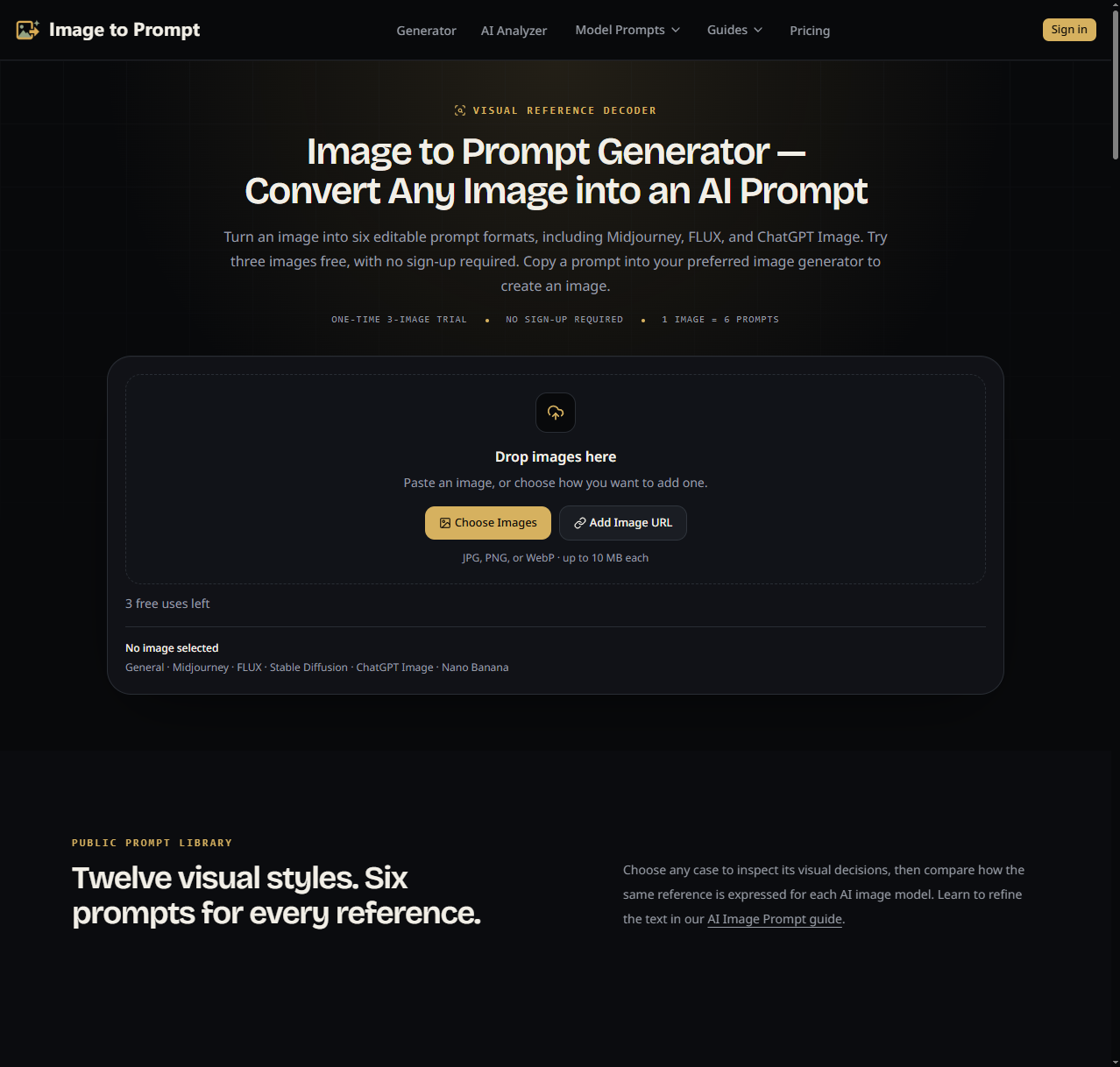
Image to Prompt is the right pick for AI artists who regularly need to reverse-engineer a reference image into ready-to-paste prompts for multiple generators at once. The six-format output per credit is genuinely useful, but the free tier is thin: five permanent credits total, not a daily refresh, which means most real users will hit the paywall fast. If you need a full design workflow rather than just prompt extraction, Canva covers far more ground.
What is Image to Prompt?
Image to Prompt converts reference images into detailed text prompts for General, Midjourney, FLUX, Stable Diffusion, ChatGPT Image and Nano Banana. Analyze subject, composition, lighting, colors, materials and style. Try three images anonymously per browser, or register for five one-time free credits. Credit packs and Pro plans are available.
How we scored Image to Prompt
Capability scores 17 because the six-format output per credit is a real differentiator, but the tool does not generate images, cannot read EXIF data, and has no API access at any tier, leaving it well behind broader tools in the category. Ease of use scores 19 because the interface is simple, input options are flexible (upload, URL, drag-and-drop), and the credit model is easy to understand. Value scores 16 because the free tier is only 5 permanent credits total, not a daily refresh, which is materially more restrictive than comparable tools offering daily free limits; the $4.99 one-time pack is fair, but the Pro plan at $9.90/month locks batch processing behind a subscription even for users who only need it occasionally. Delivery scores 14 because no substantial independent user review corpus exists for this specific domain, social profiles could not be confirmed, and the tool's own FAQ acknowledges that prompt accuracy depends heavily on image clarity and that outputs should be treated as editable reconstructions rather than reliable results.
Pros and cons
What we liked
- All six prompt formats (Midjourney, FLUX, Stable Diffusion, ChatGPT Image, Nano Banana, General) are produced from a single credit, with no per-format charge.
- The $4.99 one-time BASIC pack gives 300 non-expiring credits, making it a genuinely low-friction entry point for occasional users who want to avoid subscriptions.
- Batch queue access on the Pro plan ($9.90/month) allows unlimited-size batch processing, a feature absent from the free and one-time tiers, which meaningfully separates the plans for volume users.
Where it falls short
- The free tier is 5 permanent credits total, not a daily or monthly refresh. A user who analyzes five images is done with the free tier forever, which is far more restrictive than competitors offering daily free limits.
- Batch analysis is locked entirely behind the Pro subscription; the $4.99 one-time BASIC pack does not include it, forcing volume users into a recurring plan even if they only need batch processing occasionally.
- The tool infers camera and lens language from visual appearance rather than reading EXIF data, so outputs like '85 mm product look' are educated guesses, not verified capture settings, which can mislead users who treat the prompt as a technical record.
Key features
Image to Prompt pricing
Free tier gives 5 permanent credits on registration (one-time, not recurring) plus a 3-image anonymous browser trial. One-time BASIC pack costs $4.99 for 300 permanent credits. Pro plan is $9.90/month for 1,000 credits per billing month with batch queue access. A 50% discount applies on annual billing.
| Plan | Price | Who it is for |
|---|---|---|
| Free | $0 | 5 permanent credits on registration (one-time only, not recurring), plus a 3-image anonymous browser trial. All six prompt formats per image. One image at a time, no batch analysis, standard processing queue. |
| One-time BASIC | $4.99 | 300 permanent credits that never expire. All six prompt formats per image. No subscription or auto-renewal. One image at a time; batch analysis requires Pro. |
| Pro | $9.90/month | 1,000 credits per billing month (credits expire at period end). Unlimited-size batch queues. All six prompt formats per image. Saved history and editable prompts. 50% discount available on annual billing. |
Pricing reflects what we saw at time of review (2026-10). Always confirm current pricing on the tool's own site.
Who should use Image to Prompt?
AI artists who regularly pull inspiration from reference images and need to translate those visuals into working prompts for Midjourney, FLUX, or Stable Diffusion will get the most out of this tool. The six-format output in a single credit is particularly useful for creators who publish across multiple platforms and do not want to manually rewrite prompts for each generator's syntax. The $4.99 one-time pack suits hobbyists who analyze images occasionally and do not want a recurring charge; the Pro plan at $9.90/month makes sense for anyone processing more than a few dozen images per month.
Creators who need a full design environment, brand asset creation, or social content production should look at Canva instead, which covers those workflows far beyond prompt extraction. Filmmakers and visual researchers building reference libraries will find FrameThrower's visual search and lookbook tools more purpose-built for their needs.
Skip it if: Teams needing full design workflows or daily free access without a subscription
Image to Prompt alternatives
Frequently asked questions
How many free analyses do I actually get before paying?+
You get a 3-image anonymous trial per browser and 5 permanent credits on registration, for a combined maximum of 8 analyses. Neither resets daily. Once those are used, you need the $4.99 one-time pack or the $9.90/month Pro plan.
Does one credit produce all six prompt formats or just one?+
One credit produces all six formats (General, Midjourney, FLUX, Stable Diffusion, ChatGPT Image, and Nano Banana) in a single analysis. There is no per-format charge.
Can I process multiple images at once without a Pro subscription?+
No. Batch queue access is exclusive to the Pro plan at $9.90/month. Free and BASIC one-time pack users are limited to one image at a time.
Does the tool read camera metadata from my image files?+
No. Camera and lens language in the output is inferred from the visual appearance of the image, not extracted from EXIF data. Terms like 'shallow depth of field' describe what the image looks like, not verified capture settings.
Do the Pro plan's monthly credits roll over if I do not use them all?+
No. The 1,000 monthly credits on the Pro plan expire at the end of each billing period. The $4.99 one-time BASIC pack's 300 credits never expire.
What image formats and sizes are supported?+
The tool accepts JPG, PNG, and WebP files up to 10 MB, as well as publicly accessible image URLs pasted directly into the interface.
More AI Design & Art tools
See all categoriesGet your tool listed on 300+ directories.
One listing here is a strong start. But the founders who get discovered everywhere are listed everywhere. Our sister site, Free AI Directories, submits your tool to 300+ AI directories for you, every single one by hand, by a real person.
It is a one-time payment of $49, no subscription, and you can follow along as the submissions land. Prefer the slow route? The same site keeps a free list of 450+ directories you can work through yourself.
Get my tool listed on 300+ directoriesOne-time payment, no subscription · 100% human submissions · Free list of 450+ directories included.