
Itsha
A personal AI assistant that plans, tracks habits, and manages your daily routines through a single conversation interface.
Are you the maker? Claim this listing to keep info, pricing and screenshots current. Verified via your tool's domain email.
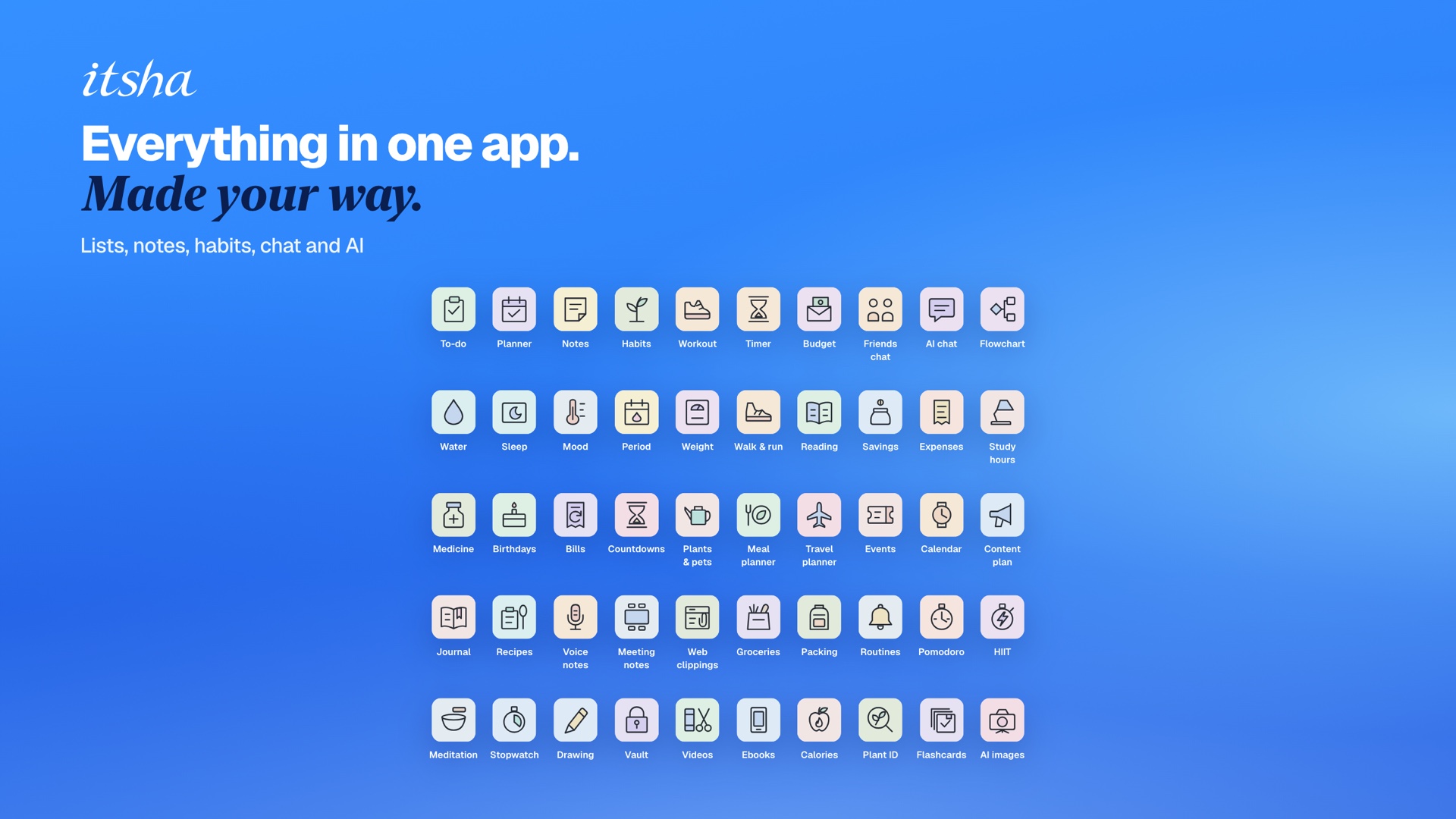
Itsha suits people who want one conversational interface to manage habits, reminders, trackers, and plans without juggling separate apps. At $20/month minimum for any AI features, it costs more than most standalone habit or planning apps, and its credit system adds friction that competitors in the productivity space avoid. Anyone primarily looking for video tools should skip it entirely; the submitted category is wrong for this product.
What is Itsha?
Itsha is a web and mobile personal assistant that connects planning, habit tracking, reminders, and daily routines through a single conversational interface. Users ask Itsha to add items to lists, log tracker entries, set reminders, or start timers, and the assistant shows exactly what it will change before applying it. The product organizes tools into Spaces, with each Space holding up to 12 planners, trackers, notes, or AI-assisted tools such as a trip planner, AI writer, or resume checker.
Paid plans provide a monthly AI credit allowance used across chat, image generation, transcription, and other AI features. On-device tools including a video converter, PDF editor, image editor, and audio editor are available without a subscription and consume no credits. Itsha targets individuals who want to consolidate personal productivity apps into one place rather than managing multiple specialized tools.
How we scored Itsha
Capability scores 15 because the conversational multi-tool loop is genuinely useful for personal productivity, but the AI video output is capped at roughly 4 short videos per month on Plus, there is no timeline editor, and the tool has no features that match what Runway or Descript offer in the submitted category. Ease of use scores 17 because the Approve/Auto toggle and plain-language interface lower the learning curve, but the layered credit rate limits (per-minute, per-hour, per-day caps stacked on a monthly ceiling) add complexity that a simple habit app does not have. Value scores 12 because $20/month for personal habit tracking and planning is a high floor when free-tier competitors like Notion and Todoist exist, and the credit system means heavy AI users on Plus will hit daily caps before exhausting their monthly allowance. Delivery scores 14 because no third-party reviews were found to validate real-world performance, the submitted category is factually wrong for this product, and the freemium claim in the submission does not match the live pricing page, which shows no free AI tier.
Pros and cons
What we liked
- Single conversational interface genuinely connects multiple tracker and planner types, so one message can update a water log, set a reminder, and add a grocery item simultaneously.
- On-device tools (PDF editor, video converter, audio editor, image editor, photo collage, document scanner) are fully free with no credit cost, giving non-AI utility at no charge.
- The Approve/Auto toggle lets users preview exactly what the AI will change before it applies, which reduces the risk of unintended edits across connected tools.
Where it falls short
- The layered credit rate limits (per-minute, per-hour, and per-day caps on top of the monthly allowance) mean a user can exhaust their burst capacity mid-session even with monthly credits remaining, a constraint not common in flat-rate productivity tools.
- No free AI tier exists. Every AI feature, including basic chat, requires a $20/month subscription, which is a high floor for a personal productivity tool competing against free-tier apps like Notion, Todoist, and Google Tasks.
- The tool is submitted and marketed under AI Video Tools, but video capability is limited to a free on-device converter and a credit-consuming short video generation feature. There is no timeline editor, no AI avatar, and no transcript-based editing, making it a poor fit for any video-first workflow.
Key features
Itsha pricing
Two paid tiers only: Itsha Plus at $20/month (5,000 AI credits, 10 Spaces) and Itsha Pro at $50/month (15,000 AI credits, 20 Spaces). On-device file tools like the image editor, PDF tools, and video converter are free and use no credits, but all AI features require a paid plan. No free AI tier exists.
| Plan | Price | Who it is for |
|---|---|---|
| Itsha Plus | $20 | 5,000 AI credits per month (roughly 7,100 chat messages, 600 AI model replies, 40 images, or 4 short videos). 10 Spaces, share up to 2, 12 tools per Space, up to 10 saved tools of each kind (100 total). Rate limits: 1,000 credits/minute, 2,000/hour, 3,000/day. All tools and templates, Itsha Chat, all AI models, friends and group chats, vault and media tools, sync across devices. |
| Itsha Pro | $50 | 15,000 AI credits per month (roughly 21,400 chat messages, 2,000 AI model replies, 100 images, or 12 short videos). 20 Spaces, share up to 10, 12 tools per Space, up to 30 saved tools of each kind (300 total). Rate limits: 3,000 credits/minute, 6,000/hour, 10,000/day. Everything in Plus. |
Pricing reflects what we saw at time of review (2026-11). Always confirm current pricing on the tool's own site.
Who should use Itsha?
Itsha fits a specific kind of solo user: someone who already uses three or four separate apps for habits, grocery lists, reminders, and notes, and finds the context-switching genuinely annoying. If you want to say "log six hours of sleep and remind me to take my vitamins at 8 am" and have both things happen in one place, Itsha is built for exactly that. The Spaces model also works for someone who wants to share a planning workspace with a partner or small household, since Pro allows up to 10 shared Spaces with up to 10 members each.
Anyone looking for a dedicated video creation or editing tool should look elsewhere. Runway is the right choice if AI video generation is the actual goal, and Descript fits better if you need to edit video or podcast audio by working with a transcript. Budget-conscious users who want habit tracking without a $20/month floor should also look at free-tier alternatives outside this directory, since Itsha has no free AI plan at all.
Skip it if: Video creators, teams needing collaboration, or anyone unwilling to pay $20/month for personal productivity
Itsha alternatives
Frequently asked questions
Is there a free plan with AI features?+
No. All AI features require a paid subscription starting at $20/month (Itsha Plus). Free access is limited to on-device tools like the PDF editor, video converter, and image editor, which use no AI credits.
What happens when I run out of AI credits mid-month?+
AI features stop working until the monthly allowance resets. Unused credits do not roll over, and there is no mention of a credit top-up purchase option on the pricing page.
What are the rate limits on AI credits?+
Plus users are capped at 1,000 credits per minute, 2,000 per hour, and 3,000 per day, even if monthly credits remain. Pro users get 3,000 per minute, 6,000 per hour, and 10,000 per day.
Can I share my workspace with others?+
Yes. Plus users can share up to 2 Spaces; Pro users can share up to 10. Each shared Space supports up to 10 members, and group chats support up to 50 participants.
Does Itsha work for video editing or creation?+
Only at a basic level. Free on-device tools include a video editor and video converter that process files locally. AI-generated short videos consume credits (roughly 4 per month on Plus, 12 on Pro). There is no timeline editor, no AI avatar feature, and no transcript-based editing.
What AI models does Itsha support?+
The pricing page states that all available AI models are included on both Plus and Pro plans, but does not name specific models. The human editor should verify which models are currently offered.
More AI Video Tools
See all categoriesGet your tool listed on 300+ directories.
One listing here is a strong start. But the founders who get discovered everywhere are listed everywhere. Our sister site, Free AI Directories, submits your tool to 300+ AI directories for you, every single one by hand, by a real person.
It is a one-time payment of $49, no subscription, and you can follow along as the submissions land. Prefer the slow route? The same site keeps a free list of 450+ directories you can work through yourself.
Get my tool listed on 300+ directoriesOne-time payment, no subscription · 100% human submissions · Free list of 450+ directories included.