
Kling 4.0 AI Video
A one-time-purchase credit tool for generating 3-to-30-second AI videos from text, images, or multi-asset references at up to 1080p.
Are you the maker? Claim this listing to keep info, pricing and screenshots current. Verified via your tool's domain email.
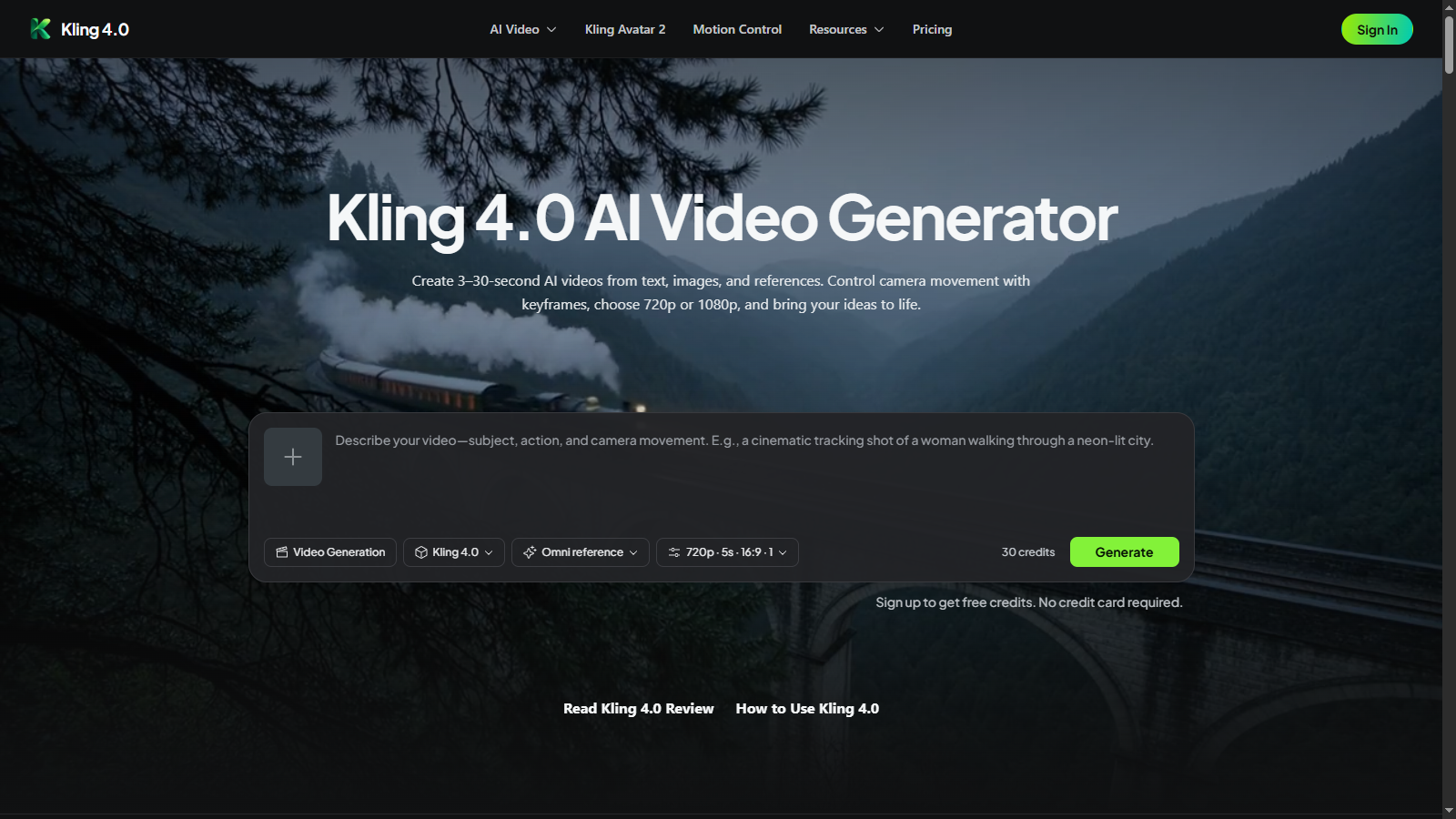
Best for solo creators and freelancers who want granular control over AI video output without a recurring subscription. The one-time credit model is genuinely unusual, but kling40ai.com is a third-party reseller wrapping the underlying Kuaishou Kling model, not the official Kling platform, which raises real questions about long-term account continuity and support. Anyone needing a subscription with monthly credit replenishment, team collaboration, or direct access to the official Kling roadmap should go straight to kling.ai instead.
What is Kling 4.0 AI Video?
Kling 4.0 AI Video is a web-based generator that converts text prompts, still images, or multi-asset reference sets into short video clips ranging from 3 to 30 seconds. Output resolution is 720p or 1080p, and the tool covers text-to-video, image-to-video, avatar generation via Kling Avatar 2.0, and motion-transfer via Kling Motion Control, all drawing from a single credit balance.
The platform is built around a one-time credit pack model with no subscription requirement. Omni Reference accepts up to 15 combined assets to maintain visual consistency across shots, while up to 10 keyframes allow creators to define specific compositions or character poses within a single generation. Camera behavior, including tracking shots and orbits, is controllable through the prompt. Credits purchased never expire, and new accounts receive free credits at signup without a payment card.
How we scored Kling 4.0 AI Video
Capability scores 17 because the underlying Kling 4.0 model is genuinely capable, with 30-second native generation, 15-asset Omni Reference, and 10-keyframe control, but the reseller site caps output at 1080p while the official platform is moving toward 4K HDR, and features like video extension and API access are absent here. Ease of use scores 18 because the one-time credit model and four-tool single-balance setup are straightforward, though the site offers only email support with no live help. Value scores 16 because the one-time pack pricing is transparent and credits never expire, but the Studio pack at $99.90 for 5,000 credits is more expensive per credit than a monthly subscription on the official kling.ai platform, and buyers get no monthly replenishment. Delivery scores 11 because the site is a third-party reseller with no confirmed direct relationship to Kuaishou, the refund window is voided by a single credit use, and there is no verifiable track record of long-term account continuity or escalation support, all of which are meaningful trust gaps for a paid product.
Pros and cons
What we liked
- One-time credit packs with no expiry remove the pressure of a monthly subscription cycle, which is genuinely rare among AI video tools at this price point.
- A single credit balance covers four distinct generation tools: Kling 4.0, Kling 3.0, Kling Avatar 2.0, and Kling Motion Control, giving meaningful output variety without separate accounts.
- Omni Reference accepts up to 15 combined assets and up to 10 keyframes per generation, giving more compositional control than most entry-level AI video tools offer.
Where it falls short
- This is a third-party reseller site, not the official Kuaishou Kling platform. Buyers have no direct relationship with the model developer, and long-term account continuity, support escalation, and access to future model updates depend entirely on this intermediary remaining operational.
- Maximum output resolution is 1080p with no 4K option, while the official kling.ai platform lists 4K with 10-bit HDR as an upcoming feature that this reseller site may never surface.
- The 7-day refund window is voided the moment any purchased credit is used, meaning a buyer who generates even one test clip loses all refund eligibility for that pack.
Key features
Kling 4.0 AI Video pricing
Three one-time credit packs: Starter at $19.90 for 800 credits, Creator at $49.90 for 2,200 credits, and Studio at $99.90 for 5,000 credits. Credits never expire. Generation costs 6 credits per second at 720p or 10 credits per second at 1080p without a reference video. New accounts receive free credits at signup with no card required. No subscription option exists on this site.
| Plan | Price | Who it is for |
|---|---|---|
| Free (signup credits) | Free | A small number of free credits at account creation, no card required. Enough to test generation before purchasing a pack. Credit amount not specified on the pricing page. |
| Starter | $19.90 | 800 credits, one-time payment, never expire. Covers Kling 4.0, Kling 3.0, Kling Avatar 2.0, and Kling Motion Control. 720p or 1080p output. Personal and commercial use. Email support. Roughly 26 five-second 720p clips or 16 five-second 1080p clips. |
| Creator | $49.90 | 2,200 credits, one-time payment, never expire. Same four-tool access and resolution options as Starter. Personal and commercial use. Email support. Roughly 73 five-second 720p clips or 44 five-second 1080p clips. |
| Studio | $99.90 | 5,000 credits, one-time payment, never expire. Same four-tool access and resolution options. Lowest cost per credit of the three packs. Personal and commercial use. Email support. Roughly 166 five-second 720p clips or 100 five-second 1080p clips. |
Pricing reflects what we saw at time of review (2026-11). Always confirm current pricing on the tool's own site.
Who should use Kling 4.0 AI Video?
A solo YouTuber, social media creator, or freelance video producer who wants to experiment with AI-generated clips on a project basis, without committing to a monthly subscription, will find the credit pack model genuinely practical. The Starter pack at $19.90 gives enough credits to produce roughly 26 five-second 720p clips, which is a reasonable test volume before deciding to scale up. The keyframe and Omni Reference controls suit anyone who needs consistent character or product appearance across multiple shots, such as a small e-commerce brand building product reveal clips.
Anyone who generates video at high volume every month will find the per-credit cost here less efficient than a subscription plan on the official kling.ai platform, where monthly credits replenish automatically. Teams needing shared workspaces, collaboration features, or 4K output should skip this site entirely. For avatar-first workflows, HeyGen is a stronger choice, with a purpose-built avatar studio, voice cloning, and video translation that go well beyond what Kling Avatar 2.0 offers here. For a full browser-based video editing and generation environment with a subscription model and team features, Runway is the more complete option.
Skip it if: Teams, subscription-preferring users, or anyone who needs guaranteed access to the official Kling platform and roadmap
Kling 4.0 AI Video alternatives
Tags
Frequently asked questions
Is kling40ai.com the official Kling platform?+
No. The official Kling platform is kling.ai, developed by Kuaishou. Kling40ai.com is a third-party reseller site that provides access to the Kling model through its own credit pack system.
How many videos do I get per credit pack?+
At 720p without a reference video, a 5-second clip costs 30 credits. The Starter pack (800 credits) yields roughly 26 such clips, the Creator pack (2,200 credits) yields roughly 73, and the Studio pack (5,000 credits) yields roughly 166. At 1080p, the cost rises to 50 credits per 5-second clip, reducing those counts proportionally.
Do credits expire?+
No. All purchased credits remain in your account indefinitely. The pricing page states explicitly that there is no subscription and no monthly fee.
Can I get a refund?+
A refund can be requested within 7 days of purchase, but only if none of the paid credits from that purchase have been used. Using even one credit from a pack voids refund eligibility for the entire pack.
What is the maximum video length and resolution?+
Clips can be generated from 3 to 30 seconds. Maximum resolution on this platform is 1080p. The official kling.ai platform lists 4K with 10-bit HDR as an upcoming feature, but it is not available through kling40ai.com.
Can I use generated videos commercially?+
Yes. All three paid credit packs include personal and commercial use rights, subject to the site's Terms of Service.
More AI Video Tools
See all categoriesGet your tool listed on 300+ directories.
One listing here is a strong start. But the founders who get discovered everywhere are listed everywhere. Our sister site, Free AI Directories, submits your tool to 300+ AI directories for you, every single one by hand, by a real person.
It is a one-time payment of $49, no subscription, and you can follow along as the submissions land. Prefer the slow route? The same site keeps a free list of 450+ directories you can work through yourself.
Get my tool listed on 300+ directoriesOne-time payment, no subscription · 100% human submissions · Free list of 450+ directories included.