
MeeLang
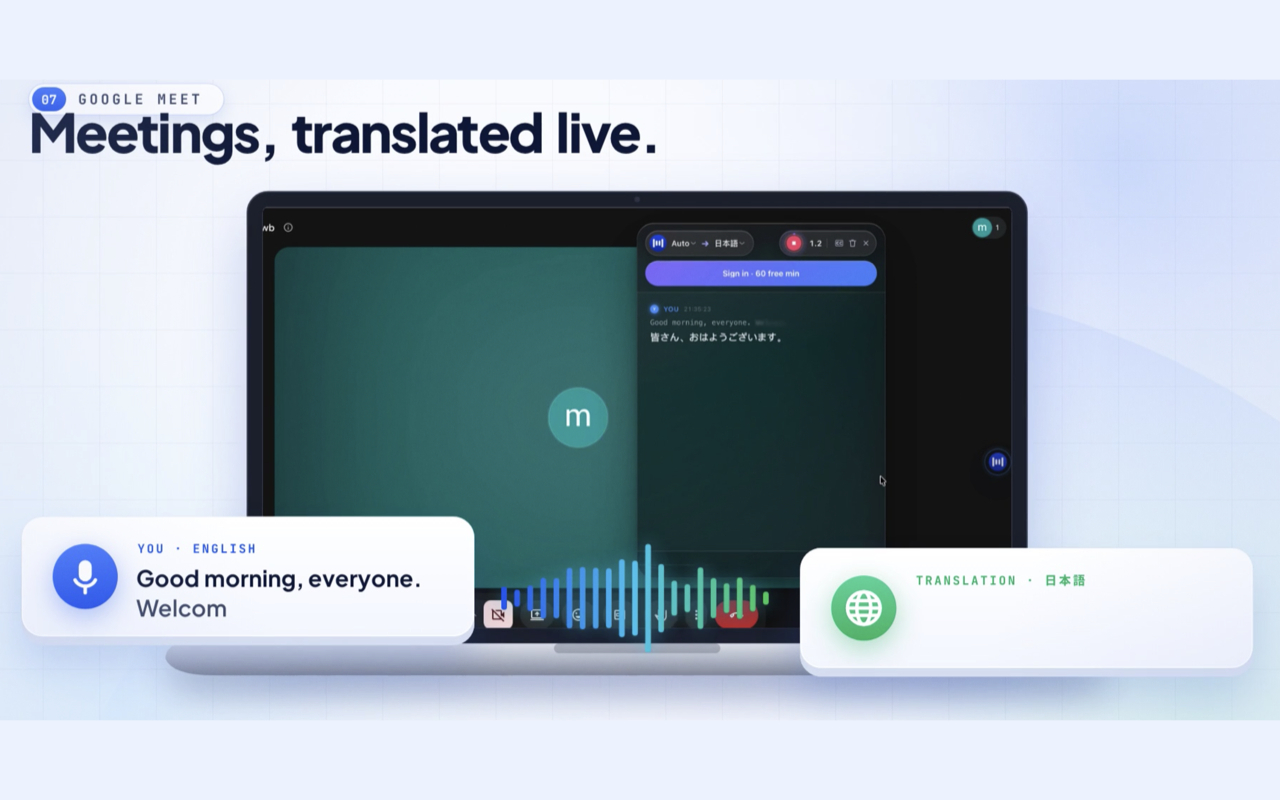
Chrome extension that delivers real-time AI-translated subtitles for meetings on Google Meet, Zoom, Teams, Webex, and YouTube videos.
Are you the maker? Claim this listing to keep info, pricing and screenshots current. Verified via your tool's domain email.
MeeLang is the right pick for a solo professional who sits in multilingual calls daily and wants live translated subtitles with zero meeting-bot footprint. The free tier is tight at 30 minutes per month, and the tool is Chrome-only with no desktop app, no mobile support, and no team-sharing features yet. If your organization needs translation across more than one person's screen, or you need 60-plus languages and a proven enterprise track record, Tremigos covers that ground more completely.
What is MeeLang?
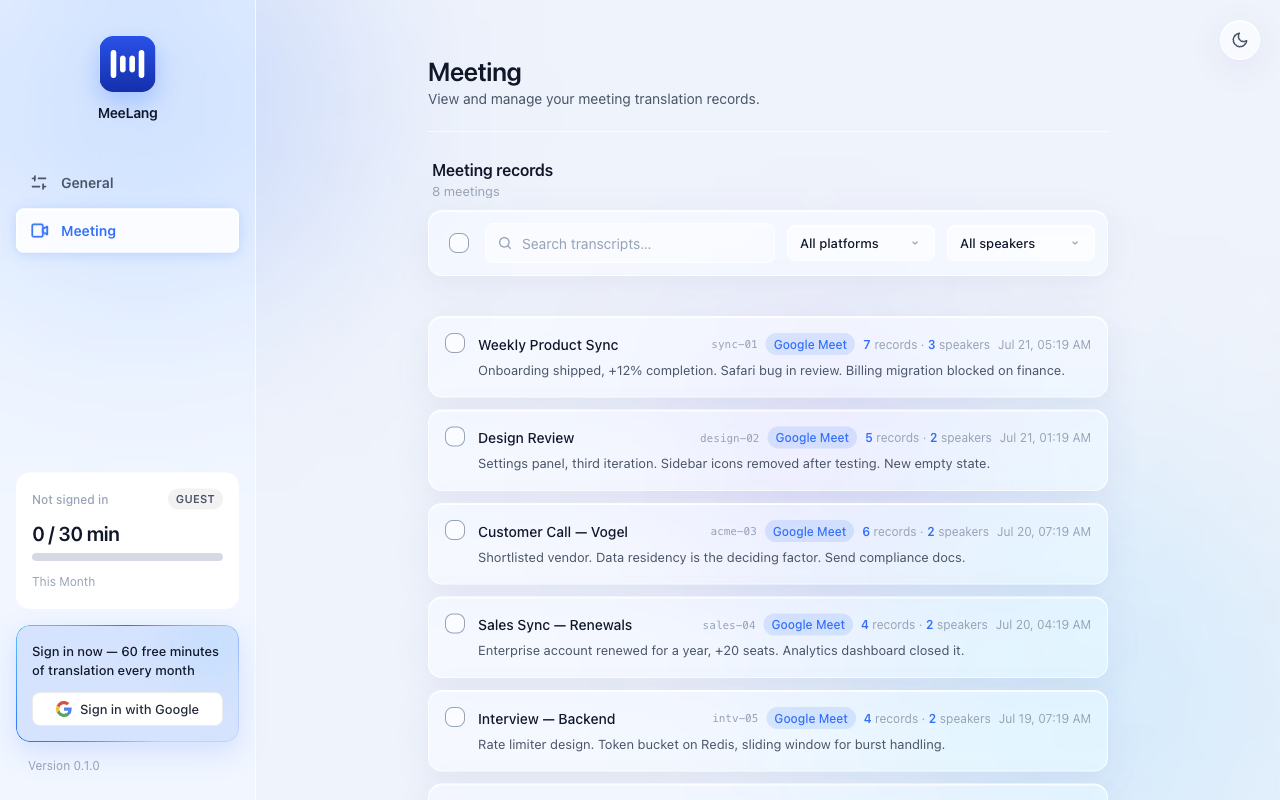
MeeLang is a desktop Chrome extension that provides real-time bilingual captions for online meetings and YouTube. It works with Google Meet and the browser versions of Zoom, Microsoft Teams, and Webex, without a meeting bot. Bilingual transcripts are stored locally in the browser. The Free plan includes 30 minutes per month; Pro costs $9.99 per month for 600 minutes and includes AI summaries.
How we scored MeeLang
Capability scores 18 because MeeLang does its core job well within Chrome but covers only one person's screen at a time, has no team features shipped, and Tremigos handles 60-plus languages with multi-participant interpreting that MeeLang cannot match. Ease of use scores 21 because the one-click Chrome Web Store install with no account or bot setup is genuinely frictionless. Value scores 16 because the Free plan's 30-minute monthly cap is too thin for regular use, and the $9.99 Pro plan's 600-minute ceiling may still fall short for heavy users, with no annual discount visible. Delivery scores 13 because the 4.7/5 Chrome Web Store rating is a positive signal, but several planned features (live voice dubbing, team cloud sync) are not yet shipped, third-party listings disagree on the Free plan minute count, and the platform coverage claims for Zoom and Teams require human verification before the review publishes.
Pros and cons
What we liked
- No bot joins the call, so other participants see nothing and no recording announcement is triggered.
- Transcripts are stored locally in the browser with no server-side retention, giving users genuine control over their meeting data.
- Sub-400ms subtitle latency (4.7/5 Chrome Web Store rating suggests this holds in real conditions, not just demos).
Where it falls short
- Free plan caps at 30 minutes of translation per month, which covers roughly one average meeting and nothing else.
- Chrome-only: no Firefox, Edge, Safari, desktop app, or mobile client, which makes it unusable for anyone outside the Chrome ecosystem.
- Team features (cloud sync, shared transcripts) are listed as planned but not shipped, so every user must install and manage the extension individually with no centralized admin control.
Key features
MeeLang pricing
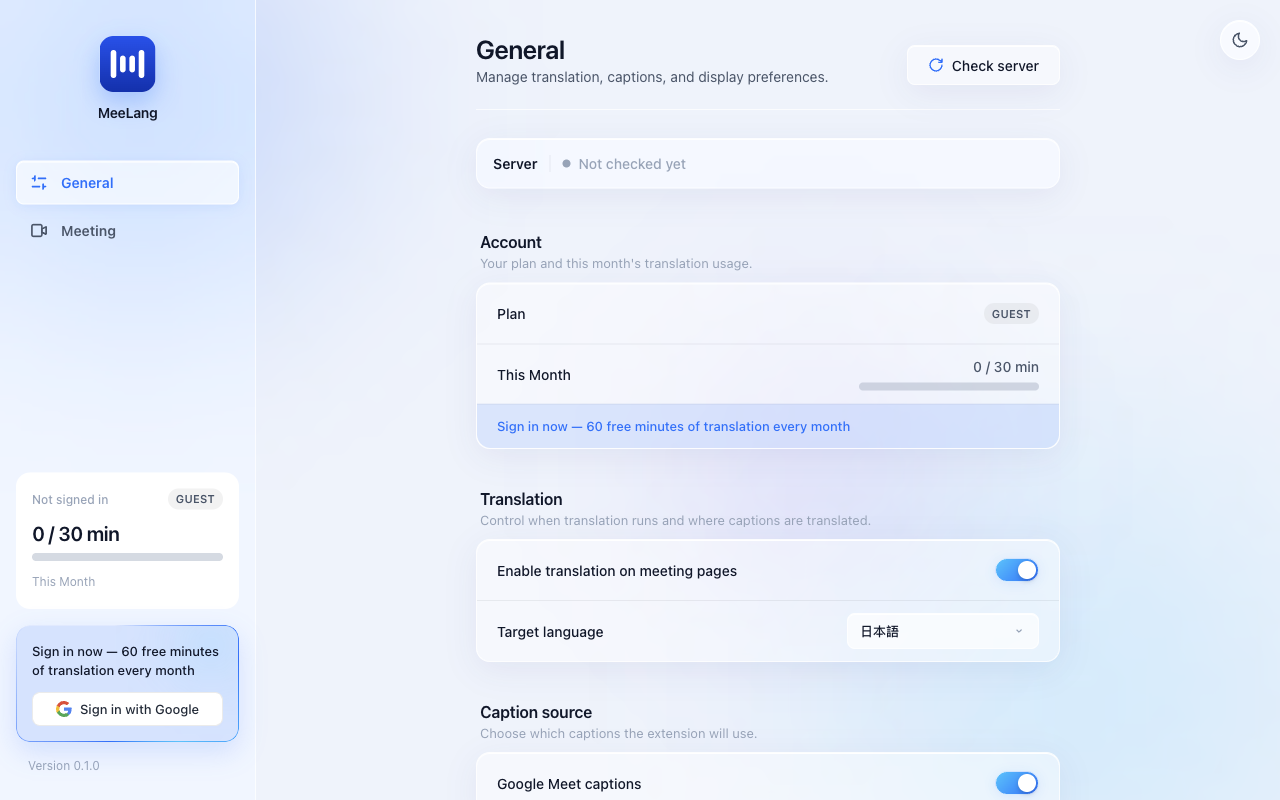
Free plan at $0 (30 minutes of translation per month). Pro plan at $9.99 per month (600 minutes per month, plus AI meeting summaries). No annual discount tier was visible on the pricing page at review time.
| Plan | Price | Who it is for |
|---|---|---|
| Free | $0 | Real-time translated subtitles, bilingual transcript storage, and meeting record management. Capped at 30 minutes of translation per month. |
| Pro | $9.99/mo | Everything in Free plus 600 minutes of translation per month and AI-generated meeting summaries with action items and speaker attribution. |
Pricing reflects what we saw at time of review (2026-11). Always confirm current pricing on the tool's own site.
Who should use MeeLang?
MeeLang fits a single person who regularly joins calls where at least one speaker uses a different language: a freelance consultant on international client calls, a researcher attending foreign-language academic seminars, or a remote employee whose company headquarters operates in a language they are still learning. The bot-free design is particularly useful when joining calls where recording announcements would be awkward or unwelcome.
Anyone running translation for a group, managing multilingual events, or needing more than 600 minutes per month should look elsewhere. Tremigos is the better fit there: it is purpose-built for multi-participant AI interpreting across 60-plus languages and handles dubbing and transcription at a scale MeeLang does not yet reach. Teams that need shared transcript archives or centralized meeting intelligence should also look at dedicated meeting-intelligence platforms rather than a single-user browser extension.
Skip it if: Teams needing shared translation infrastructure, non-Chrome browser users, or mobile-first workflows
MeeLang alternatives
Frequently asked questions
Does MeeLang add a bot to my meeting?+
No. MeeLang reads audio directly from the browser tab. Other participants see no extra attendee, no recording announcement, and nothing changes on their end.
How many minutes do I get on the free plan?+
The Free plan includes 30 minutes of translation per month at no cost. The Pro plan at $9.99 per month raises the limit to 600 minutes.
Which browsers and platforms does MeeLang support?+
MeeLang is a Chrome extension only. It works in Google Meet, Zoom (web), Microsoft Teams, Webex, and YouTube tabs inside Chrome. Firefox, Edge, Safari, and mobile browsers are not supported.
Where are my meeting transcripts stored?+
Transcripts are stored locally in your browser. MeeLang states it does not retain meeting content on its servers, and you can search, export, or delete any record from within the extension.
How many languages does MeeLang support?+
MeeLang supports more than 30 languages, including English, Mandarin Chinese, Japanese, Spanish, French, German, Korean, Portuguese, Italian, Russian, Arabic, and Hindi.
Is live voice dubbing available?+
Not yet. Live voice dubbing (hearing the translation spoken aloud rather than reading subtitles) is listed on the public roadmap as planned but has not shipped as of the review date.
More AI Voice, Audio & Music tools
See all categoriesGet your tool listed on 300+ directories.
One listing here is a strong start. But the founders who get discovered everywhere are listed everywhere. Our sister site, Free AI Directories, submits your tool to 300+ AI directories for you, every single one by hand, by a real person.
It is a one-time payment of $49, no subscription, and you can follow along as the submissions land. Prefer the slow route? The same site keeps a free list of 450+ directories you can work through yourself.
Get my tool listed on 300+ directoriesOne-time payment, no subscription · 100% human submissions · Free list of 450+ directories included.