
Motion Control AI
Browser-based AI video tool that transfers motion, gestures, and expressions from any reference video onto a character image, no mocap
Are you the maker? Claim this listing to keep info, pricing and screenshots current. Verified via your tool's domain email.
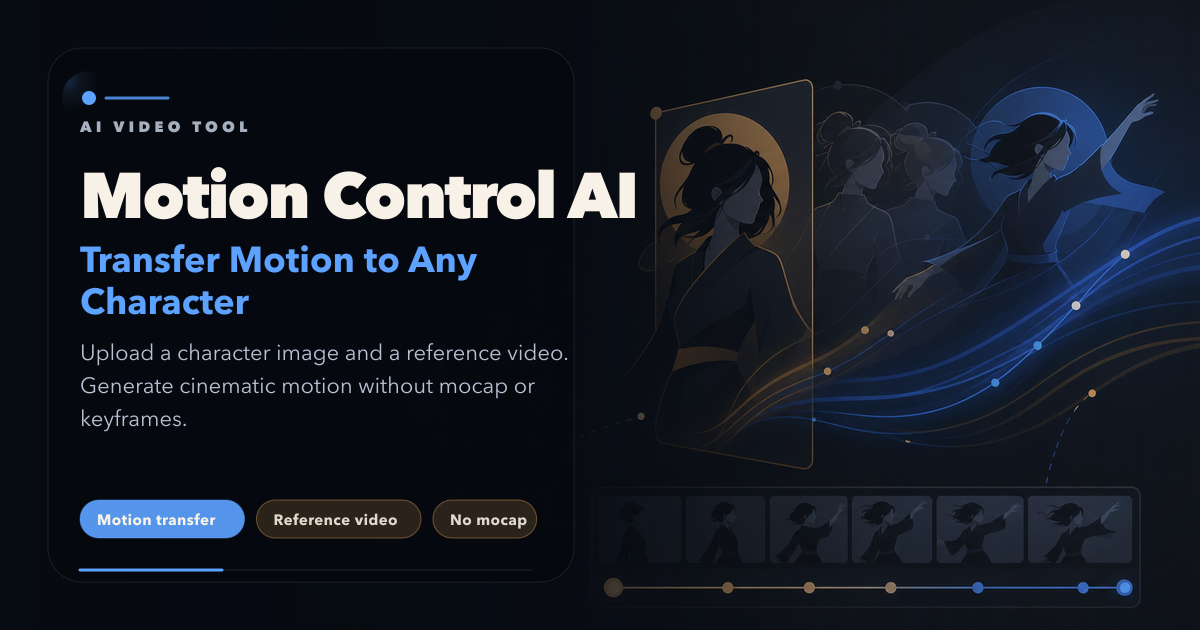
Motion Control AI is the right pick for solo creators and indie animators who want to animate a character from a reference video without touching motion-capture hardware or keyframe software. Its free tier is genuinely usable, but the credit model means heavy users will hit limits fast, and the tool lags behind Runway on general video editing depth. Teams needing full production pipelines or avatar-based video at scale should look at HeyGen instead.
What is Motion Control AI?
Motion Control AI (motion-control-ai.net) is a free online AI video generator for motion transfer. Upload a character image and a reference video; the engine transfers gestures, expressions and full-body movement. Features: motion control up to 30s; character swap; 720p/1080p watermark-free; Kling/Seedance/Veo models; also text/image/video tools. Free credits on start.
How we scored Motion Control AI
Capability scores 19 because the multi-model roster (Kling 3.0, Veo 3.1, Seedance, LTX, GPT Image 2.5) and frame-accurate skeletal retargeting with claimed finger-level hand tracking are genuinely differentiated features, though the tool cannot match Runway's editing depth or HeyGen's avatar fidelity for their respective core jobs. Ease of use scores 20 because the browser-only, no-install workflow with a no-credit-card free tier is about as low-friction as this category gets. Value scores 16 because the 30-day expiry on one-time credit packs actively penalizes occasional users, the free tier's public-only watermarked output limits real evaluation before paying, and the Basic plan at $15.90/month delivers only an estimated 40 videos, which is thin compared to what Runway's standard plan offers at a similar price point. Delivery scores 13 because there are no verified user reviews at meaningful volume on major platforms, the social presence could not be confirmed, third-party pricing data conflicts with the live page (suggesting recent changes without announcement), and the API claim on third-party sites is unverified against the actual product, all of which add up to meaningful uncertainty about whether the tool consistently delivers what it advertises.
Pros and cons
What we liked
- Genuine free tier with 30 starter credits and no credit card required, producing real motion-transfer output before any payment
- Wide model roster under one credit pool: Kling 2.6, Kling 3.0, Veo 3.1, Seedance, LTX, and GPT Image 2.5 variants all accessible from a single subscription
- Reference video input accepts up to 30 seconds at up to 100 MB (MP4, MOV, MKV), with claimed frame-accurate skeletal retargeting including finger-level hand tracking
Where it falls short
- Credit expiry on one-time packs: the $9.90 600-credit pack is valid for only 30 days, which penalizes occasional users who buy credits but do not use them quickly
- Free tier output is watermarked and public-only, meaning any character or concept you test is visible to other users before you commit to a paid plan
- No standalone desktop app or API access documented on the public pricing page; the tool is entirely browser-dependent, which limits integration into existing production pipelines
Key features
Motion Control AI pricing
Three monthly subscription tiers: Basic at $15.90/month (1,200 credits), Pro at $29.90/month (3,000 credits), and Max at $69.90/month (8,000 credits). Annual billing saves roughly 30% on each. One-time credit packs also available starting at $9.90 for 600 credits, valid for 30 days. A free tier exists with 30 starter credits and no credit card required, but videos carry a watermark and generation is public-only.
| Plan | Price | Who it is for |
|---|---|---|
| Free | Free | 30 one-time starter credits, no credit card required. Motion control at 720p only. Videos are watermarked and generations are public. Text-to-video in fast mode only. |
| Basic | $15.90/month | 1,200 credits per month (up to 600 images or up to 40 videos). Access to Kling, Veo, Seedance, LTX, Nano Banana, GPT Image 2, and more. Supports all generation modes including motion control, text-to-video, image-to-video, and lip sync. No watermark. Full commercial use rights. 24/7 customer support. Annual billing available at $133.20/year. |
| Pro | $29.90/month | 3,000 credits per month (up to 1,500 images or up to 100 videos). Same model and feature access as Basic. No watermark. Full commercial use rights. 24/7 customer support. Annual billing available at $250.80/year. |
| Max | $69.90/month | 8,000 credits per month (up to 4,000 images or up to 266 videos). Same model and feature access as Basic and Pro. No watermark. Full commercial use rights. 24/7 customer support. Annual billing available at $586.80/year. |
| 600-Credit Pack (one-time) | $9.90 | 600 credits, valid for 30 days. One-time payment, no subscription. Estimated up to 20 videos based on Veo 3.1 Lite at 30 credits per 8-second 720p video. Actual output varies by model and settings. |
Pricing reflects what we saw at time of review (2026-11). Always confirm current pricing on the tool's own site.
Who should use Motion Control AI?
Motion Control AI fits solo content creators, social media animators, and indie filmmakers who need to put a specific character in motion without a studio budget. A TikTok creator who wants their illustrated mascot to perform a trending dance, or an indie game developer who needs quick character previs, will find the free tier enough to test the concept and the Basic plan at $15.90/month sufficient for regular output.
Anyone who needs a full non-linear editing environment, multi-track audio, or transcript-based editing should skip this entirely and use Descript instead. Teams building avatar-based video at scale, particularly for marketing or e-learning with talking-head presenters, will get more mileage from HeyGen, which is purpose-built for that workflow and offers far more avatar customization.
Skip it if: Production teams needing full video editing, multi-track timelines, or avatar lip-sync at scale
Motion Control AI alternatives
Frequently asked questions
Does the free tier really require no credit card?+
Yes. The free tier provides 30 one-time starter credits with no credit card required. Those credits produce watermarked, public-only output at 720p.
How many videos can I make per month on the Basic plan?+
The Basic plan at $15.90/month includes 1,200 credits, which the pricing page estimates as up to 40 videos per month. Actual video count depends on which model and resolution you choose, since different models consume different credit amounts.
What file formats does the reference video need to be in?+
The platform accepts MP4, MOV, and MKV reference videos up to 30 seconds long and up to 100 MB in file size. Character images must be JPEG or PNG, front-facing, with the full upper body visible.
Do one-time credit packs expire?+
Yes. The $9.90 600-credit pack is valid for 30 days from purchase. Credits not used within that window are lost, so the pack is best suited to a specific short-term project rather than occasional use.
Is there a desktop app or API?+
No desktop app exists. The platform runs entirely in a browser on mobile, tablet, or desktop. A developer API is mentioned in third-party listings but is not documented on the public pricing page, so API access and its cost could not be confirmed.
Are videos generated on paid plans cleared for commercial use?+
Yes. All three paid plans (Basic, Pro, Max) include full commercial use rights and watermark-free exports. The free tier does not include commercial rights and adds a watermark.
More AI Video Tools
See all categoriesGet your tool listed on 300+ directories.
One listing here is a strong start. But the founders who get discovered everywhere are listed everywhere. Our sister site, Free AI Directories, submits your tool to 300+ AI directories for you, every single one by hand, by a real person.
It is a one-time payment of $49, no subscription, and you can follow along as the submissions land. Prefer the slow route? The same site keeps a free list of 450+ directories you can work through yourself.
Get my tool listed on 300+ directoriesOne-time payment, no subscription · 100% human submissions · Free list of 450+ directories included.