Orca Slicer Pro
A free third-party guide and download site for the open-source Orca Slicer 3D printing application.
Are you the maker? Claim this listing to keep info, pricing and screenshots current. Verified via your tool's domain email.
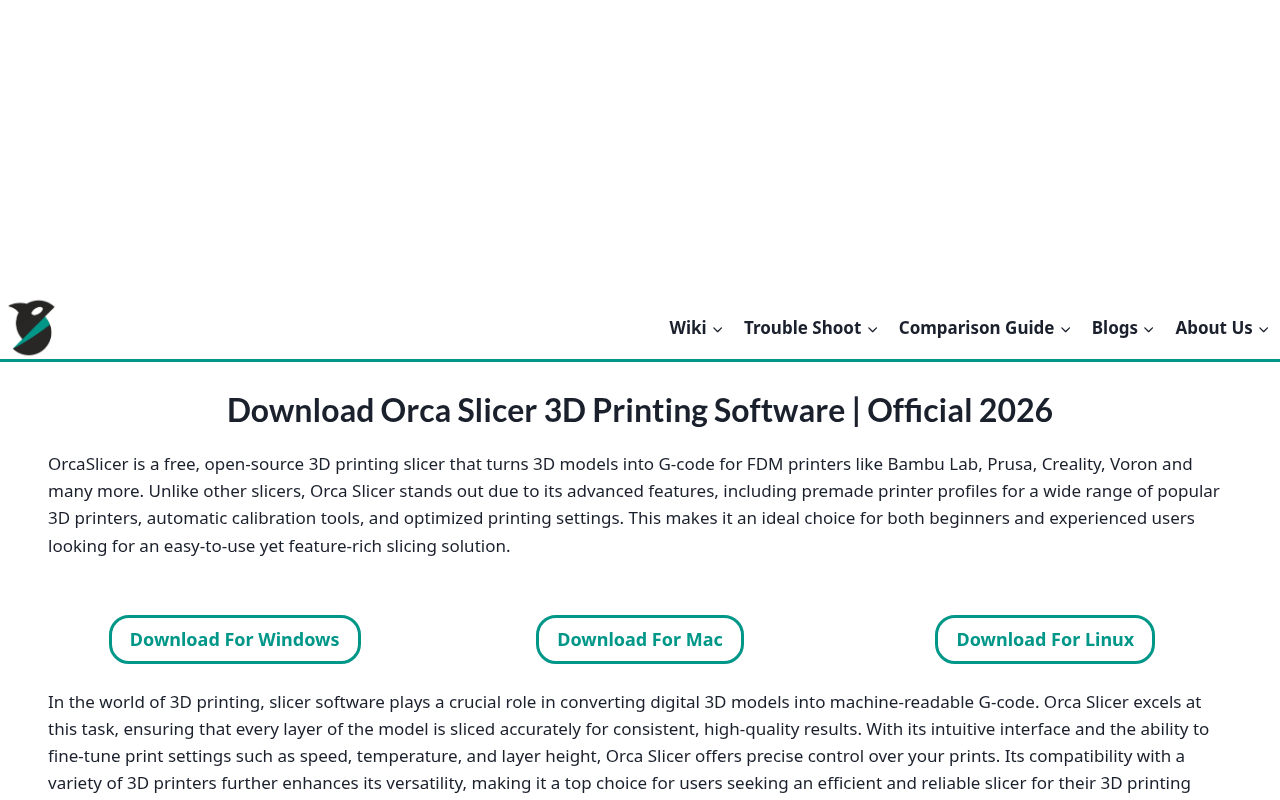
Hobbyist FDM makers who want a single browsable page covering Orca Slicer setup, calibration, and printer compatibility will find it a passable starting point. The site is a third-party wrapper around content that lives more authoritatively on the official GitHub and wiki, so experienced users will outgrow it fast. Anyone who needs current, version-accurate documentation should go directly to the official Orca Slicer GitHub repository instead.
What is Orca Slicer Pro?
Orca Slicer Pro is a free, web-based guide site that documents the open-source Orca Slicer 3D printing application. It covers installation on Windows, Mac, and Linux; printer setup and compatibility; filament profiles; calibration settings including pressure advance and flow rate; and troubleshooting for common errors. The site also hosts download links for Orca Slicer releases and a wiki with articles on topics like adaptive bed mesh, seam settings, and layer height configuration.
The site targets FDM 3D printing hobbyists and makers who use printers from Bambu Lab, Prusa, Creality, Voron, Elegoo, and similar brands. It functions as a plain-English companion to the official Orca Slicer GitHub repository, aggregating setup guidance and comparison content in one browsable location. No account or payment is required to access any part of the site.
How we scored Orca Slicer Pro
Capability scores 10 because the site is a static guide for a third-party application, not a tool with its own feature set; it does less than the official GitHub wiki and lags behind the current v2.4.x release while listing v2.2.0 as its primary download. Ease of use scores 16 because the site is genuinely readable and well-organized for a beginner, with a clear wiki structure and plain-English calibration guides. Value scores 10 because while the site is free, it offers content that is freely and more accurately available from the official source, making the marginal value close to zero for anyone who knows where to look. Delivery scores 2 because the site presents itself with language implying official status ('Official 2026' in its page title) while being an independent third-party site with no affiliation to the SoftFever project, and its primary download link points to a version at least two major releases behind the current upstream; this combination of implied authority and demonstrably stale content is a meaningful trust problem.
Pros and cons
What we liked
- Entirely free with no account required and no paywalled content, matching the zero-cost nature of the Orca Slicer application it covers.
- Consolidates installation guides, printer compatibility pages, filament profiles, calibration walkthroughs, and troubleshooting in one browsable site, reducing the need to cross-reference GitHub and forums.
- Comparison articles against Cura, PrusaSlicer, Bambu Studio, and Qidi Slicer give newcomers a concrete starting point for choosing a slicer.
Where it falls short
- The site is a third-party guide, not the official Orca Slicer project, so there is no guarantee that download links or feature descriptions stay current with each new release; the v2.2.0 download listed on the site lags behind the v2.4.x releases documented elsewhere as of late 2026.
- No interactive features, no community forum, no comment section, and no way to flag outdated content, making it a static read-only resource with no feedback loop for accuracy.
- The site is miscategorized as an AI productivity tool; Orca Slicer is a conventional algorithmic slicer with no AI-driven features, and the guide site itself has no AI components whatsoever.
Key features
Orca Slicer Pro pricing
The site is entirely free. No account, no payment, and no paywalled content. The underlying Orca Slicer application it documents is also free and open-source under the AGPLv3 license.
| Plan | Price | Who it is for |
|---|---|---|
| Free | $0 | Full access to all site content: wiki articles, download links, calibration guides, printer compatibility pages, filament profiles, troubleshooting articles, and comparison content. No account required. |
Pricing reflects what we saw at time of review (2026-11). Always confirm current pricing on the tool's own site.
Who should use Orca Slicer Pro?
A beginner who just bought their first Bambu Lab, Creality, or Prusa printer and wants a single readable page explaining how to get Orca Slicer installed and configured will find this site useful. The plain-English framing of calibration concepts like pressure advance and flow rate is genuinely more approachable than raw GitHub documentation, and having download links, comparison articles, and troubleshooting guides in one place saves time for someone still learning the ecosystem.
Anyone past the beginner stage should look elsewhere. The site carries no guarantee of version accuracy, and the official Orca Slicer GitHub repository is the only source that will always reflect the current release, including the v2.4.2 changelog and Orca Cloud profile sync introduced in that version. For broader 3D printing productivity tools and utilities, EveryTool4U is a better-structured free resource covering 100-plus browser-based utilities with no account required.
Skip it if: Users who need authoritative, version-accurate documentation; go to the official GitHub.
Orca Slicer Pro alternatives
Tags
Frequently asked questions
Is Orca Slicer Pro the official Orca Slicer website?+
No. Orca Slicer Pro (orcaslicer.pro) is a third-party guide and download site. The official Orca Slicer project is maintained by the SoftFever community on GitHub, which is the authoritative source for releases and documentation.
Does the site cost anything to use?+
Nothing. The site is completely free, requires no account, and has no paywalled sections. The Orca Slicer application it documents is also free under the AGPLv3 open-source license.
Which version of Orca Slicer does the site cover?+
The site lists v2.2.0 as its primary download, but the upstream Orca Slicer project had reached v2.4.x by late 2026. Content may not reflect the latest release features such as Orca Cloud profile sync introduced in v2.4.2.
What printers does the site cover?+
The site includes compatibility and setup content for printers from Bambu Lab, Prusa, Creality, Voron, Elegoo, and Anycubic, among others.
Does Orca Slicer have any AI features?+
The Orca Slicer application uses conventional algorithmic slicing, not AI. The guide site itself also has no AI components, making the submitted AI Productivity Tools category a mismatch for this listing.
Can I use this site to learn calibration settings like pressure advance?+
Yes. The site includes dedicated calibration guides covering pressure advance, flow rate, and retraction, written in plain English for users who find the GitHub documentation dense.
More AI Productivity Tools
See all categoriesGet your tool listed on 300+ directories.
One listing here is a strong start. But the founders who get discovered everywhere are listed everywhere. Our sister site, Free AI Directories, submits your tool to 300+ AI directories for you, every single one by hand, by a real person.
It is a one-time payment of $49, no subscription, and you can follow along as the submissions land. Prefer the slow route? The same site keeps a free list of 450+ directories you can work through yourself.
Get my tool listed on 300+ directoriesOne-time payment, no subscription · 100% human submissions · Free list of 450+ directories included.