
OtoCoda
Browser-based AI vocal remover for karaoke and practice stems, no install or sign-up required to try.
Are you the maker? Claim this listing to keep info, pricing and screenshots current. Verified via your tool's domain email.
OtoCoda is the right pick for someone who needs a quick karaoke backing track or a vocal isolation without installing anything or creating an account. The free tier caps you at three runs per day and only previews the first minute of a track, which makes it impractical for any serious production workflow. If you need multi-stem separation, higher output quality, or a paid plan with clear per-track limits, Waveroom Mastering is a closer fit among our directory tools.
What is OtoCoda?
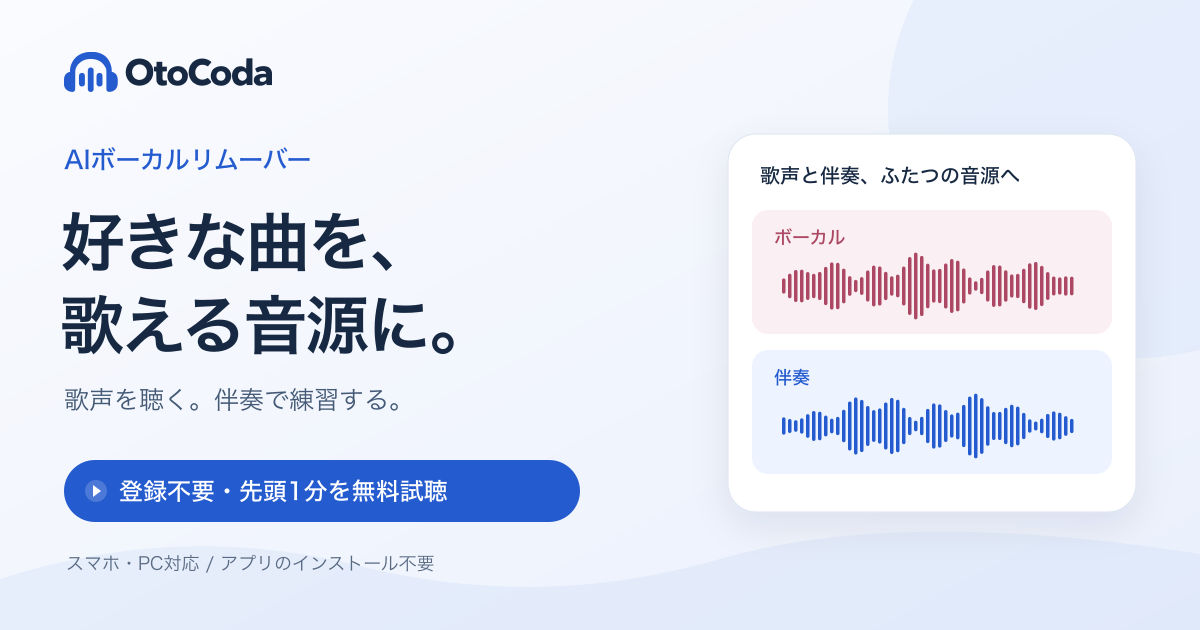
OtoCoda is a browser-based AI vocal remover developed for the Japanese market, designed to split any uploaded audio track into two stems: a vocals-only version and an instrumental accompaniment. Processing happens entirely in the browser with no software installation required, and users can run up to three separations per day without creating an account, though free-tier output is limited to a first-minute preview.
The tool targets karaoke enthusiasts and musicians who want a quick practice backing track. It accepts audio uploads directly in the browser and returns separated stems that can be downloaded after processing. A paid plan is available for users who need full-length output and higher daily usage, though exact plan details should be confirmed on the OtoCoda pricing page.
How we scored OtoCoda
Ease of use scores well because the no-registration free tier and fully browser-based workflow genuinely reduce friction compared to most tools in this category. Capability lands in the low teens because OtoCoda offers only two-stem separation with no multi-stem splitting, a feature gap versus established competitors like LALAL.AI and Moises that has existed for years. Value is weak: the free tier caps output at the first minute of a track, and paid tier prices could not be confirmed at all, making it impossible for a buyer to assess whether the upgrade is worth it. Delivery scores in the low teens because no third-party user sentiment, reviews, or corroborating feature evidence for OtoCoda specifically was returned by search, leaving the tool's actual output quality unverified beyond the vendor's own description.
Pros and cons
What we liked
- No account required to try: the free tier allows three processing runs per day with zero sign-up friction, which is genuinely rare among vocal remover tools.
- Fully browser-based with no install: works on any device with a modern browser, making it accessible for one-off karaoke or practice use without setup overhead.
- Focused two-stem output (vocals and instrumental) is delivered cleanly, which suits the karaoke and singing-practice use case the tool explicitly targets.
Where it falls short
- Free-tier output is capped at the first minute of a track, so you cannot hear the full separation quality before deciding to pay, which is a meaningful barrier for songs with long intros or key sections that appear later.
- No multi-stem separation: OtoCoda splits only vocals versus accompaniment and does not isolate drums, bass, or individual instruments, a capability that competing tools like LALAL.AI and Moises have offered for years.
- Pricing tiers, exact prices, and what each paid plan includes are not surfaced clearly in third-party sources, making it difficult for a prospective buyer to compare value before visiting the site.
Key features
Who should use OtoCoda?
OtoCoda suits a casual user who occasionally wants to strip the vocals from a song for karaoke night or to practice singing along to an instrumental. The no-registration free tier is genuinely useful for someone who needs one or two tracks processed quickly without committing to a subscription. A language teacher in Japan who wants to create listening exercises from commercial recordings would also find the tool accessible.
Anyone doing this regularly, or needing full-length previews before committing to a download, will hit the three-runs-per-day and one-minute preview limits fast. Producers who need drums, bass, or other individual instrument stems should look elsewhere entirely. Within our directory, Waveroom Mastering is the better fit for users who want browser-based audio processing with more transparent paid tiers and a mastering-focused workflow rather than a pure stem-split.
Skip it if: Producers or musicians needing multi-stem splits or full-length processing without daily caps
OtoCoda alternatives
Frequently asked questions
Do I need to create an account to use OtoCoda?+
No. The free tier allows up to three processing runs per day without registration. An account is needed to access paid features and full-length downloads.
How much of the separated track can I hear for free?+
The free tier previews only the first minute of the processed output. Hearing the full separation requires a paid plan.
Does OtoCoda separate individual instruments like drums or bass?+
No. OtoCoda performs two-stem separation only: vocals versus accompaniment. It does not split out drums, bass, guitar, or other individual instrument layers.
What does OtoCoda cost for a paid plan?+
Exact paid tier names and prices could not be confirmed from available sources at the time of this review. Check the OtoCoda pricing page directly for current figures.
What audio formats does OtoCoda accept?+
The submitted description does not specify accepted formats. This should be confirmed on the OtoCoda site before publishing.
Is OtoCoda available in languages other than Japanese?+
OtoCoda is described as a Japanese-market tool. Whether the interface is available in English or other languages is not confirmed in available sources and should be verified directly.
More AI Voice, Audio & Music tools
See all categoriesGet your tool listed on 300+ directories.
One listing here is a strong start. But the founders who get discovered everywhere are listed everywhere. Our sister site, Free AI Directories, submits your tool to 300+ AI directories for you, every single one by hand, by a real person.
It is a one-time payment of $49, no subscription, and you can follow along as the submissions land. Prefer the slow route? The same site keeps a free list of 450+ directories you can work through yourself.
Get my tool listed on 300+ directoriesOne-time payment, no subscription · 100% human submissions · Free list of 450+ directories included.