Paperly
A browser-based PDF layout translator and local document-to-Markdown converter, free during beta, no account required.
Are you the maker? Claim this listing to keep info, pricing and screenshots current. Verified via your tool's domain email.
Paperly is the right pick for anyone who needs to read a foreign-language PDF in English without the layout falling apart, and who cannot or will not pay for a subscription service right now. Its local Markdown converter is a genuine bonus for knowledge-base workflows, but the translation path does upload your file to Paperly's servers, which matters for sensitive documents. If you need general AI writing help rather than document translation, look elsewhere entirely.
What is Paperly?
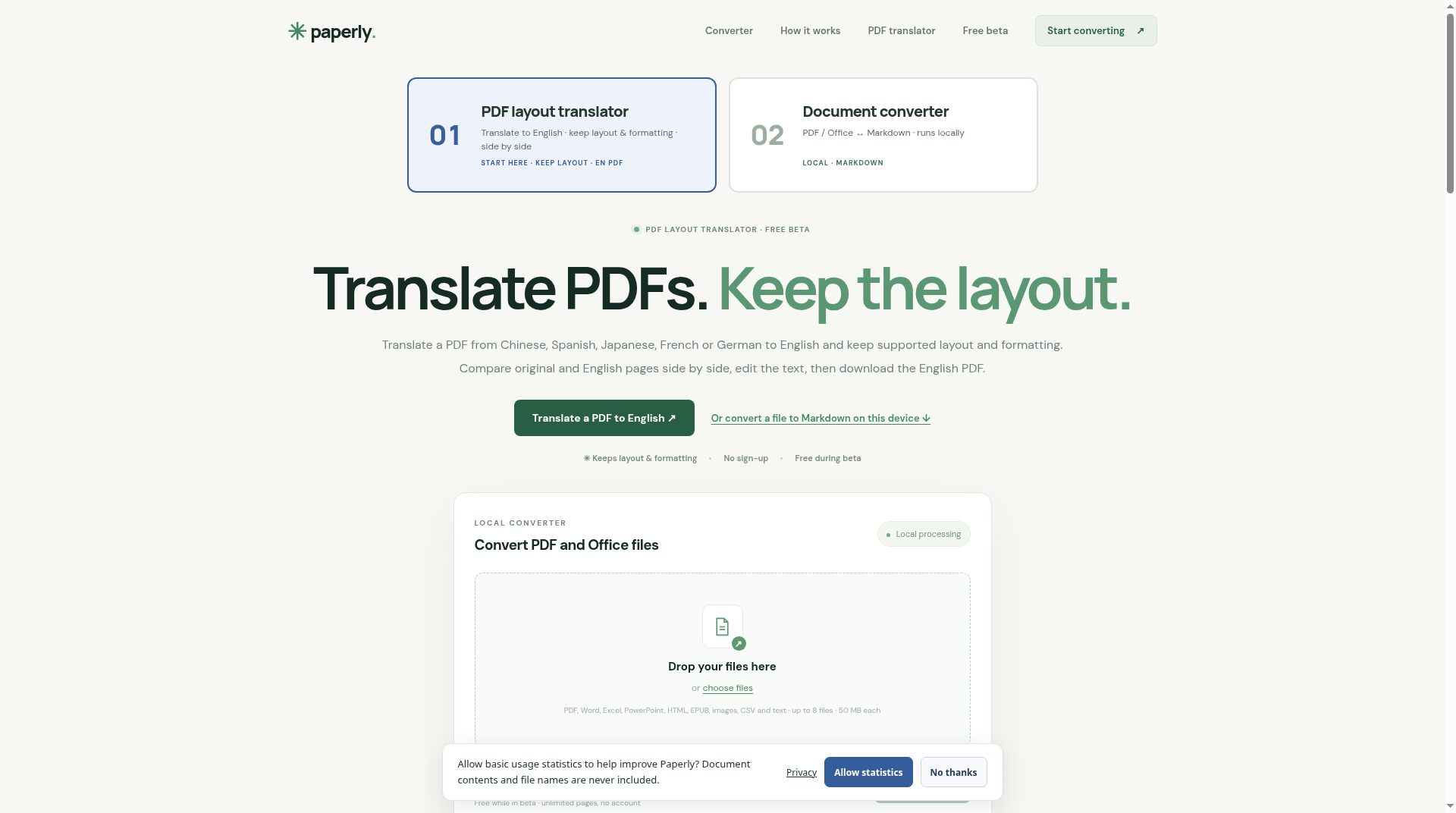
Paperly is a web-based PDF translation and document conversion tool hosted at pdf.tradocket.com. Its primary feature translates PDFs from Chinese, Spanish, Japanese, French, or German into English while preserving the original document's layout and formatting, with a side-by-side comparison view and segment-level editing before download. A secondary local converter transforms PDF, Word, Excel, PowerPoint, HTML, EPUB, image, CSV, and text files into Markdown directly inside the browser, with no file upload, supporting up to 8 files at 50 MB each and including OCR for English and Chinese scanned pages.
The tool targets researchers, analysts, and knowledge workers who regularly handle foreign-language documents and want output ready for tools like Obsidian or Notion. It is free during its beta period and requires no account to use either workflow. Export options from the Markdown converter include HTML, Word, Excel, PowerPoint, EPUB, and print-to-PDF.
How we scored Paperly
Capability lands at 16 because the tool does one focused job well (layout-preserving PDF translation from five languages) but has documented gaps that matter: no LaTeX, no chart extraction, no handwriting, broken complex tables, and output only to English. Ease of use scores 20 because no account, no install, and a clean two-path interface make the onboarding essentially frictionless. Value scores 22 because $0 with no account during beta is hard to argue with, though the unknown post-beta pricing prevents a higher score. Delivery drops to 5 because there is zero third-party sentiment data, the product is in beta with no disclosed roadmap or post-beta commitment, and the translation path uploads user files to a server with no stated retention or deletion policy, which is a real trust gap for a tool handling potentially sensitive documents.
Pros and cons
What we liked
- Layout-preserving PDF translation from five languages to English is the core differentiator: headings, table regions, and formatting survive where plain copy-paste would not.
- The local Markdown converter processes up to 8 files at 50 MB each entirely in the browser with no upload, making it genuinely private for that workflow.
- No account, no sign-up, and no cost during beta removes every friction point for a first-time user.
Where it falls short
- The PDF layout translator uploads files to Paperly's servers for processing, which is a hard blocker for anyone handling confidential or regulated documents, and the tool has no on-premise or API option to work around this.
- Beta status means post-beta pricing is completely unknown: features available today at no cost could move behind a paywall with little notice, making it risky to build a workflow around.
- LaTeX, handwriting, charts, and ordinary PDF illustrations are explicitly not supported, and complex tables with merged cells require manual correction after conversion, limiting usefulness for technical or scientific documents.
Key features
Paperly pricing
Fully free during beta. The site lists a single offer: $0 USD. No paid tiers are currently published. Pricing after beta ends is not disclosed.
| Plan | Price | Who it is for |
|---|---|---|
| Free Beta | $0 | Full access to both the PDF layout translator and the local Markdown converter. No account required. Up to 8 files at 50 MB each for the local converter. No paid tiers currently listed; post-beta pricing is not disclosed. |
Pricing reflects what we saw at time of review (2026-11). Always confirm current pricing on the tool's own site.
Who should use Paperly?
Paperly fits researchers, procurement analysts, legal reviewers, and import/export professionals who regularly receive PDFs in Chinese, Spanish, Japanese, French, or German and need to read them in English without reformatting everything by hand. The layout-preservation focus is specifically useful when the document contains tables, numbered clauses, or invoice line items where column alignment carries meaning. The local Markdown converter adds value for anyone building an Obsidian vault or feeding documents into an AI pipeline, since it produces clean structured text without a round-trip to a cloud server.
If you need to translate documents that contain sensitive personal, financial, or legal data, the translation path's server upload is a real concern and you should look for an on-premise or fully local alternative. If your actual need is AI-assisted writing, grammar checking, or content generation rather than document translation, LinguaPilot AI is a better fit for desktop writing workflows, and Grammarly covers grammar, tone, and rewriting across apps.
Skip it if: Anyone needing confidential document translation or AI writing assistance beyond PDF conversion
Frequently asked questions
Does Paperly upload my files to a server?+
It depends on which workflow you use. The local Markdown converter runs entirely in your browser and never uploads files. The PDF layout translator does upload your PDF to Paperly's servers for temporary processing. The site states this distinction explicitly.
What languages can Paperly translate PDFs from?+
Paperly translates PDFs from Chinese, Spanish, Japanese, French, and German into English. Translation to languages other than English is not currently offered.
How much does Paperly cost?+
It is free during the beta period with no account required. No paid tiers are listed on the pricing page, and post-beta pricing has not been announced.
What file types does the local converter accept?+
The converter accepts PDF, Word, Excel, PowerPoint, HTML, EPUB, images, CSV, and plain text files. It handles up to 8 files per session at 50 MB each.
Does Paperly support scanned PDFs?+
Yes. The local converter includes OCR for English and Chinese scanned pages, with recognition models loading on first use inside the browser. The PDF layout translator also reads scanned pages, though complex layouts may need manual correction.
Can Paperly handle tables and equations in PDFs?+
Simple tables are supported, but complex layouts and merged cells may lose rows or columns and need manual correction. Inline math is rebuilt as $math$ notation and display equations are kept as images in the ZIP. LaTeX recognition and handwriting are not supported.
More AI Writing & Content tools
See all categoriesGet your tool listed on 300+ directories.
One listing here is a strong start. But the founders who get discovered everywhere are listed everywhere. Our sister site, Free AI Directories, submits your tool to 300+ AI directories for you, every single one by hand, by a real person.
It is a one-time payment of $49, no subscription, and you can follow along as the submissions land. Prefer the slow route? The same site keeps a free list of 450+ directories you can work through yourself.
Get my tool listed on 300+ directoriesOne-time payment, no subscription · 100% human submissions · Free list of 450+ directories included.