
ProRemover
Browser-based AI photo cleanup tool for removing objects, text, watermarks, and people from images without desktop software.
Are you the maker? Claim this listing to keep info, pricing and screenshots current. Verified via your tool's domain email.
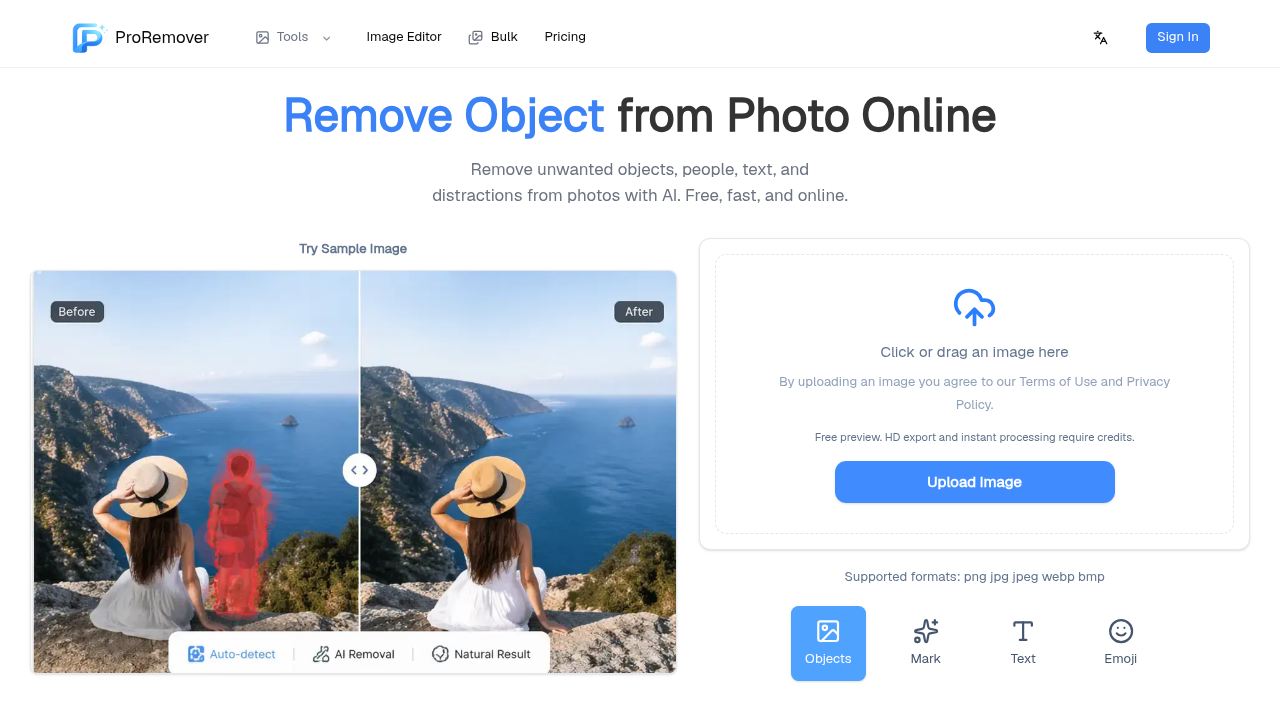
ProRemover suits solo creators and ecommerce sellers who need fast, browser-based object removal without opening Photoshop. Its credit model means even light users pay to download full-quality results, and Canva's Magic Eraser covers similar ground for users already paying for Canva Pro. Anyone needing a full design workflow or API access should look elsewhere entirely.
What is ProRemover?
ProRemover is a web-based AI photo editing tool focused on removing unwanted elements from images. It handles objects, people, text, logos, watermarks, shadows, and background clutter through a browser interface, with no software installation required. The tool supports PNG, JPG, and WebP exports and includes an AI prompt-based editor alongside manual brush selection for precise cleanup.
The service targets content creators, ecommerce sellers, social media managers, and marketers who need quick photo fixes without a full design application. It offers a free preview mode, with credits required for full-resolution downloads. Paid options include a monthly Starter subscription, one-time non-expiring credit packs, and a Bulk Pro plan with batch processing for higher-volume workflows.
How we scored ProRemover
Capability scores 16 because the tool list is genuinely broad for a browser-based eraser (shadow removal, video object removal, prompt-based AI Editor), but there is no API, no documented model quality benchmarks, and the site openly admits it is still building out documentation and tutorials. Ease of use scores 18 because the browser-only, no-install workflow is genuinely low-friction and the auto-detect feature reduces manual selection work, though thin documentation limits self-service troubleshooting. Value scores 13 because the free preview does not include downloads, the 200-credit one-time pack at $9.90 works out to about $0.05 per credit, and Canva Pro bundles comparable object removal alongside a full design suite for a price that is competitive with ProRemover's Starter tier. Delivery scores 11 because the pricing page has shown different tier structures across cached versions of the site, the about page self-reports that transparency around pricing and limits is still being improved, and social proof is thin with very low confirmed traffic, all of which make it hard to verify that the product consistently delivers what the current pricing page promises.
Pros and cons
What we liked
- One-time credit packs never expire, so occasional users pay only when they edit without being locked into a monthly subscription.
- Tool coverage is wider than most single-purpose erasers: shadow removal, video watermark removal, and a prompt-based AI Editor are included alongside the core object remover.
- Bulk Pro at $39.90/month enables batch image processing and the Nano Banana Pro model, giving agencies and ecommerce teams a path to high-volume cleanup without per-image pricing.
Where it falls short
- No permanently free tier: the free mode covers preview only, and credits are required to download any full-quality result, which contradicts the submitted 'freemium' framing and will frustrate users who arrive expecting free downloads.
- Pricing page content has been inconsistent across cached versions of the site, with different tier names, credit amounts, and prices appearing in third-party listings versus the live page, making it hard for buyers to trust the figures they see before checkout.
- No documented API access at any tier, which rules out ProRemover for any automated or programmatic image-processing workflow, a gap that competing tools at similar price points do not always share.
Key features
ProRemover pricing
Starter plan is $8.90 for the first month, then $9.90/month for 300 credits. One-time credit packs run $9.90 for 200 credits, $22.99 for 500, or $45.99 for a Bulk Pass with 2,000 credits. Bulk Pro subscription is $39.90/month for 2,000 credits with bulk processing enabled. No permanently free tier; free usage covers preview only, with credits required for full downloads.
| Plan | Price | Who it is for |
|---|---|---|
| Starter Plan | $8.90 | First month at $8.90, then renews at $9.90/month. Includes 300 credits per month, access to Erase, Restore, Upscale, Adjust, and AI Editor, PNG/JPG/WebP exports, and standard processing speed. |
| One Time Payment (200 credits) | $9.90 | 200 non-expiring credits usable across all ProRemover image tools. No subscription. One-time purchase. |
| One Time Payment (500 credits) | $22.99 | 500 non-expiring credits usable across all ProRemover image tools. No subscription. One-time purchase. |
| Bulk Pass (2,000 credits) | $45.99 | 2,000 non-expiring credits plus 30 days of Bulk access. One-time purchase, no subscription required. |
| Bulk Pro | $39.90/mo | 2,000 credits refreshed monthly, bulk image processing enabled, Nano Banana Pro model, priority processing and support, premium quality controls. Built for agencies and ecommerce stores. |
Pricing reflects what we saw at time of review (2026-10). Always confirm current pricing on the tool's own site.
Who should use ProRemover?
A solo YouTuber cleaning stray logos off thumbnail backgrounds, or an ecommerce seller removing props and dust from product shots before listing, will find ProRemover's browser-only workflow genuinely fast. The one-time credit packs are a good fit for someone who edits photos in bursts rather than daily, since the 200-credit pack at $9.90 never expires and carries no subscription commitment. Real estate agents removing distracting background items from listing photos are another natural fit, given the tool's inpainting fills removed areas rather than leaving holes.
Anyone who needs a full design environment alongside cleanup tools should use Canva instead, where Magic Eraser is bundled into a broader layout and publishing workflow. Teams that process hundreds of images programmatically and need an API will find ProRemover has no documented API access at any tier, making it a poor fit for automated pipelines.
Skip it if: Teams needing API access, design workflows, or a genuinely free tier
ProRemover alternatives
Frequently asked questions
Is there a free plan, or do I need to pay to download results?+
ProRemover offers a free preview mode, but full-quality downloads require credits. There is no permanently free tier that includes downloads. The cheapest entry point is the 200-credit one-time pack at $9.90.
Do unused credits expire?+
One-time credit packs never expire and can be used across all ProRemover image tools at any time. Monthly subscription credits (300 on Starter, 2,000 on Bulk Pro) refresh each billing cycle and do not carry over.
What is the Bulk Pass and how does it differ from Bulk Pro?+
The Bulk Pass is a one-time $45.99 purchase that includes 2,000 non-expiring credits and 30 days of Bulk access. Bulk Pro is a $39.90/month subscription that keeps Bulk access active continuously and refreshes 2,000 credits every month.
Does ProRemover have an API for automated workflows?+
No API access is documented on the site at any pricing tier. ProRemover is a browser-based tool and is not suited for programmatic or automated image-processing pipelines.
What file formats does ProRemover support for export?+
ProRemover exports PNG, JPG, and WebP files. BMP is mentioned in some third-party listings but is not confirmed on the current pricing page.
Can ProRemover handle video as well as photos?+
Yes. The tool list includes an AI Video Object Remover and a Video Watermark Remover alongside the photo-focused tools, though these are listed as separate tools rather than integrated into the main photo editor.
More AI Design & Art tools
See all categoriesGet your tool listed on 300+ directories.
One listing here is a strong start. But the founders who get discovered everywhere are listed everywhere. Our sister site, Free AI Directories, submits your tool to 300+ AI directories for you, every single one by hand, by a real person.
It is a one-time payment of $49, no subscription, and you can follow along as the submissions land. Prefer the slow route? The same site keeps a free list of 450+ directories you can work through yourself.
Get my tool listed on 300+ directoriesOne-time payment, no subscription · 100% human submissions · Free list of 450+ directories included.