
Quady3D
Browser-based AI 3D workspace that generates models from images, text, sketches, and multi-view references across multiple AI model
Are you the maker? Claim this listing to keep info, pricing and screenshots current. Verified via your tool's domain email.
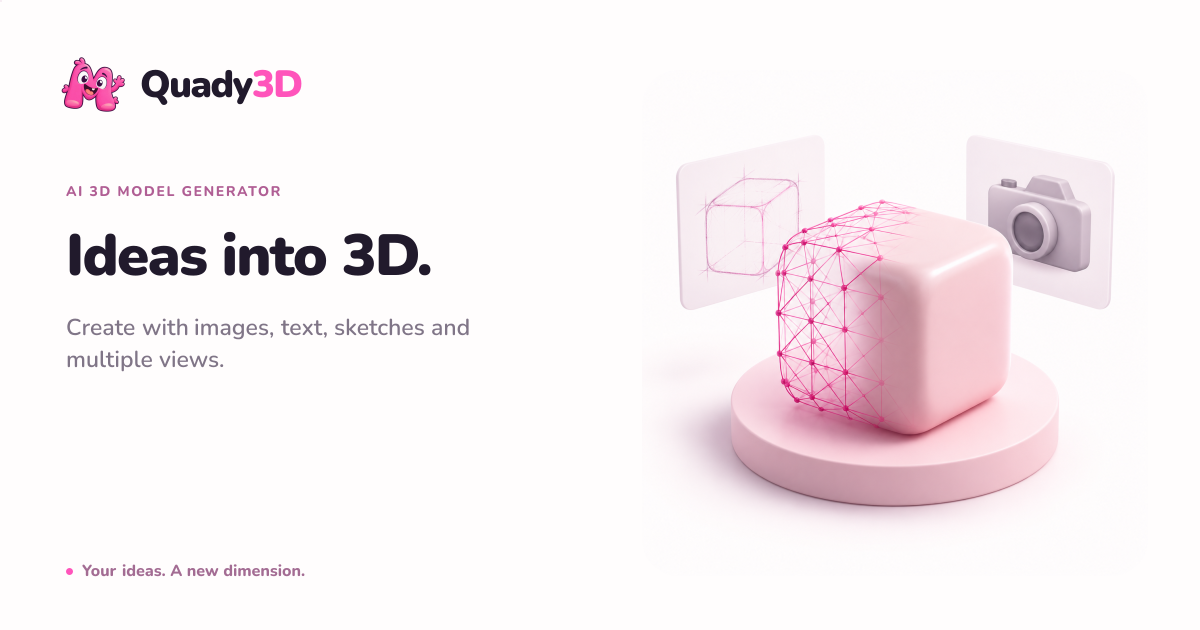
Quady3D is best for creators who want to audition several AI 3D model families side-by-side without juggling separate accounts. The tradeoff is that it sits firmly at the generation and inspection stage: post-generation editing, rigging, and retopology are thin compared to dedicated tools like Meshy or Tripo. Teams needing production-ready assets with deep mesh editing should look elsewhere.
What is Quady3D?
Quady3D is a browser-based AI 3D workspace for creators, game developers, designers, and product teams. It generates 3D models from images, text prompts, sketches, and multi-view references, then keeps inspection, refinement, repair, texture work, and export in one workflow. Users can compare results with their source material, inspect geometry and materials in the browser, and prepare supported formats for workflows such as Blender, Unity, Unreal Engine, and 3D printing.
How we scored Quady3D
Capability scores 18 because the multi-model catalog (10+ named AI families under one credit balance) is a genuine differentiator, but the absence of native retopology, mesh repair, or rigging means the platform cannot complete a production pipeline on its own. Ease of use scores 18 because the browser-first approach, pre-generation cost display, and Blender Bridge add-on lower friction meaningfully, though the thin free tier (30 one-time credits, no downloads without payment) limits real evaluation before committing. Value scores 14 because the Basic plan at $10/month delivers only 600 credits with annual lock-in, and the free tier's 30 non-replenishing credits are not enough to form a genuine opinion of the tool; the credit cost varies by model and is not published as a flat per-asset rate, making true cost comparison difficult. Delivery scores 13 because the tool launched in October 2026 with no public user sentiment, no independent reviews, and ambiguous commercial rights that depend on each underlying model's separate license terms, all of which represent real uncertainty for a buyer making a purchasing decision today.
Pros and cons
What we liked
- Access to over ten named AI 3D model families (Rodin, Meshy, Hunyuan 3D 3.0/3.1, Tripo, TRELLIS, Seed3D, Hi3D, and others) under a single credit balance, removing the need for multiple subscriptions.
- Credit cost is shown before each generation job, so users can make informed decisions about which model to run without surprise charges.
- Blender Bridge add-on provides a direct GLB handoff to Blender 4.2+, giving the workflow a concrete path to production without manual file transfers.
Where it falls short
- Post-generation editing is minimal: the platform has no native retopology, mesh repair, or rigging tools, so every generated asset that needs cleanup must leave the browser and go into external software.
- Commercial rights are ambiguous by design: Quady3D explicitly states that commercial use depends on the terms of the specific AI model selected, meaning buyers must audit each model's license separately rather than relying on a single platform-level commercial grant.
- The free tier gives only 30 one-time credits with no monthly replenishment, and file downloads are locked behind a paid plan or credit purchase, so meaningful evaluation of the tool requires spending money.
Key features
Quady3D pricing
Free tier gives 30 one-time credits after email verification; downloads require a credit pack or subscription. Paid plans are annual-only at $10/month (Basic, 600 credits), $24.92/month (Creator, 2,000 credits), and $99.92/month (Studio, 8,500 credits). Monthly billing is available at higher rates ($11.99, $29.99, $119/month respectively).
| Plan | Price | Who it is for |
|---|---|---|
| Free | Free | 30 one-time credits after email verification. Model previews available; file downloads require a credit pack or paid subscription. |
| Basic | $10.00/month | Billed annually at $119.99 (or $11.99/month billed monthly). 600 credits per month, approximately 60 3D assets per month, 2GB storage, 1 active generation task, full downloads, and professional tools including Rig & Animate, AI Split, and AI Multicolor. 100 personal folders. |
| Creator | $24.92/month | Billed annually at $299 (or $29.99/month billed monthly). 2,000 credits per month, approximately 200 3D assets per month, 10GB storage, up to 2 active generation tasks, full downloads, and professional tools. 100 personal folders. |
| Studio | $99.92/month | Billed annually at $1,199 (or $119/month billed monthly). 8,500 credits per month, approximately 850 3D assets per month, 50GB storage, up to 4 active generation tasks, full downloads, and professional tools. 100 personal folders. |
Pricing reflects what we saw at time of review (2026-10). Always confirm current pricing on the tool's own site.
Who should use Quady3D?
Solo game developers and indie creators who regularly need to evaluate which AI 3D model produces the best result for a given input will get the most from Quady3D. The ability to run the same reference image through Rodin, Hunyuan 3D, and Meshy in one place, using one credit balance, saves real time compared to juggling three separate subscriptions. The Creator plan at $24.92/month gives 2,000 credits, enough for roughly 200 assets per month, which suits a developer prototyping characters or props across a small project.
Product designers who need printable STL output from a photo reference, or figurine makers converting 2D art to 3D drafts, also fit the workflow well. However, anyone who needs production-grade mesh editing, automated retopology, or built-in rigging should look at Plnty, which offers a broader creative toolset including 3D within a spatial canvas, or consider dedicated 3D platforms outside this directory. Quady3D's post-generation tooling is thin enough that heavy production users will hit its ceiling fast.
Skip it if: Production pipelines requiring deep mesh editing, retopology, or rigging
Frequently asked questions
Can I try Quady3D without paying?+
Yes. New users receive 30 one-time credits after email verification. You can preview generated models for free, but downloading the files requires either a credit pack purchase or a paid subscription.
Which AI models does Quady3D support?+
The platform currently includes Rodin Gen-2.5, Hunyuan 3D 3.0 and 3.1, Meshy v6 and v7, Tripo H3.1 and P2, TRELLIS 2, Seed3D 2.0, Hi3D v3, and Rapid, among others. Supported inputs and output formats vary by model.
What file formats can I export?+
Completed models can be downloaded as GLB and, where the selected model supports it, exported to OBJ, STL, USDZ, PLY, or single-color 3MF. Format availability depends on which AI model was used for generation.
How much does the Creator plan cost, and what does it include?+
The Creator plan costs $24.92 per month billed annually ($299/year) or $29.99 per month billed monthly. It includes 2,000 credits per month (roughly 200 3D assets), 10GB storage, and up to 2 simultaneous generation tasks.
Can I use generated models commercially?+
Commercial use depends on two factors: the rights to your source material and the specific terms of the AI model you selected for generation. Quady3D does not provide a single platform-level commercial license, so you need to check each model family's terms separately.
Does Quady3D work with Blender?+
Yes. An optional Quady3D Bridge add-on sends a completed GLB file directly into Blender 4.2 or later. The platform also provides workflow guidance for Unity and Roblox, though those do not have a dedicated add-on.
More AI Design & Art tools
See all categoriesGet your tool listed on 300+ directories.
One listing here is a strong start. But the founders who get discovered everywhere are listed everywhere. Our sister site, Free AI Directories, submits your tool to 300+ AI directories for you, every single one by hand, by a real person.
It is a one-time payment of $49, no subscription, and you can follow along as the submissions land. Prefer the slow route? The same site keeps a free list of 450+ directories you can work through yourself.
Get my tool listed on 300+ directoriesOne-time payment, no subscription · 100% human submissions · Free list of 450+ directories included.