
Reclip
AI video workspace for clipping long-form content, removing burned-in captions, and generating video, images, and voiceovers in one
Are you the maker? Claim this listing to keep info, pricing and screenshots current. Verified via your tool's domain email.
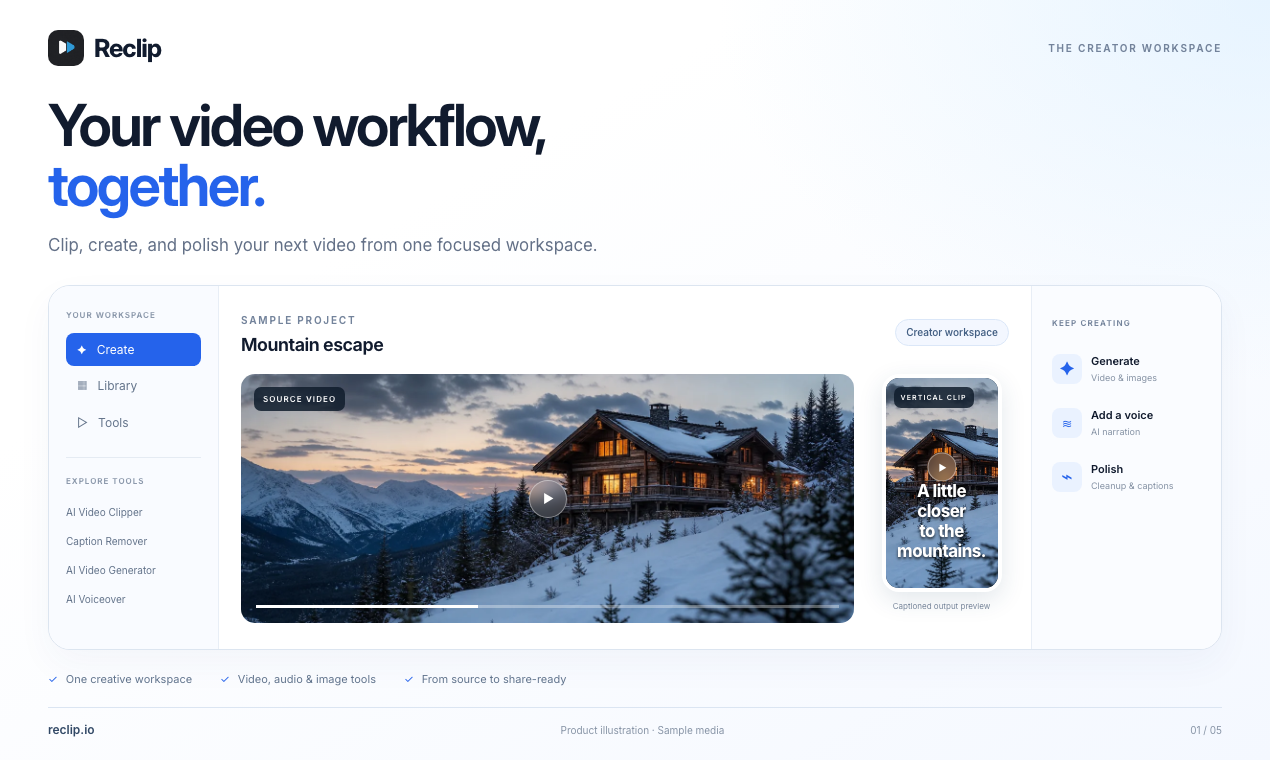
Reclip suits solo content creators who want AI clipping, caption removal, and voiceover without juggling separate subscriptions. Its credit system is flexible, but the platform is early-stage with a small verified subscriber base, and it lacks the timeline editing depth that Descript offers. Teams needing collaborative editing or advanced post-production should look elsewhere.
What is Reclip?
Reclip is a web-based AI video workspace that lets content creators clip, edit, translate, and generate video content from a single dashboard. Its core AI Clipper analyzes long-form video from direct URL input or file upload, identifies the strongest moments, and produces ready-to-share short clips. Supporting tools include burned-in caption and subtitle removal with AI inpainting, ElevenLabs-powered voiceover generation, a multi-platform video downloader, video compression, AI image and ad generation, and video translation.
Processing runs on a credit system shared across all tools, with monthly subscription plans and one-time credit packs available. A public REST API and hosted MCP server extend the platform to developers building automated video pipelines. Reclip targets individual creators and small teams who produce regular long-form content and want to repurpose it for short-form social platforms without managing multiple separate tools.
How we scored Reclip
Capability scores 19 because the toolset breadth is genuinely wide for the price point: AI clipping, caption removal with inpainting, ElevenLabs voiceover, translation, ad generation, and a developer API are all real features. It loses points against Descript and Runway because timeline editing depth and generative video quality are both weaker than those named competitors. Ease of use scores 18 based on a browser-only workflow with URL-paste input and a unified credit balance, though the credit-per-minute math adds friction for new users estimating costs. Value scores 18 because the annual Pro plan at $300/year ($25/month effective) is competitively priced for the feature count, and the never-expiring one-time credit packs are a genuine differentiator; the 30-day media retention cap on the entry plan is a real limitation that holds the score back. Delivery scores 13 because the platform launched in early 2026 and had roughly 89 paying subscribers as of mid-2026, meaning reliability and support have not been tested at scale; this is not a trust or legal controversy but a factual early-stage risk that a buyer deserves to know before committing.
Pros and cons
What we liked
- Single credit balance covers clipping, caption removal, voiceover, translation, and image generation, so you are not stacking separate monthly subscriptions for each task.
- One-time credit packs ($9.90 for 100 credits, up to $199 for 2,000) never expire, giving irregular creators a pay-as-you-go option with no auto-renewal.
- Developer access via a public REST API and hosted MCP server for Claude Code and Cursor is an uncommon feature at this price tier, useful for automated content pipelines.
Where it falls short
- Media retention is hard-capped at 30 days on the Starter plan, meaning processed files are deleted after a month unless you upgrade to Pro (90 days) or Creator (180 days). No plan offers indefinite storage.
- The platform reported roughly 89 paying subscribers as of mid-2026, which signals very early-stage adoption. Reliability, support response times, and feature stability have not been tested at meaningful scale.
- Simultaneous processing is limited to one job on Starter and two on Pro, so batch-processing a week's worth of videos means queuing them one at a time on the entry plan.
Key features
Reclip pricing
Three monthly subscription tiers: Starter at $19/month (or $15/month billed annually at $180/year), Pro at $49/month (or $25/month billed annually at $300/year), and Creator at $149/month (or $75/month billed annually at $900/year). One-time credit packs are also available from $9.90 for 100 credits up to $199 for 2,000 credits; credits never expire. Account creation is free but no free processing credits are included on the free account.
| Plan | Price | Who it is for |
|---|---|---|
| Free Account | Free | Account creation with no monthly processing credits. Access to the platform interface but no paid tool usage without credits. |
| Starter | $19/mo | 300 credits/month (approx. 2.6 hours of long-video AI clipping), 1 member seat, 1 simultaneous processing job, 30-day media retention, all core paid tools. Annual billing available at $180/year ($15/mo effective rate). |
| Pro | $49/mo | 800 credits/month (approx. 7 hours of long-video AI clipping), 2 member seats, 2 simultaneous processing jobs, 90-day media retention, all core paid tools. Annual billing available at $300/year ($25/mo effective rate). |
| Creator | $149/mo | 2,500 credits/month (approx. 21.9 hours of long-video AI clipping), 5 member seats, 4 simultaneous processing jobs, 180-day media retention, all core paid tools. Annual billing available at $900/year ($75/mo effective rate). |
| Credit Packs | $9.90 one-time | 100 to 2,000 credits available in one-time purchases ($9.90 to $199). Credits never expire, no auto-renewal, and work with or without an active subscription. |
Pricing reflects what we saw at time of review (2026-11). Always confirm current pricing on the tool's own site.
Who should use Reclip?
A solo YouTuber or podcaster who publishes weekly long-form content and wants to pull short clips for TikTok or Reels without paying for three separate tools will get real value here. The credit system means occasional users can buy a one-time pack for $9.90 rather than committing to a subscription, which is a practical option for anyone with irregular publishing schedules. Developers building automated video pipelines will also find the MCP server and REST API worth exploring at a price point well below enterprise alternatives.
Anyone who needs frame-level timeline editing, multi-track audio mixing, or transcript-based editing should go to Descript instead. Descript lets you cut video by editing the transcript directly, which is a fundamentally different and more precise workflow than Reclip's clip-scoring approach. Teams larger than five people will also hit Reclip's seat limits quickly, and the platform's early-stage scale means support and reliability are still unproven.
Skip it if: Teams needing collaborative editing or advanced post-production
Reclip alternatives
Tags
Frequently asked questions
Is there a free plan with processing credits?+
Account creation is free, but no monthly processing credits are included. You need either a paid subscription (starting at $19/month) or a one-time credit pack (starting at $9.90 for 100 credits) to use any paid tools.
How long does Reclip store my processed videos?+
Media retention depends on your plan: 30 days on Starter, 90 days on Pro, and 180 days on Creator. No plan offers indefinite storage, so you need to download your files before the retention window closes.
How many credits does it take to clip a one-hour video?+
Using the AI Clipper's default Auto clip-length setting on a newly imported 60-minute, 1 GB YouTube video costs 114 credits. The Starter plan's 300 monthly credits therefore covers roughly 2.6 hours of source video per month.
Can I use Reclip without a subscription if I only clip occasionally?+
Yes. One-time credit packs range from $9.90 for 100 credits to $199 for 2,000 credits, with no auto-renewal. Purchased credits never expire and work alongside or independently of a subscription.
Does Reclip have an API for developers?+
Yes. Reclip offers a public REST API covering video downloading, transcription, clipping, and editing, plus a hosted MCP server for use with Claude Code, Cursor, and other MCP-compatible AI agents.
How many team members can use one Reclip account?+
Starter includes 1 seat (owner only), Pro includes 2 seats, and Creator includes 5 seats. There is no published enterprise or unlimited-seat tier on the current pricing page.
More AI Video Tools
See all categoriesGet your tool listed on 300+ directories.
One listing here is a strong start. But the founders who get discovered everywhere are listed everywhere. Our sister site, Free AI Directories, submits your tool to 300+ AI directories for you, every single one by hand, by a real person.
It is a one-time payment of $49, no subscription, and you can follow along as the submissions land. Prefer the slow route? The same site keeps a free list of 450+ directories you can work through yourself.
Get my tool listed on 300+ directoriesOne-time payment, no subscription · 100% human submissions · Free list of 450+ directories included.