
Retypit
A browser-based AI tool that edits text inside flat images while preserving the original font, color, and style.
Are you the maker? Claim this listing to keep info, pricing and screenshots current. Verified via your tool's domain email.
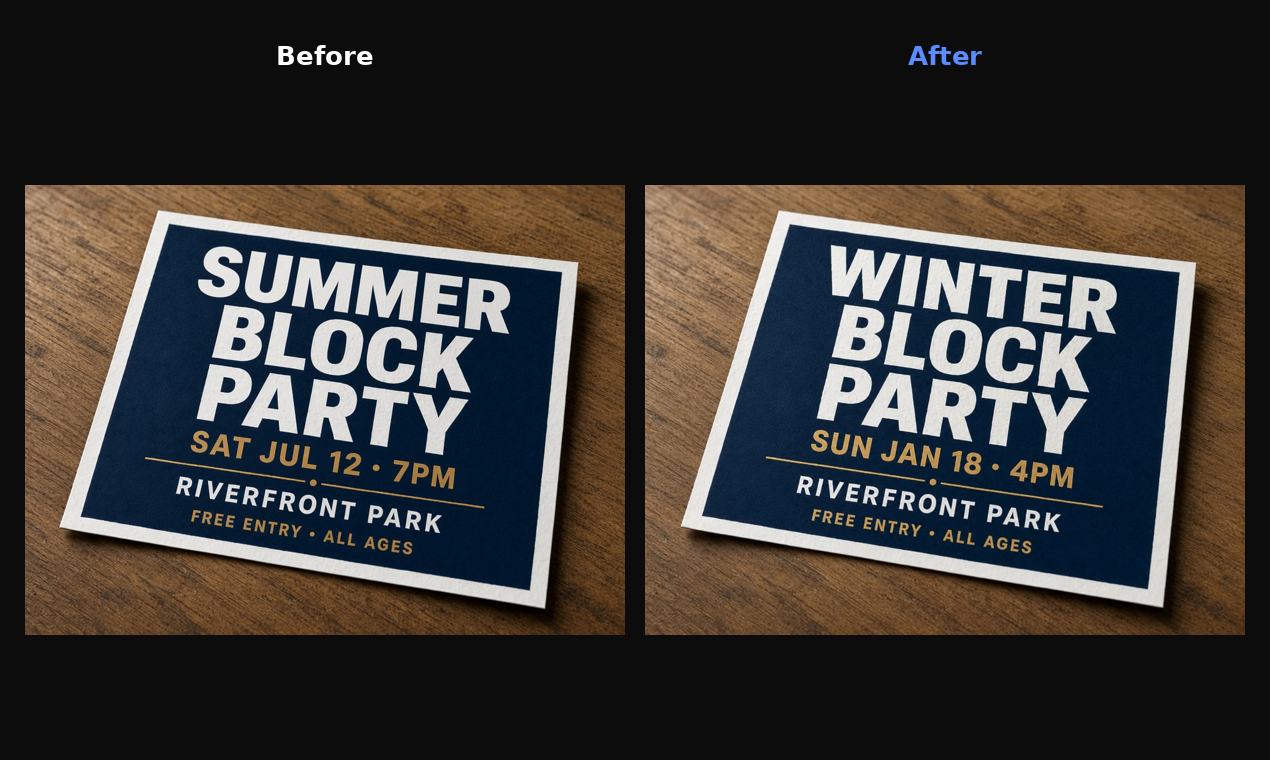
Retypit fills a genuinely narrow gap: changing specific words in a finished image without touching anything else in the frame, no design software required. Its pay-as-you-go credit model is opaque because the pricing page does not publish per-credit or per-edit costs, which makes budgeting a guess. If you need broader design work beyond text swaps, Canva does far more for a known monthly price.
What is Retypit?
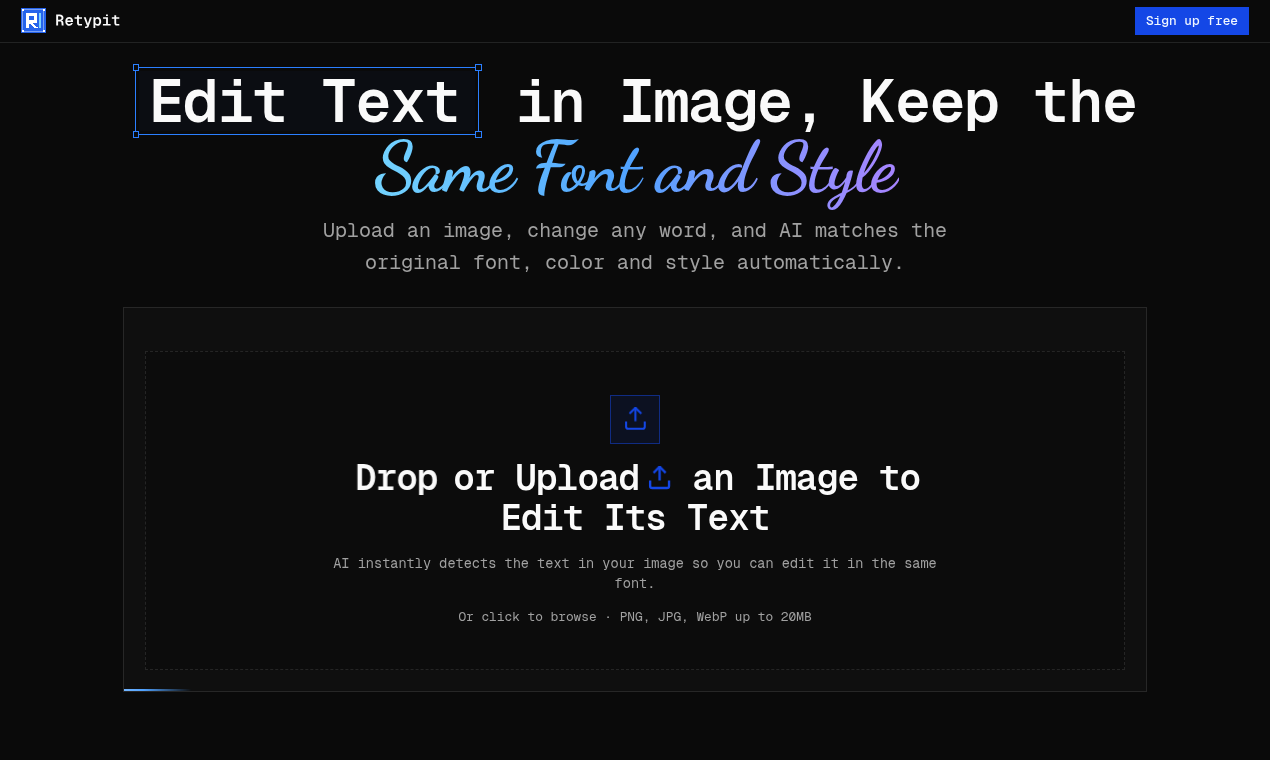
Retypit is an AI tool to edit text in image files without Photoshop or a source file. Upload a PNG, JPG or WebP (up to 20MB) and the AI detects every line of text and gives each one a number. Click a line, type the new words, hit "Edit text", then download the result. Retypit matches the same font, color and style as the original, so the new text looks like it was always there. It changes only the text you select, so faces, background and layout stay as they were. Use it to fix typos in AI-generated images, update prices on a menu, change dates on a flyer, swap the text on a meme, or correct a word in a screenshot. Everything runs in the browser, with nothing to install. Pricing is pay-as-you-go, and credits never expire.
How we scored Retypit
Capability scores 16 because the core text-matching function is genuinely useful and handles decorative fonts, but the tool does exactly one thing and has no API, no batch mode, and no editing features beyond word replacement, which every named competitor exceeds in breadth. Ease of use scores 20 because the three-step browser workflow with automatic text detection requires no installation or design knowledge, which is a real strength. Value scores 10 because the pricing page publishes zero figures: no per-credit cost, no bundle price, no usage example, making it impossible for a buyer to evaluate cost before signing up, which is a serious transparency failure regardless of how the actual prices turn out. Delivery scores 12 because there is no independent user sentiment, no press coverage, and no third-party verification of the font-matching quality claims; the tool is too new or too obscure to have an established track record, and the opaque pricing compounds the trust gap.
Pros and cons
What we liked
- Edits only the selected text and leaves the rest of the image pixel-perfect, avoiding the smeared-background problem common to full-image AI regeneration tools.
- Works directly on flat JPG, PNG, and WebP files up to 20MB with no PSD, no installed software, and no font identification step required.
- Credits never expire, so occasional users are not penalized for irregular usage the way monthly-subscription tools penalize light months.
Where it falls short
- The pricing page publishes no per-credit cost, no bundle prices, and no usage examples showing what a typical editing session costs, making it impossible to budget before committing.
- The tool is strictly a text-swap utility: it cannot recolor backgrounds, move elements, resize the canvas, or do anything outside the specific words you select, which limits its usefulness for any edit beyond a word change.
- No API, no batch processing, and no integrations are mentioned anywhere on the site, so teams handling high volumes of image updates must process files one at a time in the browser.
Key features
Who should use Retypit?
The clearest fit is a solo operator or small-team marketer who regularly updates recurring assets: a venue that reprints event flyers weekly, a restaurant that photographs its menu board, or a freelancer who fixes client copy errors in delivered artwork without going back to the original designer. The no-source-file requirement is the key selling point. If you have a finished JPEG and need to change three words, Retypit is faster than any alternative that requires opening a PSD.
Skip it if you need to do anything beyond text replacement: resizing, recoloring non-text elements, adding graphics, or working with vector files. For that scope of work, Canva covers far more ground at a published monthly price ($15/month for Pro), and its Magic Studio tools handle a wider range of image edits. If your primary need is generating social post visuals from scratch rather than editing existing ones, PostPop is a better fit.
Skip it if: Anyone needing full design editing, vector work, or a predictable monthly subscription cost
Tags
Frequently asked questions
Does Retypit require Photoshop or the original design file?+
No. It works on flat JPG, PNG, and WebP files up to 20MB. You do not need a PSD or any layered source file.
What image formats and sizes does Retypit support?+
It accepts JPG, PNG, and WebP files up to 20MB per upload.
How much does Retypit cost?+
The site describes a pay-as-you-go credit model with credits that never expire and advertises free sign-up. However, the pricing page does not publish specific per-credit or per-bundle prices, so exact costs could not be verified before sign-up.
Will editing text change the rest of my image?+
No. Retypit changes only the specific text lines you select. Backgrounds, faces, and all other image elements remain untouched.
Can it handle handwritten or decorative fonts?+
The site states that ornate script and decorative lettering are supported, though real-world accuracy on highly stylized type is not independently verified.
Is there a batch processing or API option?+
No API or batch mode is mentioned on the site. Each image is processed individually in the browser.
More AI Design & Art tools
See all categoriesGet your tool listed on 300+ directories.
One listing here is a strong start. But the founders who get discovered everywhere are listed everywhere. Our sister site, Free AI Directories, submits your tool to 300+ AI directories for you, every single one by hand, by a real person.
It is a one-time payment of $49, no subscription, and you can follow along as the submissions land. Prefer the slow route? The same site keeps a free list of 450+ directories you can work through yourself.
Get my tool listed on 300+ directoriesOne-time payment, no subscription · 100% human submissions · Free list of 450+ directories included.