
SonicCaption
Chrome and Edge extension that shows live bilingual subtitles on any browser tab, with no file uploads and no meeting bot.
Are you the maker? Claim this listing to keep info, pricing and screenshots current. Verified via your tool's domain email.
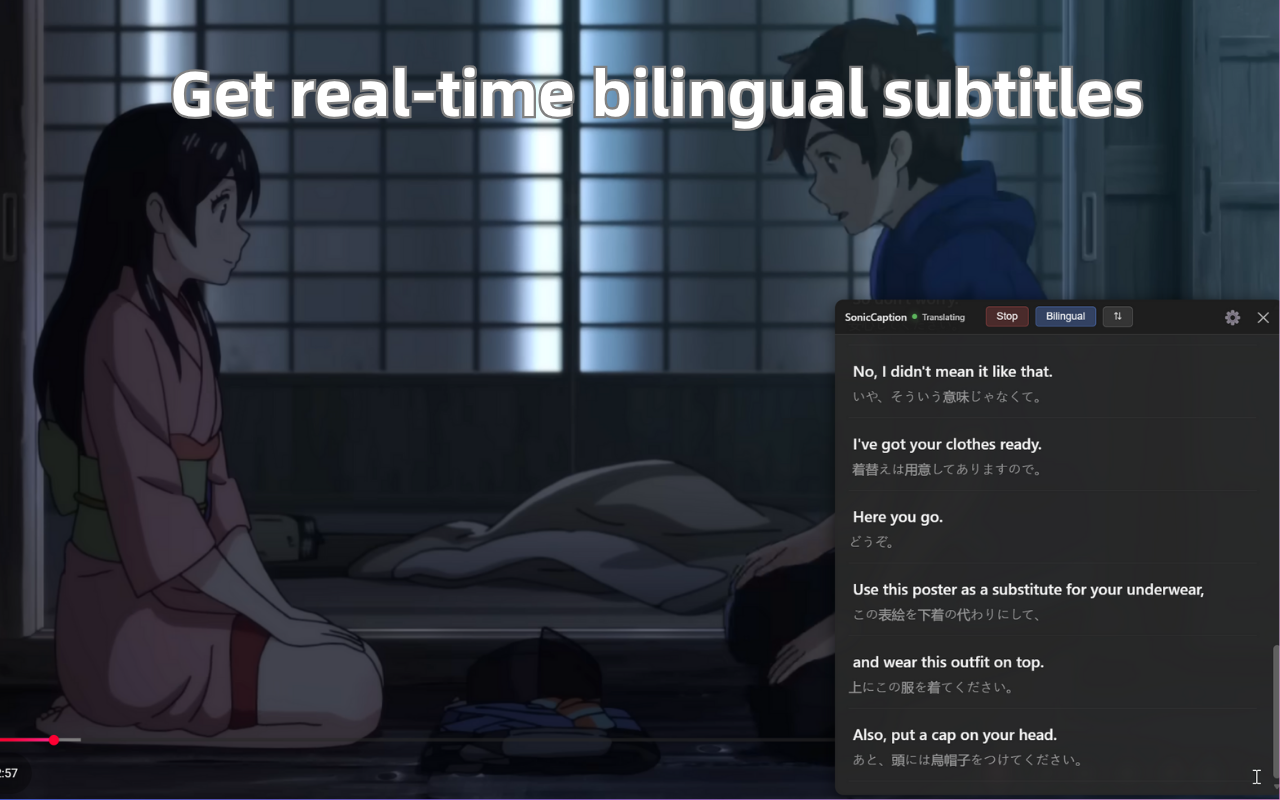
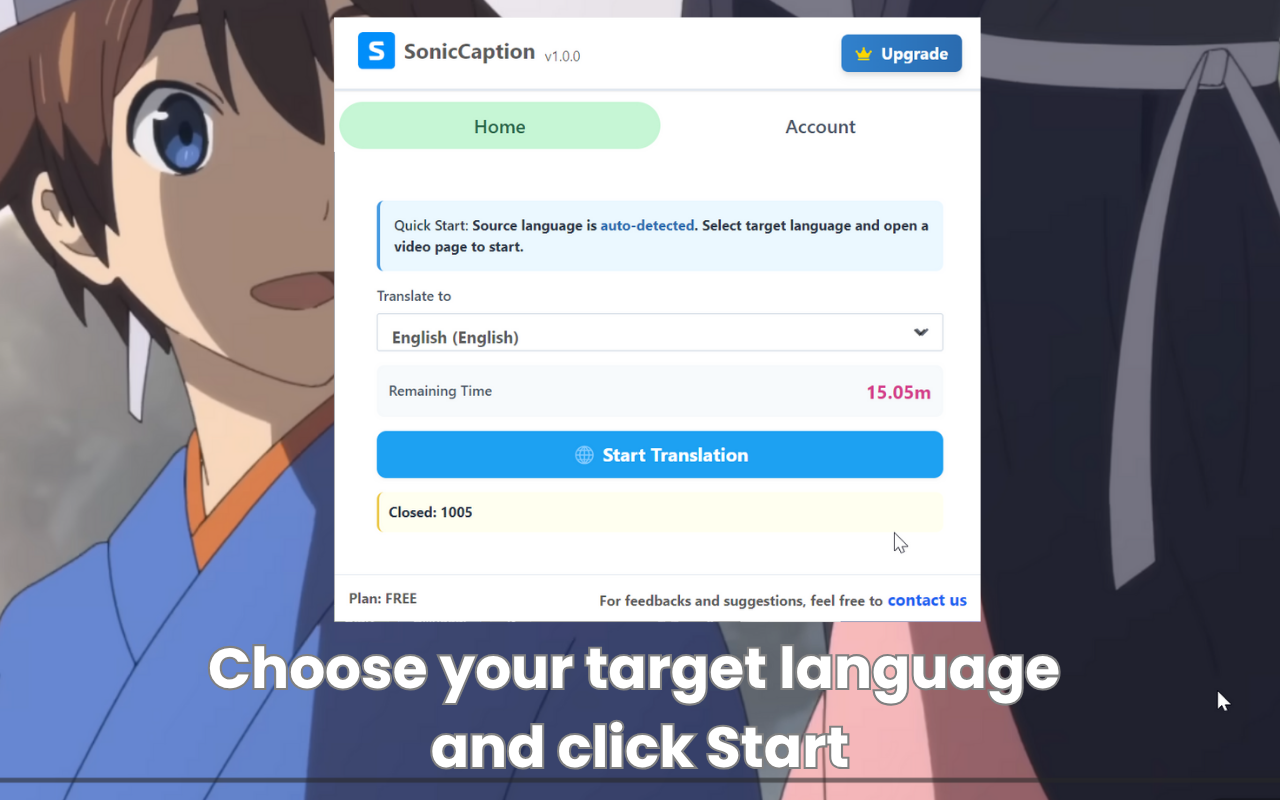
SonicCaption is the right pick for solo language learners and remote workers who need live bilingual subtitles inside their browser without installing a meeting bot or uploading files. The free tier caps at just 20 minutes per month, which is barely enough to evaluate it, and the tool only works in Chrome and Edge, so anyone on Safari or Firefox is out immediately. If your need is translation at scale across a team, or you want dubbing and transcription export rather than live overlay captions, Tremigos covers that ground more broadly.
What is SonicCaption?
SonicCaption is a browser extension for Chrome and Edge that generates real-time bilingual subtitles for any tab playing audio. It works across YouTube, Netflix, Twitch, Zoom, Google Meet, online courses, and any other site with audio, displaying both the original speech and a live translation simultaneously without requiring file uploads or exports.
The extension targets language learners, international meeting participants, and anyone consuming content in a second language. Plans are usage-based, measured in hours per month, with a free tier included. Audio stays within the browser tab for privacy, and only text segments are processed externally. The tool is available as a Chrome and Edge extension and is built and maintained by an independent developer.
How we scored SonicCaption
Capability scores 16 because SonicCaption does its single job (live bilingual overlay captions at roughly 0.5-second latency) well, but it has no transcript export, no speaker diarization, and no dubbing output, features that Tremigos and other directory competitors include. Ease of use scores 21 because the install-and-click workflow is genuinely minimal and the pricing page is unusually plain-spoken. Value scores 17 because the free tier is only 20 minutes per month, which is too thin to evaluate the product properly, and the Starter plan at $10 per month for 8 hours is reasonable but the jump to $39 for 50 hours is steep for a solo learner. Delivery scores 14 because the tool is a solo-developer project with no published uptime record, no user review corpus found in search, and no transcript or export functionality to verify output quality beyond live display; the narrow browser-only delivery (Chrome and Edge only) further limits who can actually use what is promised.
Pros and cons
What we liked
- Zero-upload, zero-export architecture means it works on live streams, paywalled courses, and browser-based meetings that file-upload tools cannot touch.
- Dual-subtitle mode shows original speech and translation simultaneously, a genuinely useful distinction from single-language caption overlays.
- Privacy model keeps raw audio inside the browser tab; only processed text segments leave the device, which matters for users on sensitive work calls.
Where it falls short
- The free tier is capped at 20 minutes per month, which is not enough to evaluate the tool across a real week of use before committing to a paid plan.
- Extension-only delivery locks out Safari and Firefox users entirely, and there is no desktop app or mobile option for audio outside a browser tab.
- No transcription export, speaker labels, or dubbing output: the tool does one thing (live overlay captions) and stops there, so users who later need a searchable transcript have no path forward within SonicCaption.
Key features
SonicCaption pricing
Free tier gives 20 minutes per month. Paid plans run $10/month (Starter, 8 hours), $20/month (Pro, 20 hours), $39/month (Power, 50 hours), and $79/month (Ultra, 120 hours). A yearly billing option saves 30%. Team and Enterprise pricing is custom. Billing is handled through Stripe with no stated refund policy.
| Plan | Price | Who it is for |
|---|---|---|
| Free | $0 | 20 minutes per month. Real-time captions on any site, bilingual subtitles (source plus translation), standard caption quality. |
| Starter | $10/mo | 8 hours per month. Everything in Free, plus priority caption quality and lower latency, and email support. |
| Pro | $20/mo | 20 hours per month. Everything in Starter, plus priority support. Listed as most popular. |
| Power | $39/mo | 50 hours per month. Everything in Pro, plus priority support. |
| Ultra | $79/mo | 120 hours per month. Everything in Power, plus priority support. |
| Team / Enterprise | Custom | Flexible seats with central admin (minimum 2 seats), shared hour pool across all seats, dedicated account support, custom onboarding, and SLA. |
Pricing reflects what we saw at time of review (2026-10). Always confirm current pricing on the tool's own site.
Who should use SonicCaption?
SonicCaption fits a specific kind of user well: someone who regularly watches foreign-language YouTube videos, follows live streams in another language, or sits through Zoom meetings where the primary language is not their own. A language learner working through Japanese anime or a Korean variety show gets genuine value from seeing both the original and the translation at once. A non-native English speaker attending daily English-language standups in a browser tab gets a live safety net without asking IT to install anything.
Anyone who needs more than live overlay captions should look elsewhere. If you want to export transcripts, identify speakers, or produce dubbed audio, Tremigos handles all of those workflows and supports 60-plus languages with a more complete production toolset. If your primary need is high-quality voice synthesis or text-to-speech rather than captioning, ElevenLabs is the better fit. And if you are on Safari or any browser outside Chrome and Edge, SonicCaption simply will not run.
Skip it if: Safari or Firefox users, teams needing transcription export or dubbing
SonicCaption alternatives
Frequently asked questions
How much does SonicCaption cost, and is there a free plan?+
Yes, there is a free plan at $0 that gives 20 minutes of captioning per month. Paid plans start at $10 per month for 8 hours (Starter) and go up to $79 per month for 120 hours (Ultra). Annual billing cuts prices by 30%.
Does SonicCaption work with Zoom and Google Meet?+
Yes, as long as you open Zoom or Google Meet in a browser tab rather than the desktop app. SonicCaption listens to whatever audio the tab is playing, so browser-based meeting calls are supported.
Which browsers does SonicCaption support?+
SonicCaption is available as a Chrome and Edge extension only. Safari and Firefox are not supported, and there is no desktop or mobile app.
Is my audio sent to a server?+
Audio stays within the browser tab. Only processed text segments are sent externally for translation, not the raw audio stream.
Can I export transcripts or get speaker labels?+
No. SonicCaption is focused on live overlay captions and does not offer transcript export, speaker diarization, or dubbing. If you need those features, you would need a different tool.
Does the yearly plan actually save money?+
Yes. Switching to annual billing saves 30% across all paid tiers. For example, the Pro plan at $20 per month would drop to the equivalent of $14 per month billed annually.
More AI Voice, Audio & Music tools
See all categoriesGet your tool listed on 300+ directories.
One listing here is a strong start. But the founders who get discovered everywhere are listed everywhere. Our sister site, Free AI Directories, submits your tool to 300+ AI directories for you, every single one by hand, by a real person.
It is a one-time payment of $49, no subscription, and you can follow along as the submissions land. Prefer the slow route? The same site keeps a free list of 450+ directories you can work through yourself.
Get my tool listed on 300+ directoriesOne-time payment, no subscription · 100% human submissions · Free list of 450+ directories included.