
SonicMeet
Real-time bilingual captions and translation for Google Meet, Zoom, and Teams - no meeting bot required.
Are you the maker? Claim this listing to keep info, pricing and screenshots current. Verified via your tool's domain email.
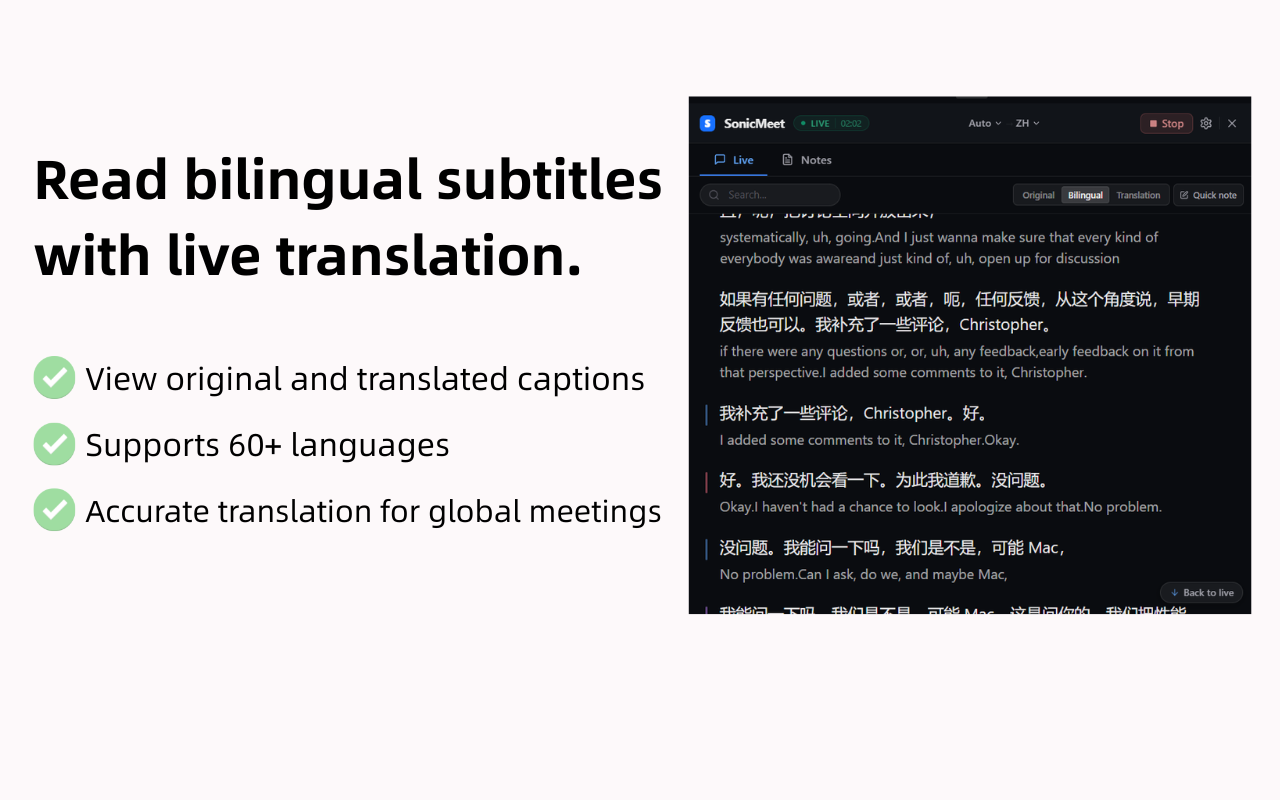
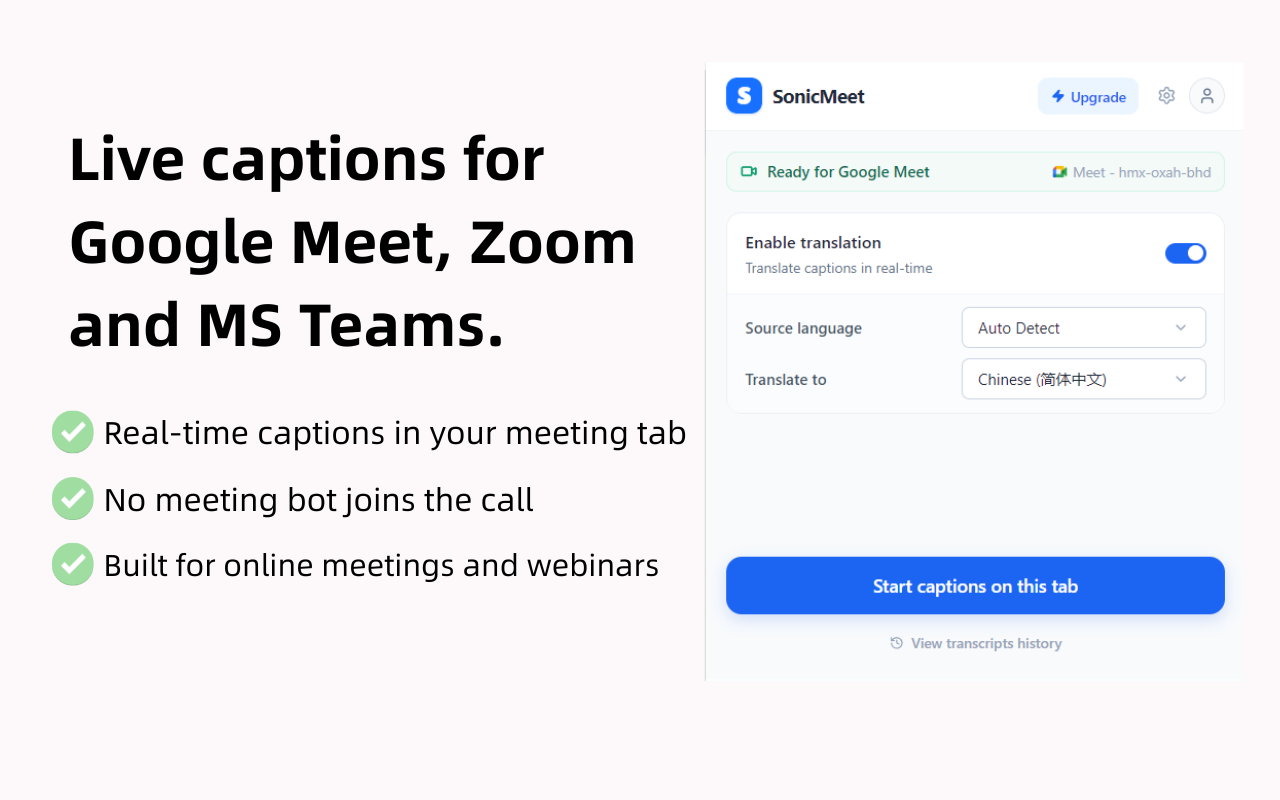
SonicMeet is the right pick for individuals and small multilingual teams who need live captions and translation without a bot appearing in their calls. Its no-bot architecture and dual translation modes (Instant and Accurate) are genuinely differentiated, but specific per-tier pricing was not surfaced by the live page's rendered content, making it hard to compare value against rivals. Teams that need AI-generated meeting summaries as a primary feature, or who work on Linux with desktop apps, should look at Tremigos instead.
What is SonicMeet?
SonicMeet adds real-time bilingual captions to Google Meet, Zoom, and Microsoft Teams without inviting a meeting bot. Use the browser overlay or Windows desktop app, keep transcripts, and ask AI about the conversation. Built for multilingual standups and calls. Freemium.
How we scored SonicMeet
Capability lands at 19 because the no-bot local capture architecture and dual Instant/Accurate translation modes are genuinely differentiated features not found in most meeting caption tools, and 62-language coverage is competitive with Tremigos; it loses a few points because there is no apparent team collaboration layer or API access. Ease of use scores 20 because the one-click extension install, auto-stop on silence, and floating resizable overlay all point to a low-friction experience with minimal setup. Value drops to 13 because specific tier prices are hidden behind the install flow rather than published openly, making it impossible to confirm whether the paid tiers are competitively priced; a freemium tool that obscures its pricing before sign-up creates real buyer friction that a competitor with transparent pricing does not. Delivery scores 14 because there is no substantial independent user review record to confirm that the product performs as described, the G2 profile is thin, and the opaque pricing page raises a mild trust concern; no documented lawsuit or consent controversy was found, but the absence of verifiable user sentiment prevents a higher score.
Pros and cons
What we liked
- No-bot audio capture means other participants never see a recording notification, which is a real differentiator for sensitive or client-facing calls.
- Dual translation modes (Instant and Accurate) let users trade latency for quality mid-meeting, with the stronger reasoning model available even on the free plan.
- One subscription covers both the browser extension and the desktop app, so users who mix browser and native-client meetings are not forced to pay twice.
Where it falls short
- No Linux desktop app: the macOS and Windows apps cover system audio from native Zoom and Teams clients, but Linux users are limited to browser-based meetings via the extension only.
- Specific per-tier pricing is not visible on the public pricing page without installing the product first, making pre-purchase cost comparison genuinely difficult.
- The tool is personal-use focused with no apparent team billing, shared workspace, or admin dashboard, which limits adoption for larger organizations that need centralized license management.
Key features
SonicMeet pricing
SonicMeet is freemium, priced by caption minutes (meeting hours). Plans are named Free, Starter, Pro, Power, and Ultra; paying yearly saves approximately 17% on the paid tiers. Specific dollar amounts per tier were not returned by the live pricing page's rendered content at review time.
| Plan | Price | Who it is for |
|---|---|---|
| Free | Free | Free tier with a limited monthly caption-minute quota. Both Instant and Accurate translation modes are included. Specific minute cap not published on the public pricing page. |
| Starter | Not publicly listed | More caption minutes than the Free tier. Annual billing saves approximately 17% versus monthly. Exact price not surfaced by the live pricing page at review time. |
| Pro | Not publicly listed | Higher caption-minute quota than Starter. Annual billing saves approximately 17%. Exact price not surfaced by the live pricing page at review time. |
| Power | Not publicly listed | Higher caption-minute quota than Pro. Annual billing saves approximately 17%. Exact price not surfaced by the live pricing page at review time. |
| Ultra | Not publicly listed | Highest caption-minute quota in the standard lineup. Annual billing saves approximately 17%. Exact price not surfaced by the live pricing page at review time. |
Pricing reflects what we saw at time of review (2026-09). Always confirm current pricing on the tool's own site.
Who should use SonicMeet?
SonicMeet fits non-native English speakers who sit in fast-paced English meetings and need a real-time bilingual feed without asking the host to enable captions. It also suits international team leads running cross-language standups where participants read captions in their own language while the speaker talks in another. The no-bot design makes it practical for legal, HR, or client-facing calls where a visible recording bot would raise questions.
Anyone who needs a Linux desktop app should skip SonicMeet entirely; the desktop app is Windows and macOS only, and the extension covers Linux only for browser-based meetings. Teams whose main requirement is structured AI meeting summaries, action-item extraction, or CRM integration will find Tremigos a better fit, as that tool is built around the full interpreting and dubbing workflow rather than personal caption overlay.
Skip it if: Linux desktop app users, or teams whose primary need is AI meeting summaries rather than live translation.
SonicMeet alternatives
Frequently asked questions
Does SonicMeet notify other meeting participants that captions are running?+
No. SonicMeet captures audio on your own computer rather than joining the call as a bot account, so other participants see no recording notification or bot entry in the participant list.
Which meeting platforms does SonicMeet support?+
Google Meet, Zoom, and Microsoft Teams are all supported. The browser extension covers all three in Chrome or Edge tabs; the desktop app additionally covers the native Zoom and Teams desktop clients on Windows and macOS, plus Webex and any other audio source on the computer.
How many languages does SonicMeet support?+
SonicMeet supports real-time transcription in 62 source languages and translation into all 62 target languages.
What is the difference between Instant and Accurate translation modes?+
Instant translates word-by-word as speech arrives, keeping latency sub-second. Accurate waits for a complete sentence and uses a stronger reasoning model with more surrounding context, producing better output for technical language at a lag of roughly one to five seconds. Both modes are available on every plan, including the free tier.
How much does SonicMeet cost?+
SonicMeet is freemium and priced by caption minutes. There are five tiers: Free, Starter, Pro, Power, and Ultra. Annual billing saves approximately 17% on the paid plans. Specific dollar amounts per tier were not visible on the public pricing page at review time; pricing is revealed after installing the product.
Does SonicMeet work on Linux?+
Partially. The Chrome and Edge browser extension runs on Linux and covers browser-based meetings. The desktop app, which captures system audio from native Zoom and Teams clients, is available only for Windows 10/11 and macOS 14.2 or later.
More AI Voice, Audio & Music tools
See all categoriesGet your tool listed on 300+ directories.
One listing here is a strong start. But the founders who get discovered everywhere are listed everywhere. Our sister site, Free AI Directories, submits your tool to 300+ AI directories for you, every single one by hand, by a real person.
It is a one-time payment of $49, no subscription, and you can follow along as the submissions land. Prefer the slow route? The same site keeps a free list of 450+ directories you can work through yourself.
Get my tool listed on 300+ directoriesOne-time payment, no subscription · 100% human submissions · Free list of 450+ directories included.