
TeamPost
AI ghostwriter that drafts and schedules LinkedIn posts for every employee, in each person's own voice.
Are you the maker? Claim this listing to keep info, pricing and screenshots current. Verified via your tool's domain email.
TeamPost is the clearest choice for B2B marketing or HR teams that want every employee posting on LinkedIn without asking anyone to write. The tradeoff is real: it does exactly one thing on exactly one platform, so if your content needs span channels or formats, it will not cover them. Solo creators who just want a personal LinkedIn writing aid will find the $20/user/month Pro tier hard to justify against cheaper general-purpose alternatives.
What is TeamPost?
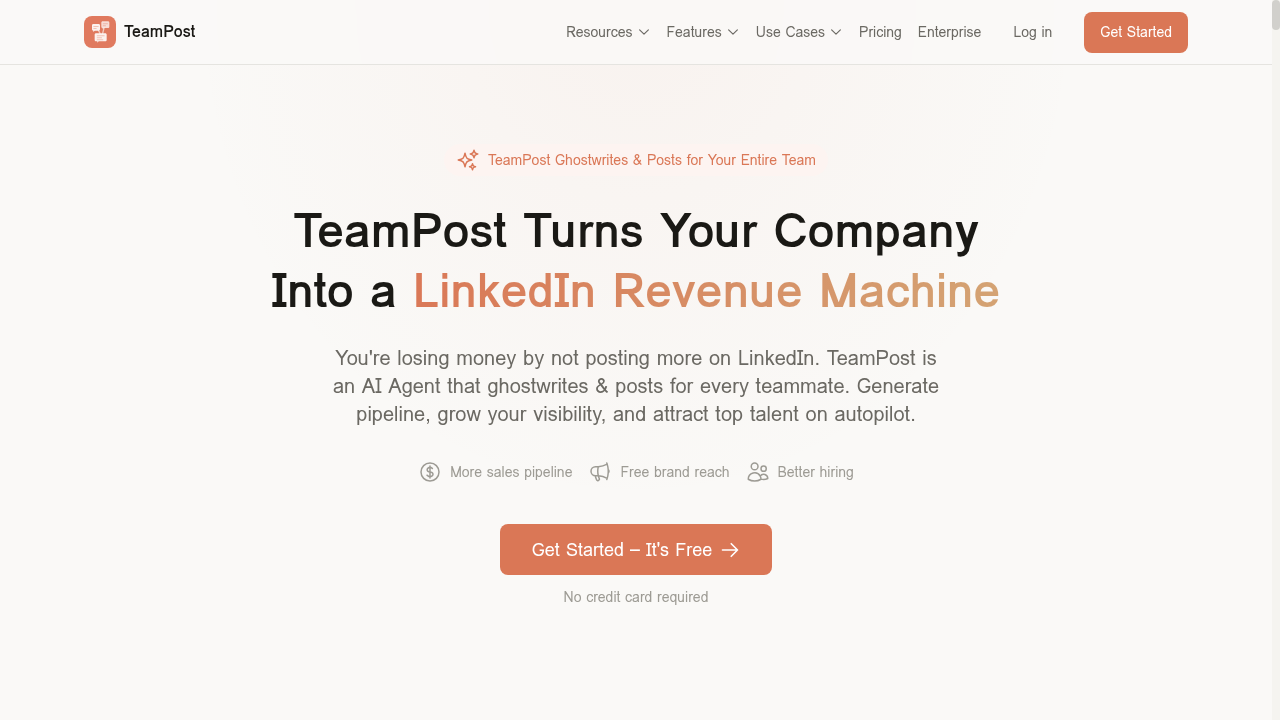
TeamPost is an AI ghostwriting and scheduling tool built for B2B companies that want their employees active on LinkedIn. It uses a guided conversation to learn each person's voice, then drafts posts on their behalf. Employees review and approve content before TeamPost publishes directly to LinkedIn via OAuth. A Slack bot lets team members submit ideas, voice notes, and photos without leaving their existing workflow.
The platform targets sales teams, marketers, recruiters, founders, and executives who need consistent LinkedIn presence but lack time to write. Admins can coordinate company-wide campaigns, push shared talking points, and monitor team activity from a central dashboard. Pricing starts free for the first 10 posts per employee, with paid plans for unlimited output and team management features.
How we scored TeamPost
Capability scores 18 because TeamPost does its narrow job well: per-person voice learning, Slack-native drafting, approval workflows, and admin campaign coordination are all real and differentiated features that no directory competitor matches for LinkedIn-specific team use. Points are lost because the tool covers exactly one platform and one content format, so any team with broader needs gets zero value from features they cannot use. Ease of use scores 20: the Slack bot removes the biggest adoption barrier for non-writers, the free tier requires no credit card, and the guided conversation flow is genuinely low-friction onboarding. Value scores 16 because the free tier's 10-post lifetime cap is thin, and $20/user/month scales painfully for larger teams (25 users = $500/month) with no mid-tier option between Pro and custom Enterprise. Delivery scores 14 because no independent user reviews or third-party sentiment were found to validate the voice-matching quality claims, and the homepage statistics attributed to LinkedIn and Edelman research have not been verified against primary sources, leaving the tool's core promise unconfirmed by external evidence.
Pros and cons
What we liked
- Slack bot lets employees submit raw ideas and receive polished drafts without leaving their existing workflow, which meaningfully lowers adoption friction for non-writers.
- Admin dashboard with company-wide talking points and campaign coordination is a genuine differentiator: no comparable tool in this directory offers centralized LinkedIn campaign management across an entire employee base.
- Free tier gives each employee 10 full voice-matched posts with no credit card, enough to test output quality before any budget commitment.
Where it falls short
- LinkedIn is the only supported platform. Teams that also need Twitter/X, Instagram, or newsletter content must pay for a separate tool alongside TeamPost.
- The free tier is a lifetime cap of 10 posts per employee, not a monthly allowance. Once those 10 are used, there is no way to continue without upgrading to $20/user/month, which adds up fast for larger teams.
- No API access is listed at any tier, and bulk scheduling is an Enterprise-only feature, meaning mid-size teams on Pro cannot batch-schedule posts or integrate TeamPost into existing marketing automation stacks.
Key features
TeamPost pricing
Free tier gives each employee 10 crafted posts with no credit card required. Pro is $20/user/month (or $16/user/month billed annually, saving 20%). Enterprise is custom-priced for teams of 10 or more and adds an admin dashboard, company-wide campaigns, volume discounts, weekly LinkedIn coaching, and white-glove onboarding.
| Plan | Price | Who it is for |
|---|---|---|
| Free Forever | $0 | 10 crafted posts per employee (lifetime cap, not monthly). Includes the full conversation experience, basic voice learning, and LinkedIn autoposting. No credit card required. |
| Pro | $20/user/month | Everything in Free, plus unlimited crafted posts, priority processing, advanced voice learning, unlimited regenerations, Slack bot integration, and smart scheduling. Annual billing available at $16/user/month (billed upfront for the full year). |
| Enterprise | Custom | Everything in Pro, plus admin dashboard and analytics, company-wide talking points, campaign coordination for product launches and hiring, bulk scheduling, photo library, volume discounts, weekly LinkedIn coaching from an expert, white-glove onboarding, and same-day support. Requires 10 or more employees. |
Pricing reflects what we saw at time of review (2026-09). Always confirm current pricing on the tool's own site.
Who should use TeamPost?
TeamPost fits B2B companies where LinkedIn is a primary pipeline channel and leadership wants more than just the CEO posting. A 20-person SaaS sales team whose account executives rarely post, a startup trying to amplify a funding announcement across the whole company, or an HR team running a hiring push are all good fits. The Slack-first workflow means adoption is realistic even for employees who would never open a dedicated content tool.
Solo professionals who want to grow their personal LinkedIn presence and are comfortable writing their own drafts should look at SmartWriter AI instead, which covers LinkedIn posts alongside blogs, emails, and ad copy at a lower per-seat cost. Teams that need content across multiple social channels, not just LinkedIn, will find TeamPost's single-platform focus too restrictive and should evaluate a broader social content tool.
Skip it if: Multi-channel social media managers or solo users on a tight budget
TeamPost alternatives
Frequently asked questions
Is the free plan really free, or does it expire after a trial period?+
The free plan has no time limit and requires no credit card. The catch is that it is a lifetime cap of 10 crafted posts per employee, not a monthly allowance. Once those 10 posts are used, you must upgrade to Pro at $20/user/month to continue.
How much does TeamPost cost for a team of 25 people?+
On the Pro plan, 25 users would cost $500/month billed monthly, or $400/month billed annually ($16/user/month). Teams of 10 or more can also contact sales for Enterprise pricing, which includes volume discounts.
Does TeamPost work for platforms other than LinkedIn?+
No. TeamPost is built exclusively for LinkedIn. It does not support Twitter/X, Instagram, Facebook, or any other social network.
Can employees control what gets posted, or does the admin publish on their behalf?+
Every post goes through an employee review and approval step before it publishes. Employees can edit drafts and their feedback is used to improve future voice matching. Admins can draft posts for teammates, but employees retain final approval.
Is the Slack bot available on the free plan?+
No. Slack bot integration is listed as a Pro and Enterprise feature. Free plan users interact with TeamPost through the web app only.
What does the Enterprise plan add beyond Pro?+
Enterprise adds an admin dashboard with analytics, company-wide talking points, campaign coordination for product launches and hiring, bulk scheduling, a photo library, volume discounts, weekly LinkedIn coaching from an expert, white-glove onboarding, and same-day support. It requires a minimum of 10 employees.
More AI Writing & Content tools
See all categoriesGet your tool listed on 300+ directories.
One listing here is a strong start. But the founders who get discovered everywhere are listed everywhere. Our sister site, Free AI Directories, submits your tool to 300+ AI directories for you, every single one by hand, by a real person.
It is a one-time payment of $49, no subscription, and you can follow along as the submissions land. Prefer the slow route? The same site keeps a free list of 450+ directories you can work through yourself.
Get my tool listed on 300+ directoriesOne-time payment, no subscription · 100% human submissions · Free list of 450+ directories included.