
Travel Itinerary Template
A free browser-based trip planner with 900+ day-by-day itineraries across 96 countries, exportable to PDF, Excel, Google Docs, and calendar
Are you the maker? Claim this listing to keep info, pricing and screenshots current. Verified via your tool's domain email.
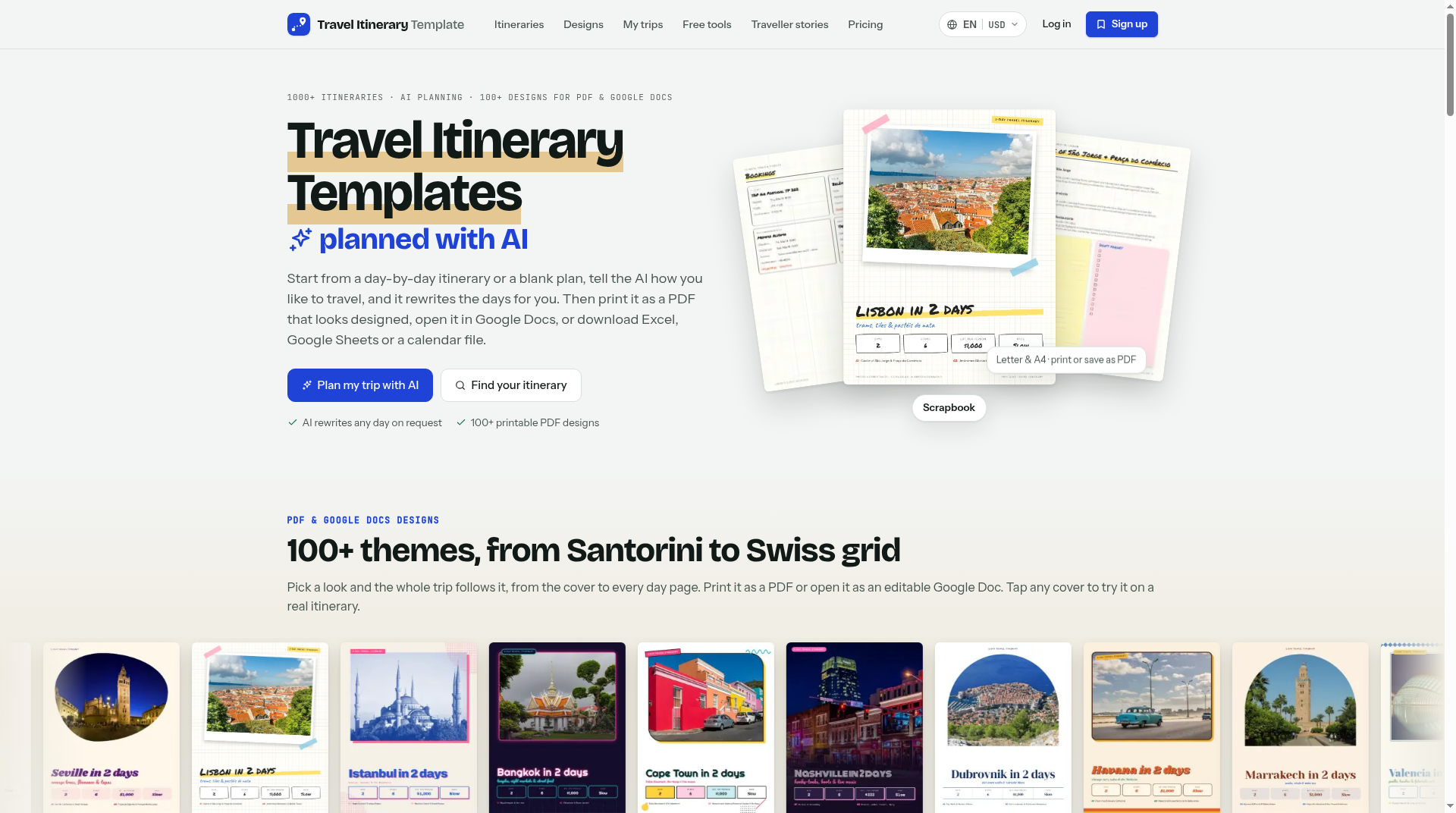
Best for independent travelers who want a ready-made day-by-day plan they can grab, edit in the browser, and export without starting from scratch. The free tier is genuinely useful, but the Pro upgrade at $49.99 per year is a narrow value proposition: it mainly enables prettier PDF themes and a higher AI message cap. If you need real-time flight tracking, booking integrations, or collaborative group editing, this tool does not offer those, and Notion AI paired with a custom template will give a power user more flexibility.
What is Travel Itinerary Template?
Travel Itinerary Template is a web-based trip planning tool offering more than 900 pre-built, day-by-day itineraries spanning 96 countries. Users can edit any template directly in the browser, personalize it with an AI chat assistant, and export the finished plan as a PDF, Google Docs file, Google Sheets document, Excel spreadsheet, CSV, or.ics calendar file. A free account is required to download.
The free plan includes every template, basic AI chat (10 messages per day), and all export formats. A Pro subscription at $49.99 per year or $5.99 per month adds access to more than 100 premium PDF and Google Docs designs, an Excel planner with live budget-versus-spent formulas, and an increased AI allowance of 200 messages per day. A one-time Trip Pass ($9.99) provides 30 days of Pro features without a recurring subscription. The tool is web-only and is operated by Brandvio LLC.
How we scored Travel Itinerary Template
Capability lands at 16 because the tool does one thing well (pre-built templates with broad export options) but lacks map views, booking integrations, real-time flight data, and in-app collaboration that named competitors in the broader travel planning space offer. Ease of use scores 20 because the free-tier onboarding requires no credit card, every template is editable in-browser, and the export options are unusually broad for a free tool. Value scores 19 because the free plan is genuinely useful rather than a stripped teaser, and the $9.99 Trip Pass is a fair one-time option; the $49.99 annual Pro tier is harder to justify since its main additions are cosmetic PDF themes and a higher AI cap. Delivery scores 13 because no user sentiment data was available to confirm the tool delivers on its claims, no social presence could be confirmed, and the AI cap of 10 messages per day on the free plan is low enough to undercut the 'personalize any trip' promise for a full itinerary build.
Pros and cons
What we liked
- Free plan includes all 900+ templates and every export format (PDF, Excel, Google Sheets, CSV,.ics) with no credit card required.
- The $9.99 one-time Trip Pass gives 30 days of Pro access without a subscription, a practical option for infrequent travelers.
- Excel export includes live budget formulas tracking budget versus actual spend and a who-owes-whom split, which is more than most free itinerary tools provide.
Where it falls short
- No map view, live flight data, or booking integration at any tier, which puts it behind dynamic trip managers like TripIt for travelers who want a single source of truth for a live trip.
- The free AI cap of 10 messages per day is low enough to be genuinely frustrating when building a multi-week itinerary in a single session.
- The tool is web-only with no iOS or Android app, so offline access to your itinerary on the road requires downloading a PDF or calendar file in advance.
Key features
Travel Itinerary Template pricing
Free plan at $0 forever covers all templates, in-browser editing, 10 AI chat messages per day, and downloads in PDF, Google Docs, Google Sheets, Excel, CSV, and calendar formats. Pro Yearly costs $49.99 per year (billed annually), equivalent to $4.16 per month, and adds 100+ premium PDF and Google Docs designs, an Excel planner with live budget formulas, and 200 AI messages per day (3,000 per month). Pro Monthly is $5.99 per month. A one-time Trip Pass costs $9.99 and gives 30 days of Pro access with no subscription.
| Plan | Price | Who it is for |
|---|---|---|
| Free | $0 | Every template editable in-browser, 10 AI chat messages per day, downloads in PDF, Google Docs, Google Sheets, Excel, CSV, and calendar formats, trip and packing list saving across devices, custom cover photo on PDFs, and access to the traveller stories blog. Free forever, no credit card required. |
| Pro Yearly | $49.99/year | Everything in Free, plus 100+ premium PDF and Google Docs design themes with unlimited downloads, Excel planner with live budget-versus-spent formulas and who-owes-whom tracking, and 200 AI chat messages per day (3,000 per month). Billed as $4.16 per month. 14-day money-back guarantee. |
| Pro Monthly | $5.99/month | Everything in Pro Yearly on a month-to-month basis with no annual commitment. Same feature set as Pro Yearly. |
| Trip Pass | $9.99 one-time | 30 days of full Pro access with no subscription and no auto-renewal. Covers all Pro features for a single trip window. Can be purchased again later for another 30-day period. |
Pricing reflects what we saw at time of review (2026-11). Always confirm current pricing on the tool's own site.
Who should use Travel Itinerary Template?
This tool fits independent travelers who want a structured starting point rather than a blank page. A solo traveler planning a two-week trip through Southeast Asia can pick a matching template, swap out days that do not fit, and have a printable PDF in under an hour. The Trip Pass at $9.99 is a genuinely good deal for someone planning one trip per year who wants the premium PDF designs without committing to an annual subscription.
Anyone planning a group trip with shared finances will find the Excel export with budget-versus-spent formulas and a who-owes-whom tracker useful, though the collaboration itself still happens in Google Sheets or Excel, not inside the app. Travel agents building client-facing proposals, teams needing real-time co-editing inside the tool, or travelers who want live flight status and booking sync should look elsewhere. Notion AI is the better pick for a power user who wants a fully flexible, AI-assisted planning workspace they can shape entirely to their own structure.
Skip it if: Travel agents, group trip coordinators, or anyone needing live booking sync
Travel Itinerary Template alternatives
Frequently asked questions
Do I need to pay anything to download a PDF of my itinerary?+
No. The free plan at $0 includes PDF downloads along with Google Docs, Google Sheets, Excel, CSV, and calendar exports. A free account is required to download, but no credit card is needed.
What does the Pro plan actually add over the free plan?+
Pro adds 100+ premium PDF and Google Docs design themes, an Excel planner with live budget formulas (budget versus spent, daily spend, who owes whom), and raises the AI chat limit from 10 messages per day to 200 per day. The core template library and all export formats are already available for free.
Is there a way to try Pro without committing to a subscription?+
Yes. The Trip Pass costs $9.99 as a one-time payment and gives 30 days of full Pro access with no auto-renewal. It is designed for travelers planning a single trip who do not want a recurring subscription.
Does the tool work on mobile?+
Travel Itinerary Template is web-only with no dedicated iOS or Android app. It can be used in a mobile browser, but for offline access on the road you need to download your itinerary as a PDF or calendar file before you travel.
How many countries and templates are available?+
The submitted description lists 900+ templates across 96 countries. Templates are drawn from official and community travel guides and are editable in the browser.
Can I collaborate with other travelers inside the app?+
Not directly. The tool does not offer real-time co-editing inside the app. Collaboration happens by exporting to Google Sheets or Google Docs and sharing those files externally. The Excel export includes a who-owes-whom budget tracker useful for group trips, but the shared editing itself is outside Travel Itinerary Template.
More AI Productivity Tools
See all categoriesGet your tool listed on 300+ directories.
One listing here is a strong start. But the founders who get discovered everywhere are listed everywhere. Our sister site, Free AI Directories, submits your tool to 300+ AI directories for you, every single one by hand, by a real person.
It is a one-time payment of $49, no subscription, and you can follow along as the submissions land. Prefer the slow route? The same site keeps a free list of 450+ directories you can work through yourself.
Get my tool listed on 300+ directoriesOne-time payment, no subscription · 100% human submissions · Free list of 450+ directories included.