
Unblurfy
AI photo unblurring and upscaling tool with a no-watermark free tier and credit-based paid plans for casual and regular users.
Are you the maker? Claim this listing to keep info, pricing and screenshots current. Verified via your tool's domain email.
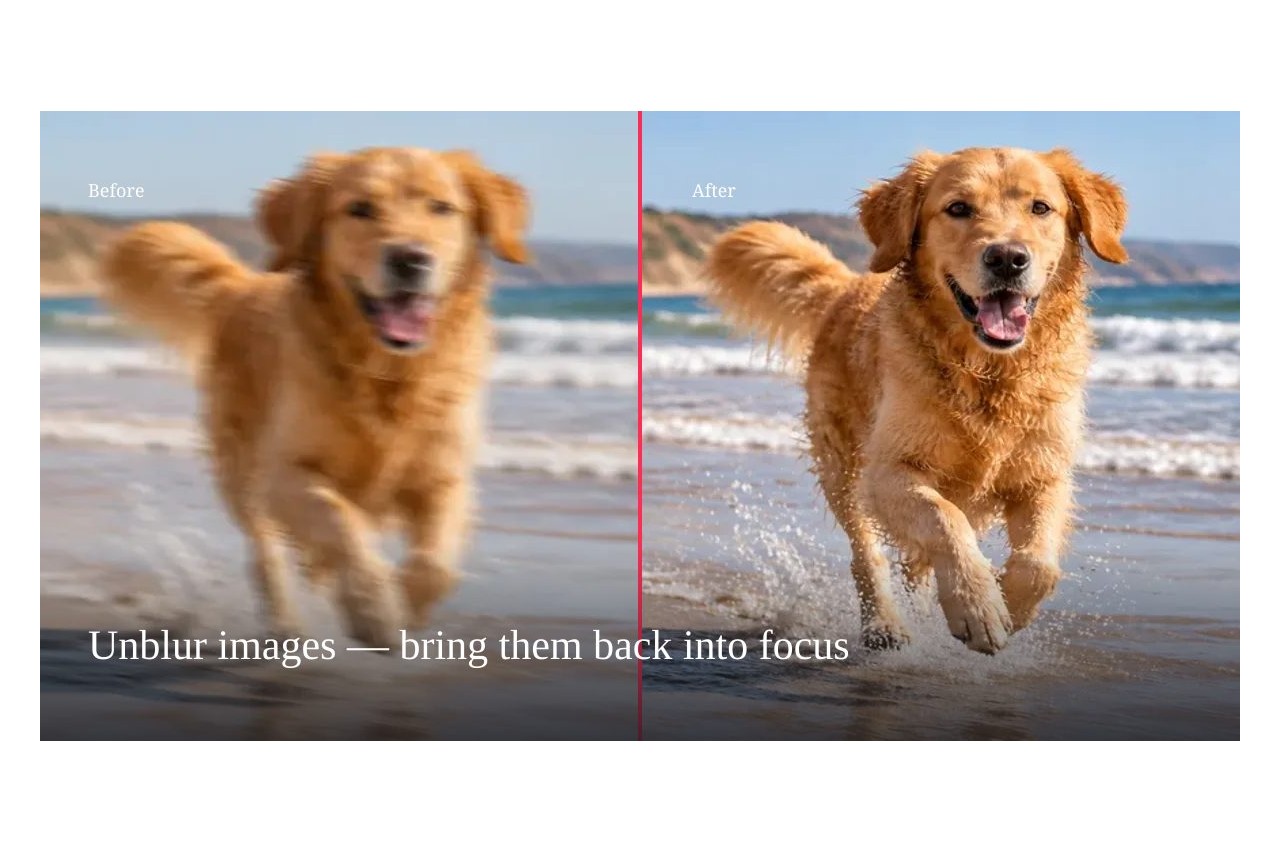
Unblurfy is the right pick for anyone who needs to rescue a blurry photo fast, without signing up or paying anything for occasional use. Its credit system is transparent and its per-credit cost drops meaningfully as you move up tiers, but credits do not roll over on subscription plans, which stings if your workload is uneven. If you need to generate images rather than fix existing ones, every directory competitor here does that job and Unblurfy does not.
What is Unblurfy?
Unblurfy is a browser-based AI photo enhancement tool focused on fixing blurry, pixelated, and low-resolution images. It accepts JPG, PNG, WebP, and HEIC files up to 20 MB and returns sharpened results at 1K or 2K resolution, with no watermark on any plan. Core tools include image unblurring, text deblurring for screenshots and documents, old photo restoration, face enhancement, photo colorization, and a video frame extractor that pulls the sharpest still from a clip.
The service runs on a credit system. A free allowance covers one enhancement per day without an account, or two per day when signed in. Paid monthly subscriptions range from $5.99 to $24.99 per month depending on credit volume, with one-time credit packs also available for users whose needs are irregular. All uploads are automatically deleted within 24 hours.
How we scored Unblurfy
Capability scores 17 because Unblurfy does its core job competently across several photo-repair tasks, but the 2K output ceiling is a concrete gap versus tools advertising 4K, and there is no API, which limits its usefulness for any workflow beyond manual one-off fixes. Ease of use scores 21 because the no-signup free tier, 30-second turnaround, and before-and-after slider represent genuinely low friction for the target user. Value scores 19 because the free tier is real and the per-credit cost at Pro ($0.05 per credit at $9.99/month) is competitive, but the no-rollover policy on subscription credits is a structural penalty for uneven users that meaningfully reduces practical value. Delivery scores 11 because no independent user reviews were found for this specific tool, no social presence could be confirmed, and the web search returned zero results for unblurfy.com specifically, making it impossible to verify that the tool delivers on its claims at any scale; the absence of evidence is not evidence of failure, but it is not evidence of reliability either, and a tool with no verifiable track record cannot score in the high teens here.
Pros and cons
What we liked
- Genuinely free daily use with no watermark and no account required, which is rare among AI photo tools
- One-time credit packs (from $4.99) never expire, making Unblurfy usable for irregular workloads without a subscription
- Covers several distinct photo problems in one place: blur, pixelation, old photo restoration, text deblur, and colorization
Where it falls short
- Subscription credits reset monthly with no rollover, so a user who processes 10 images one month and 90 the next will waste credits or run short, with no way to bank the surplus
- 2K output is the ceiling; there is no 4K upscaling path, which puts Unblurfy behind competitors like unblur-image.io that advertise 4K output on paid plans
- The tool is web-only with no API access listed on any plan, which blocks developers or teams who want to integrate photo enhancement into their own pipelines
Key features
Unblurfy pricing
Free tier allows 1 enhancement per day without sign-in, 2 per day when signed in, at 1K resolution with no watermark. Monthly subscriptions: Basic at $5.99/month (80 credits), Pro at $9.99/month (200 credits), Max at $24.99/month (600 credits). Annual plans save roughly 33%: Basic at $47.88/year, Pro at $79.99/year, Max at $199/year. One-time credit packs also available: Starter at $4.99, Plus at $14.99, Large at $29.99. Subscription credits reset monthly and do not roll over; one-time pack credits never expire.
| Plan | Price | Who it is for |
|---|---|---|
| Free | Free | 1K AI enhancement; 1 fix per day without sign-in, 2 per day when signed in. No watermark. No bulk upscaler. |
| Basic (Monthly) | $5.99/mo | 80 credits per month ($0.075 per credit). Credits reset monthly, no rollover. Includes bulk image upscaler (up to 20 photos). |
| Pro (Monthly) | $9.99/mo | 200 credits per month ($0.050 per credit). Credits reset monthly, no rollover. Includes bulk image upscaler. |
| Max (Monthly) | $24.99/mo | 600 credits per month ($0.042 per credit). Credits reset monthly, no rollover. Includes bulk image upscaler. |
| Basic (Annual) | $47.88/year | 80 credits issued monthly, saving roughly 33% versus monthly billing. No rollover. Includes bulk image upscaler. |
| Pro (Annual) | $79.99/year | 200 credits issued monthly, saving roughly 33% versus monthly billing. No rollover. Includes bulk image upscaler. |
| Max (Annual) | $199/year | 600 credits issued monthly, saving roughly 33% versus monthly billing. No rollover. Includes bulk image upscaler. |
| Starter (One-Time) | $4.99 | One-time credit pack. Credits never expire and are used after subscription credits are exhausted. |
| Plus (One-Time) | $14.99 | One-time credit pack. Credits never expire. |
| Large (One-Time) | $29.99 | One-time credit pack. Credits never expire. |
Pricing reflects what we saw at time of review (2026-11). Always confirm current pricing on the tool's own site.
Who should use Unblurfy?
Unblurfy suits anyone who occasionally needs to rescue a photo rather than create one: a parent trying to recover a blurry birthday shot, a real estate agent sharpening a listing photo taken in poor light, or a researcher cleaning up a scanned document. The free tier's two-per-day limit is genuinely useful for light, irregular use without any commitment.
Regular users who process dozens of images a month will find the Pro plan at $9.99/month (200 credits) a reasonable fit, and the one-time credit packs work well for people with unpredictable volume who do not want a recurring charge. Anyone who needs to generate images from scratch, build a creative workflow around AI art, or work with text-to-image prompts should look elsewhere. Leonardo.Ai is the strongest directory option for that use case, offering a token-based generative platform with far broader creative tooling.
Skip it if: Anyone who needs AI image generation, not enhancement
Unblurfy alternatives
Frequently asked questions
Is there really no watermark on the free tier?+
Correct. Unblurfy's own pricing page states that free 1K enhancements carry no watermark, which is the submitted product's explicit claim. Paid downloads at 1K or 2K are also watermark-free.
What happens to unused credits at the end of the month?+
Subscription credits (Basic, Pro, Max) reset at the end of each billing month and do not roll over. One-time pack credits (Starter, Plus, Large) never expire and are unaffected by monthly resets.
Can I process photos in bulk?+
Yes, but only on paid plans. The bulk image upscaler handles up to 20 photos at once and is included on all monthly and annual subscription tiers. It is not available on the free tier.
What is the maximum output resolution?+
The highest output option listed is 2K, which costs 2 credits per image. There is no 4K output path on any plan.
Is there an API for developers?+
No API access is listed on any plan on the pricing page. Developers who need programmatic integration should check with support directly, as this is not a documented feature.
How long are uploaded photos stored?+
Uploads and results are automatically deleted within 24 hours, according to the site's own footer and privacy information.
More AI Image Generators tools
See all categoriesGet your tool listed on 300+ directories.
One listing here is a strong start. But the founders who get discovered everywhere are listed everywhere. Our sister site, Free AI Directories, submits your tool to 300+ AI directories for you, every single one by hand, by a real person.
It is a one-time payment of $49, no subscription, and you can follow along as the submissions land. Prefer the slow route? The same site keeps a free list of 450+ directories you can work through yourself.
Get my tool listed on 300+ directoriesOne-time payment, no subscription · 100% human submissions · Free list of 450+ directories included.