
VideoEnhancer
Browser-based AI video upscaler that processes MP4 clips to 1080p, 2K, or 4K using FlashVSR, with no watermark and no software to install.
Are you the maker? Claim this listing to keep info, pricing and screenshots current. Verified via your tool's domain email.
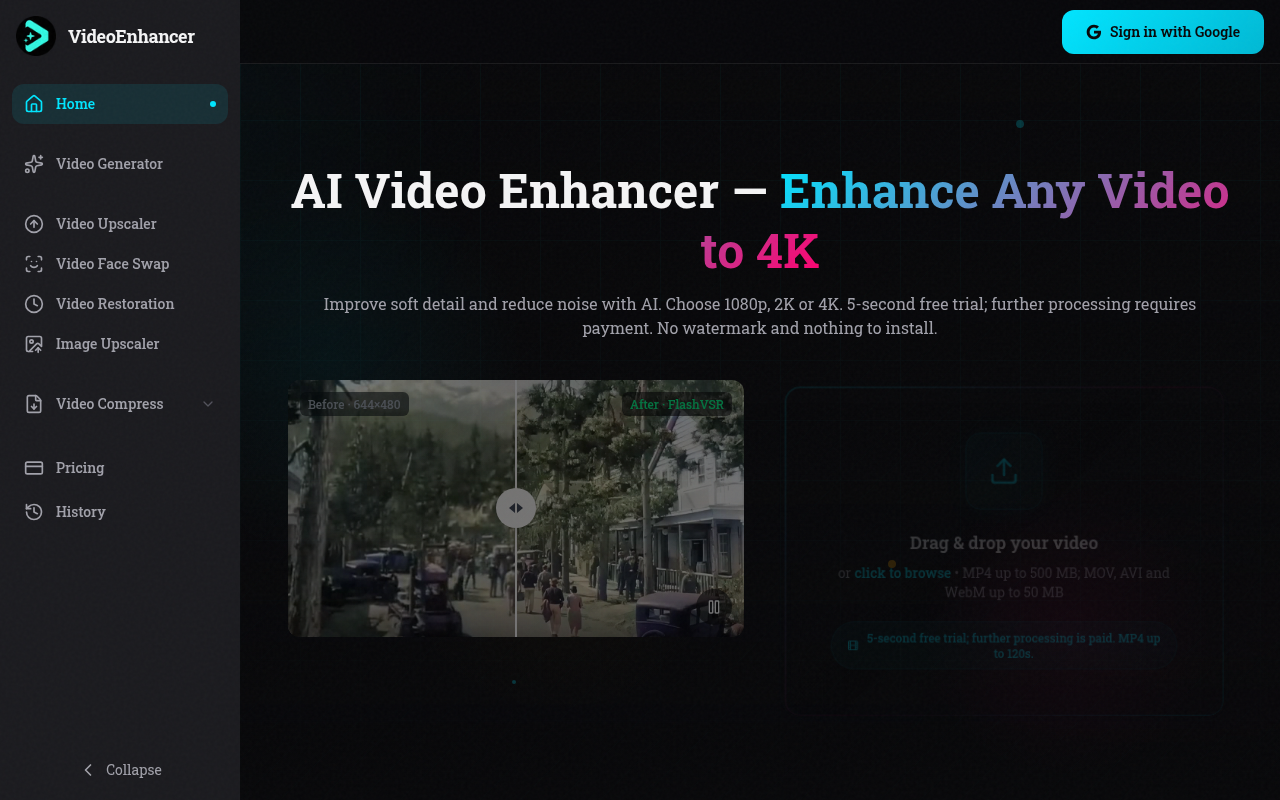
VideoEnhancer suits solo creators and small teams who need fast, no-install upscaling for clips under two minutes, with clean output and commercial rights included on paid plans. The 5-second free trial is genuinely stingy compared to rivals that offer more generous free allowances, and the 120-second clip cap will stop anyone working with longer footage cold. If you need AI video generation, editing, or anything beyond upscaling and compression, Runway is the more capable choice.
What is VideoEnhancer?
VideoEnhancer is an AI video upscaling tool that enhances video to 1080p, 2K or 4K right in the browser. Upload an MP4 up to 120 seconds, get sharper detail with no watermark. Try it with a 5-second free trial, then choose a paid plan (Basic or Premium) for longer clips.
How we scored VideoEnhancer
Capability scores 16 because VideoEnhancer does upscaling cleanly with a named model (FlashVSR) and has added generation and restoration tools, but the hard 120-second clip cap and the absence of any editing, timeline, or audio tools put it well behind Runway on raw feature depth. Ease of use scores 20 because the browser-only, no-install workflow is genuinely frictionless and the credit pricing is transparent and well-explained on the pricing page. Value scores 17 because the Basic plan's 1,660 credits at $19.90/month translates to roughly 9 minutes of 1080p upscaling, which is thin for regular use, and the 5-second free trial is stingy compared to rivals offering more generous free allowances; the one-time credit packs partially offset this for occasional users. Delivery scores 15 because the tool is a young product (founded 2024) with no available user sentiment data to verify output quality claims, the free trial is too short to meaningfully evaluate FlashVSR on real footage, and processed results expire after just 3 days, which is an unusual and user-unfriendly constraint not common among comparable tools.
Pros and cons
What we liked
- No watermark on any output, including the free 5-second trial, which is rare among browser-based upscalers.
- Credit packs (1,000 for $30, 2,500 for $50, 10,000 for $100) let occasional users pay without a monthly subscription.
- Full commercial use rights are included on all paid plans, with no separate licensing tier required.
Where it falls short
- The 5-second free trial is extremely limited; a single short test clip is barely enough to judge output quality on real footage, and the trial does not roll over or accumulate.
- Hard 120-second clip cap on upscaling means any video longer than two minutes must be split manually before upload, a workflow gap that desktop tools like AVCLabs do not impose.
- AI video generation features (text-to-video, image-to-video) share the same credit pool as upscaling, so heavy generation use can drain a Basic plan's 1,660 monthly credits quickly, leaving little headroom for upscaling jobs in the same billing period.
Key features
VideoEnhancer pricing
Free trial covers one 5-second clip with no watermark and no card required. Basic plan is $19.90/month for 1,660 credits (roughly 9 minutes of 1080p upscaling). Premium is $39.90/month for 4,000 credits at $0.01 per credit. One-time credit packs are available: 1,000 credits for $30, 2,500 for $50, and 10,000 for $100. Annual billing gives two months free.
| Plan | Price | Who it is for |
|---|---|---|
| 5-Second Free Trial | Free | One 5-second clip processed through any tool (upscaling, restoration, compression, or face swap). No watermark. No card required. Results downloadable for 3 days. |
| Basic | $19.90/month | 1,660 credits per month at $0.012 per credit. Roughly 9 minutes and 13 seconds of 1080p upscaling per month. Upscale to 4K, restore footage, compress, face swap, and access all seven AI generation models. Clips up to 120 seconds for upscaling, 30 seconds for generation. MP4 output, no watermark, full commercial use. |
| Premium | $39.90/month | 4,000 credits per month at $0.01 per credit (lowest per-credit rate on a subscription). Roughly 22 minutes and 13 seconds of 1080p upscaling per month. Everything in Basic, plus direct support. Annual billing available for the price of 10 months. |
| Credit Pack: 1,000 credits | $30 one-time | 1,000 credits at $0.03 per credit. No subscription, no expiry. Suitable for occasional upscaling jobs. |
| Credit Pack: 2,500 credits | $50 one-time | 2,500 credits at $0.02 per credit. No subscription, no expiry. |
| Credit Pack: 10,000 credits | $100 one-time | 10,000 credits at $0.01 per credit, matching the Premium subscription rate. No subscription, no expiry. Best value for high-volume one-time use. |
Pricing reflects what we saw at time of review (2026-11). Always confirm current pricing on the tool's own site.
Who should use VideoEnhancer?
VideoEnhancer fits a YouTuber or social media creator who regularly needs to rescue shaky, low-resolution footage and wants to do it in a browser tab without managing software licenses. It also works for a freelancer who occasionally delivers upscaled clips to clients and wants commercial rights included without negotiating a separate license.
Anyone editing long-form content should look elsewhere. The 120-second clip cap is a hard wall, not a soft suggestion, and there is no timeline editor or transcript-based workflow. Runway is the better pick if you need generation, editing, and upscaling in one place. If your primary need is adding captions or finishing short-form video with text overlays, CaptionBolt is more purpose-built for that workflow.
Skip it if: Anyone working with clips longer than 120 seconds or needing editing, captions, or AI avatars
VideoEnhancer alternatives
Frequently asked questions
How much does VideoEnhancer cost per month?+
The Basic plan is $19.90/month for 1,660 credits. The Premium plan is $39.90/month for 4,000 credits. Annual billing gives two months free on both plans. One-time credit packs start at $30 for 1,000 credits if you prefer not to subscribe.
What is the maximum video length VideoEnhancer can process?+
Upscaling is capped at 120 seconds and 500 MB per clip. AI video generation clips are capped at 30 seconds. There is no workaround within the platform for longer footage; you would need to split clips manually before uploading.
Does the free trial add a watermark?+
No. The 5-second free trial produces watermark-free output, and no card details are required to use it. Results are available to download for 3 days.
Do unused credits roll over each month?+
The pricing page does not state that subscription credits roll over. One-time credit pack credits do not expire, making packs the safer choice if you process video inconsistently month to month.
What AI model does VideoEnhancer use for upscaling?+
VideoEnhancer uses FlashVSR, described as a one-step diffusion model for video super-resolution, running on cloud GPUs. Image upscaling uses Real-ESRGAN as a separate, free tool.
Can I use enhanced videos commercially?+
Yes. Full commercial use is included on both the Basic ($19.90/month) and Premium ($39.90/month) plans with no additional licensing fee.
More AI Video Tools
See all categoriesGet your tool listed on 300+ directories.
One listing here is a strong start. But the founders who get discovered everywhere are listed everywhere. Our sister site, Free AI Directories, submits your tool to 300+ AI directories for you, every single one by hand, by a real person.
It is a one-time payment of $49, no subscription, and you can follow along as the submissions land. Prefer the slow route? The same site keeps a free list of 450+ directories you can work through yourself.
Get my tool listed on 300+ directoriesOne-time payment, no subscription · 100% human submissions · Free list of 450+ directories included.