
videotranscriber
A minute-based web transcription tool that converts video files and public social media links into text across 200+ languages.
Are you the maker? Claim this listing to keep info, pricing and screenshots current. Verified via your tool's domain email.
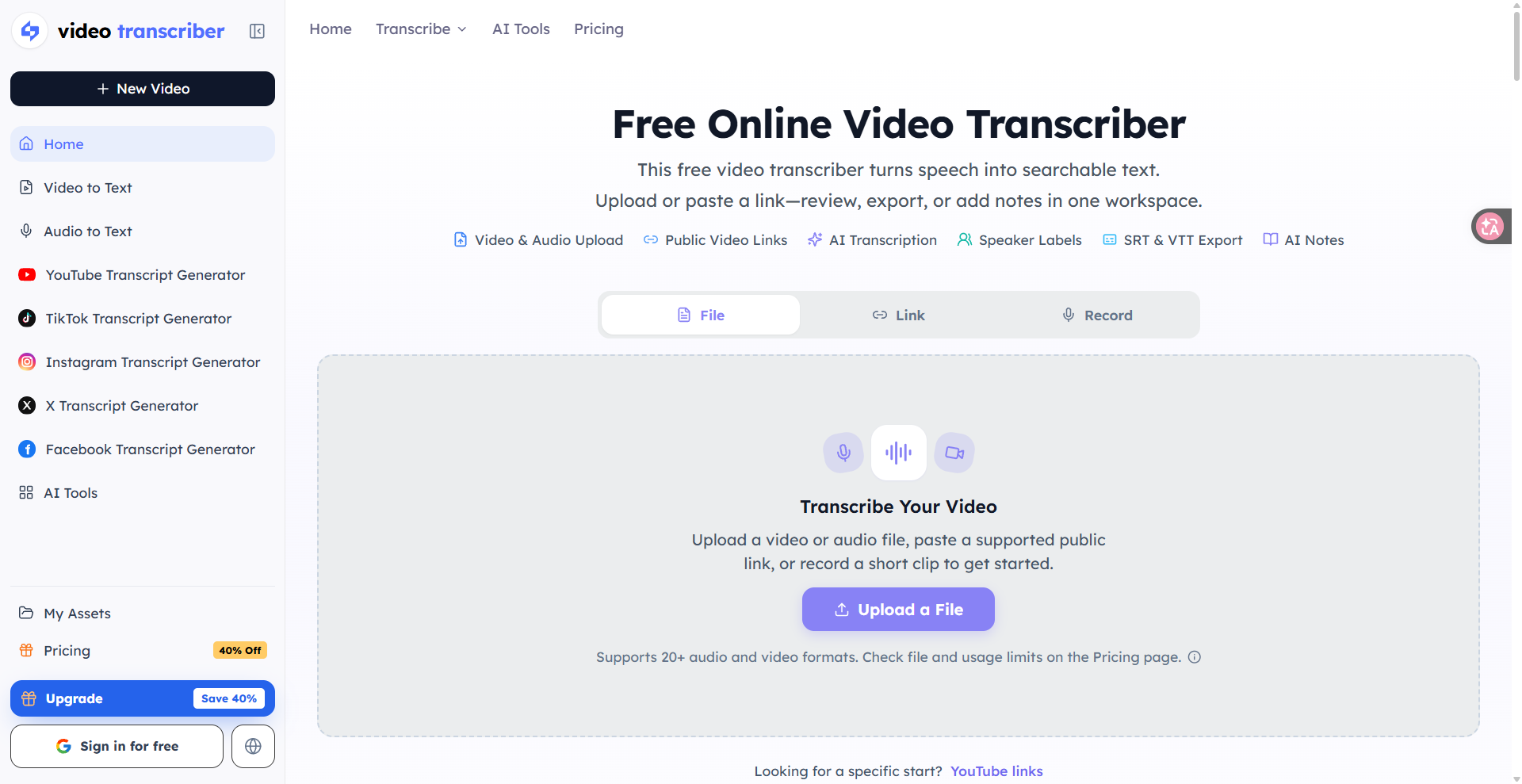
Video Transcriber is a solid pick for solo creators and researchers who need fast, affordable transcription from uploaded files or social media links without installing anything. Its free tier gives 90 minutes per month with no credit card required, which is genuinely useful for light users, but the tool lacks any real editing workspace or collaboration features that heavier users will eventually need. Teams or anyone who edits transcripts heavily should look at a dedicated tool with an editing layer.
What is videotranscriber?
Video Transcriber is a web-based transcription service that converts uploaded video and audio files, as well as public links from YouTube, TikTok, Instagram, Facebook, and X, into text. It supports over 200 languages, exports transcripts in TXT, SRT, VTT, and PDF formats, and uses a minute-pool billing model with a free tier that requires no credit card.
Paid plans add speaker identification, AI-generated summaries and notes, bulk transcription, and higher processing priority. The tool runs entirely in the browser with no desktop software required, making it accessible to individual creators, researchers, and small teams who need quick transcripts without a complex editing workflow.
How we scored videotranscriber
Capability lands at 17 because the tool does transcription and link-paste well but has no in-browser editor, no collaboration layer, and no API documented on the.pro domain, leaving it behind full-featured competitors that combine transcription with editing. Ease of use scores 20: a no-card free tier, a clean minute-pool model, and direct URL paste make onboarding genuinely frictionless for the target user. Value scores 19 because $0.003 per minute at the Pro tier ($18/month for 6,000 minutes billed yearly) is competitive pricing with a real free tier, though the no-rollover policy means users who transcribe unevenly across months pay for capacity they cannot use. Delivery scores 12 because no user sentiment data, third-party reviews, or trust signals were findable for videotranscriber.pro specifically, and the existence of two closely named competing domains (videotranscriber.ai and videotranscriber.co) creates brand confusion that a buyer would reasonably find concerning before committing to a subscription.
Pros and cons
What we liked
- Free tier provides 90 minutes per month with no credit card required, and the one-file-per-day limit is the only meaningful restriction at that level.
- Direct URL transcription from YouTube, TikTok, Instagram, Facebook, and X removes the download-then-upload step that most competing tools require.
- Yearly plans price as low as $0.003 per minute on the Pro tier ($18/month for 6,000 minutes), which undercuts many dedicated transcription services on a per-minute basis.
Where it falls short
- No in-browser transcript editor: once the transcript is generated, all corrections must happen in an external tool, which adds friction compared to services like Descript that let you edit text and video together.
- The free plan caps each file at 30 minutes and allows only one file per day, which means a single long interview or lecture will immediately exhaust the daily limit and require an upgrade.
- Unused monthly minutes do not roll over, so a user who transcribes heavily one month and lightly the next effectively loses paid capacity with no credit mechanism.
Key features
videotranscriber pricing
Free tier gives 90 minutes per month with no card required, capped at one file per day and 30 minutes per file. Paid plans billed yearly: Basic at $6/month ($72/year) for 1,200 minutes, Standard at $12/month ($144/year) for 3,000 minutes, and Pro at $18/month ($216/year) for 6,000 minutes. Monthly billing is also available at $10, $20, and $30 respectively. Minute packs can be purchased separately. Unused minutes do not appear to roll over based on the pricing page language.
| Plan | Price | Who it is for |
|---|---|---|
| Free | $0/month | 90 minutes per month, no credit card required. Limited to 1 file per day, each file up to 30 minutes. Includes basic AI summary, 200+ languages, and TXT/SRT/VTT/PDF export. |
| Basic | $6/month | 1,200 minutes per month, billed yearly at $72. No daily file limit, each file up to 5 hours. Adds speaker identification, AI summary and notes, YouTube/TikTok/link transcription, and priority email support. Extra minutes at $10 per 500. |
| Standard | $12/month | 3,000 minutes per month, billed yearly at $144. Everything in Basic plus higher priority processing, bulk transcription, and enhanced AI insights. Extra minutes at $15 per 1,000. |
| Pro | $18/month | 6,000 minutes per month, billed yearly at $216. Everything in Standard, positioned for high-volume users and teams. Extra minutes at $20 per 3,000. |
Pricing reflects what we saw at time of review (2026-11). Always confirm current pricing on the tool's own site.
Who should use videotranscriber?
A solo YouTuber or podcaster who needs weekly transcripts for show notes or captions will get real value from the free tier or the $6/month Basic plan. Journalists and researchers who regularly pull quotes from interview recordings or public social media videos will appreciate the direct link-paste workflow and the 200-language support. The per-minute pricing is transparent enough that occasional users can stay on the free plan indefinitely without feeling pushed toward an upgrade.
Anyone who needs to edit transcripts inside the same tool, sync corrections to a video timeline, or collaborate with a team in real time should look elsewhere. Grammarly is a better fit if the primary need is polishing written content derived from transcripts, since it offers in-line editing and tone suggestions across the full writing workflow rather than stopping at the raw text export.
Skip it if: Teams needing collaborative editing or a built-in video editor alongside transcription
videotranscriber alternatives
Frequently asked questions
Does the free plan require a credit card?+
No. The free plan gives 90 minutes per month and is available immediately after signing in, with no payment information required.
What is the per-minute cost on each paid plan?+
Basic works out to $0.005 per minute, Standard to $0.004 per minute, and Pro to $0.003 per minute, all on yearly billing. Monthly billing is available at higher effective per-minute rates.
Can I transcribe a two-hour video on the free plan?+
No. The free plan caps each individual file at 30 minutes and allows only one file per day. A two-hour video would require at least the Basic paid plan, which supports files up to 5 hours.
Do unused minutes carry over to the next month?+
The pricing page states that minute pools refresh monthly, which means unused minutes do not roll over. You lose any capacity you did not use.
Which social media platforms can I transcribe by pasting a link?+
YouTube, TikTok, Instagram, Facebook, and X are all supported via direct URL paste. This feature is available on Basic and higher plans; the free plan does not list link transcription.
Is there an API for developers?+
The pricing page lists minute packs as a purchase option but does not describe a developer API tier. The related videotranscriber.ai domain does offer API quotas, but that is a separate product.
More AI Writing & Content tools
See all categoriesGet your tool listed on 300+ directories.
One listing here is a strong start. But the founders who get discovered everywhere are listed everywhere. Our sister site, Free AI Directories, submits your tool to 300+ AI directories for you, every single one by hand, by a real person.
It is a one-time payment of $49, no subscription, and you can follow along as the submissions land. Prefer the slow route? The same site keeps a free list of 450+ directories you can work through yourself.
Get my tool listed on 300+ directoriesOne-time payment, no subscription · 100% human submissions · Free list of 450+ directories included.